Apple

upcoming-ios-and-macos-26.1-update-will-let-you-fog-up-your-liquid-glass

Upcoming iOS and macOS 26.1 update will let you fog up your Liquid Glass

Apple’s new Liquid Glass user interface design was one of the most noticeable and divisive features of its major software updates this year. It added additional fluidity and translucency throughout iOS, iPadOS, macOS, and Apple’s other operating systems, and as we noted in our reviews, the default settings weren’t always great for readability.

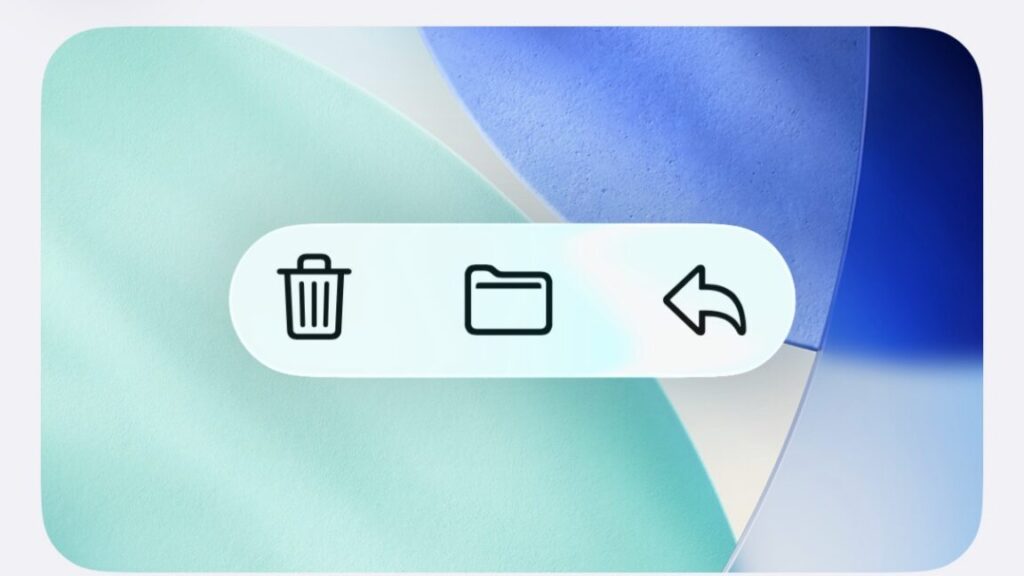
The upcoming 26.1 update for all of those OSes is taking a step toward addressing some of the complaints, though not by changing things about the default look of Liquid Glass. Rather, the update is adding a new toggle that will let users choose between a Clear and Tinted look for Liquid Glass, with Clear representing the default look and Tinted cranking up the opacity and contrast.

The new toggle adds a half-step between the default visual settings and the “reduce transparency” setting, which, aside from changing a bunch of other things about the look and feel of the operating system, is buried further down inside the Accessibility options. The Tinted toggle does make colors and vague shapes visible beneath the glass panes, preserving the general look of Liquid Glass while also erring on the side of contrast and visibility, where the “reduce transparency” setting is more of an all-or-nothing blunt instrument.

Upcoming iOS and macOS 26.1 update will let you fog up your Liquid Glass Read More »

testing-apple’s-m5-ipad-pro:-future-proofing-for-apple’s-perennial-overkill-tablet

Testing Apple’s M5 iPad Pro: Future-proofing for Apple’s perennial overkill tablet


It’s a gorgeous tablet, but what does an iPad need with more processing power?

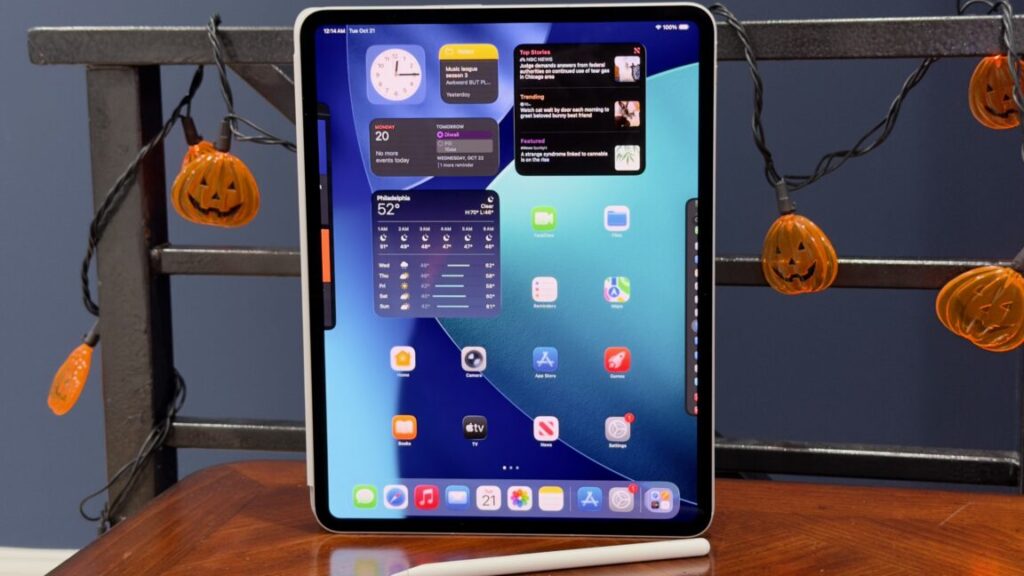
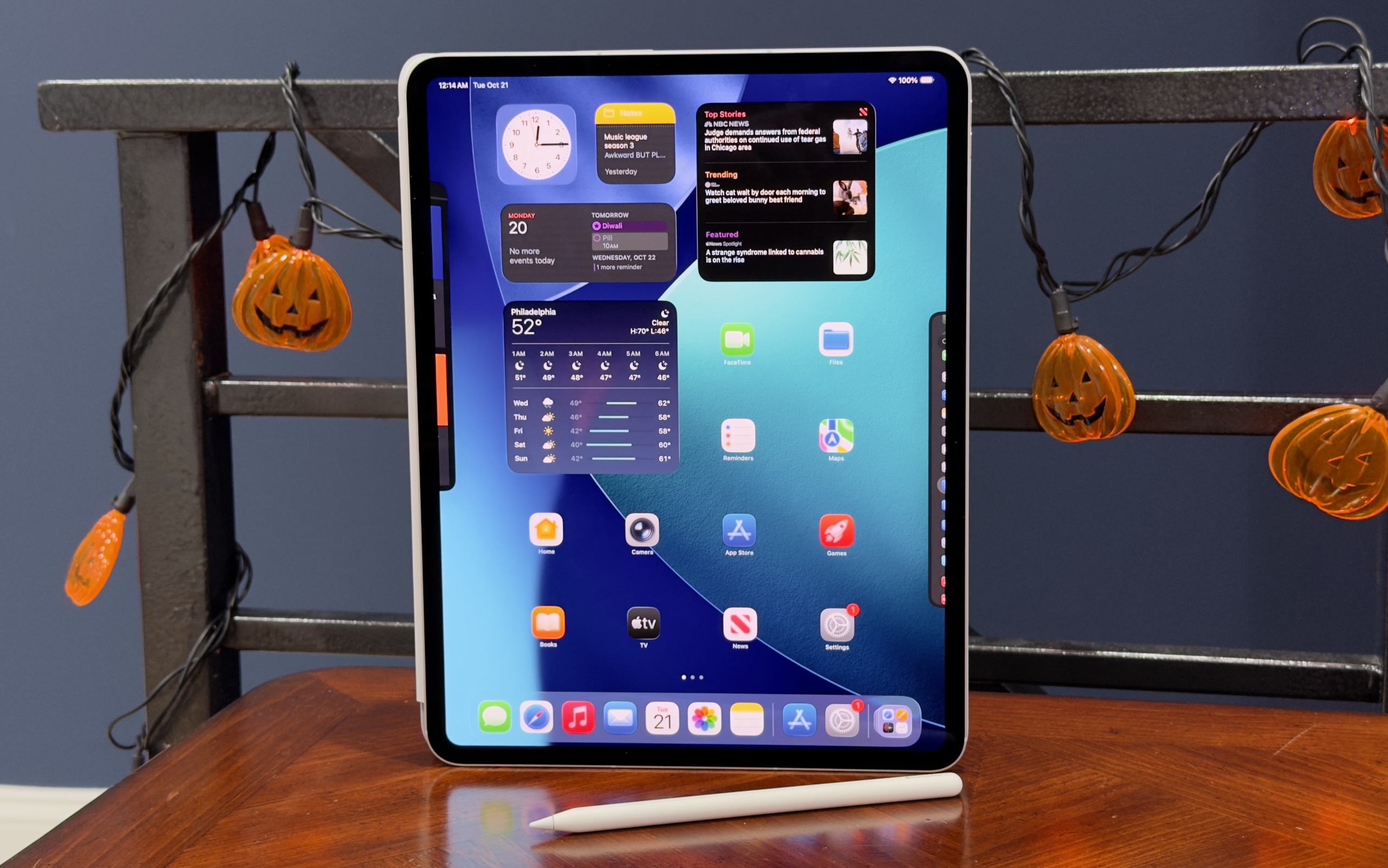
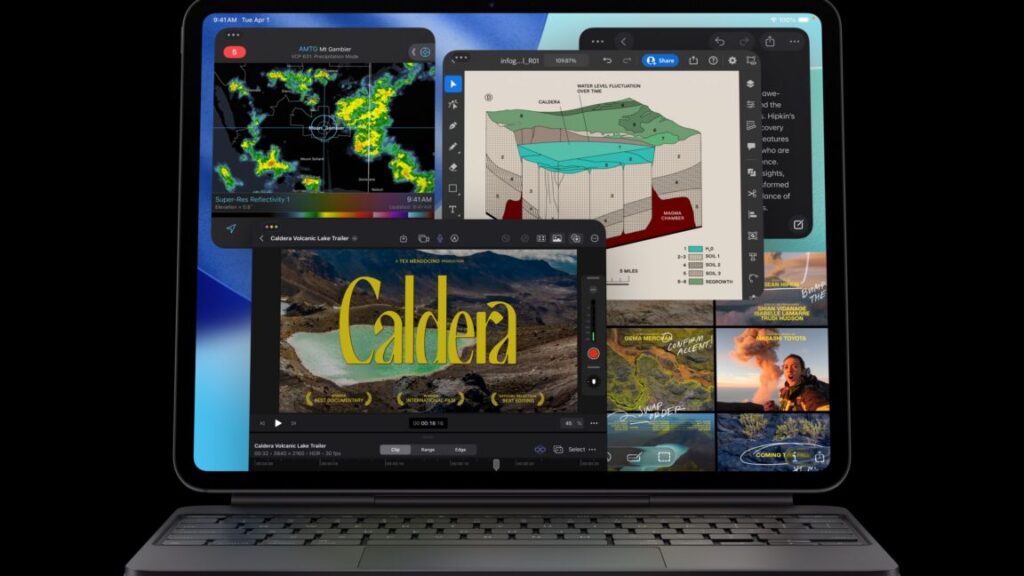
Apple’s 13-inch M5 iPad Pro. Credit: Andrew Cunningham

Apple’s 13-inch M5 iPad Pro. Credit: Andrew Cunningham

This year’s iPad Pro is what you might call a “chip refresh” or an “internal refresh.” These refreshes are what Apple generally does for its products for one or two or more years after making a larger external design change. Leaving the physical design alone preserves compatibility with the accessory ecosystem.

For the Mac, chip refreshes are still pretty exciting to me, because many people who use a Mac will, very occasionally, assign it some kind of task where they need it to work as hard and fast as it can, for an extended period of time. You could be a developer compiling a large and complex app, or you could be a podcaster or streamer editing or exporting an audio or video file, or maybe you’re just playing a game. The power and flexibility of the operating system, and first- and third-party apps made to take advantage of that power and flexibility, mean that “more speed” is still exciting, even if it takes a few years for that speed to add up to something users will consistently notice and appreciate.

And then there’s the iPad Pro. Especially since Apple shifted to using the same M-series chips that it uses in Macs, most iPad Pro reviews contain some version of “this is great hardware that is much faster than it needs to be for anything the iPad does.” To wit, our review of the M4 iPad Pro from May 2024:

Still, it remains unclear why most people would spend one, two, or even three thousand dollars on a tablet that, despite its amazing hardware, does less than a comparably priced laptop—or at least does it a little more awkwardly, even if it’s impressively quick and has a gorgeous screen.

Since then, Apple has announced and released iPadOS 26, an update that makes important and mostly welcome changes to how the tablet handles windowed multitasking, file transfers, and some other kinds of background tasks. But this is the kind of thing that isn’t even going to stress out an Apple M1, let alone a chip that’s twice as powerful.

All of this is to say: A chip refresh for an iPad is nice to have. This year’s will also come with a handy RAM increase for many buyers, the first RAM boost that the base model iPad Pro has gotten in more than four years.

But without any other design changes or other improvements to hang its hat on, the fact is that chip refresh years for the iPad Pro only really improve a part of the tablet that needs the least amount of improvement. That doesn’t make them bad; who knows what the hardware requirements will be when iPadOS 30 adds some other batch of multitasking features. But it does mean these refreshes don’t feel particularly exciting or necessary; the most exciting thing about the M5 iPad Pro means you might be able to get a good deal on an M4 model as retailers clear out their stock. You aren’t going to notice the difference.

Design: M4 iPad Pro redux

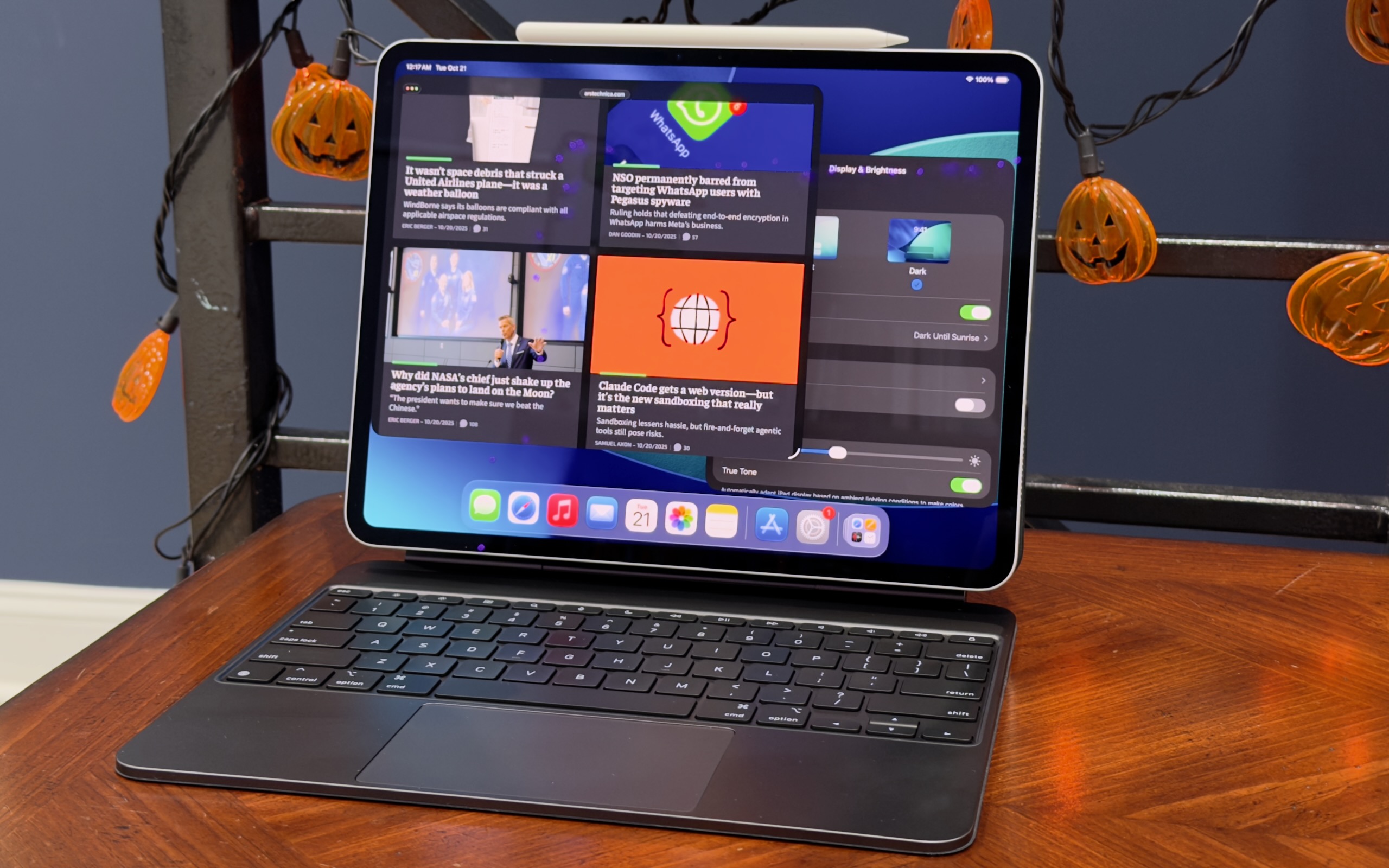
The 13-inch M5 iPad Pro in its Magic Keyboard accessory with the Apple Pencil Pro attached. Credit: Andrew Cunningham

Lest we downplay this tablet’s design, the M4 version of the iPad Pro was the biggest change to the tablet since Apple introduced the modern all-screen design for the iPad Pro back in 2018. It wasn’t a huge departure, but it did introduce the iPad’s first OLED display, a thinner and lighter design, and a slightly improved Apple Pencil and updated range of accessories.

As with the 14-inch M5 MacBook Pro that Apple just launched, the easiest way to know how much you’ll like the iPad Pro depends on how you feel about screen technology (the iPad is, after all, mostly screen). If you care about the 120 Hz, high-refresh-rate ProMotion screen, the option to add a nano-texture display with a matte finish, and the infinite contrast and boosted brightness of Apple’s OLED displays, those are the best reasons to buy an iPad Pro. The $299/349 Magic Keyboard accessory for the iPad Pro also comes with backlit keys and a slightly larger trackpad than the equivalent $269/$319 iPad Air accessory.

If none of those things inspire passion in you, or if they’re not worth several hundred extra dollars to you—the nano-texture glass upgrade alone adds $700 to the price of the iPad Pro, because Apple only offers it on the 1TB and 2TB models—then the 11- and 13-inch iPads Air are going to give you a substantively identical experience. That includes compatibility with the same Apple Pencil accessory and support for all the same multitasking and Apple Intelligence features.

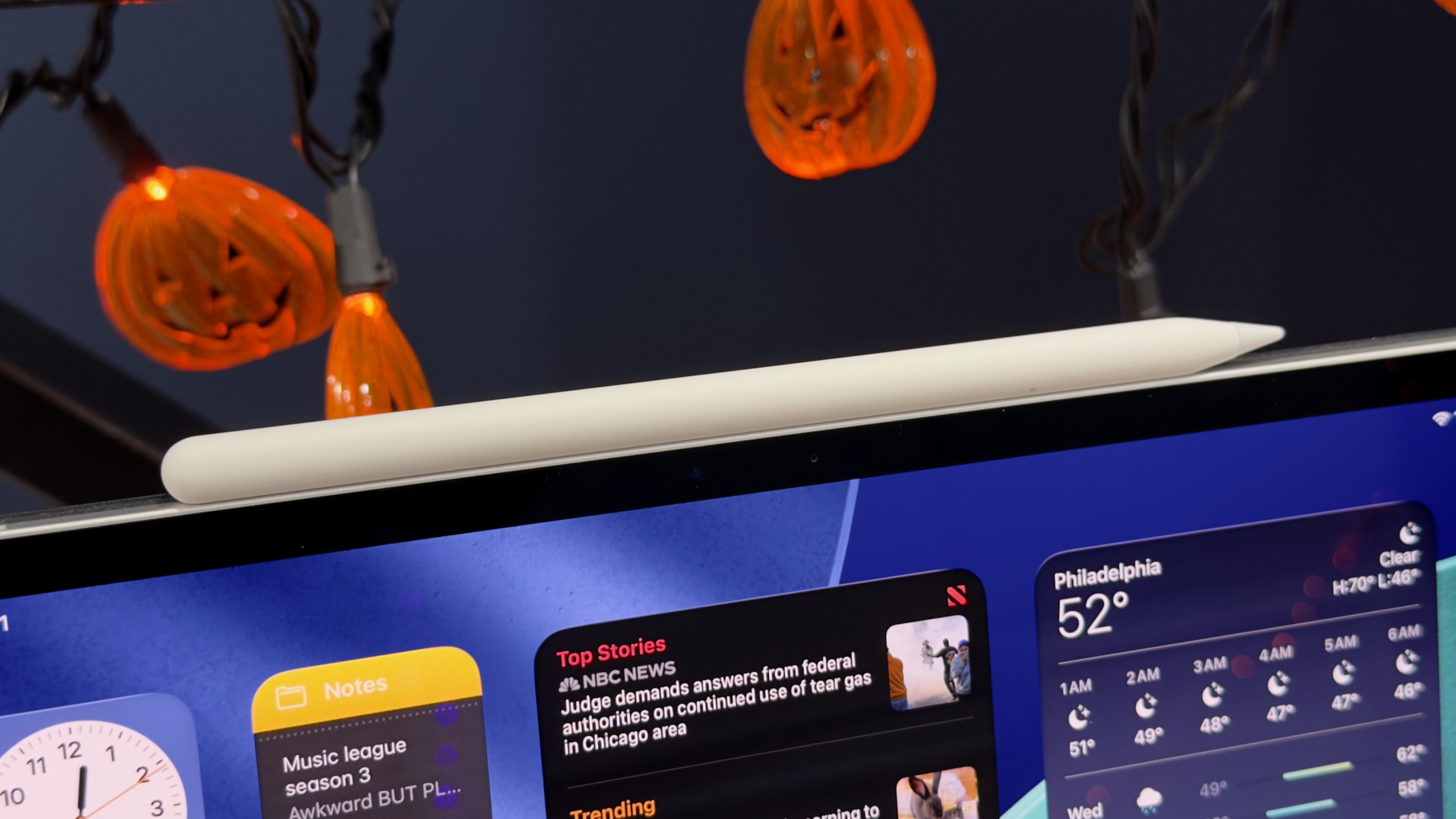
The M5 iPad Pro supports the same Apple Pencil Pro as the M4 iPad Pro, and the M2 and M3 iPad Air. Credit: Andrew Cunningham

One other internal change to the new iPad Pro, aside from the M5, is mostly invisible: Wi-Fi, Bluetooth, and Thread connectivity provided by the Apple N1 chip, and 5G cellular connectivity provided by the Apple C1X. Ideally, you won’t notice this swap at all, but it’s a quietly momentous change for Apple. Both of these chips cap several years of acquisitions and internal development, and further reduce Apple’s reliance on external chipmakers like Qualcomm and Broadcom, which has been one of the goals of Apple’s A- and M-series processors all along.

There’s one last change we haven’t really been able to adequately test in the handful of days we’ve had the tablet: new fast-charging support, either with Apple’s first-party Dynamic Power Adapter or any USB-C charger capable of providing 60 W or more of power. When using these chargers, Apple says the tablet’s battery can charge from 0 to 50 percent in 35 minutes. (Apple provides the same battery life estimates for the M5 iPads as the M4 models: 10 hours of Wi-Fi web usage, or 9 hours of cellular web usage, for both the 13- and 11-inch versions of the tablet.)

Two Apple M5 chips, two RAM options

Apple sent us the 1TB version of the 13-inch iPad Pro to test, which means we got the fully enabled version of the M5: four high-performance CPU cores, six high-efficiency GPU cores, 10 GPU cores, a 16-core Neural Engine, and 16GB of RAM.

Apple’s Macs still offer individually configurable processor, storage, and RAM upgrades to users—generally buying one upgrade doesn’t lock you into buying a bunch of other stuff you don’t want or need (though there are exceptions for RAM configurations in some of the higher-end Macs). But for the iPads, Apple still ties the chip and the RAM you get to storage capacity. The 256GB and 512GB iPads get three high-performance CPU cores instead of four, and 12GB of RAM instead of 16GB.

For people who buy the 256GB and 512GB iPads, this does amount to a 50 percent increase in RAM capacity from the M1, M2, and M4 iPad Pro models, or the M1, M2, and M3 iPad Airs, all of which came with 8GB of RAM. High-end models stick with the same 16GB of RAM as before (no 24GB or 32GB upgrades here, though the M5 supports them in Macs). The ceiling is in the same place, but the floor has come up.

Given that iPadOS is still mostly running on tablets with 8GB or less of RAM, I don’t expect the jump from 8GB to 12GB to make a huge difference in the day-to-day experience of using the tablet, at least for now. If you connect your iPad to an external monitor that you use as an extended display, it might help keep more apps in memory at a time; it could help if you edit complex multi-track audio or video files or images, or if you’re trying to run some kind of machine learning or AI workflows locally. Future iPadOS versions could also require more than 8GB of memory for some features. But for now, the benefit exists mostly on paper.

As for benchmarks, the M5’s gains in the iPad are somewhat more muted than they are for the M5 MacBook Pro we tested. We observed a 10 or 15 percent improvement across single- and multi-core CPU tests and graphics benchmark improvements that mostly hovered in the 15 to 30 percent range. The Geekbench 6 Compute benchmark was one outlier, pointing to a 35 percent increase in GPU performance; it’s possible that GPU or rendering-heavy workloads benefit a little more from the new neural accelerators in the M5’s GPU cores than games do.

In the MacBook review, we observed that the M5’s CPU generally had higher peak power consumption than the M4. In the fanless iPad Pro, it’s likely that Apple has reined the chip in a little bit to keep it cool, which would explain why the iPad’s M5 doesn’t see quite the same gains.

The M5 and the 12GB RAM minimum does help to put a little more distance between the M3 iPad Air and the Pros. Most iPad workloads don’t benefit in an obvious user-noticeable way from the extra performance or memory right now, but it’s something you can point to that makes the Pro more “pro” than the Air.

Changed hardware that doesn’t change much

The M5 iPad Pro is nice in the sense that “getting a little more for your money today than you could get for the same money two weeks ago” is nice. But it changes essentially nothing for potential iPad buyers.

I’m hard-pressed to think of anyone who would be well-served by the M5 iPad Pro who wouldn’t have been equally well-served by the M4 version. And if the M4 iPad Pro was already overkill for you, the M5 is just a little more so. Particularly if you have an M1 or M2 ; People with an A12X or A12Z version of the iPad Pro from 2018 or 2020 will benefit more, particularly if you’re multitasking a lot or running into limitations or RAM complaints from the apps you’re using.

But even with the iPadOS 26 update, it still seems like the capabilities of the iPad’s software lags behind the capabilities of the hardware by a few years. It’s to be expected, maybe, for an operating system that has to run on this M5 iPad Pro and a 7-year-old phone processor with 3GB of RAM.

I am starting to feel the age of the M1 MacBook Air I use, especially if I’m pushing multiple monitors with it or trying to exceed its 16GB RAM limit. The M1 iPad Air I have, on the other hand, feels like it just got an operating system that unlocks some of its latent potential. That’s the biggest problem with the iPad Pro, really—not that it’s a bad tablet, but that it’s still so much more tablet than you need to do what iPadOS and its apps can currently do.

The good

  • A fast, beautiful tablet that’s a pleasure to use.
  • The 120Hz ProMotion support and OLED display panel make this one of Apple’s best screens, period.
  • 256GB and 512GB models get a bump from 8GB to 12GB of memory.
  • Maintains compatibility with the same accessories as the M4 iPad Pro.

The bad

  • More iPad than pretty much anyone needs.
  • Passively cooled fanless Apple M5 can’t stretch its legs quite as much as the actively cooled Mac version.
  • Expensive accessories.

The ugly

  • All other hardware upgrades, including the matte nano-texture display finish, require a $600 upgrade to the 1TB version of the tablet.

Photo of Andrew Cunningham

Andrew is a Senior Technology Reporter at Ars Technica, with a focus on consumer tech including computer hardware and in-depth reviews of operating systems like Windows and macOS. Andrew lives in Philadelphia and co-hosts a weekly book podcast called Overdue.

Testing Apple’s M5 iPad Pro: Future-proofing for Apple’s perennial overkill tablet Read More »

macbook-pro:-apple’s-most-awkward-laptop-is-the-first-to-show-off-apple-m5

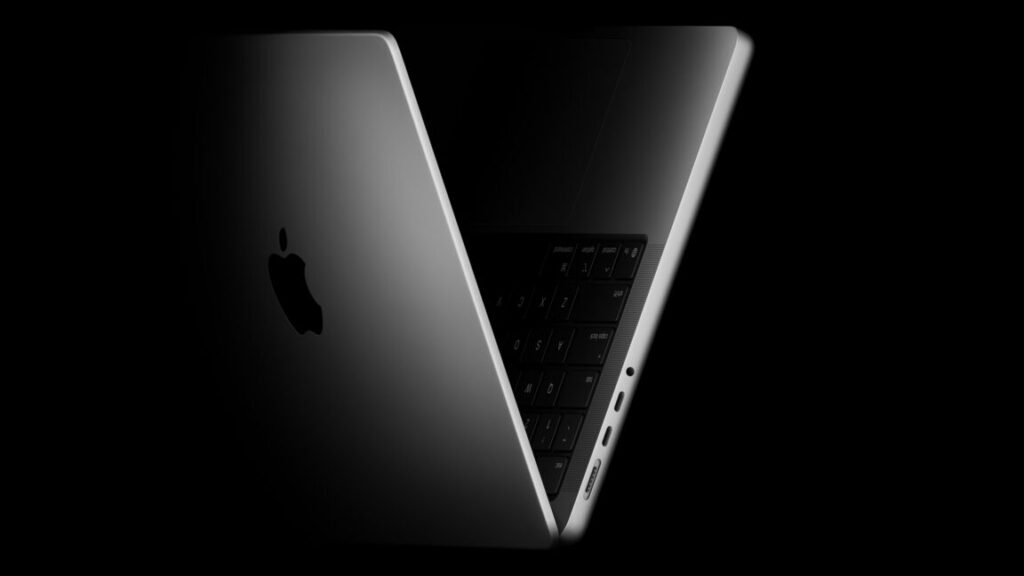
MacBook Pro: Apple’s most awkward laptop is the first to show off Apple M5


the apple m5: one more than m4

Apple M5 trades blows with Pro and Max chips from older generations.

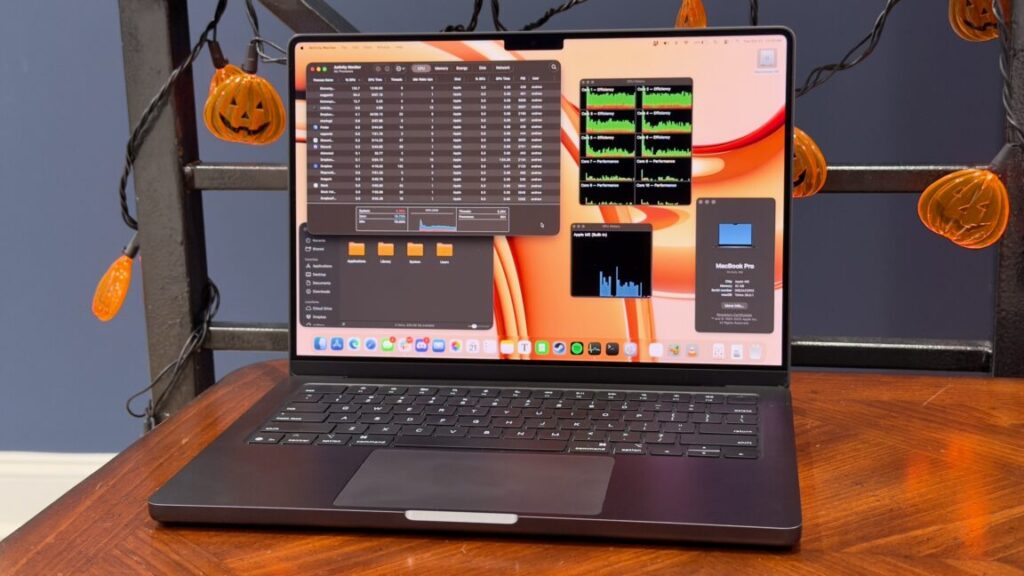
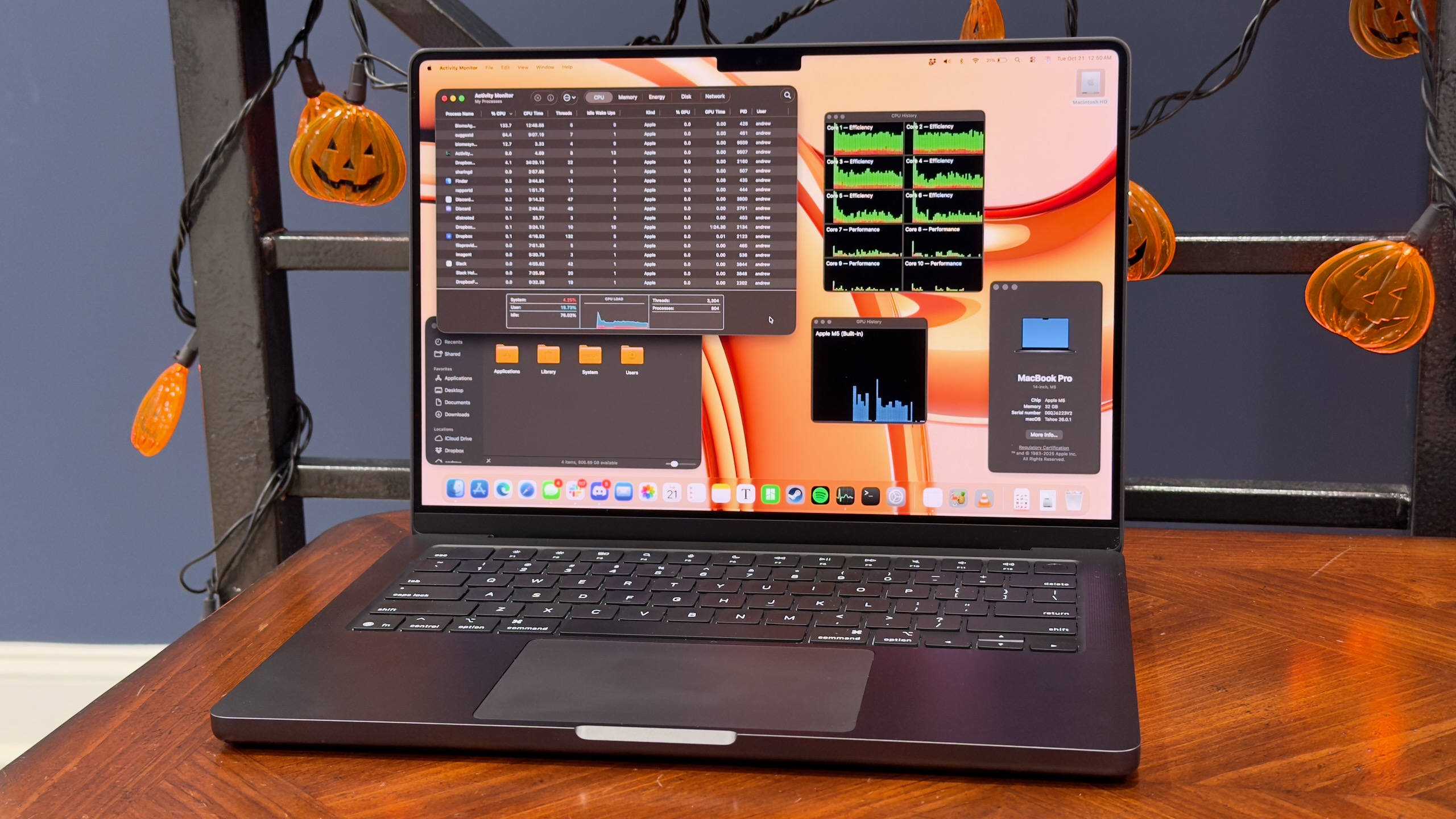
Apple’s M5 MacBook Pro. Credit: Andrew Cunningham

Apple’s M5 MacBook Pro. Credit: Andrew Cunningham

When I’m asked to recommend a Mac laptop for people, Apple’s low-end 14-inch MacBook Pro usually gets lost in the shuffle. It competes with the 13- and 15-inch MacBook Air, significantly cheaper computers that meet or exceed the “good enough” boundary for the vast majority of computer users. The basic MacBook Pro also doesn’t have the benefit of Apple’s Pro or Max-series chips, which come with many more CPU cores, substantially better graphics performance, and higher memory capacity for true professionals and power users.

But the low-end Pro makes sense for a certain type of power user. At $1,599, it’s the cheapest way to get Apple’s best laptop screen, with mini LED technology, a higher 120 Hz ProMotion refresh rate for smoother scrolling and animations, and the optional but lovely nano-texture (read: matte) finish. Unlike the MacBook Air, it comes with a cooling fan, which has historically meant meaningfully better sustained performance and less performance throttling. And it’s also Apple’s cheapest laptop with three Thunderbolt ports, an HDMI port, and an SD card slot, all genuinely useful for people who want to plug lots of things in without having multiple dongles or a bulky dock competing for the Air’s two available ports.

If you don’t find any of those arguments in the basic MacBook Pro’s favor convincing, that’s fine. The new M5 version makes almost no changes to the laptop other than the chip, so it’s unlikely to change your calculus if you already looked at the M3 or M4 version and passed it up. But it is the first Mac to ship with the M5, the first chip in Apple’s fifth-generation chip family and a preview of what’s to come for (almost?) every other Mac in the lineup. So you can at least be interested in the 14-inch MacBook Pro as a showcase for a new processor, if not as a retail product in and of itself.

The Apple Silicon MacBook Pro, take five

Apple has been using this laptop design for about four years now, since it released the M1 Pro and M1 Max versions of the MacBook Pro in late 2021. But for people who are upgrading from an older design—Apple did use the old Intel-era design, Touch Bar and all, for the low-end M1 and M2 MacBook Pros, after all—we’ll quickly hit the highlights.

This basic MacBook Pro only comes in a 14-inch screen size, up from 13-inches for the old low-end MacBook Pro, but some of that space is eaten up by the notch across the top of the display. The strips of screen on either side of the notch are usable by macOS, but only for the menu bar and icons that live in the menu bar—it’s a no-go zone for apps. The laptop is a consistent thickness throughout, rather than tapered, and has somewhat more squared-off and less-rounded corners.

Compared to the 13-inch MacBook Pro, the 14-inch version is the same thickness, but it’s a little heavier (3.4 pounds, compared to 3), wider, and deeper. For most professional users, the extra screen size and the re-addition of the HDMI port and SD card slot mostly justify the slight bump up in size. The laptop also includes three Thunderbolt 3 ports—up from two in the MacBook Airs—and the resurrected MagSafe charging port. But it is worth noting that the 14-inch MacBook Pro is nearly identical in weight to the 15-inch MacBook Air. If screen size is all you’re after, the Air may still be the better choice.

Apple’s included charger uses MagSafe on the laptop end, but USB-C chargers, docks, monitors, and other accessories will continue to charge the laptop if that’s what you prefer to keep using.

I’ve got no gripes about Apple’s current laptop keyboard—Apple uses the same key layout, spacing, and size across the entire MacBook Air and Pro line, though if I had to distinguish between the Pro and Air, I’d say the Pro’s keyboard is very, very slightly firmer and more satisfying to type on and that the force feedback of its trackpad is just a hair more clicky. The laptop’s speaker system is also more impressive than either MacBook Air, with much bassier bass and a better dynamic range.

But the main reason to prefer this low-end Pro to the Air is the screen, particularly the 120 Hz ProMotion support, the improved brightness and contrast of the mini LED display technology, and the option to add Apple’s matte nano texture finish. I usually don’t mind the amount of glare coming off my MacBook Air’s screen too much, but every time I go back to using a nano-texture screen I’m always a bit jealous of the complete lack of glare and reflections and the way you get those benefits without dealing with the dip in image quality you see from many matte-textured screen protectors. The more you use your laptop outdoors or under lighting conditions you can’t control, the more you’ll appreciate it.

The optional nano texture display adds a pleasant matte finish to the screen, but that notch is still notching. Credit: Andrew Cunningham

If the higher refresh rate and the optional matte coating (a $150 upgrade on top of an already pricey computer) don’t appeal to you, or if you can’t pay for them, then you can be pretty confident that this isn’t the MacBook for you. The 13-inch Air is lighter, and the 5-inch Air is larger, and both are cheaper. But we’re still only a couple of years past the M2 version of the low-end MacBook Pro, which didn’t give you the extra ports or the Pro-level screen.

But! Before you buy one of the still-M4-based MacBook Airs, our testing of the MacBook Pro’s new M5 chip should give you some idea of whether it’s worth waiting a few months (?) for an Air refresh.

Testing Apple’s M5

We’ve also run some M5 benchmarks as part of our M5 iPad Pro review, but having macOS rather than iPadOS running on top of it does give us a lot more testing flexibility—more benchmarks and a handful of high-end games to run, plus access to the command line for taking a look at power usage and efficiency.

To back up and re-state the chip’s specs for a moment, though, the M5 is constructed out of the same basic parts as the M4: four high-performance CPU cores, six high-efficiency CPU cores (up from four in the M1/M2/M3), 10 GPU cores, and a 16-core Neural Engine for handling some machine-learning and AI workloads.

The M5’s technical improvements are more targeted and subtle than just a boost to clock speeds or core counts. The first is a 27.5 percent increase in memory bandwidth, from the 120 GB/s of the M4 to 153 GB/s (achieved, I’m told, by a combination of faster RAM and the memory fabric that facilitates communication between different areas of the chip. Integrated GPUs are usually bottlenecked by memory bandwidth first and core count second, so memory bandwidth improvements can have a pretty direct, linear impact on graphics performance.

Apple also says it has added a “Neural Accelerator” to each of its GPU cores, separate from the Neural Engine. These will benefit a few specific types of workloads—things like MetalFX graphics upscaling or frame generation that would previously have had to use the Neural Engine can now do that work entirely within the GPU, eliminating a bit of latency and freeing the Neural Engine up to do other things. Apple is also claiming “over 4x peak GPU compute compared to M4,” which Apple says will speed up locally run AI language models and image generation software. That figure is coming mostly from the GPU improvements; according to Geekbench AI, the Neural Engine itself is only around 10 percent faster than the one on the M4.

(A note about testing: The M4 chip in these charts was in an iMac and not a MacBook Pro. But over several hardware generations, we’ve observed that the actively cooled versions of the basic M-series chips perform the same in both laptops and desktops. Comparing the M5 to the passively cooled M4 in the MacBook Air isn’t apples to apples, but comparing it to the M4 in the iMac is.)

Each of Apple’s chip generations has improved over the previous one by low-to-mid double digits, and the M5 is no different. We measured a 12 to 16 percent improvement over the M4 in single-threaded CPU tests, a 20 to 30 percent improvement in multicore tests, and roughly a 40 percent improvement in graphics benchmarks and the Mac version of the built-in Cyberpunk 2077 benchmark (one benchmark, the GPU-based version of the Blender rendering benchmark, measured a larger 60 to 70 percent improvement for the M5’s GPU, suggesting it either benefits more than most apps from the memory bandwidth improvements or the new neural accelerators).

Those performance additions add up over time. The M5 is typically a little over twice as fast as the M1, and it comes close to the performance level of some Pro and Max processors from past generations.

The M5 MacBook Pro falls short of the M4 Pro, and it will fall even shorter of the M5 Pro whenever it arrives. But its CPU performance generally beats the M3 Pro in our tests, and its GPU performance comes pretty close. Its multi-core CPU performance beats the M1 Max, and its single-core performance is over 80 percent faster. The M5 can’t come close to the graphics performance of any of these older Max or Ultra chips, but if you’re doing primarily CPU-heavy work and don’t need more than 32GB of RAM, the M5 holds up astonishingly well to Apple’s high-end silicon from just a few years ago.

It wasn’t so long ago that this kind of performance improvement was more-or-less normal across the entire tech industry, but Intel, AMD, and Nvidia’s consumer CPUs and GPUs have really slowed their rate of improvement lately, and Intel and AMD are both guilty of re-using old silicon for entry-level chips, over and over again. If you’re using a 6- or 7-year-old PC, sure, you’ll see performance improvements from something new, but it’s more of a crapshoot for a 3- to 4-year-old PC.

If there’s a downside to the M5 in our testing, it’s that its performance improvements seem to come with increased power draw relative to the M4 when all the CPU cores are engaged in heavy lifting. According to macOS built-in powermetrics tool, the M5 drew an average 28 W of power in our Handbrake video encoding test, compared to around 17 W for the M4 running the same test.

Using software tools to compare power draw between different chip manufacturers or even chip generations is dicey, because you’re trusting that different hardware is reporting its power use to the operating system in similar ways. But assuming they’re accurate, these numbers suggest that Apple could be pushing clock speeds more aggressively this generation to squeeze more performance out of the chip.

This would make some sense, since the third-generation 3nm TSMC manufacturing process used for the M5 (likely N3P) looks like a fairly mild upgrade from the second-generation 3nm process used for the M4 (N3E). TSMC says that N3P can boost performance by 5 percent at the same power use compared to N3E, or reduce power draw by 5 to 10 percent at the same performance. To get to the larger double-digit performance improvements that Apple is claiming and that we measured in our testing, you’d definitely expect to see the overall power consumption increase.

To put the M5 in context, the M2 and the M3 came a bit closer to its average power draw in our video encoding test (23.2 and 22.7 W, respectively), and the M5’s power draw comes in much lower than any past-generation Pro or Max chips. In terms of the amount of power used to complete the same task, the M5’s efficiency is worse than the M4’s according to powermetrics, but better than older generations. And Apple’s performance and power efficiency remains well ahead of what Intel or AMD can offer in their high-end products.

Impressive chip, awkward laptop

The low-end MacBook Pro has always occupied an odd in-between place in Apple’s lineup, overlapping in a lot of places with the MacBook Air and without the benefit of the much-faster chips that the 15- and 16-inch MacBook Pros could fit. The M5 MacBook Pro carries on that complicated legacy, and even with the M5 there are still lots of people for whom one of the M4 MacBook Airs is just going to be a better fit.

But it is a very nice laptop, and if your screen is the most important part of your laptop, this low-end Pro does make a decent case for itself. It’s frustrating that the matte display is a $150 upcharge, but it’s an option you can’t get on an Air, and the improved display panel and faster ProMotion refresh rate make scrolling and animations all look smoother and more fluid than they do on an Air’s screen. I still mostly think that this is a laptop without a huge constituency—too much more expensive than the Air, too much slower than the other Pros—but the people who buy it for the screen should still be mostly happy with the performance and ports.

This MacBook Pro is more exciting to me as a showcase for the Apple M5—and I’m excited to see the M5 and its higher-end Pro, Max, and (possibly) Ultra relatives show up in other Macs.

The M5 sports the highest sustained power draw of any M-series chip we’ve tested, but Apple’s past generations (the M4 in particular) have been so efficient that Apple has some room to bump up power consumption while remaining considerably more efficient than anything its competitors are offering. What you get in exchange is an impressively fast chip, as good or better than many of the Pro or Max chips in previous-generation products. For anyone still riding out the tail end of the Intel era, or for people with M1-class Macs that are showing their age, the M5 is definitely fast enough to feel like a real upgrade. That’s harder to come by in computing than it used to be.

The good

  • M5 is a solid performer that shows how far Apple has come since the M1.
  • Attractive, functional design, with a nice keyboard and trackpad, great-sounding speakers, a versatile selection of ports, and Apple’s best laptop screen.
  • Optional nano-texture display finish looks lovely and eliminates glare.

The bad

  • Harder to recommend than Apple’s other laptops if you don’t absolutely require a ProMotion screen.
  • A bit heavier than other laptops in its size class (and barely lighter than the 15-inch MacBook Air).
  • M5 can use more power than M4 did.

The ugly

  • High price for RAM and storage upgrades, and a $150 upsell for the nano-textured display.

Photo of Andrew Cunningham

Andrew is a Senior Technology Reporter at Ars Technica, with a focus on consumer tech including computer hardware and in-depth reviews of operating systems like Windows and macOS. Andrew lives in Philadelphia and co-hosts a weekly book podcast called Overdue.

MacBook Pro: Apple’s most awkward laptop is the first to show off Apple M5 Read More »

apple-unveils-m5-update-for-the-11-and-13-inch-ipad-pros

Apple unveils M5 update for the 11- and 13-inch iPad Pros

A couple of weeks ago, a YouTuber unboxed what appeared to be a refreshed iPad Pro in full retail packaging, suggesting it would be launching imminently. Today, Apple formally announced the new tablets, and it looks like pretty much everything uncovered by that YouTuber turned out to be accurate.

The new iPad Pros, powered by Apple’s also-new M5 chip, use the same basic designs as the M4 iPad Pros from last year and are compatible with the same cases and accessories. The new iPad Pro starts at $999 for the 11-inch model and $1,299 for the 13-inch model, is available for pre-order today, and ships on October 22.

Apple’s M5 is similar in composition to the M4—the fully enabled version uses four high-performance CPU cores, six high-efficiency CPU cores, 10 GPU cores, and a 16-core Neural Engine. But a memory bandwidth increase, from 120GB/s for the M4 to 153GB/s for the M5, enables a disproportionately large 45 percent increase to graphics performance, according to Apple’s estimates. Apple’s press release also highlighted improvements to storage performance, with “up to 2x faster storage read and write speeds.”

Apple unveils M5 update for the 11- and 13-inch iPad Pros Read More »

new-apple-m5-is-the-centerpiece-of-an-updated-14-inch-macbook-pro

New Apple M5 is the centerpiece of an updated 14-inch MacBook Pro

Apple often releases a smaller second wave of new products in October after the dust settles from its September iPhone announcement, and this year that wave revolves around its brand-new M5 chip. The first Mac to get the new processor will be the new 14-inch MacBook Pro, which the company announced today on its press site alongside a new M5 iPad Pro and an updated version of the Vision Pro headset.

But unlike the last couple MacBook Pro refreshes, Apple isn’t ready with Pro and Max versions of the M5 for higher-end 14-inch MacBook Pros and 16-inch MacBook Pros. Those models will continue to use the M4 Pro and M4 Max for now, and we probably shouldn’t expect an update for them until sometime next year.

Aside from the M5, the 14-inch M5 MacBook Pro has essentially identical specs to the outgoing M4 version. It has a notched 14-inch screen with ProMotion support and a 3024×1964 resolution, three USB-C/Thunderbolt 4 ports, an HDMI port, an SD card slot, and a 12 MP Center Stage webcam. It still weighs 3.4 pounds, and Apple still estimates the battery should last for “up to 16 hours” of wireless web browsing and up to 24 hours of video streaming. The main internal difference is an option for a 4TB storage upgrade, which will run you $1,200 if you’re upgrading from the base 512GB SSD.

New Apple M5 is the centerpiece of an updated 14-inch MacBook Pro Read More »

with-considerably-less-fanfare,-apple-releases-a-second-generation-vision-pro

With considerably less fanfare, Apple releases a second-generation Vision Pro

Apple’s announcement of the Vision Pro headset in 2023 was pretty hyperbolic about the device’s potential, even by Apple’s standards. CEO Tim Cook called it “the beginning of a new era for computing,” placing the Vision Pro in the same industry-shifting echelon as the Mac and the iPhone.

The Vision Pro could still eventually lead to a product that ushers in a new age of “spatial computing.” But it does seem like Apple is a bit less optimistic about the headset’s current form—at least, that’s one possible way to read the fact that the second-generation Vision Pro is being announced via press release, rather than as the centerpiece of a product event.

The new Vision Pro is available for the same $3,499 as the first model, which will likely continue to limit the headset’s appeal outside of a die-hard community of early adopters and curious developers. It’s available for pre-order today and ships on October 22.

The updated Vision Pro is a low-risk, play-it-safe upgrade that updates the device’s processor without changing much else about its design or how the product is positioned. It’s essentially the same device as before, but with the M2 chip switched out for a brand-new M5—a chip that comes with a faster CPU and GPU, 32GB of RAM, and improved image signal processors and video encoding hardware that will doubtlessly refine and improve the experience of using the headset.

With considerably less fanfare, Apple releases a second-generation Vision Pro Read More »

apple-ups-the-reward-for-finding-major-exploits-to-$2-million

Apple ups the reward for finding major exploits to $2 million

Since launching its bug bounty program nearly a decade ago, Apple has always touted notable maximum payouts—$200,000 in 2016 and $1 million in 2019. Now the company is upping the stakes again. At the Hexacon offensive security conference in Paris on Friday, Apple vice president of security engineering and architecture Ivan Krstić announced a new maximum payout of $2 million for a chain of software exploits that could be abused for spyware.

The move reflects how valuable exploitable vulnerabilities can be within Apple’s highly protected mobile environment—and the lengths the company will go to to keep such discoveries from falling into the wrong hands. In addition to individual payouts, the company’s bug bounty also includes a bonus structure, adding additional awards for exploits that can bypass its extra secure Lockdown Mode as well as those discovered while Apple software is still in its beta testing phase. Taken together, the maximum award for what would otherwise be a potentially catastrophic exploit chain will now be $5 million. The changes take effect next month.

“We are lining up to pay many millions of dollars here, and there’s a reason,” Krstić tells WIRED. “We want to make sure that for the hardest categories, the hardest problems, the things that most closely mirror the kinds of attacks that we see with mercenary spyware—that the researchers who have those skills and abilities and put in that effort and time can get a tremendous reward.”

Apple says that there are more than 2.35 billion of its devices active around the world. The company’s bug bounty was originally an invite-only program for prominent researchers, but since opening to the public in 2020, Apple says that it has awarded more than $35 million to more than 800 security researchers. Top-dollar payouts are very rare, but Krstić says that the company has made multiple $500,000 payouts in recent years.

Apple ups the reward for finding major exploits to $2 million Read More »

bank-of-england-warns-ai-stock-bubble-rivals-2000-dotcom-peak

Bank of England warns AI stock bubble rivals 2000 dotcom peak

Share valuations based on past earnings have also reached their highest levels since the dotcom bubble 25 years ago, though the BoE noted they appear less extreme when based on investors’ expectations for future profits. “This, when combined with increasing concentration within market indices, leaves equity markets particularly exposed should expectations around the impact of AI become less optimistic,” the central bank said.

Toil and trouble?

The dotcom bubble offers a potentially instructive parallel to our current era. In the late 1990s, investors poured money into Internet companies based on the promise of a transformed economy, seemingly ignoring whether individual businesses had viable paths to profitability. Between 1995 and March 2000, the Nasdaq index rose 600 percent. When sentiment shifted, the correction was severe: the Nasdaq fell 78 percent from its peak, reaching a low point in October 2002.

Whether we’ll see the same thing or worse if an AI bubble pops is mere speculation at this point. But similar to the early 2000s, the question about today’s market isn’t necessarily about the utility of AI tools themselves (the Internet was useful, afterall, despite the bubble), but whether the amount of money being poured into the companies that sell them is out of proportion with the potential profits those improvements might bring.

We don’t have a crystal ball to determine when such a bubble might pop, or even if it is guaranteed to do so, but we’ll likely continue to see more warning signs ahead if AI-related deals continue to grow larger and larger over time.

Bank of England warns AI stock bubble rivals 2000 dotcom peak Read More »

elon-musk-tries-to-make-apple-and-mobile-carriers-regret-choosing-starlink-rivals

Elon Musk tries to make Apple and mobile carriers regret choosing Starlink rivals

SpaceX holds spectrum licenses for the Starlink fixed Internet service for homes and businesses. Adding the EchoStar spectrum will make its holdings suitable for mobile service.

“SpaceX currently holds no terrestrial spectrum authorizations and no license to use spectrum allocated on a primary basis to MSS,” the company’s FCC filing said. “Its only authorization to provide any form of mobile service is an authorization for secondary SCS [Supplemental Coverage from Space] operations in spectrum licensed to T-Mobile.”

Starlink unlikely to dethrone major carriers

SpaceX’s spectrum purchase doesn’t make it likely that Starlink will become a fourth major carrier. Grand claims of that sort are “complete nonsense,” wrote industry analyst Dean Bubley. “Apart from anything else, there’s one very obvious physical obstacle: walls and roofs,” he wrote. “Space-based wireless, even if it’s at frequencies supported in normal smartphones, won’t work properly indoors. And uplink from devices to satellites will be even worse.”

When you’re indoors, “there’s more attenuation of the signal,” resulting in lower data rates, Farrar said. “You might not even get megabits per second indoors, unless you are going to go onto a home Starlink broadband network,” he said. “You might only be able to get hundreds of kilobits per second in an obstructed area.”

The Mach33 analyst firm is more bullish than others regarding Starlink’s potential cellular capabilities. “With AWS-4/H-block and V3 [satellites], Starlink DTC is no longer niche, it’s a path to genuine MNO competition. Watch for retail mobile bundles, handset support, and urban hardware as the signals of that pivot,” the firm said.

Mach33’s optimism is based in part on the expectation that SpaceX will make more deals. “DTC isn’t just a coverage filler, it’s a springboard. It enables alternative growth routes; M&A, spectrum deals, subleasing capacity in denser markets, or technical solutions like mini-towers that extend Starlink into neighborhoods,” the group’s analysis said.

The amount of spectrum SpaceX is buying from EchoStar is just a fraction of what the national carriers control. There is “about 1.1 GHz of licensed spectrum currently allocated to mobile operators,” wireless lobby group CTIA said in a January 2025 report. The group also says the cellular industry has over 432,000 active cell sites around the US.

What Starlink can offer cellular users “is nothing compared to the capacity of today’s 5G networks,” but it would be useful “in less populated areas or where you cannot get coverage,” Rysavy said.

Starlink has about 8,500 satellites in orbit. Rysavy estimated in a July 2025 report that about 280 of them are over the United States at any given time. These satellites are mostly providing fixed Internet service in which an antenna is placed outside a building so that people can use Wi-Fi indoors.

SpaceX’s FCC filing said the EchoStar spectrum’s mix of terrestrial and satellite frequencies will be ideal for Starlink.

“By acquiring EchoStar’s market-access authorization for 2 GHz MSS as well as its terrestrial AWS-4 licenses, SpaceX will be able to deploy a hybrid satellite and terrestrial network, just as the Commission envisioned EchoStar would do,” SpaceX said. “Consistent with the Commission’s finding that potential interference between MSS and terrestrial mobile service can best be managed by enabling a single licensee to control both networks, assignment of the AWS-4 spectrum is critical to enable SpaceX to deploy robust MSS service in this band.”

Elon Musk tries to make Apple and mobile carriers regret choosing Starlink rivals Read More »

apple-removes-iceblock,-won’t-allow-apps-that-report-locations-of-ice-agents

Apple removes ICEBlock, won’t allow apps that report locations of ICE agents

Acting on a demand from the Trump administration, Apple has removed apps that let iPhone users report the locations of Immigration and Customs Enforcement (ICE) officers.

“We reached out to Apple today demanding they remove the ICEBlock app from their App Store—and Apple did so,” Attorney General Pam Bondi said in a statement to Fox News yesterday. “ICEBlock is designed to put ICE agents at risk just for doing their jobs, and violence against law enforcement is an intolerable red line that cannot be crossed.”

Apple confirmed it removed multiple apps after hearing from law enforcement. “We created the App Store to be a safe and trusted place to discover apps,” an Apple statement to news organizations said. “Based on information we’ve received from law enforcement about the safety risks associated with ICEBlock, we have removed it and similar apps from the App Store.”

The app removals follow a September 24 shooting at a Dallas ICE facility that resulted in the deaths of two immigrants in federal custody and the shooter. The shooter, identified as Joshua Jahn, “searched apps that tracked the presence of ICE agents,” according to FBI Director Kash Patel.

ICEBlock creator Joshua Aaron disputed claims that his app could have contributed to the shooting. He pointed out that an app isn’t needed to find the locations of ICE facilities.

“You don’t need to use an app to tell you where an ICE agent is when you’re aiming at an ICE detention facility,” Aaron told the BBC. “Everybody knows that’s where ICE agents are.”

Apple cited “objectionable content”

Aaron said he was disappointed by Apple’s decision to remove the app. “ICEBlock is no different from crowd-sourcing speed traps, which every notable mapping application including Apple’s own Maps app [does],” he was quoted as saying. “This is protected speech under the First Amendment of the United States Constitution.”

Apple removes ICEBlock, won’t allow apps that report locations of ICE agents Read More »

apple-iphone-17-pro-review:-come-for-the-camera,-stay-for-the-battery

Apple iPhone 17 Pro review: Come for the camera, stay for the battery


a weird-looking phone for taking pretty pictures

If your iPhone is your main or only camera, the iPhone 17 Pro is for you.

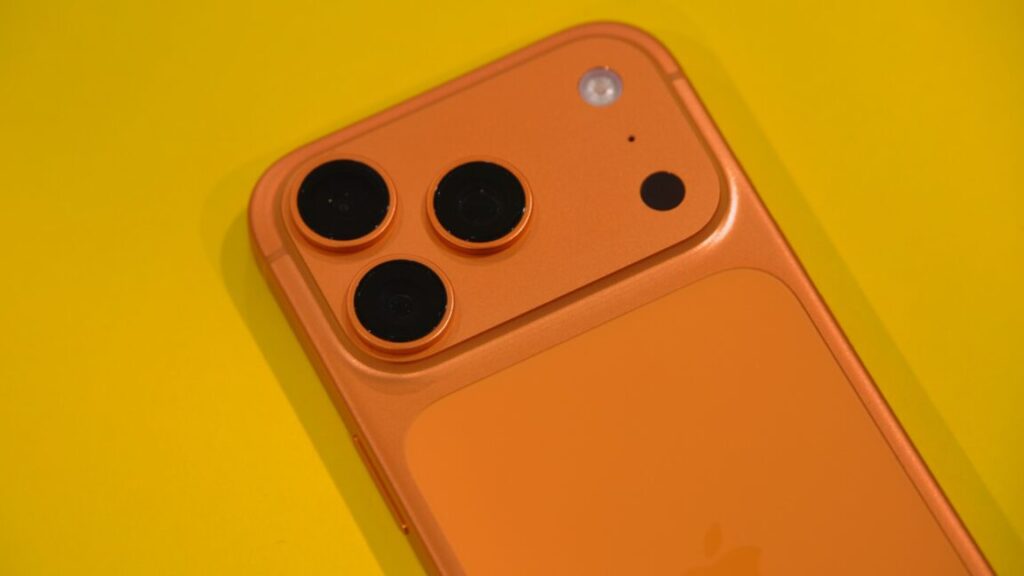
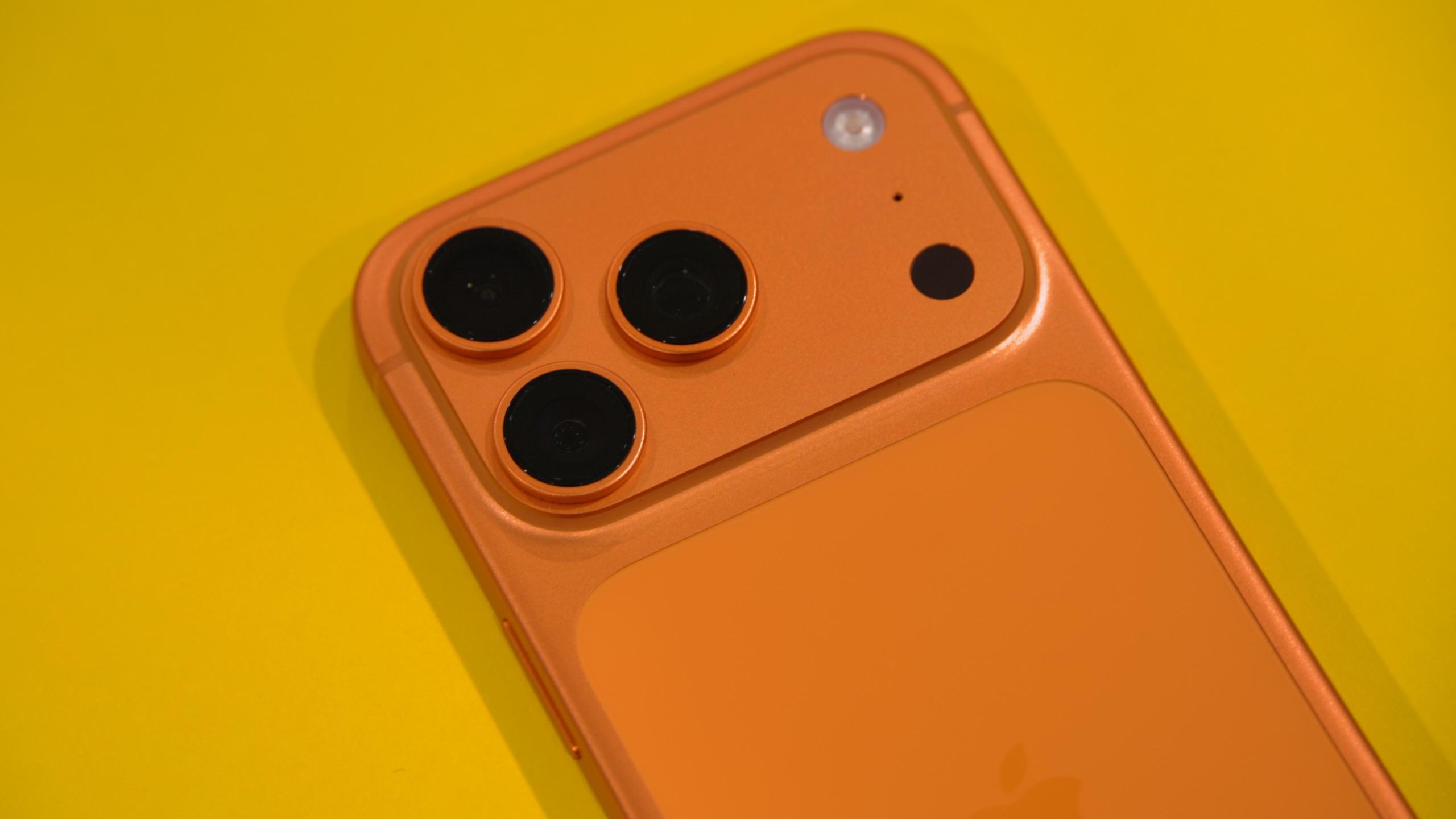
The iPhone 17 Pro’s excellent camera is the best reason to buy it instead of the regular iPhone 17. Credit: Andrew Cunningham

The iPhone 17 Pro’s excellent camera is the best reason to buy it instead of the regular iPhone 17. Credit: Andrew Cunningham

Apple’s “Pro” iPhones usually look and feel a lot like the regular ones, just with some added features stacked on top. They’ve historically had better screens and more flexible cameras, and there has always been a Max option for people who really wanted to blur the lines between a big phone and a small tablet (Apple’s commitment to the cheaper “iPhone Plus” idea has been less steadfast). But the qualitative experience of holding and using one wasn’t all that different compared to the basic aluminum iPhone.

This year’s iPhone 17 Pro looks and feels like more of a departure from the basic iPhone, thanks to a new design that prioritizes function over form. It’s as though Apple anticipated the main complaints about the iPhone Air—why would I want a phone with worse battery and fewer cameras, why don’t they just make the phone thicker so they can fit in more things—and made a version of the iPhone that they could point to and say, “We already make that phone—it’s that one over there.”

Because the regular iPhone 17 is so good, and because it uses the same 6.3-inch OLED ProMotion screen, I think the iPhone 17 Pro is playing to a narrower audience than usual this year. But Apple’s changes and additions are also tailor-made to serve that audience. In other words, fewer people even need to consider the iPhone Pro this time around, but there’s a lot to like here for actual “pros” and people who demand a lot from their phones.

Design

The iPhone 17 drops the titanium frame of the iPhone 15 and 16 Pro in favor of a return to aluminum. But it’s no longer the aluminum-framed glass-sandwich design that the iPhone 17 still uses; it’s a reformulated “aluminum unibody” design that also protects a substantial portion of the phone’s back. It’s the most metal we’ve seen on the back of the iPhone since 2016’s iPhone 7.

But remember that part of the reason the 2017 iPhone 8 and iPhone X switched to the glass sandwich design was wireless charging. The aluminum iPhones always featured some kind of cutouts or gaps in the aluminum to allow Wi-Fi, Bluetooth, and cellular signals through. But the addition of wireless charging to the iPhone meant that a substantial portion of the phone’s back now needed to be permeable by wireless signals, and the solution to that problem was simply to embrace it with a full sheet of glass.

The iPhone 17 Pro returns to the cutout approach, and while it might be functional, it leaves me pretty cold, aesthetically. Small stripes on the sides of the phone and running all the way around the “camera plateau” provide gaps between the metal parts so that you can’t mess with your cellular reception by holding the phone wrong; on US versions of the phone with support for mmWave 5G, there’s another long ovular cutout on the top of the phone to allow those signals to pass through.

But the largest and most obvious is the sheet of glass on the back that Apple needed to add to make wireless charging work. The aluminum, the cell signal cutouts, and this sheet of glass are all different shades of the phone’s base color (it’s least noticeable on the Deep Blue phone and most noticeable on the orange one).

The result is something that looks sort of unfinished and prototype-y. There are definitely people who will like or even prefer this aesthetic, which makes it clearer that this piece of technology is a piece of technology rather than trying to hide it—the enduring popularity of clear plastic electronics is a testament to this. But it does feel like a collection of design decisions that Apple was forced into by physics rather than choices it wanted to make.

That also extends to the camera plateau area, a reimagining of the old iPhone camera bump that extends all the way across the top of the phone. It’s a bit less slick-looking than the one on the iPhone Air because of the multiple lenses. And because the camera bumps are still additional protrusions on top of the plateau, the phone wobbles when it’s resting flat on a table instead of resting on the plateau in a way that stabilizes the phone.

Finally, there’s the weight of the phone, which isn’t breaking records but is a step back from a substantial weight reduction that Apple was using as a first-sentence-of-the-press-release selling point just two years ago. The iPhone 17 Pro weighs the same amount as the iPhone 14 Pro, and it has a noticeable heft to it that the iPhone Air (say) does not have. You’ll definitely notice if (like me) your current phone is an iPhone 15 Pro.

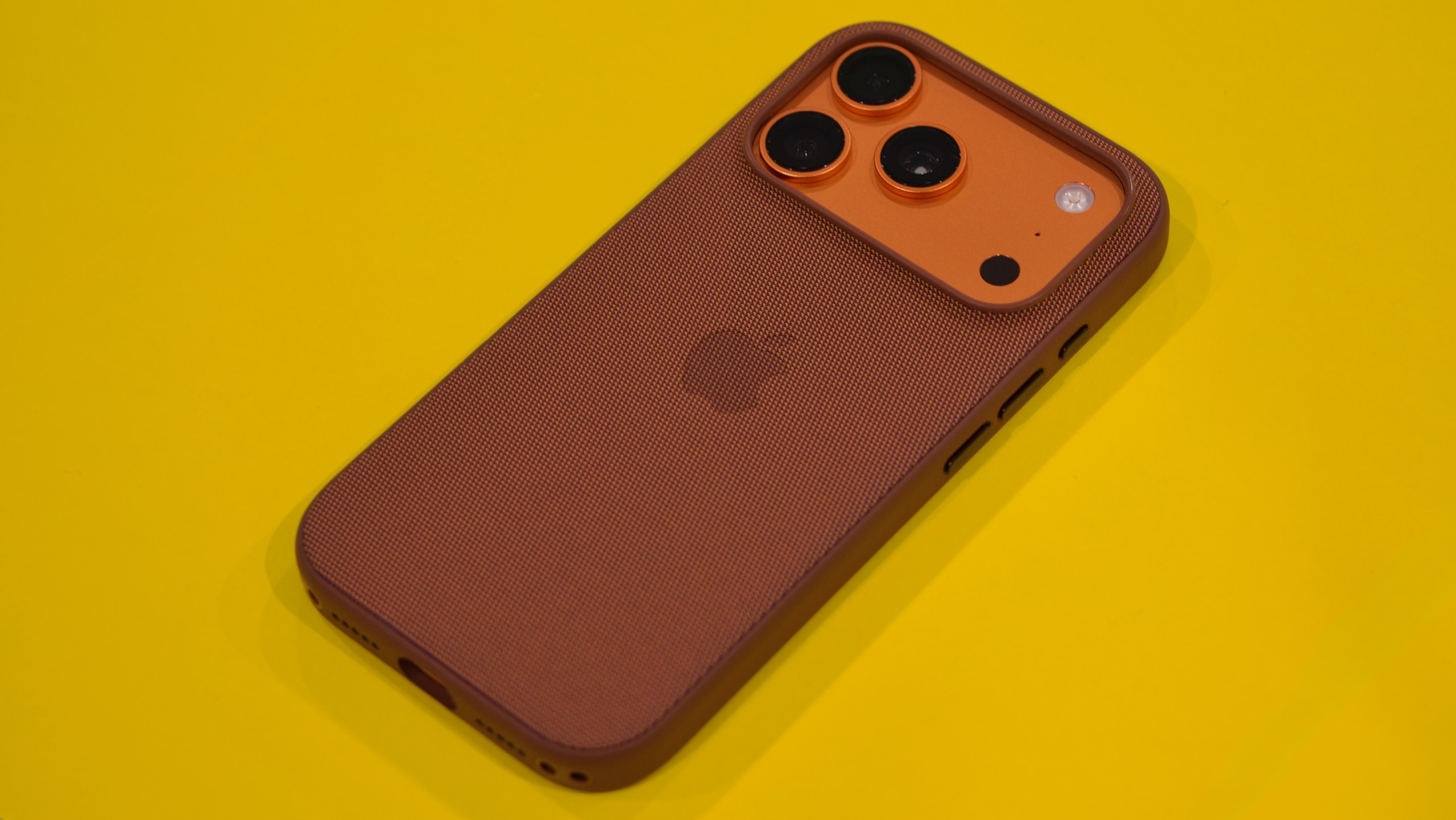
Apple sent me one of its $59 “TechWoven” cases with the iPhone 17 Pro, and it solved a lot of what I didn’t like about the design—the inconsistent materials and colors everywhere, and the bump-on-a-bump camera. There’s still a bump on the top, but at least the aperture of a case evens it out so that your phone isn’t tilted by the plateau and wobbling because of the bump.

I liked Apple’s TechWoven case for the iPhone Pro, partly because it papered over some of the things I don’t love about the design. Credit: Andrew Cunningham

The original FineWoven cases were (rightly) panned for how quickly and easily they scratched, but the TechWoven case might be my favorite Apple-designed phone case of the ones I’ve used. It doesn’t have the weird soft lint-magnet feel of some of the silicone cases, FineWoven’s worst problems seem solved, and the texture on the sides of the case provides a reassuring grippiness. My main issue is that the opening for the USB-C port on the bottom is relatively narrow. Apple’s cables will fit fine, but I had a few older or thicker USB-C connectors that didn’t.

This isn’t a case review, but I bring it up mainly to say that I stand by my initial assessment of the Pro’s function-over-form design: I am happy I put it in a case, and I think you will be, too, whichever case you choose (when buying for myself or family members, I have defaulted to Smartish cases for years, but your mileage may vary).

On “Scratchgate”

Early reports from Apple’s retail stores indicated that the iPhone 17 Pro’s design was more susceptible to scratches than past iPhones and that some seemed to be showing marks from as simple and routine an activity as connecting and disconnecting a MagSafe charging pad.

Apple says the marks left by its in-store MagSafe chargers weren’t permanent scratches and could be cleaned off. But independent testing from the likes of iFixit has found that the anodization process Apple uses to add color to the iPhone’s aluminum frame is more susceptible to scratching and flaking on non-flat surfaces like the edges of the camera bump.

Like “antennagate” and “bendgate” before it, many factors will determine whether “scratchgate” is actually something you’ll notice. Independent testing shows there is something to the complaints, but it doesn’t show how often this kind of damage will appear in actual day-to-day use over the course of months or years. Do keep it in mind when deciding which iPhone and accessories you want—it’s just one more reason to keep the iPhone 17 Pro in a case, if you ask me—but I wouldn’t say it should keep you from buying this phone if you like everything else about it.

Camera

I have front-loaded my complaints about the iPhone 17 Pro to get them out of the way, but the fun thing about an iPhone in which function follows form is that you get a lot of function.

When I made the jump from the regular iPhone to the Pro (I went from an 11 to a 13 Pro and then to a 15 Pro), I did it mainly for the telephoto lens in the camera. For both kid photos and casual product photography, it was game-changing to be able to access the functional equivalent of optical zoom on my phone.

The iPhone 17 Pro’s telephoto lens in 4x mode. Andrew Cunningham

The iPhone 16 Pro changed the telephoto lens’ zoom level from 3x to 5x, which was useful if you want maximum zoom but which did leave a gap between it and the Fusion Camera-enabled 2x mode. The 17 Pro switches to a 4x zoom by default, closing that gap, and it further maximizes the zooming capabilities by switching to a 48 MP sensor.

Like the main and ultrawide cameras, which had already switched to 48 MP sensors in previous models, the telephoto camera saves 24 MP images when shooting in 4x mode. But it can also crop a 12 MP image out of the center of that sensor to provide a native-resolution 12 MP image at an 8x zoom level, albeit without the image quality improvements from the “pixel binning” process that 4x images get.

You can debate how accurate it is to market this as “optical-quality zoom” as Apple does, but it’s hard to argue with the results. The level of detail you can capture from a distance in 8x mode is consistently impressive, and Apple’s hardware and software image stabilization help keep these details reasonably free of the shake and blur you might see if you were shooting at this zoom level with an actual hardware lens.

It’s my favorite feature of the iPhone 17 Pro, and it’s the thing about the phone that comes closest to being worth the $300 premium over the regular iPhone 17.

The iPhone 17 Pro, main lens, 1x mode. Andrew Cunningham

Apple continues to gate several other camera-related features to the Pro iPhones. All phones can shoot RAW photos in third-party camera apps that support it, but only the Pro iPhones can shoot Apple’s ProRAW format in the first-party camera app (ProRAW performs Apple’s typical image processing for RAW images but retains all the extra information needed for more flexible post-processing).

I don’t spend as much time shooting video on my phone as I do photos, but for the content creator and influencer set (and the “we used phones and also professional lighting and sound equipment to shoot this movie” set) Apple still reserves several video features for the Pro iPhones. That list includes 120 fps 4K Dolby Vision video recording and a four-mic array (both also supported by the iPhone 16 Pro), plus ProRes RAW recording and Genlock support for synchronizing video from multiple sources (both new to the 17 Pro).

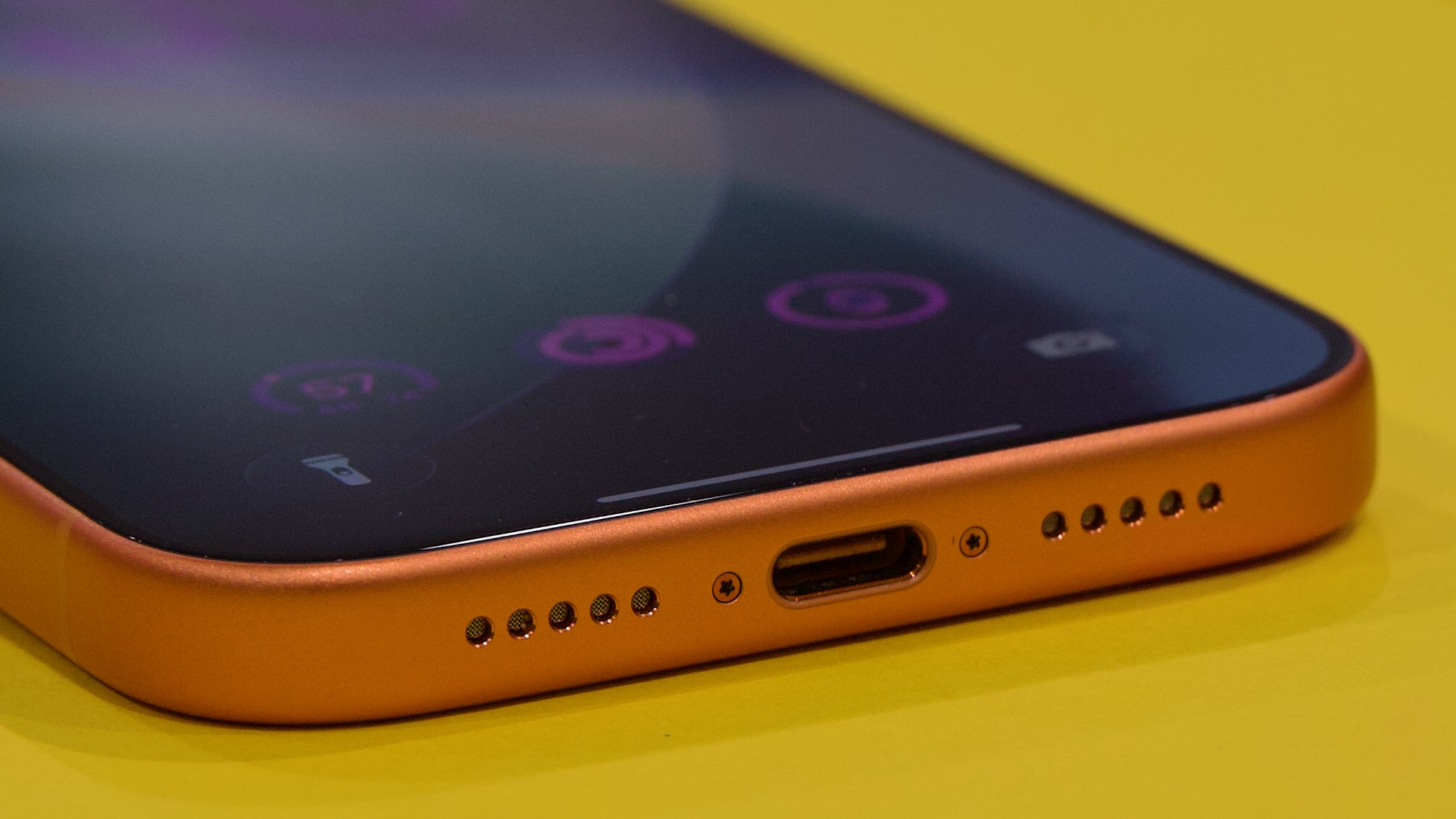
The iPhone Pro also remains the only iPhone to support 10 Gbps USB transfer speeds over the USB-C port, making it faster to transfer large video files from the phone to an external drive or a PC or Mac for additional processing and editing. It’s likely that Apple built this capability into the A19 Pro’s USB controller, but both the iPhone Air and the regular iPhone 17 are restricted to the same old 25-year-old 480 Mbps USB 2.0 data transfer speeds.

The iPhone 17 Pro gets the same front camera treatment as the iPhone 17 and the Air: a new square “Center Stage” sensor that crops a 24 MP square image into an 18 MP image, allowing users to capture approximately the same aspect ratios and fields-of-view with the front camera regardless of whether they’re holding the phone in portrait or landscape mode. It’s definitely an image-quality improvement, but it’s the same as what you get with the other new iPhones.

Specs, speeds, and battery

You still need to buy a Pro phone to get a USB-C port with 10 Gbps USB 3 transfer speeds instead of 480 Mbps USB 2.0 speeds. Credit: Andrew Cunningham

The iPhone 17 Pro uses, by a slim margin, the fastest and most capable version of the A19 Pro chip, partly because it has all of the A19 Pro’s features fully enabled and partly because its thermal management is better than the iPhone Air’s.

The A19 Pro in the iPhone 17 Pro uses two high-performance CPU cores and four smaller high-efficiency CPU cores, plus a fully enabled six-core GPU. Like the iPhone Air, the iPhone Pro also includes 12GB of RAM, up from 8GB in the iPhone 16 Pro and the regular iPhone 17. Apple has added a vapor chamber to the iPhone 17 Pro to help keep it cool rather than relying on metal to conduct heat away from the chips—an infinitesimal amount of water inside a small metal pocket continually boils, evaporates, and condenses inside the closed copper-lined chamber. This spreads the heat evenly over a large area, compared to just using metal to conduct the heat; having the heat spread out over a larger area then allows that heat to be dissipated more quickly.

All phones were tested with Adaptive Power turned off.

We saw in our iPhone 17 review how that phone’s superior thermals helped it outrun the iPhone Air’s version of the A19 Pro in many of our graphics tests; the iPhone Pro’s A19 Pro beats both by a decent margin, thanks to both thermals and the extra hardware.

The performance line graph that 3DMark generates when you run its benchmarks actually gives us a pretty clear look at the difference between how the iPhones act. The graphs for the iPhone 15 Pro, the iPhone 17, and the iPhone 17 Pro all look pretty similar, suggesting that they’re cooled well enough to let the benchmark run for a couple of minutes without significant throttling. The iPhone Air follows a similar performance curve for the first half of the test or so but then drops noticeably lower for the second half—the ups and downs of the line actually look pretty similar to the other phones, but the performance is just a bit lower because the A19 Pro in the iPhone Air is already slowing down to keep itself cool.

The CPU performance of the iPhone 17 Pro is also marginally better than this year’s other phones, but not by enough that it will be user-noticeable.

As for battery, Apple’s own product pages say it lasts for about 10 percent longer than the regular iPhone 17 and between 22 and 36 percent longer than the iPhone Air, depending on what you’re doing.

I found the iPhone Air’s battery life to be tolerable with a little bit of babying and well-timed use of the Low Power Mode feature, and the iPhone 17’s battery was good enough that I didn’t worry about making it through an 18-hour day. But the iPhone 17 Pro’s battery really is a noticeable step up.

One day, I forgot to plug it in overnight and awoke to a phone that still had a 30 percent charge, enough that I could make it through the morning school drop-off routine and plug it in when I got back home. Not only did I not have to think about the iPhone 17 Pro’s battery, but it’s good enough that even a battery with 85-ish percent capacity (where most of my iPhone batteries end up after two years of regular use) should still feel pretty comfortable. After the telephoto camera lens, it’s definitely the second-best thing about the iPhone 17 Pro, and the Pro Max should last for even longer.

Pros only

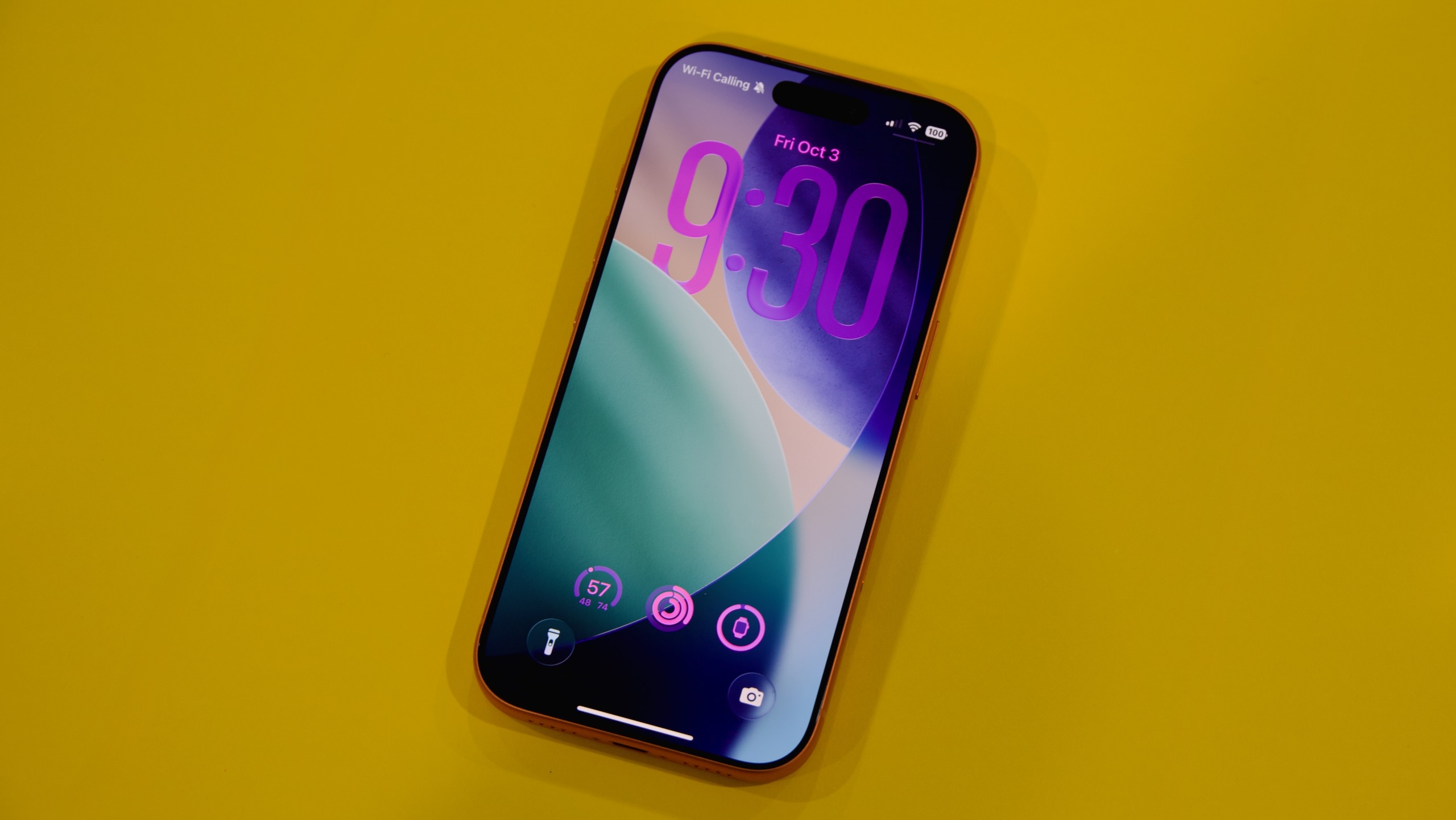
Apple’s iPhone 17 Pro. Credit: Andrew Cunningham

I’m taken with a lot of things about the iPhone 17 Pro, but the conclusion of our iPhone 17 review still holds: If you’re not tempted by the lightness of the iPhone Air, then the iPhone 17 is the one most people should get.

Even more than most Pro iPhones, the iPhone 17 Pro and Pro Max will make the most sense for people who actually use their phones professionally, whether that’s for product or event photography, content creation, or some other camera-centric field where extra flexibility and added shooting modes can make a real difference. The same goes for people who want a bigger screen, since there’s no iPhone 17 Plus.

Sure, the 17 Pro also performs a little better than the regular 17, and the battery lasts longer. But the screen was always the most immediately noticeable upgrade for regular people, and the exact same display panel is now available in a phone that costs $300 less.

The benefit of the iPhone Pro becoming a bit more niche is that it’s easier to describe who each of these iPhones is for. The Air is the most pleasant to hold and use, and it’s the one you’ll probably buy if you want people to ask you, “Oh, is that one of the new iPhones?” The Pro is for people whose phones are their most important camera (or for people who want the biggest phone they can get). And the iPhone 17 is for people who just want a good phone but don’t want to think about it all that much.

The good

  • Excellent performance and great battery life
  • It has the most flexible camera in any iPhone, and the telephoto lens in particular is a noticeable step up from a 2-year-old iPhone 15 Pro
  • 12GB of RAM provides extra future-proofing compared to the standard iPhone
  • Not counting the old iPhone 16, it’s Apple’s only iPhone to be available in two screen sizes
  • Extra photography and video features for people who use those features in their everyday lives or even professionally

The bad

  • Clunky, unfinished-looking design
  • More limited color options compared to the regular iPhone
  • Expensive
  • Landscape layouts for apps only work on the Max model

The ugly

  • Increased weight compared to previous models, which actually used their lighter weight as a selling point

Photo of Andrew Cunningham

Andrew is a Senior Technology Reporter at Ars Technica, with a focus on consumer tech including computer hardware and in-depth reviews of operating systems like Windows and macOS. Andrew lives in Philadelphia and co-hosts a weekly book podcast called Overdue.

Apple iPhone 17 Pro review: Come for the camera, stay for the battery Read More »

openai-mocks-musk’s-math-in-suit-over-iphone/chatgpt-integration

OpenAI mocks Musk’s math in suit over iPhone/ChatGPT integration


“Fraction of a fraction of a fraction”

xAI’s claim that Apple gave ChatGPT a monopoly on prompts is “baseless,” OpenAI says.

OpenAI and Apple have moved to dismiss a lawsuit by Elon Musk’s xAI, alleging that ChatGPT’s integration into a “handful” of iPhone features violated antitrust laws by giving OpenAI a monopoly on prompts and Apple a new path to block rivals in the smartphone industry.

The lawsuit was filed in August after Musk raged on X about Apple never listing Grok on its editorially curated “Must Have” apps list, which ChatGPT frequently appeared on.

According to Musk, Apple linking ChatGPT to Siri and other native iPhone features gave OpenAI exclusive access to billions of prompts that only OpenAI can use as valuable training data to maintain its dominance in the chatbot market. However, OpenAI and Apple are now mocking Musk’s math in court filings, urging the court to agree that xAI’s lawsuit is doomed.

As OpenAI argued, the estimates in xAI’s complaint seemed “baseless,” with Musk hesitant to even “hazard a guess” at what portion of the chatbot market is being foreclosed by the OpenAI/Apple deal.

xAI suggested that the ChatGPT integration may give OpenAI “up to 55 percent” of the potential chatbot prompts in the market, which could mean anywhere from 0 to 55 percent, OpenAI and Apple noted.

Musk’s company apparently arrived at this vague estimate by doing “back-of-the-envelope math,” and the court should reject his complaint, OpenAI argued. That math “was evidently calculated by assuming that Siri fields ‘1.5 billion user requests per day globally,’ then dividing that quantity by the ‘total prompts for generative AI chatbots in 2024,'”—”apparently 2.7 billion per day,” OpenAI explained.

These estimates “ignore the facts” that “ChatGPT integration is only available on the latest models of iPhones, which allow users to opt into the integration,” OpenAI argued. And for any user who opts in, they must link their ChatGPT account for OpenAI to train on their data, OpenAI said, further restricting the potential prompt pool.

By Musk’s own logic, OpenAI alleged, “the relevant set of Siri prompts thus cannot plausibly be 1.5 billion per day, but is instead an unknown, unpleaded fraction of a fraction of a fraction of that number.”

Additionally, OpenAI mocked Musk for using 2024 statistics, writing that xAI failed to explain “the logic of using a year-old estimate of the number of prompts when the pleadings elsewhere acknowledge that the industry is experiencing ‘exponential growth.'”

Apple’s filing agreed that Musk’s calculations “stretch logic,” appearing “to rest on speculative and implausible assumptions that the agreement gives ChatGPT exclusive access to all Siri requests from all Apple devices (including older models), and that OpenAI may use all such requests to train ChatGPT and achieve scale.”

“Not all Siri requests” result in ChatGPT prompts that OpenAI can train on, Apple noted, “even by users who have enabled devices and opt in.”

OpenAI reminds court of Grok’s MechaHitler scandal

OpenAI argued that Musk’s lawsuit is part of a pattern of harassment that OpenAI previously described as “unrelenting” since ChatGPT’s successful debut, alleging it was “the latest effort by the world’s wealthiest man to stifle competition in the world’s most innovative industry.”

As OpenAI sees it, “Musk’s pretext for litigation this time is that Apple chose to offer ChatGPT as an optional add-on for several built-in applications on its latest iPhones,” without giving Grok the same deal. But OpenAI noted that the integration was rolled out around the same time that Musk removed “woke filters” that caused Grok to declare itself “MechaHitler.” For Apple, it was a business decision to avoid Grok, OpenAI argued.

Apple did not reference the Grok scandal in its filing but in a footnote confirmed that “vetting of partners is particularly important given some of the concerns about generative AI chatbots, including on child safety issues, nonconsensual intimate imagery, and ‘jailbreaking’—feeding input to a chatbot so it ignores its own safety guardrails.”

A similar logic was applied to Apple’s decision not to highlight Grok as a “Must Have” app, their filing said. After Musk’s public rant about Grok’s exclusion on X, “Apple employees explained the objective reasons why Grok was not included on certain lists, and identified app improvements,” Apple noted, but instead of making changes, xAI filed the lawsuit.

Also taking time to point out the obvious, Apple argued that Musk was fixated on the fact that his charting apps never make the “Must Have Apps” list, suggesting that Apple’s picks should always mirror “Top Charts,” which tracks popular downloads.

“That assumes that the Apple-curated Must-Have Apps List must be distorted if it does not strictly parrot App Store Top Charts,” Apple argued. “But that assumption is illogical: there would be little point in maintaining a Must-Have Apps List if all it did was restate what Top Charts say, rather than offer Apple’s editorial recommendations to users.”

Likely most relevant to the antitrust charges, Apple accused Musk of improperly arguing that “Apple cannot partner with OpenAI to create an innovative feature for iPhone users without simultaneously partnering with every other generative AI chatbot—regardless of quality, privacy or safety considerations, technical feasibility, stage of development, or commercial terms.”

“No facts plausibly” support xAI’s “assertion that Apple intentionally ‘deprioritized'” xAI apps “as part of an illegal conspiracy or monopolization scheme,” Apple argued.

And most glaringly, Apple noted that xAI is not a rival or consumer in the smartphone industry, where it alleges competition is being harmed. Apple urged the court to reject Musk’s theory that Apple is incentivized to boost OpenAI to prevent xAI’s ascent in building a “super app” that would render smartphones obsolete. If Musk’s super app dream is even possible, Apple argued, it’s at least a decade off, insisting that as-yet-undeveloped apps should not serve as the basis for blocking Apple’s measured plan to better serve customers with sophisticated chatbot integration.

“Antitrust laws do not require that, and for good reason: imposing such a rule on businesses would slow innovation, reduce quality, and increase costs, all ultimately harming the very consumers the antitrust laws are meant to protect,” Apple argued.

Musk’s weird smartphone market claim, explained

Apple alleged that Musk’s “grievance” can be “reduced to displeasure that Apple has not yet ‘integrated with any other generative AI chatbots’ beyond ChatGPT, such as those created by xAI, Google, and Anthropic.”

In a footnote, the smartphone giant noted that by xAI’s logic, Musk’s social media platform X “may be required to integrate all other chatbots—including ChatGPT—on its own social media platform.”

But antitrust law doesn’t work that way, Apple argued, urging the court to reject xAI’s claims of alleged market harms that “rely on a multi-step chain of speculation on top of speculation.” As Apple summarized, xAI contends that “if Apple never integrated ChatGPT,” xAI could win in both chatbot and smartphone markets, but only if:

1. Consumers would choose to send additional prompts to Grok (rather than other generative AI chatbots).

2. The additional prompts would result in Grok achieving scale and quality it could not otherwise achieve.

3. As a result, the X app would grow in popularity because it is integrated with Grok.

4. X and xAI would therefore be better positioned to build so-called “super apps” in the future, which the complaint defines as “multi-functional” apps that offer “social connectivity and messaging, financial services, e-commerce, and entertainment.”

5. Once developed, consumers might choose to use X’s “super app” for various functions.

6. “Super apps” would replace much of the functionality of smartphones and consumers would care less about the quality of their physical phones and rely instead on these hypothetical “super apps.”

7. Smartphone manufacturers would respond by offering more basic models of smartphones with less functionality.

8. iPhone users would decide to replace their iPhones with more “basic smartphones” with “super apps.”

Apple insisted that nothing in its OpenAI deal prevents Musk from building his super apps, while noting that from integrating Grok into X, Musk understands that integration of a single chatbot is a “major undertaking” that requires “substantial investment.” That “concession” alone “underscores the massive resources Apple would need to devote to integrating every AI chatbot into Apple Intelligence,” while navigating potential user safety risks.

The iPhone maker also reminded the court that it has always planned to integrate other chatbots into its native features after investing in and testing Apple Intelligence’s performance, relying on what Apple deems is the best chatbot on the market today.

Backing Apple up, OpenAI noted that Musk’s complaint seemed to cherry-pick testimony from Google CEO Sundar Pichai, claiming that “Google could not reach an agreement to integrate” Gemini “with Apple because Apple had decided to integrate ChatGPT.”

“The full testimony recorded in open court reveals Mr. Pichai attesting to his understanding that ‘Apple plans to expand to other providers for Generative AI distribution’ and that ‘[a]s CEO of Google, [he is] hoping to execute a Gemini distribution agreement with Apple’ later in 2025,” OpenAI argued.

Photo of Ashley Belanger

Ashley is a senior policy reporter for Ars Technica, dedicated to tracking social impacts of emerging policies and new technologies. She is a Chicago-based journalist with 20 years of experience.

OpenAI mocks Musk’s math in suit over iPhone/ChatGPT integration Read More »