gaming

microsoft-dives-into-the-handheld-gaming-pc-wars-with-the-asus-rog-xbox-ally

Microsoft dives into the handheld gaming PC wars with the Asus ROG Xbox Ally

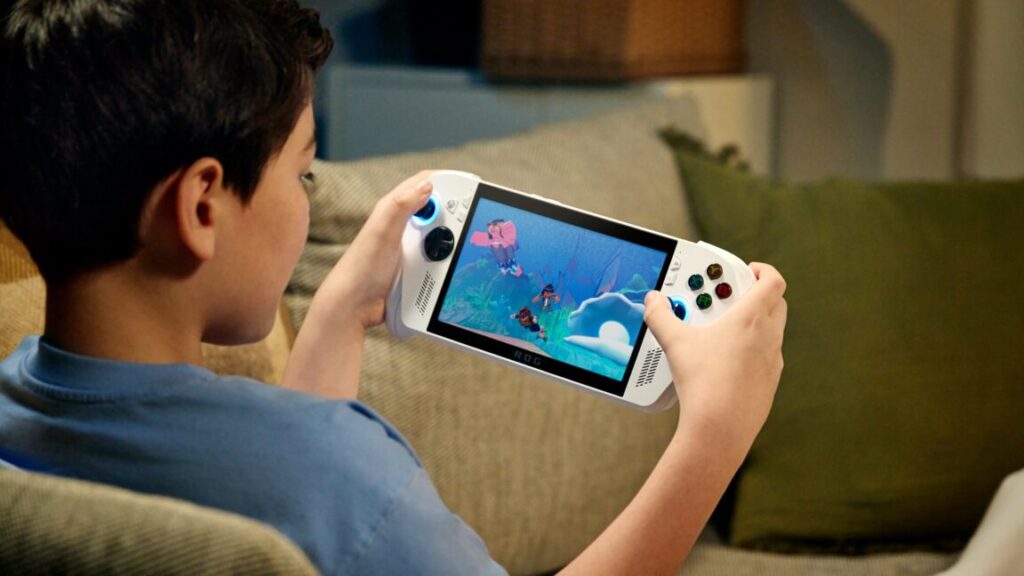
Back in March, we outlined six features we wanted to see on what was then just a rumored Xbox-branded, Windows-powered handheld gaming device. Today, Microsoft’s announcement of the Asus ROG Xbox Ally hardware line looks like it fulfills almost all of our wishes for Microsoft’s biggest foray into portable gaming yet.

The Windows-11-powered Xbox Ally devices promise access to “all of the games available on Windows,” including “games from Xbox, Game Pass, Battle.net, and other leading PC storefronts [read: Steam, Epic Games Store, Ubisoft Connect, etc].” But instead of having to install and boot up those games through the stock Windows interface, as you often do on handhelds like the original ROG Ally line, all these games will be available through what Microsoft is calling an “aggregated gaming library.”

Asus and Microsoft are stressing how that integrated experience can be used with games across multiple different Windows-based launchers, promising “access to games you can’t get elsewhere.” That could be seen as a subtle dig at SteamOS-powered devices like the Steam Deck, which can have significant trouble with certain titles that don’t play well with Steam and/or Linux for one reason or another. Microsoft also highlights how support apps like Discord, Twitch, and downloadable game mods will also be directly available via the Xbox Ally’s Windows backbone.

And while the Xbox Ally devices run Windows 11, they will boot to what Microsoft is calling the “Xbox Experience for Handheld,” a bespoke full-screen interface that hides the nitty-gritty of the Windows desktop by default. That gaming-focused interface will “minimize background activity and defer non-essential tasks,” meaning “more [and] higher framerates” for the games themselves, Microsoft says. A rhombus-shaped Xbox button located near the left stick will also launch an Xbox Game Bar overlay with quick access to functions like settings, performance metrics, and fast switching between titles. Microsoft also says it is working on a “Deck Verified”-style program for identifying Windows titles that “have been optimized for handhelds.”

Microsoft dives into the handheld gaming PC wars with the Asus ROG Xbox Ally Read More »

nintendo-switch-2’s-faster-chip-can-dramatically-improve-original-switch-games

Nintendo Switch 2’s faster chip can dramatically improve original Switch games

Link’s Awakening, Switch 1, docked. Andrew Cunningham

It’s pretty much the same story for Link’s Awakening. Fine detail is much more visible, and the 3D is less aliased-looking because the Switch 2 is running the game at a higher resolution. Even the fairly aggressive background blur the game uses looks toned down on the Switch 2.

Link’s Awakening on the Switch 1, docked.

Link’s Awakening on the Switch 2, docked.

The videos of these games aren’t quite as obviously impressive as the Pokémon ones, but they give you a sense of the higher resolution on the Switch 2 and the way that the Switch’s small endemic frame rate hiccups are no longer a problem.

Quiet updates

For the last two categories of games, we won’t be waxing as poetic about the graphical improvements because there aren’t many. In fact, some of these games we played looked ever-so-subtly worse on the Switch 2 in handheld mode, likely a side effect of a 720p handheld-mode image being upscaled to the Switch 2’s 1080p native resolution.

That said, we still noticed minor graphical improvements. In Kirby Star Allies, for example, the 3D elements in the picture looked mostly the same, with roughly the same resolution, same textures, and similar overall frame rates. But 2D elements of the UI did still seem to be aware that the console is outputting a 4K image and are visibly sharper as a result.

Games without updates

If you were hoping that all games would get some kind of “free” resolution or frame rate boost from the Switch 2, that mostly doesn’t happen. Games like Kirby’s Return to Dream Land Deluxe and Pokémon Legends Arceus, neither of which got any kind of Switch 2-specific update, look mostly identical on both consoles. If you get right up close and do some pixel peeping, you can occasionally see places where outputting a 4K image instead of a 1080p image will look better on a 4K TV, but it’s nothing like what we saw in the other games we tested.

Pokémon Legends Arceus, Switch 1, docked.

Pokémon Legends Arceus, Switch 2, docked.

However, it does seem that the Switch 2 may help out somewhat in terms of performance consistency. Observe the footage of a character running around town in Pokémon Legends—the resolution, draw distance, and overall frame rate all look pretty much the same. But the minor frame rate dips and hitches you see on the Switch 1 seem to have been at least partially addressed on the Switch 2. Your mileage will vary, of course. But you may encounter cases where a game targeting a stable 30 fps on the Switch 1 will hit that 30 fps with a bit more consistency on the Switch 2.

Nintendo Switch 2’s faster chip can dramatically improve original Switch games Read More »

our-first-impressions-after-48-hours-with-the-switch-2

Our first impressions after 48 hours with the Switch 2

As an included freebie with the Switch 2 system, this would merely be tedious. As a game with a $10 asking price, it’s a little insulting.

GameChat is cute, but screen-sharing is rough

After a lengthy initial setup, starting a casual GameChat session with people on your Switch 2 friends list is pretty simple (though, oddly, there seems to be no way to add new people to a GameChat after it starts). The system’s internal microphone does a pretty good job picking up your voice even across a big room, and the head-tracking feature for the camera does a good job keeping you in frame even as you move.

The frame rate on those shared screens is rough.

Credit: Kyle Orland

The frame rate on those shared screens is rough. Credit: Kyle Orland

GameChat struggles a bit when it comes to screen sharing, though, sending a grainy video of your gameplay at a rough-to-watch rate of about 10 or 15 fps. This is fine if you’re just glancing at what your chatmate is doing occasionally to offer some hints or support. Just don’t expect it to replicate the experience of watching your favorite streamer on Twitch or anything of the like.

The internal storage doesn’t go very far

The Switch 2’s 256GB of built-in storage is plenty if you’re mainly using it to play upgraded old Switch games; even an epic like Tears of the Kingdom is only about 20GB with the upgrade pack. But high-end games designed specifically for the Switch 2 can be a lot bigger: 48GB for Street Fighter 6, nearly 60GB for Cyberpunk 2077, and a whopping 69.2GB for Split Fiction, to cite a few examples. If you plan to download games like these, you’ll need to invest in a MicroSD Express card before too long.

Switch games run a lot better

We’ll have more in-depth coverage of this in the near future, but for now, suffice it to say that Switch 2 upgrades make a lot of the less performant Switch games much more bearable. This can be especially true for late-era Switch software that pushed the old hardware to its limits; after seeing Tears of the Kingdom running at a silky smooth 60 fps on the Switch 2, it will be hard to go back to playing the original version ever again.

Our first impressions after 48 hours with the Switch 2 Read More »

11-things-you-probably-didn’t-know-the-switch-2-can-do

11 things you probably didn’t know the Switch 2 can do


Our first quick dive into the system-level settings and the new GameChat multiplayer.

Let’s-a go! Credit: Kyle Orland

Eight years ago, just before the release of the Nintendo Switch, we provided an in-depth review of the hardware thanks to early production units provided by Nintendo. This year, Nintendo has opted not to provide such unrestricted early press access to the Switch 2 hardware, citing a “day-one update” to the system software and some launch games that would supposedly make pre-release evaluation more difficult.

As such, we won’t be able to provide our full thoughts on the Switch 2 until well after the system is in players’ hands. While that’s not an ideal situation for readers looking to make an early purchase decision, we’ll do our best to give you our hands-on impressions as soon as possible after launch day.

In lieu of review access, though, we were able to get some extended hands-on time with the final Switch 2 hardware at a daylong preview event held by Nintendo last week. This event provided our first look at the console’s system-level menu and settings, as well as features like GameChat (which was hard to fully evaluate in an extremely controlled environment).

While this access was far from sufficient for a full review, it did let us discover a few interesting features that we weren’t aware of beforehand. Here are some of the new tidbits we stumbled across during our day with the Switch 2 hardware.

GameChat can generate captions for live speech

One of the most unexpected accessibility features of the Switch 2 is the system’s ability to automatically generate on-screen captions for what friends are saying during a GameChat session. These captions appear in their own box that can be set to the side of the main gameplay. The captioning system seemed pretty fast and accurate in our test and could even update captions from multiple speakers at the same time.

GameChat can automatically update captions for multiple speakers at once.

Credit: Kyle Orland

GameChat can automatically update captions for multiple speakers at once. Credit: Kyle Orland

While this is obviously useful for hard-of-hearing players, we could also see the feature being a boon for managing crosstalk among rowdy GameChat parties or for quickly referring back to something someone said a few seconds ago.

You can generate spoken speech from text messages

In a reverse of the auto-captioning system discussed above, GameChat also has a feature buried deep in its menus that lets you type a message on the on-screen keyboard and have it spoken aloud to the other participants in a slightly robotic voice. This could come in handy when you’re playing in an environment where you have to be quiet but still want to quickly convey detailed information to your fellow players.

The camera has built-in head-tracking

During GameChat sessions, you can make the connected camera show only your face instead of your entire body and/or the background behind it. This mode keeps your face centered in a small, circular frame even as you move around during gameplay, though there is a slight delay in the tracking if you move your head too quickly.

While you can also activate a similar face display during local multiplayer sessions of Mario Kart World, the game doesn’t seem to track your movements, meaning you can easily fall out of frame if you don’t hold your body still.

The system can detect the angle of the kickstand

Wonderful!

Wonderful!

This was a cute little surprise I discovered in a Switch 2 Welcome Tour mini-game that asks you to set the kickstand as close as possible to a given angle. This mini-game works even if the Joy-Cons are not attached, suggesting that there is a sensor in the kickstand or tablet itself that measures the angle. It did take a few seconds of stillness for the game to fully confirm the system’s resting angle, though, so don’t expect to be tilting the kickstand rapidly to control action games or anything.

You can use mouse mode to navigate system menus

I stumbled on this feature when I was holding the Joy-Cons normally and one of my fingers accidentally passed over the mouse sensor, activating a mouse pointer on the system menu screen. When I put the controller down on its edge, I found that the pointer could scroll and click through those menus, often much more quickly than flicking a joystick.

Mouse mode also lets you zoom in on specific areas of the screen with a quick double-click, which should be useful for both vision-impaired players and those playing on tiny and/or far-off screens.

You can adjust the mouse mode sensitivity

The system menu lets you adjust the mouse sensor’s sensitivity between “low,” “medium,” and “high.” While that’s a lot less precise than the fully adjustable DPI settings you might be used to with a computer mouse, it’s still a welcome option.

In some quick testing, I found the high-sensitivity mode to be especially useful when using the mouse on a small surface, such as the top of my thigh. At this setting, the pointer could move from one end of the screen to the other with the slightest wrist adjustment. Low sensitivity mode, on the other hand, proved useful in more precise situations, such as in a Welcome Tour mini-game where I had to move a ball quickly and precisely through a large, electrified maze.

You can play sounds to find lost controllers

Find lost controllers easily with this menu option.

Find lost controllers easily with this menu option.

Lose a Joy-Con somewhere in the depths of your couch? Not to worry—a new menu option on the Switch 2 lets you play a distinctive sound through that Joy-Con’s improved HD Rumble 2 motor to help you find its precise location. While we confirmed that this feature also works with the new Pro Controller 2, we were unable to determine whether it can be used for original Switch controllers that are synced with a Switch 2.

You can set a system-wide security PIN

Your unique PIN code must be entered any time the system comes out of sleep mode, making the hardware functionally useless to anyone who doesn’t have the PIN. This should be great for kids who want to keep siblings away and parents who are worried about their kids sneaking in extra Switch 2 time when they shouldn’t be.

You can limit the battery charging level

A new system-level option will prevent the Switch 2 from charging as soon as it hits 90 percent of capacity, a move intended to increase the longevity of the internal battery. This is already a common feature on many smartphones and portable gaming devices, so it’s nice to see Nintendo joining the bandwagon here. Thus far, though, it appears that the 90 percent battery capacity is the only cutoff point available, with no further options for customization.

You can adjust the size of menu text

MAXIMUM TEXT SIZE.

Credit: Kyle Orland

MAXIMUM TEXT SIZE. Credit: Kyle Orland

As you can see in the photo above, setting the system text size to “MAXIMUM” lets menu options be seen easily from roughly the moon. You can set the system text to bold and high-contrast for even more legibility, and there’s also an option to make the system menu text smaller than the default, for whatever reason.

You can swap the A and B buttons at the system level

With this menu option activated, the B button is used to “confirm” and the A button is used to “cancel” in system menus. This should be welcome news for players more used to the button layout on Xbox, PlayStation, and Steam Deck controllers, which all have the “confirm” and “cancel” options in reversed positions from the Nintendo default.

Photo of Kyle Orland

Kyle Orland has been the Senior Gaming Editor at Ars Technica since 2012, writing primarily about the business, tech, and culture behind video games. He has journalism and computer science degrees from University of Maryland. He once wrote a whole book about Minesweeper.

11 things you probably didn’t know the Switch 2 can do Read More »

“free-roam”-mode-is-mario-kart-world’s-killer-app

“Free Roam” mode is Mario Kart World’s killer app

When Ars tried out Mario Kart World at April’s Switch 2 premiere hands-on event, the short demos focused on more-or-less standard races in the game’s Grand Prix and Knockout modes. So when Nintendo invited us back for more time previewing the near-final version of the game before the Switch 2’s release, we decided to focus most of our time on the game’s mysterious (and previously teased) “Free Roam” mode.

We’re glad we did, because the mode feels like the hidden gem of Mario Kart World and maybe of the Switch 2 launch as a whole. Combining elements of games like Diddy Kong Racing, Forza Horizon, and even the Tony Hawk’s Pro Skater series, Free Roam provides a unique mixture of racing challenges, exploration, and collectibles that should keep new Switch 2 owners busy for a while.

Switch hunt

Surprisingly, Free Roam mode isn’t listed as one of the main options when you launch a new game of Mario Kart World. Instead, a tiny note in the corner of the screen tells you to hit the plus button to get dropped into a completely untimed and free-wheeling version of the vast Mario Kart World map.

The real game takes place in the spaces between those race courses.

Credit: Nintendo

The real game takes place in the spaces between those race courses. Credit: Nintendo

Exploring in Free Roam mode provides the best sense of scale for the game’s massive, multi-ecosystem island in a way individual races just can’t. Sure, other race modes sometimes let you travel between the individual race courses along pre-set paths from one finish line to another starting line. But Free Roam mode lets you fully explore the vast spaces between those paths, encouraging you to go off-roading in the mountains, valleys, rivers, oceans, volcanoes, snowdrifts, and landmarks that dot the countryside.

Your main explicit goal when exploring all this varied expanse is to look for large, blue P-Switches, each of which activates a short, timed challenge mission in the immediate vicinity. In many cases, simply reaching the P-Switch is half the challenge, requiring some inventive wall-riding or item use to get to a particularly out-of-the-way corner of the map.

“Free Roam” mode is Mario Kart World’s killer app Read More »

elden-ring:-nightreign-is-an-epic-rpg-squeezed-into-delicious-bite-size-capsules

Elden Ring: Nightreign is an epic RPG squeezed into delicious bite-size capsules


Fast-paced multiplayer action fits surprisingly well with the old Elden Ring formula.

Time’s a wasting, finish off that battle quick so you can move on to the next one ASAP! Credit: Bandai Namco

At this point, Elden Ring is well-known for its epic sense of scale, offering players dozens of hours of meticulous exploration, gradual character progression, and unforgiving enemy encounters that require deliberate care and strategy. On its face, this doesn’t seem like the best basis for a semi-randomized multiplayer action game spin-off with strict time limits and an ever-encroaching physical border in a tightly constrained map.

Somehow, though, Elden Ring: Nightreign makes the combination work. The game condenses all the essential parts of Elden Ring down to their barest essence, tweaking things just enough to distill the flavor of a full-fledged Elden Ring playthrough into zippy runs of less than an hour each. The result is a fast-paced, quick-hit shot of adventuring that is well suited to repeated play with friends.

Fort-elden Ring-nite

The initial moments of each Nightreign run draw an almost comical comparison to Fortnite, with each player dropping into the game’s singular map by hanging off the talons of a great spectral eagle. Once on the ground, players have to stay inside a circular “safe zone” that will slowly contract throughout each of two quick in-game days, forcing your party toward an eventual encounter with a mini-boss at the end of each day. If you survive both days, you take on one of the several extremely punishing Nightlords you chose to face at the beginning of that run.

It’s not exactly a floating bus, but it kind of feels like it is…

Credit: Bandai Namco

It’s not exactly a floating bus, but it kind of feels like it is… Credit: Bandai Namco

If you’ve played Elden Ring, you’ll definitely recognize the general fallen world aesthetic here, as well as many specific enemies and items taken directly from FromSoft’s previous epic. What will be less familiar is the general pace of play, which is guided by that encroaching circle of deadly blue flame. Instead of taking your time and exploring every nook and cranny for hidden secrets, you end up dashing between points of interest highlighted on the map in a madcap attempt to farm enough experience points and powerful items to have a chance against the big bosses.

There are a few crucial tweaks to the Elden Ring formula aiding you in this newly speed-focused effort. For one thing, your character now has an unlimited “surge sprint” that can get you from one part of the map to another at a pretty rapid clip. For another, there’s a nice springy wall jump that lets you climb up stair-step cliffs and walls that are much taller than your character. Add in occasional jump pads for quickly leaping over cliffs and a complete lack of fall damage for descending into valleys, and you get a game that feels more like a 3D Sonic than Elden Ring at points.

You’d better have a few levels under your belt if you’re going to take on a battle like this.

Credit: Bandai Namco

You’d better have a few levels under your belt if you’re going to take on a battle like this. Credit: Bandai Namco

Things feel more like the old Elden Ring during battles, where you’ll quickly fall into the familiar rhythm of managing limited stamina to attack, block, and dodge enemies’ heavily telegraphed attacks. Even here, though, things feel a little more action-oriented thanks to powerful, class-specific “character skills” and “ultimate art” attacks that slowly recharge over time. The quick pace of leveling also aids in the power fantasy, condensing the progression from zero to hero into an extremely tight time frame, relative to Elden Ring proper.

Try, try again

Speaking of classes, the eight options here tend to fall into the usual archetypes for this kind of action-adventure game: the tank, the mage, the defensive specialist, the dextrous dodger, etc. For myself, I tended toward the Ironeye class, with an unlimited supply of arrows that let me deliver consistent (if relatively weak) damage against flying and/or zigzagging bosses, all while maintaining a safe range from all but the widest-ranged attacks.

But one big benefit of Nightreign‘s faster-paced design is that you don’t have to tie yourself to a specific class for hundreds of hours at the outset. You’ll get ample opportunity to try them all—and different combinations with teammate classes—across dozens of individual, bite-size runs.

As you do, you’ll start to learn the general shape of the map, which is well-designed with a few distinct geographic regions and points of interest. While the specific enemies and items you’ll find in various locations will change from run to run, you’ll quickly develop a feel for the landmarks and general routes you’ll want to at least consider exploring each time.

After a few runs, you’ll know where to find the subterranean caves that have a good chance of hidden loot.

After a few runs, you’ll know where to find the subterranean caves that have a good chance of hidden loot.

Repeated runs also help you develop the key sense of when it’s worthwhile to fight and when it makes more sense to run away. This is especially important at the beginning of each run, where your low-level character needs to focus on farming fodder enemies until you are powerful enough to take on the lowest tier of sub-bosses you might stumble across. Later in the run, you’ll need to shift to ignoring those low-level enemies so you can spend more time gaining big rewards from the even bigger bosses.

Even with a decent general strategy, though, players shouldn’t expect to be able to win every run in Nightreign. During some runs, you may find only garbage weapon drops or low-level enemies that make it hard to quickly build up the critical mass of power you’ll need by the final encounter. During other runs, you may chance upon a great weapon that causes enough bleed damage to make even the most difficult bosses relatively easy to kill.

Then there are the runs where you get greedy by doubling back to a lucrative encounter on the edge of the safety circle, only to find yourself quickly engulfed in blue flame. Or the ones where you take one wrong step and fall to your doom down a cliffside while trying to dodge away from a relatively harmless enemy, losing a crucial character level (and your momentum) when you respawn.

Between runs, you can equip relics that offer small permanent stat boosts to the various classes. In general, though, success in Nightreign is a matter of keeping at it until you stumble on the right mix of luck and execution to finally best the Nightlords.

Find a friend

While Nightreign technically has a single-player mode, the game is quite explicitly designed for groups of three simultaneous humans (groups of two need not apply—paired players will need to join up with a third). Being in a threesome generally means that one player can draw an enemy’s attack while the other two take advantage by flanking around their guard. It also means that downed players can be revived by a partner repeatedly hitting their crawling near-corpse with a weapon, an awkward and hilarious process in practice.

Does this count as three-on-one odds, or do the multiple heads on the beast make it more of a fair fight?

Does this count as three-on-one odds, or do the multiple heads on the beast make it more of a fair fight?

Being able to coordinate with your teammates is crucial both during battles and as you decide which location to explore next in the ever-narrowing circle of the available map. If you’re not playing with friends and chatting over a voice connection, your main form of communication is an awkward system of pinning points of interest on the map.

Unfortunately, I ran into some serious problems with lag in my pre-release multiplayer runs, with the game periodically freezing for multiple seconds at a time as the servers struggled to keep up. I often came out of these freezes to find I had succumbed to an enemy attack that I hadn’t even seen on my screen. I can’t say this server performance in a tightly controlled pre-launch environment bodes well for how the game will perform once the wider public gains access in a few days.

Those technical problems aside, I was surprised at how well this zippy, capsule-size take on the Elden Ring formula worked in practice. Nightreign might not be the full-fledged, epic Elden Ring sequel that long-time “Soulsborne” fans are looking for, but it’s still a compelling, action-packed twist on the popular adventure gameplay.

Photo of Kyle Orland

Kyle Orland has been the Senior Gaming Editor at Ars Technica since 2012, writing primarily about the business, tech, and culture behind video games. He has journalism and computer science degrees from University of Maryland. He once wrote a whole book about Minesweeper.

Elden Ring: Nightreign is an epic RPG squeezed into delicious bite-size capsules Read More »

desktop-survivors-98-is-more-than-just-a-retro-windows-nostalgia-trip

Desktop Survivors 98 is more than just a retro Windows nostalgia trip

That blue bar sure does take me back…

That blue bar sure does take me back…

If that kind of nostalgia were all there was to Desktop Survivors 98, it would probably not be worth much more than a 15-minute demo. But the underlying game actually takes the developing Survivors-like genre in some interesting directions.

As usual for the genre, the gameplay here centers around navigating through throngs of encroaching enemies (and their projectiles), all while herding those enemies together so your auto-firing weapons can take them out. Defeated enemies drop gems that are crucial to gaining new weapons and powers that also lean heavily on nostalgic computing gags—I particularly liked one weapon based on the “flower box” screensaver and another based on the “bouncing cards” at the end of a successful Solitaire game.

Theming aside, the main element that sets Desktop Survivors apart from its predecessors in the genre is the mouse-based controls. Your old-school mouse pointer is your character here, meaning you get to precisely dodge and dart around the screen with all the speed and accuracy you’d expect from such a flexible input device.

Once you move through these dungeons with a mouse, you won’t want to go back to a joystick.

Once you move through these dungeons with a mouse, you won’t want to go back to a joystick.

While there is a serviceable Steam Deck mode designed for analog stick-based movements, it’s a hard control paradigm to return to after experiencing the freedom and speed of mouse movements. Decades of mouse use have likely been preparing you for just this moment, training you to weave your pointer through the tight, quickly closing spaces between enemies without really having to think about it.

More of the same?

Desktop Survivors also sets itself apart by taking place on a series of single-screen battlefields rather than smoothly scrolling maps. These rooms don’t feature any significant obstacles or walls to block your movements, either, making each enemy room play kind of similarly to the ones you’ve seen before it. This also makes it a little easier to avoid many enemies simply by scrubbing your mouse pointer in a wide circle, causing the enemy horde to bunch up in comical blobs.

Desktop Survivors 98 is more than just a retro Windows nostalgia trip Read More »

steamos-3.7-brings-valve’s-gaming-os-to-other-handhelds-and-generic-amd-pcs

SteamOS 3.7 brings Valve’s gaming OS to other handhelds and generic AMD PCs

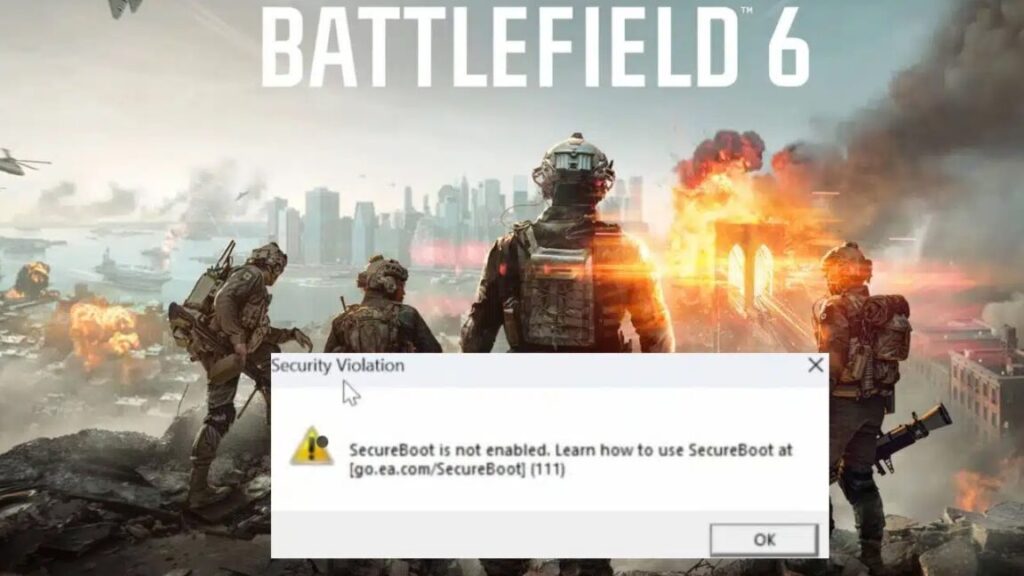
Valve’s instructions will walk you through downloading a SteamOS recovery image and copying it to a USB drive using either the Rufus tool (on Windows) or Balena Etcher (the preferred macOS and Linux utility). After turning Secure Boot off, you should be able to boot from the USB drive and install SteamOS as you would on a regular Steam Deck.

Note that there’s no simple, officially supported way to dual-boot SteamOS and Windows; if you decide to turn your handheld, laptop, or desktop into a new Steam Machine, the only way to make it back into a Windows PC is to re-enable Secure Boot and install a fresh copy from another USB drive.

The SteamOS 3.7 update (officially, version 3.7.8) also includes a bunch of other updates to the underlying software: version 6.11 of the Linux kernel (up from version 6.5 in SteamOS 3.6), “a newer Arch Linux base,” version 6.2.5 of the Plasma interface in desktop mode, new Mesa graphics drivers, and various other tweaks and bug fixes.

A second act for SteamOS

The original version of SteamOS was designed to be widely compatible with all kinds of PC hardware and was available both from major PC manufacturers and as a standalone OS that you could (and which we did) install on custom, self-built PCs. But these computers and that version of SteamOS mostly flopped, at least in part because they only ran a small subset of games that natively supported Linux.

The current version of SteamOS launched with more modest aims as the first-party operating system for a single piece of hardware. But by focusing on the game compatibility problem first and leading the way with category-defining hardware, Valve has actually built a much stronger foundation for the current version of SteamOS than it did for the original.

That doesn’t make SteamOS a drop-in replacement for Windows—without strong support for Intel or Nvidia hardware, it’s not a great candidate for the majority of gaming PCs, or even Intel-powered gaming handhelds like the MSI Claw A1M. And Windows is set up to be a multi-purpose general-use operating system in ways that SteamOS isn’t; Valve still says that, despite the presence of desktop mode, “users should not consider SteamOS as a replacement for their desktop operating system.” But for certain kinds of systems that are primarily used as gaming PCs, SteamOS is a real contender.

SteamOS 3.7 brings Valve’s gaming OS to other handhelds and generic AMD PCs Read More »

why-console-makers-can-legally-brick-your-game-console

Why console makers can legally brick your game console

Consoles like these may get banned from Nintendo’s online services, but they tend to still work offline.

Consoles like these may get banned from Nintendo’s online services, but they tend to still work offline. Credit: Kate Temkin / ReSwitched

“Unfortunately, ‘bricking’ personal devices to limit users’ rights and control their behavior is nothing new,” Electronic Frontier Foundation attorney Victoria Noble told Ars Technica. “It would likely take selective enforcement to rise to a problematic level [in court],” attorney Richard Hoeg said.

Last year, a collection of 17 consumer groups urged the Federal Trade Commission to take a look at the way companies use the so-called practice of “software tethering” to control a device’s hardware features after purchase. Thus far, though, the federal consumer watchdog has shown little interest in enforcing complaints against companies that do so.

“Companies should not use EULAs to strip people of rights that we normally associate with ownership, like the right to tinker with or modify their own personal devices,” Noble told Ars. “[Console] owners deserve the right to make otherwise legal modifications to their own devices without fear that a company will punish them by remotely bricking their [systems].”

The court of public opinion

In the end, these kinds of draconian bricking clauses may be doing their job even if the console makers involved don’t invoke them. “In practice, I expect this kind of thing is more about scaring people away from jailbreaking and modifying their systems and that Nintendo is unlikely to go about bricking large volumes of devices, even if they technically have the right to,” Loiterman said.

“Just because they put a remedy in the EULA doesn’t mean they will certainly use it either,” attorney Mark Methenitis said. “My suspicion is this is to go after the people who eventually succeeded in jailbreaking the original Switch and try to prevent that for the Switch 2.”

The threat of public backlash could also hold the console makers back from limiting the offline functionality of any hacked consoles. After citing public scrutiny that companies like Tesla, Keurig, and John Deere faced for limiting hardware via software updates, Methenitis said that he “would imagine Nintendo would suffer similar bad publicity if they push things too far.”

That said, legal capacities can sometimes tend to invite their own use. “If the ability is there, someone will want to ‘see how it goes.'” Hoeg said.

Why console makers can legally brick your game console Read More »

amd’s-$299-radeon-rx-9060-xt-brings-8gb-or-16gb-of-ram-to-fight-the-rtx-5060

AMD’s $299 Radeon RX 9060 XT brings 8GB or 16GB of RAM to fight the RTX 5060

AMD didn’t provide much by way of performance comparisons, but it’s promising that the cards have the same number of compute units as AMD’s last-generation RX 7600 series. AMD says that RDNA 4 compute units are much faster than those used for RDNA 3, particularly in games with ray-tracing effects enabled. This helped make the Radeon RX 9070 cards generally as fast or faster than the RX 7900 XTX and 7900 XT series, despite having around two-thirds as many compute units. Sticking with 32 CUs for the 9060 series isn’t exciting on paper, but we should still see a respectable generation-over-generation performance bump. The RX 7600 series, by contrast, provided a pretty modest performance improvement compared to 2022’s Radeon RX 6650 XT.

AMD says that the cards’ total board power—the amount of power the entire graphics card, including the GPU itself, RAM, and other components—starts at 150 W for the 8GB card and 160 W for the 16GB card, with a maximum TBP of 182 W. That’s a shade higher than but generally comparable to the RTX 5060 and 5060 Ti, and (depending on where actual performance ends up) quite a bit more efficient than the RX 7600 series. This partly comes down to a more efficient 4nm TSMC manufacturing process, a substantial upgrade from the 6nm process used for the 7600 series.

It’s unusual for a GPU maker to define a TBP range—more commonly we’re just given a single default value. But this is in line with new settings we observed in our RX 9070 review; AMD officially supports a range of different user-selectable TBP numbers in its Catalyst driver package, and some GPU makers were shipping cards that used higher TBPs by default.

Higher power limits can increase performance, though usually the performance increase is disproportionately small compared to the increase in power draw. These power limits should also generally mean that most 9060 XTs can be powered with a single 8-pin power connector, rather than using multiple connectors or the 12-pin 12VHPWR/12V-2×6 connector.

AMD’s $299 Radeon RX 9060 XT brings 8GB or 16GB of RAM to fight the RTX 5060 Read More »

labor-dispute-erupts-over-ai-voiced-darth-vader-in-fortnite

Labor dispute erupts over AI-voiced Darth Vader in Fortnite

For voice actors who previously portrayed Darth Vader in video games, the Fortnite feature starkly illustrates how AI voice synthesis could reshape their profession. While James Earl Jones created the iconic voice for films, at least 54 voice actors have performed as Vader in various media games over the years when Jones wasn’t available—work that could vanish if AI replicas become the industry standard.

The union strikes back

SAG-AFTRA’s labor complaint (which can be read online here) doesn’t focus on the AI feature’s technical problems or on permission from the Jones estate, which explicitly authorized the use of a synthesized version of his voice for the character in Fortnite. The late actor, who died in 2024, had signed over his Darth Vader voice rights before his death.

Instead, the union’s grievance centers on labor rights and collective bargaining. In the NLRB filing, SAG-AFTRA alleges that Llama Productions “failed and refused to bargain in good faith with the union by making unilateral changes to terms and conditions of employment, without providing notice to the union or the opportunity to bargain, by utilizing AI-generated voices to replace bargaining unit work on the Interactive Program Fortnite.”

The action comes amid SAG-AFTRA’s ongoing interactive media strike, which began in July 2024 after negotiations with video game producers stalled primarily over AI protections. The strike continues, with more than 100 games signing interim agreements, while others, including those from major publishers like Epic, remain in dispute.

Labor dispute erupts over AI-voiced Darth Vader in Fortnite Read More »

anno-117-pax-romana-hands-on:-gorgeous,-deep,-and-tricky-to-learn

Anno 117 Pax Romana hands-on: Gorgeous, deep, and tricky to learn


After a return to form in Anno 1800, 117 aims to seize an even bigger audience.

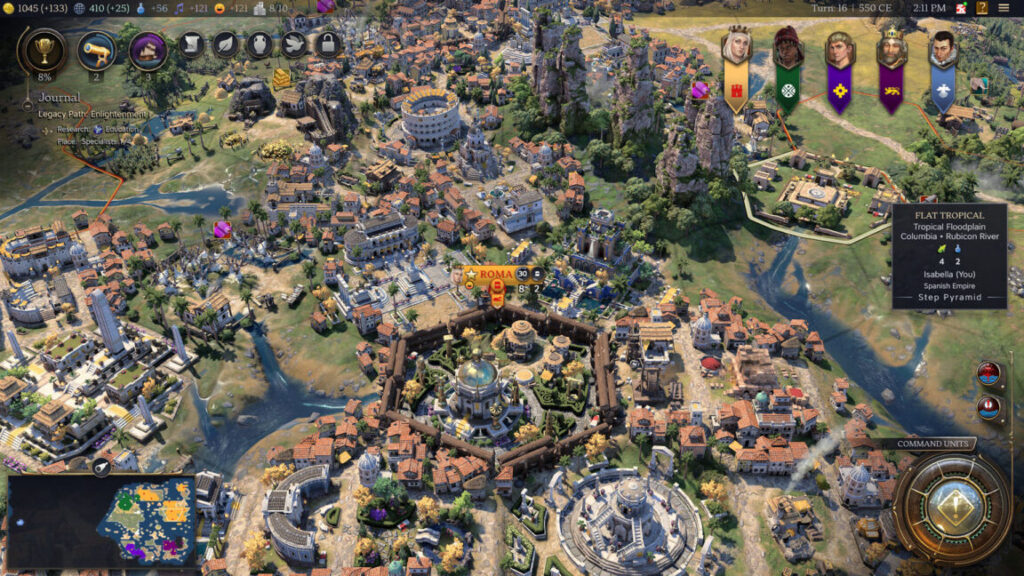
Anno 117: Pax Romana is, first and foremost, gorgeous to look at. Credit: Ubisoft

Ubisoft provided flights from Chicago to Rome and accommodation so that Ars could participate in the preview opportunity for Anno 117: Pax Romana. Ars does not accept paid editorial content.

There aren’t any games quite like the Anno series, and based on some hands-on time at a recent press junket, I can say that the latest entry has the potential to be an appealing on-ramp for history buffs and strategy game fans who haven’t explored the franchise before—provided players approach it with a lot of patience.

The previous entry in the series, 2019’s Anno 1800, was seen as something of a return to form by longtime franchise fans, who weren’t as thrilled with the futuristic entries that preceded it. It reportedly reached 5 million players, which is quite a lot for a PC-focused strategy title, so 1800 was a popularization moment for the franchise, too.

Anno 117: Pax Romana, due later this year, aims to build on that momentum and turn the franchise into a crossover hit. While the Anno games have long been popular with a certain crowd (strategy gamers in Europe, and specifically Germany, where the games are developed), its addictive gameplay and top-tier presentation have the potential to appeal with even more people, provided publisher Ubisoft makes the right choices.

Throughout its decades of history, I’ve dabbled with the Anno series of strategy games, but it has always been on my “someday I think I’ll really get into this” list. Last month, I attended a press junket where a preview build of the game was available to play for about three hours—a chance to see if it successfully follows up on 1800. In my time with it, I found that the bones of the game are promising, and the presentation is outstanding. That said, the new-player onboarding experience will have to improve for the game to find new audiences.

How an Anno game works

Anno games are part city builders, part supply chain simulations. Like many builders, you lay down roads, build critical infrastructure like firefighting structures, and develop your population in size and wealth. But all of that dovetails with systems of developing and harvesting natural resources, converting them into produced goods, and turning those produced goods into both wealth and further development for your settlements.

You have to pay careful attention to where you place things. For example, warehouses are needed to store goods that you’re gathering or making, and those warehouses have to be strategically positioned to allow the right goods to flow from one structure to another.

Ultimately, you build settlements on multiple islands, connecting them with trade routes and naval units. Natural resources can be island-specific, so your islands end up with specializations. On top of all that, there’s a story, and there are other, AI-controlled leaders scattered around the map you have to either coordinate or skirmish with.

The Anno games have a unique identity, and there’s a lot to learn for new players, even if those players have played other city builders or economic sims (though, of course, prior background won’t hurt). That said, it all becomes relaxing and smooth as butter once you learn it. The game won’t satisfy players who are looking for conquest or tactical combat, though, as that’s not an emphasis.

What’s new in 117

You could argue that the main selling point of Anno 117: Pax Romana compared to its predecessors is its setting; it’s one of the most requested settings and time periods by fans of the franchise, and it’s a natural fit for the game’s mechanics.

I’ll admit I was swept up in the game’s aesthetic presentation while playing it. As the rosy subtitle “Pax Romana” implies, this is the Roman Empire at its most idealized. The wheat fields practically glow golden-yellow, the citizens work and mingle while wearing gorgeous and colorful clothes, and the music swells and soothes with ancient vibes.

Sure, the actual Roman Empire had something awful to offer to counterbalance every positive image we have, but Anno 117 prefers an escapist fantasy, much like many prior entries in the franchise. This is a game about enjoying the idealized aesthetics embedded in our collective cultural memories while building something you’re proud of, not tackling thorny historical or moral realities. It’s more SimCity than Frostpunk.

All told, the game’s artistic and technical presentation is top-notch. It pulls you into the setting, which is further thematically reinforced with the resources and products you gather and produce, as well as some of the new mechanics and the occasional story-based dialogue prompts. The aesthetic experience is easily one of the strongest parts.

There are a few other selling points, too. First, there are new mechanics, like a religion system, a more robust research tree, and the return of ground-based military forces to go along with the franchise’s standard light inclusion of naval conflict. I wasn’t able to engage with the army aspect in this demo, but I did get to touch on the religion system and the research tree.

Shortly into founding the settlement on your island, you can build a temple to one of the game’s deities. Each deity provides bonuses that help you specialize your focus. For mine, I chose Ceres, the Roman goddess of agriculture and fertility. That gave me significant bonuses for my farms. If I had chosen Poseidon instead, my ships would have moved faster, among other things.

You can pick a Roman deity as a patron for your settlement. Samuel Axon

Compared to strategy games that make religion a major factor in how the game is played, this system wasn’t particularly robust or deep in the demo I played, but as I alluded to above, it was a nice way to reinforce the aesthetic and the themes in the game. Plus, it gives you a way to customize what you’re building in a fun way.

The research tree sprawls out in multiple directions, winding around on different tangents. In my time with it, it seemed to be composed largely of numerical bonuses to things like yields or ship speed and wasn’t too focused on introducing totally new mechanics. It’s a nice inclusion in terms of just giving you more customization and choice, but it’s by no means a game changer, and it doesn’t represent a fundamentally new approach to the game.

It’s also worth noting that you can now build diagonal roads and place buildings diagonally on them, allowing you to free yourself from the rigid grid. That said, I found that grids still seemed optimal in most cases, so this is a perk for beauty builders (which is totally valid!), but it won’t generally sway folks focused on efficiency.

You can place roads and buildings (like this farm) diagonally now. (Don’t judge my building placement—I’m still learning!) Samuel Axon

There’s one other major feature I didn’t get to try out during my time with the game. The developers say that players will be able to choose to build either in a Rome/Mediterranean-themed network of islands or a British frontier-themed area from the start. I was only able to try the former during this demo.

It’s still a bit hard to get into

For the Anno games to become as mainstream as the developer hopes, they’ll have to become much easier to learn and get into. Anno 1800 made strides here with its story-based tutorial, though that tutorial was also criticized for some unnecessary busywork and being a bit too involved for existing fans.

Unfortunately, I felt during my time with Anno 117 that the onboarding experience was a step back from 1800. Right off the bat, the tutorial instructed me to do something but skipped a crucial step with no explanation, causing five minutes of confusion. As I progressed, story content guided me further along with objectives, but key systems were left unexplained. Since I played 1800 a bit before, I was able to figure it out, but I still had to ask for help from a nearby developer to progress on two occasions. Another journalist sitting next to me who had no prior experience with the franchise seemed totally lost.

On the bright side, the game benefits immensely from a beautifully thought-out user interface, which is ordered in a logical and intuitive manner. It’s particularly strong at giving the player a sense of the impact of the choices they’re about to make—for example, by indicating with overlays on nearby buildings how placing a building in one spot might be more advantageous than placing it in another. To some extent, this makes up for the relatively anemic tutorial, as many (but not all) of the game’s most important concepts are intuitively obvious from the user interface alone.

Data overlays on nearby buildings as the player places a new one

The UI does an excellent job of letting you know what the effects of your actions will be. Credit: Samuel Axon

That’s in stark contrast to another recent big-budget, mainstream strategy game release (Civilization VII), which offered robust onboarding tutorials but also had a user interface that at times failed completely to indicate to players what their choices meant.

Anno 117‘s mechanics themselves are intuitive once you’ve had the proper introduction, and I don’t think the game inherently needs to be difficult to learn. But the tutorial experience needs to improve to reduce that initial friction so new players don’t bounce off quickly. Anno 1800 may have been too heavy-handed here, but Anno 117 seems to overreact by going too far the other way.

The launch is months away, though, so there’s time to improve these things, and it wouldn’t take that much to do so. I’m hopeful, anyway.

Something for almost everybody

The Anno games scratch an itch that no other games do, and based on a few hours with a preview build, Anno 117 seems like a promising entry in that unique tradition.

Numbers-obsessed efficiency mavens can go quite deep with optimization to set up the best economic powerhouses possible, but the game’s systems are flexible enough to allow aesthetics-focused beauty builders to get creative and expressive instead—virtually any combination of those two approaches is viable, too.

The appeal is elevated by visuals that are definitely a cut above the usual for strategy, simulation, or builder games, and the Ancient Roman setting gives the game’s technical artists ample space to create an immersive experience.

Anno 117 doesn’t seem to reinvent the experience compared to 1800, but after the controversial attempts that preceded both of these titles, that may not be a bad thing. It’s fun once you get going—I found the minutes drifting away from me as I took in the sights and watched all the right numbers tick up at a satisfying pace because of my choices.

Ships approach a coastal town

The combination of creative city building, economic simulation, and naval-based combat and exploration with strong visual presentation makes the Anno series’ special sauce. Credit: Ubisoft

I’m not part of the existing core audience for this franchise, so it’s hard for me to predict how they’ll respond to it—there are a lot of finer details they’ll be sensitive to that I’m not yet. My guess, though, is that longtime fans will probably be happy with this one provided it gets most of those things right, with the usual strategy-game sequel caveat that post-launch content has made Anno 1800 much more robust than Anno 117 is likely to be at launch. There’s promise here for newcomers, but Ubisoft Mainz will have to keep working on that tutorial and onboarding experience to really break the dam the way they hope to. That’s really my primary concern about this title.

We’ll find out how that goes when the game launches on Windows, PlayStation 5, and Xbox Series X|S sometime later this year. One way or the other, I intend to play more of it when it releases to see if this is the first Anno game that becomes an obsession instead of a passing interest.

Photo of Samuel Axon

Samuel Axon is a senior editor at Ars Technica, where he is the editorial director for tech and gaming coverage. He covers AI, software development, gaming, entertainment, and mixed reality. He has been writing about gaming and technology for nearly two decades at Engadget, PC World, Mashable, Vice, Polygon, Wired, and others. He previously ran a marketing and PR agency in the gaming industry, led editorial for the TV network CBS, and worked on social media marketing strategy for Samsung Mobile at the creative agency SPCSHP. He also is an independent software and game developer for iOS, Windows, and other platforms, and he is a graduate of DePaul University, where he studied interactive media and software development.

Anno 117 Pax Romana hands-on: Gorgeous, deep, and tricky to learn Read More »