ipados 26

5-changes-to-know-about-in-apple’s-latest-ios,-macos,-and-ipados-betas

5 changes to know about in Apple’s latest iOS, macOS, and iPadOS betas


The 26.3 updates were mostly invisible; these changes are more significant.
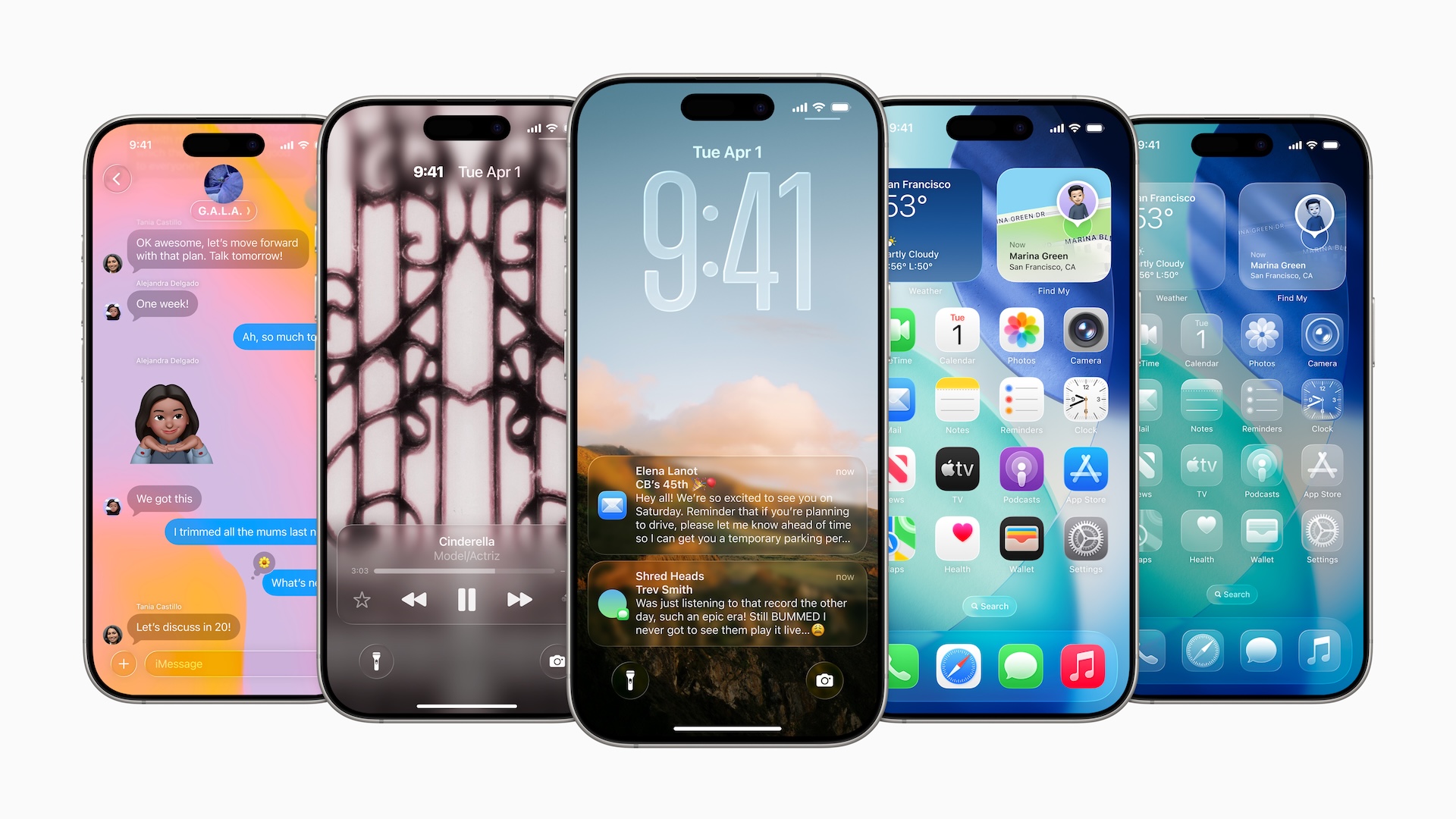
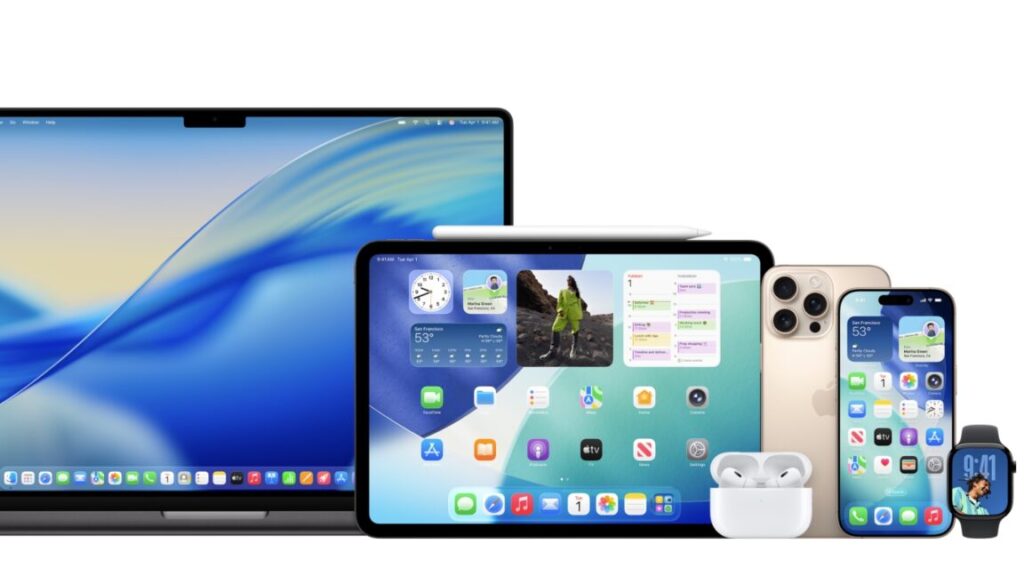
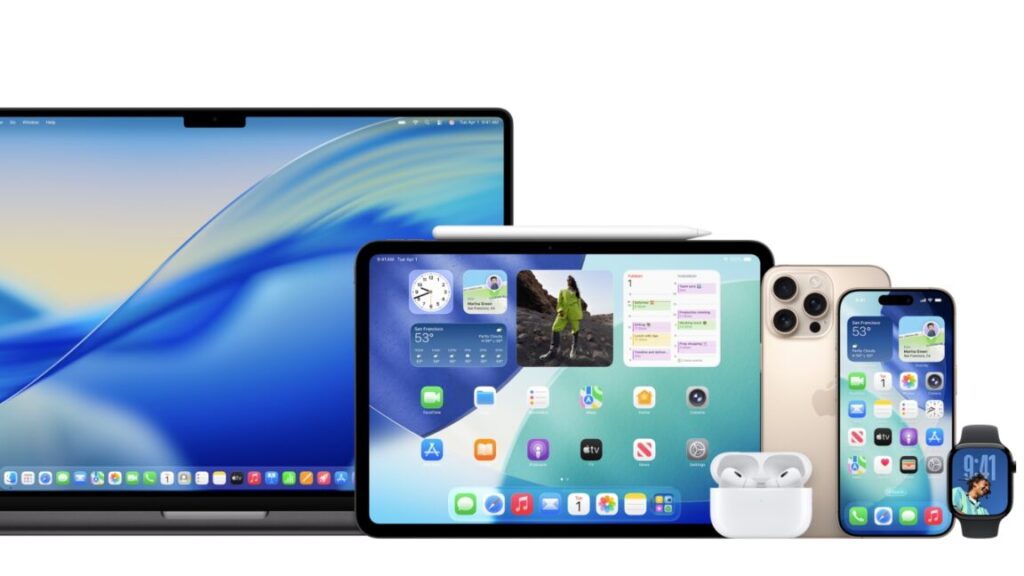
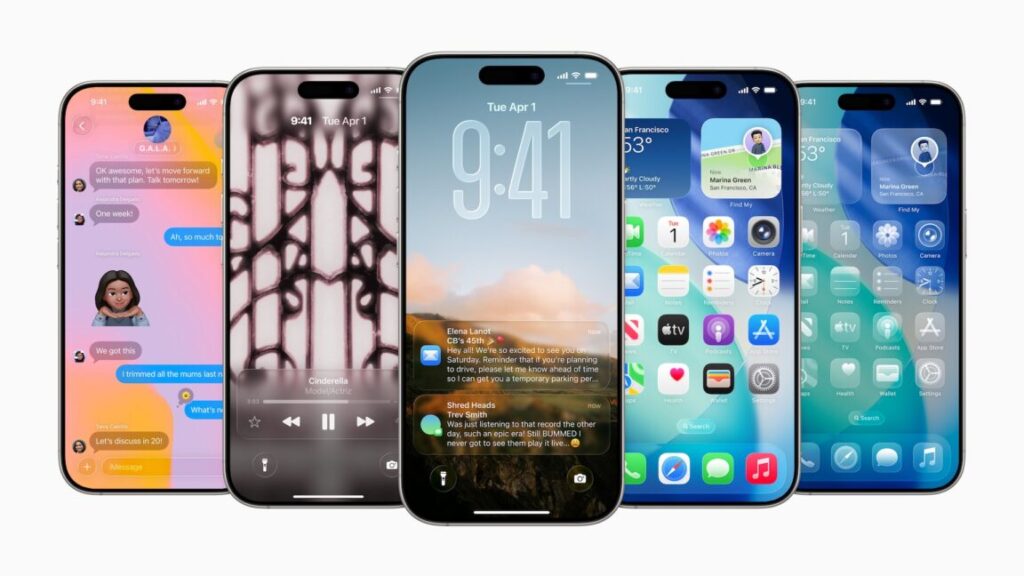
A collection of iPhones running iOS 26. Credit: Apple

A collection of iPhones running iOS 26. Credit: Apple

This week, Apple released the first developer betas for iOS 26.4, iPadOS 26.4, macOS 26.4, and its other operating systems. On Tuesday, it followed those up with public beta versions of the same updates.

Usually released around the midpoint between one major iOS release and the next, the *.4 updates to its operating system usually include a significant batch of new features and other refinements, and if the first beta is any indication, this year’s releases uphold that tradition.

A new “Playlist Playground” feature will let Apple Music subscribers generate playlists with text prompts, and native support for video podcasts is coming to the Podcasts app. The Creator Studio version of the Freeform drawing and collaboration app is also available in the 26.4 updates, allowing subscribers to access stock images from Apple’s Content Hub and to insert AI-generated images.

But we’ve spent time digging through the betas to identify some of the more below-the-surface improvements and changes that Apple is testing. Some of these changes won’t come to the public versions of the software until a later release; others may be removed or changed between now and when the 26.4 update is made available to the general public. But generally, Apple’s betas give us a good idea of what the final release will look like.

One feature that hasn’t appeared in these betas? The new “more intelligent Siri” that Apple has been promising since the iOS 18 launch in 2024. Apple delayed the feature until sometime in 2026, citing that it wasn’t meeting the company’s standards for quality and reliability.

Reports indicated that the company had been planning to make the new Siri part of the 26.4 update, but as of earlier this month, Apple has reportedly decided to push it to the 26.5 release or later; even releasing it as part of iOS 27 in the fall would technically not run afoul of the “2026” promise.

Before we begin, the standard warning about installing beta software on hardware you rely on day to day. Although these point updates are generally more stable than the major releases Apple tests in the summer and fall, they can still contain major bugs and may cause your device to behave strangely. The first beta, in particular, tends to be the roughest—more stable versions will be released in the coming weeks, and we should see the final version of the update within the next couple months.

Charging limits for MacBooks
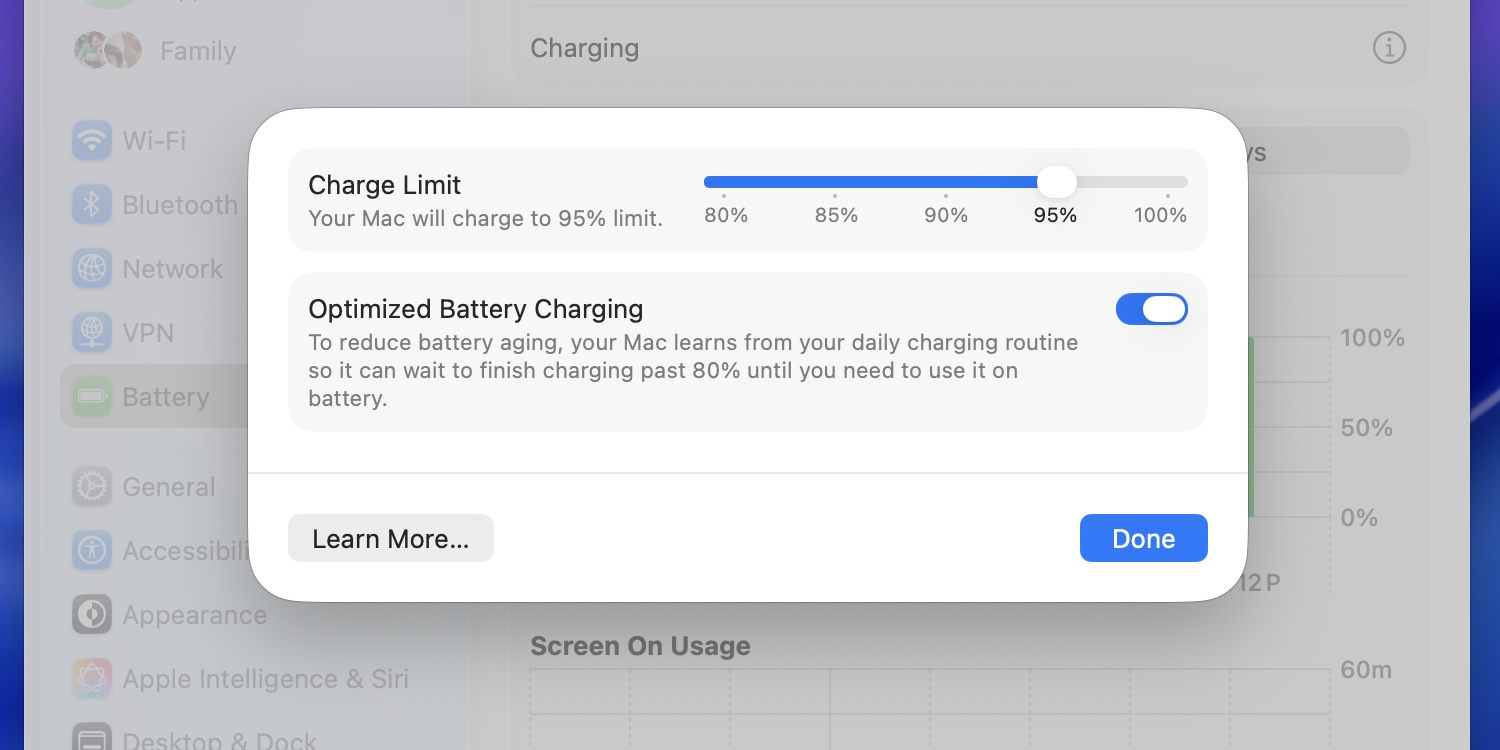
The macOS 26.4 update includes a slider for manually limiting your Mac’s battery charge percentage.

Credit: Andrew Cunningham

The macOS 26.4 update includes a slider for manually limiting your Mac’s battery charge percentage. Credit: Andrew Cunningham

In macOS 11 Big Sur, Apple added an on-by-default “Optimized Battery Charging” toggle to the operating system that would allow macOS to limit your battery’s charge percentage to 80 percent based on your usage and charging behavior. The idea is to limit the time your battery spends charging while full, something that can gradually reduce its capacity.

The macOS 26.4 update adds a new slider similar to the one in iOS, further allowing users to manually specify a maximum charge limit that is always observed, no matter what. It’s adjustable in 5 percent increments from 80 to 100 percent.

Anecdotal evidence suggests that limiting your charge percentage can lengthen the useful life of your battery and reduce wear, but there’s nothing that will fully prevent a battery from wearing out and losing capacity over time. It’s up to users to decide whether an immediately noticeable everyday hit to battery life is worth a slightly longer service life.

In the current macOS betas, enabling a charge limit manually doesn’t disable the Optimized Battery Charging feature the way it does in iOS. It’s unclear if this is an early bug or an intentional difference in how the feature is implemented in macOS.

End-to-end encryption (and other improvements) for non-Apple texting

Apple has been infamously slow to adopt support for the Rich Communication Services (RCS) messaging protocol used by most modern Android phones. Apple-to-Apple messaging was handled using iMessage, which supports end-to-end encryption among many other features. But for many years, it stuck by the aging SMS standard for “green bubble” texting between Apple’s platforms and others, to the enduring frustration of anyone with a single Android-using friend in a group chat.

Apple finally began supporting RCS messaging for major cellular carriers in iOS 18, and has slowly expanded support to other networks in subsequent releases. But Apple’s implementation still doesn’t support end-to-end encryption, which was added to the RCS standard about a year ago.

The 26.4 update is the first to begin testing encryption for RCS messages. But as with the initial RCS rollout, Apple is moving slowly and deliberately: for now, encrypted RCS messaging only works when texting between Apple devices, and not between Apple devices and Android phones. The feature also won’t be included in the final 26.4 release—it’s only included in the betas for testing purposes, and it “will be available to customers in a future software update for iOS, iPadOS, macOS, and watchOS.”

Encrypted iMessage and RCS chats will be labeled with a lock icon, much like how most web browsers label HTTPS sites.

To support encrypted messaging, Apple will jump from version 2.4 of the RCS Universal Profile to version 3.0. This should also enable support for several improvements in versions 2.5, 2.6, and 2.7 of the RCS standard, including previously iMessage-exclusive things like editing and recalling messages and replying to specific messages inline.

The return of the “Compact” Safari tab bar
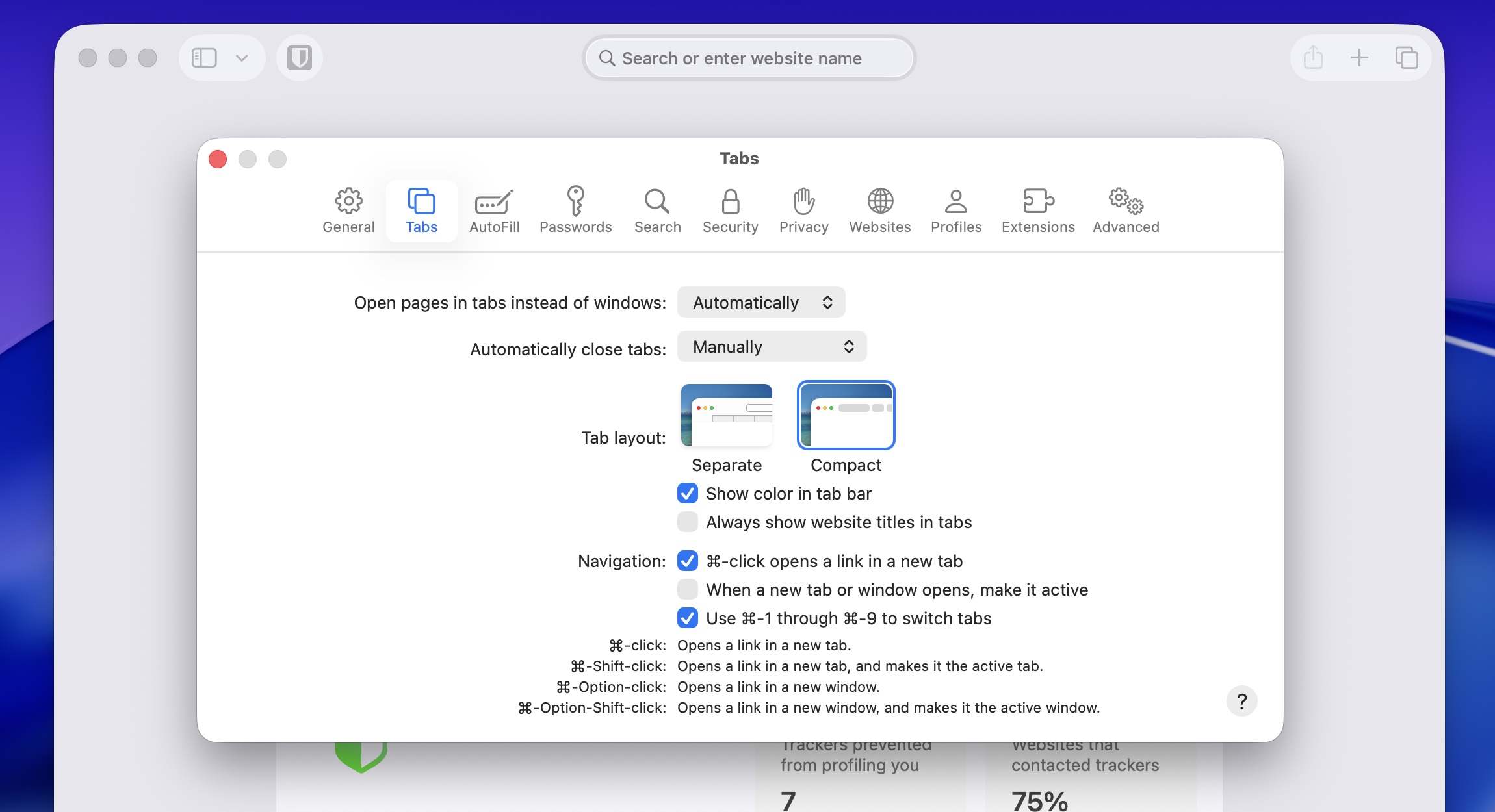
The Compact tab view returns to Safari 26.4 and iPadOS 26.4.

Credit: Andrew Cunningham

The Compact tab view returns to Safari 26.4 and iPadOS 26.4. Credit: Andrew Cunningham

As part of the macOS 12 Monterey/iPadOS 15 beta cycle in 2021, Apple attempted a pretty radical redesign of the Safari browser that combined your tabs and the address bar into one, with the goal of increasing the amount of viewable space on the pages you were viewing. By the time both operating systems were released to the public, Safari’s default design had more or less reverted to its previous state, but the “compact” tab view lived on as an optional view in the settings for those who liked it.

Tahoe, the Safari 26 update, and iPadOS 26 all removed that Compact view entirely, though a version of the Compact view became the default for the iPhone version of Safari. The macOS 26.4, Safari 26.4, and iPadOS 26.4 updates restore the Compact tab option to the other versions of Safari.

On-by-default Stolen Device Protection

Originally introduced in the iOS 17.3 update, Apple’s “Stolen Device Protection” toggle for iPhones added an extra layer of security for users whose phones were stolen by people who had learned their passcodes. With Stolen Device Protection enabled, an iPhone that had been removed from “familiar locations, such as home or work” would require biometric Face ID or Touch ID authentication before accessing stored passwords and credit cards, erasing your phone, or changing Apple Account passwords. Normally, users can enter their passcodes as a fallback; Stolen Device Protection removes that fallback.

The iOS 26.4 update will make Stolen Device Protection on by default. Generally, you won’t notice a difference in how your phone behaves, but if you’re traveling or away from places where you regularly use your phone and you can’t use your passcode to access certain information, this is why.

It’s possible to switch off Stolen Device protection, but doing so requires biometric authentication, an hour-long wait, and then a second biometric authentication. (This extended wait is also required for disabling Find My, changing your phone’s passcode, or changing Touch ID and Face ID settings.)

Rosetta’s end approaches
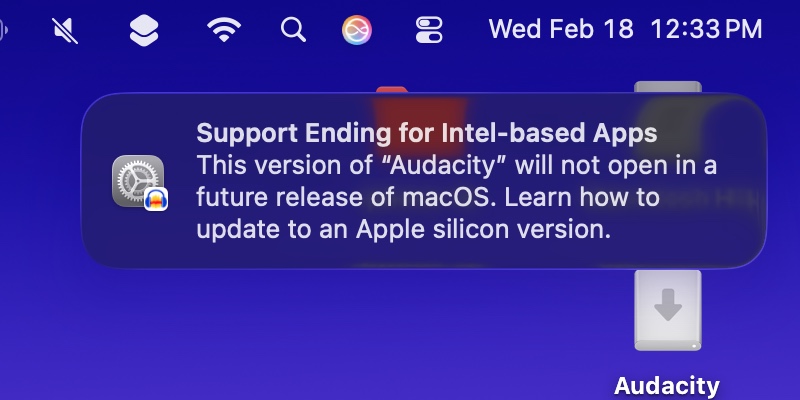
The macOS 26.4 update will add the first user-facing notifications about the end of Rosetta support, currently slated for macOS 28 in 2027.

Credit: Andrew Cunningham

The macOS 26.4 update will add the first user-facing notifications about the end of Rosetta support, currently slated for macOS 28 in 2027. Credit: Andrew Cunningham

Apple’s Rosetta 2 was a crucial support beam in the bridge from the Intel Mac era to the Apple Silicon era, enabling unmodified Intel-native apps to run on the M1 and later processors, with noticeable but manageable performance and responsiveness hits. As with the original Rosetta, it allowed Apple to execute a major CPU architecture switch while keeping it mostly invisible to Mac users, and it bought developers time to release Arm-native versions of their apps so they could take full advantage of the new chips.

But now that the transition is complete and the last Intel Macs are fading into the rearview, Apple plans to remove the translation layer from future versions of macOS, with some exceptions for games that rely on the technology.

Rosetta 2 won’t be completely removed until macOS 28, but macOS 26.4 will be the first to begin warning users about the end of Rosetta when they launch Intel-native apps. Those notifications link to an Apple support page about identifying and updating Intel-only apps to Apple Silicon-native versions (or universal binaries that support both architectures).

Apple has deployed this “adding notifications without removing functionality” approach to deprecating older apps before. Versions 10.13 and 10.14 of macOS would show users pop-ups about the end of support for 32-bit apps for a couple of years before that support was removed in macOS 10.15, for example.

Photo of Andrew Cunningham

Andrew is a Senior Technology Reporter at Ars Technica, with a focus on consumer tech including computer hardware and in-depth reviews of operating systems like Windows and macOS. Andrew lives in Philadelphia and co-hosts a weekly book podcast called Overdue.

5 changes to know about in Apple’s latest iOS, macOS, and iPadOS betas Read More »
apple-releases-ios-26.3-with-updates-that-mainly-benefit-non-apple-devices

Apple releases iOS 26.3 with updates that mainly benefit non-Apple devices

Other additions, and other OSes

Another iOS 26.3 update is also aimed at interoperability, though it may only apply to iPhones covered by European Union regulations. A feature called “notification forwarding” will send your iPhone’s notifications to third-party accessories, including Google’s Android-based Wear OS smartwatches. Once the setting is enabled, users will be able to decide which apps can forward notifications to the third-party device, similar to how Apple Watch notifications work.

In current betas, Apple allows notifications to be forwarded to only one device at a time, and forwarding notifications to a third-party device means you can’t send them to an Apple Watch.

Finally, both iOS 26.3 and iPadOS 26.3 are introducing a feature for some newer devices with Apple’s in-house C1 and C1X modems: a “limit precise location” toggle that Apple says “enhances your location privacy by reducing the precision of location data available to cellular networks.”

This feature is currently only available on a handful of devices and even fewer carriers: In the US, Boost Mobile is the only one. Only the iPhone Air, iPhone 16e, or the M5 iPad Pro will offer the toggle; devices like the iPhone 17, iPhone 17 Pro, and older phones with Qualcomm or Intel modems won’t support the feature.

Apple has also updated all of its other major operating systems today. But macOS 26.3, iPadOS 26.3, watchOS 26.3, tvOS 26.3, visionOS 26.3 and version 26.3 of the HomePod software are all quieter updates of the bug-fixes-and-performance-improvements variety. Beta testers have found early evidence of support for the M5 Max and M5 Ultra chips, pointing to pending refreshes for some higher-end Macs, but that doesn’t tell us much we didn’t already know.

The 26.3 updates are mostly sleepy, but the 26.4 releases may be a bigger deal. These are said to be the first to include Apple’s “more intelligent Siri,” a feature initially promised as part of the first wave of Apple Intelligence updates in iOS 18 but delayed after it failed to meet Apple’s quality standards.

Apple and Google jointly announced in January that the new Siri would be powered by Google’s Gemini language models rather than OpenAI’s ChatGPT or other competing models. As with other Apple Intelligence features, we’d expect the new Siri to be available to testers via Apple’s developer and public beta programs before being released to all devices.

Apple releases iOS 26.3 with updates that mainly benefit non-Apple devices Read More »

apple-releases-ios-261,-macos-26.1,-other-updates-with-liquid-glass-controls-and-more

Apple releases iOS 26.1, macOS 26.1, other updates with Liquid Glass controls and more

After several weeks of testing, Apple has released the final versions of the 26.1 update to its various operating systems. Those include iOS, iPadOS, macOS, watchOS, tvOS, visionOS, and the HomePod operating system, all of which switched to a new unified year-based version numbering system this fall.

This isn’t the first update that these operating systems have gotten since they were released in September, but it is the first to add significant changes and tweaks to existing features, addressing the early complaints and bugs that inevitably come with any major operating system update.

One of the biggest changes across most of the platforms is a new translucency control for Liquid Glass that tones it down without totally disabling the effect. Users can stay with the default Clear look to see the clearer, glassier look that allows more of the contents underneath Liquid Glass to show through, or the new Tinted look to get a more opaque background that shows only vague shapes and colors to improve readability.

For iPad users, the update re-adds an updated version of the Slide Over multitasking mode, which uses quick swipes to summon and dismiss an individual app on top of the apps you’re already using. The iPadOS 26 version looks a little different and includes some functional changes compared to the previous version—it’s harder to switch which app is being used in Slide Over mode, but the Slide Over window can now be moved and resized just like any other iPadOS 26 app window.

Apple releases iOS 26.1, macOS 26.1, other updates with Liquid Glass controls and more Read More »

upcoming-ios-and-macos-26.1-update-will-let-you-fog-up-your-liquid-glass

Upcoming iOS and macOS 26.1 update will let you fog up your Liquid Glass

Apple’s new Liquid Glass user interface design was one of the most noticeable and divisive features of its major software updates this year. It added additional fluidity and translucency throughout iOS, iPadOS, macOS, and Apple’s other operating systems, and as we noted in our reviews, the default settings weren’t always great for readability.

The upcoming 26.1 update for all of those OSes is taking a step toward addressing some of the complaints, though not by changing things about the default look of Liquid Glass. Rather, the update is adding a new toggle that will let users choose between a Clear and Tinted look for Liquid Glass, with Clear representing the default look and Tinted cranking up the opacity and contrast.

The new toggle adds a half-step between the default visual settings and the “reduce transparency” setting, which, aside from changing a bunch of other things about the look and feel of the operating system, is buried further down inside the Accessibility options. The Tinted toggle does make colors and vague shapes visible beneath the glass panes, preserving the general look of Liquid Glass while also erring on the side of contrast and visibility, where the “reduce transparency” setting is more of an all-or-nothing blunt instrument.

Upcoming iOS and macOS 26.1 update will let you fog up your Liquid Glass Read More »

ios-2601,-macos-260.1-updates-fix-install-bugs,-new-phone-problems,-and-more

iOS 26.0.1, macOS 26.0.1 updates fix install bugs, new phone problems, and more

Now that iOS 26, macOS 26 Tahoe, and Apple’s other big software updates for the year are out in public, Apple’s efforts for the next few months will shift to fixing bugs and adding individual new features. The first of those bug fix updates has arrived this week in the form of iOS 26.0.1, macOS 26.0.1, iPadOS 26.0.1, and equivalent updates for most of the devices across Apple’s ecosystem.

The release notes for most of the updates focus on device- and platform-specific early adopter problems, particularly for buyers of the new iPhone 17, iPhone 17 Pro, and iPhone Air.

The iOS 26.0.1 update fixes a bug that could prevent phones from connecting to cellular networks, a bug that could cause app icons to appear blank, and the VoiceOver feature becoming disabled on devices that have it on. Camera, Wi-Fi, and Bluetooth bugs with the new iPhones have also been patched. The iPadOS update also fixes a bug that was causing the floating software keyboard to move around.

iOS 26.0.1, macOS 26.0.1 updates fix install bugs, new phone problems, and more Read More »

what-to-expect-(and-not-expect)-from-yet-another-september-apple-event

What to expect (and not expect) from yet another September Apple event


An all-new iPhone variant, plus a long list of useful (if predictable) upgrades.

Apple’s next product announcement is coming soon. Credit: Apple

Apple’s next product announcement is coming soon. Credit: Apple

Apple’s next product event is happening on September 9, and while the company hasn’t technically dropped any hints about what’s coming, anyone with a working memory and a sense of object permanence can tell you that an Apple event in the month of September means next-generation iPhones.

Apple’s flagship phones have changed in mostly subtle ways since 2022’s iPhone 14 Pro added the Dynamic Island and 2023’s refreshes switched from Lightning to USB-C. Chips get gradually faster, cameras get gradually better, but Apple hasn’t done a seismic iPhone X-style rethinking of its phones since, well, 2017’s iPhone X.

The rumor mill thinks that Apple is working on a foldable iPhone—and such a device would certainly benefit from years of investment in the iPad—but if it’s coming, it probably won’t be this year. That doesn’t mean Apple is totally done iterating on the iPhone X-style design, though. Let’s run down what the most reliable rumors have said we’re getting.

The iPhone 17

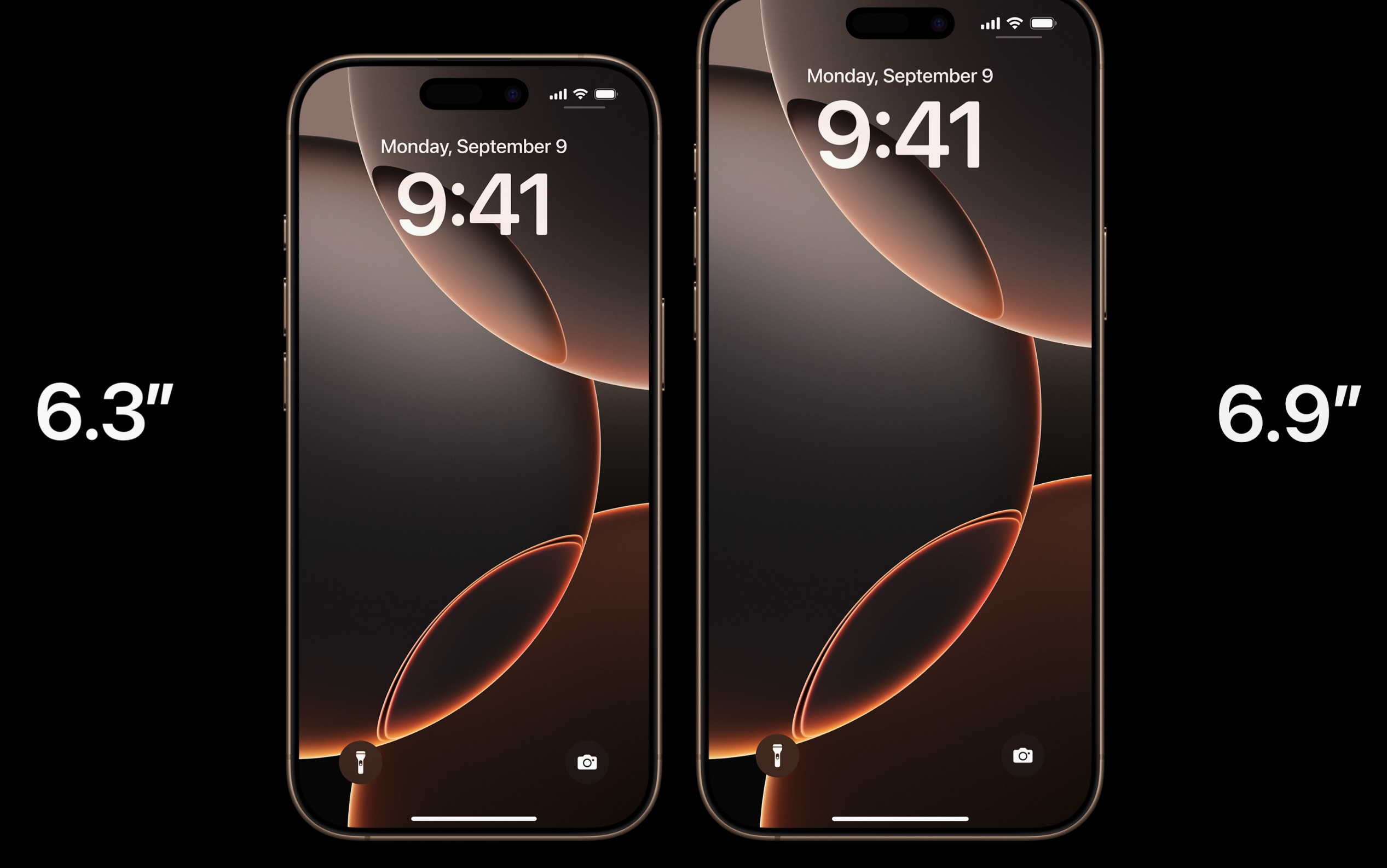
Last year’s iPhone 16 Pro bumped the screen sizes from 6.1 and 6.7 inches to 6.3 and 6.9 inches. This year’s iPhone 17 will allegedly get a 6.3-inch screen with a high-refresh-rate ProMotion panel, but the iPhone Plus is said to be going away. Credit: Apple

Apple’s vanilla one-size-fits-most iPhone is always the centerpiece of the lineup, and this year’s iteration is expected to bring the typical batch of gradual iterative upgrades.

The screen will supposedly be the biggest beneficiary, upgrading from 6.1 inches to 6.3 inches (the same size as the current iPhone 16 Pro) and adding a high-refresh-rate ProMotion screen that has typically been reserved for the Pro phones. Apple is always careful not to add too many “Pro”-level features to the entry-level iPhones, but this one is probably overdue—even less-expensive Android phones like the Pixel 9a ship often ship with 90 Hz or 120 Hz screens at this point. It’s not clear whether that will also enable the always-on display feature that has also historically been exclusive to the iPhone Pro, but the fluidity upgrade will be nice regardless.

Aside from that, there aren’t many specific improvements we’ve seen reported on, but there are plenty we can comfortably guess at. Improved front- and rear-facing cameras and a new Apple A19-series chip with at least the 8GB of RAM needed to support Apple Intelligence are both pretty safe bets.

But there’s one thing we supposedly won’t get, which is a new large-sized iPhone Plus. That brings us to our next rumor.

The “iPhone Air”

For the last few years, every new iPhone launch has actually brought us four iPhones—a regular iPhone in two different sizes and an iPhone Pro with a better camera, better screen, faster chip, and other improvements in a regular size and a large size.

It’s the second size of the regular iPhone that has apparently given Apple some trouble. It made a couple of generations of “iPhone mini,” an attempt to address a small-but-vocal contingent of Phones Are Just Too Big These Days people that apparently didn’t sell well enough to continue making. That was replaced by the iPhone Plus, aimed at people who wanted a bigger screen but who weren’t ready to pay for an iPhone Pro Max.

The Plus phones at least gave the iPhone lineup a nice symmetry—two tiers of phone, with a regular one and a big one at each tier—but rumors suggest that the Plus phone is also going away this year. Like the iPhone mini before it, it apparently just wasn’t selling well enough to be worth the continued effort.

That brings us to this year’s fourth iPhone: Apple is supposedly planning to release an “iPhone Air,” which will weigh less than the regular iPhone and is said to be 5.5 or 6 mm thick, depending on who you ask (the iPhone 16 is 7.8 mm).

A 6.3-inch ProMotion display and A19-series chip are also expected to be a part of the iPhone Air, but rather than try to squeeze every feature of the iPhone 17 into a thinner phone, it sounds like the iPhone 17 Air will cater to people who are willing to give a few things up in the interest of getting a thinner and lighter device. It will reportedly have worse battery life than the regular iPhone and just a single-lens camera setup (though the 48 MP sensors Apple has switched to in recent iPhones do make it easier to “fake” optical zoom features than it used to be).

We don’t know anything about the pricing for any of these phones, but Bloomberg’s Mark Gurman suggests that the iPhone Air will be positioned between the regular iPhone and the iPhone Pro—more like the iPad lineup, where the Air is the mid-tier choice, and less like the Mac, where the Air is the entry-level laptop.

iPhone 17 Pro

Apple’s Pro iPhones are generally “the regular iPhone, but more,” and sometimes they’re “what all iPhones will look like in a couple of years, but available right now for people who will pay more for it.” The new ones seem set to continue in that vein.

The most radical change will apparently be on the back—Apple is said to be switching to an even larger camera array that stretches across the entire top-rear section of the phone, an arrangement you’ll occasionally see in some high-end Android phones (Google’s Pixel 10 is one). That larger camera bump will likely enable a few upgrades, including a switch from a 12 MP sensor for the telephoto zoom lens to a 48 MP sensor. And it will also be part of a more comprehensive metal-and-glass body that’s more of a departure from the glass-backed-slab design Apple has been using since the iPhone 12.

A 48MP telephoto sensor could increase the amount of pseudo-optical zoom that the iPhone can offer. The main iPhones will condense a 48 MP photo down to 12 MP when you’re in the regular shooting mode, binning pixels to improve image quality. For zoomed-in photos, it can just take a 12 MP section out of the middle of the 48 MP image—you lose the benefit of pixel binning, but you’re still getting a “native resolution” photo without blurry digital zoom. With a better sensor, Apple could do exactly the same thing with the telephoto lens.

Apple reportedly isn’t planning any changes to screen size this year—still 6.3 inches for the regular Pro and 6.9 inches for the Max. But they are said to be getting new “A19 Pro” series chips that are superior to the regular A19 processors (though in what way, exactly, we don’t yet know). But it could shrink the amount of screen space dedicated to the Dynamic Island.

New Apple Watches

Apple Watch Series 10

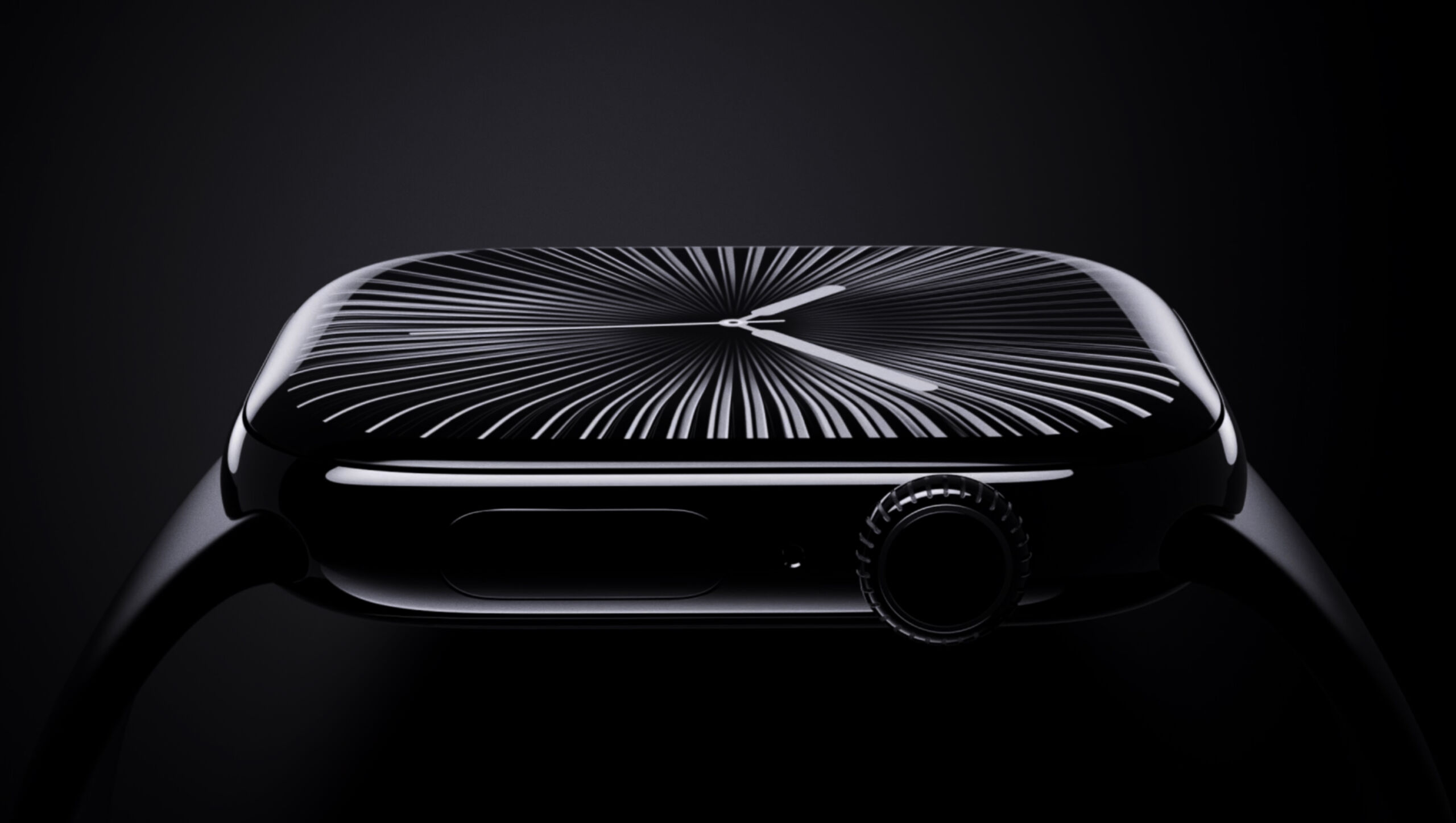
The Apple Watch Series 10 from 2024. Credit: Apple

New iPhone announcements are usually paired with new Apple Watch announcements, though if anything, the Watch has changed even less than the iPhone has over the last few years.

The Apple Watch Series 11 won’t be getting a screen size increase—the Series 10 bumped things up a smidge just last year, from 41 and 45 mm to 42 and 46 mm. But the screen will apparently have a higher maximum brightness—always useful for outdoor visibility—and there will be a modestly improved Apple S11 chip on the inside.

The entry-level Apple Watch SE is also apparently due for an upgrade. The current second-generation SE still uses an Apple S8 chip, and Apple Watch Series 4-era 40 and 44 mm screens that don’t support always-on operation. In other words, there’s plenty that Apple could upgrade here without cannibalizing sales of the mainstream Series 11 watch.

Finally, after missing out on an update last year, Apple also reportedly plans to deliver a new Apple Watch Ultra, with the larger 46 mm screen from the Series 10/11 watches and the same updated S11 chip as the regular Apple Watch. The current Apple Watch Ultra 2 already has a brighter screen than the Series 10—3,000 nits, up from 2,000—so it’s not clear whether the Apple Watch Ultra 3’s screen would also get brighter or if the Series 11’s screen is just getting a brightness boost to match what the Ultra can do.

Smart home, TV, and audio

Though iPhones and Apple Watches are usually a lock for a September event, other products and accessory updates are also possible.

Of these, the most high-profile is probably a refresh for the Apple TV 4K streaming box, which would be its first update in three years. Rumors suggest that the main upgrade for a new model would be an Apple A17 Pro chip, introduced for the iPhone 15 Pro and also used in the iPad mini 7. The A17 Pro is paired with 8GB of RAM, which makes it Apple’s smallest and cheapest chip that’s capable of Apple Intelligence. Apple hasn’t done anything with Apple Intelligence on the Apple TV directly, but to date, that has been partly because none of the hardware is capable of it.

Also in the “possible but not guaranteed” column: new high-end AirPods Pro, the first-ever internal update to 2020’s HomePod Mini speaker, a new AirTag location tracker, and a straightforward internals-only refresh of the Vision Pro headset. Any, all, or none of these could break cover at the event next week, but Gurman claims they’re all “coming soon.”

New software updates

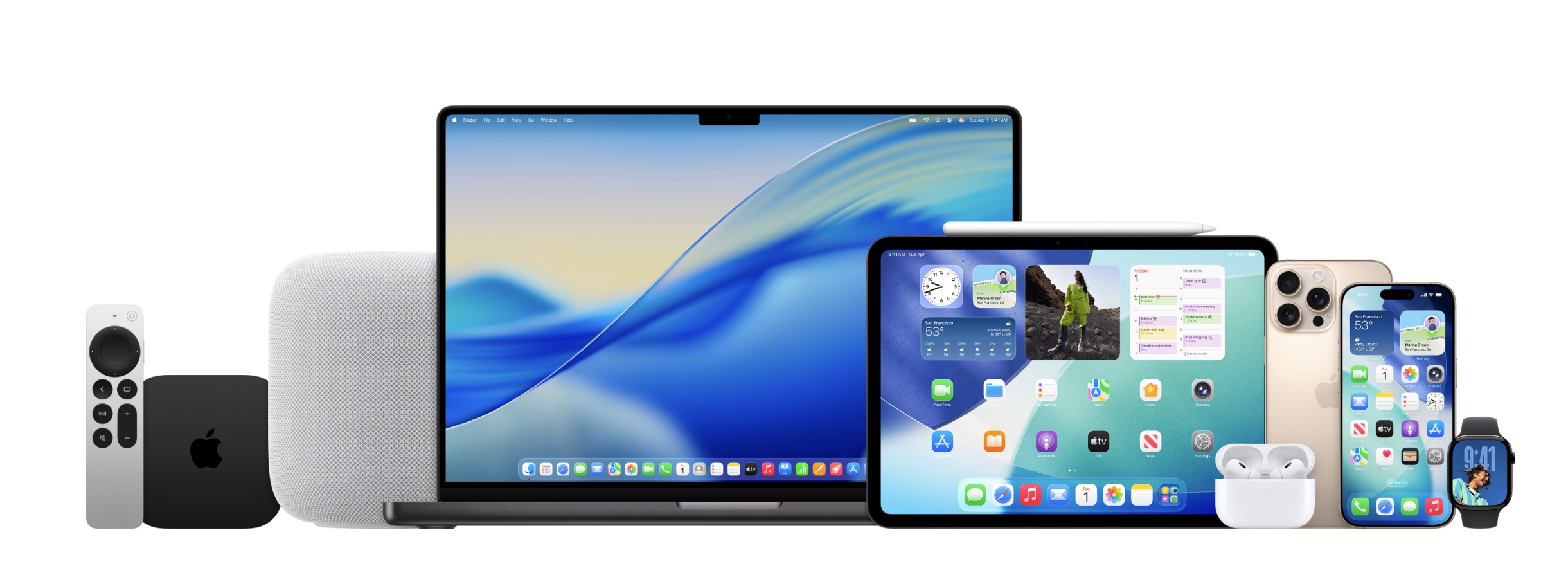
Devices running Apple’s latest beta operating systems. Credit: Apple

We know most of what there is to know about iOS 26, iPadOS 26, macOS 26, and Apple’s other software updates this year, thanks to a three-month-old WWDC presentation and months of public beta testing. There might be a feature or two exclusive to the newest iPhones, but that sort of thing is usually camera-related and usually pretty minor.

The main thing to expect will be release dates for the final versions of all of the updates. Apple usually releases a near-final release candidate build on the day of the presentation, gives developers a week or so to finalize and submit their updated apps for App Review, and then releases the updates after that. Expect to see them rolled out to everyone sometime the week of September 15th (though an earlier release is always a possibility).

What’s probably not happening

We’d be surprised to see anything related to the Mac or the iPad at the event next week, even though several models are in a window where the timing is about right for an Apple M5 refresh.

Macs and iPads have shared the stage with the iPhone before, but in more recent years, Apple has held these refreshes back for another, smaller event later in October or November. If Apple has new MacBook Pro or iPad Pro models slated for 2025, we’d expect to see them in a month or two.

Photo of Andrew Cunningham

Andrew is a Senior Technology Reporter at Ars Technica, with a focus on consumer tech including computer hardware and in-depth reviews of operating systems like Windows and macOS. Andrew lives in Philadelphia and co-hosts a weekly book podcast called Overdue.

What to expect (and not expect) from yet another September Apple event Read More »

apple-brings-openai’s-gpt-5-to-ios-and-macos

Apple brings OpenAI’s GPT-5 to iOS and macOS

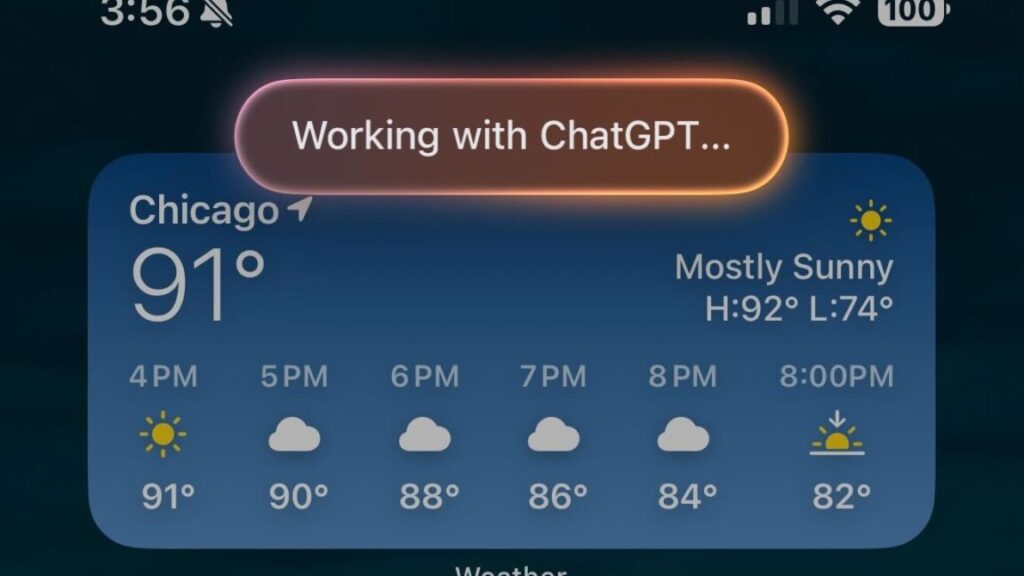
OpenAI’s GPT-5 model went live for most ChatGPT users this week, but lots of people use ChatGPT not through OpenAI’s interface but through other platforms or tools. One of the largest deployments is iOS, the iPhone operating system, which allows users to make certain queries via GPT-4o. It turns out those users won’t have to wait long for the latest model: Apple will switch to GPT-5 in iOS 26, iPadOS 26, and macOS Tahoe 26, according to 9to5Mac.

Apple has not officially announced when those OS updates will be released to users’ devices, but these major releases have typically been released in September in recent years.

The new model had already rolled out on some other platforms, like the coding tool GitHub Copilot via public preview, as well as Microsoft’s general-purpose Copilot.

GPT-5 purports to hallucinate 80 percent less and heralds a major rework of how OpenAI positions its models; for example, GPT-5 by default automatically chooses whether to use a reasoning-optimized model based on the nature of the user’s prompt. Free users will have to accept whatever the choice is, while paid ChatGPT accounts allow manually picking which model to use on a prompt-by-prompt basis. It’s unclear how that will work in iOS; will it stick to GPT-5’s non-reasoning mode all the time, or will it utilize GPT-5 “(with thinking)”? And if it supports the latter, will paid ChatGPT users be able to manually pick like they can in the ChatGPT app, or will they be limited to whatever ChatGPT deems appropriate, like free users? We don’t know yet.

Apple brings OpenAI’s GPT-5 to iOS and macOS Read More »

apple-intelligence-news-summaries-are-back,-with-a-big-red-disclaimer

Apple Intelligence news summaries are back, with a big red disclaimer

Apple has released the fourth developer betas of iOS 26, iPadOS 26, macOS 26 and its other next-generation software updates today. And along with their other changes and fixes, the new builds are bringing back Apple Intelligence notification summaries for news apps.

Apple disabled news notification summaries as part of the iOS 18.3 update in January. Incorrect summaries circulating on social media prompted news organizations to complain to Apple, particularly after one summary said that Luigi Mangione, alleged murderer of UnitedHealthcare CEO Brian Thompson, had died by suicide (he had not and has not).

Upon installing the new update, users of Apple Intelligence-compatible devices will be asked to enable or disable three broad categories of notifications: those for “News & Entertainment” apps, for “Communication & Social” apps, and for all other apps. The operating systems will list sample apps based on what you currently have installed on your device.

All Apple Intelligence notification summaries continue to be listed as “beta,” but Apple’s main change here is a big red disclaimer when you enable News & Entertainment notification summaries, pointing out that “summarization may change the meaning of the original headlines.” The notifications also get a special “summarized by Apple Intelligence” caption to further distinguish them from regular, unadulterated notifications.

Apple Intelligence news summaries are back, with a big red disclaimer Read More »

apple-sues-youtuber-who-leaked-ios-26’s-new-“liquid-glass”-software-redesign

Apple sues YouTuber who leaked iOS 26’s new “Liquid Glass” software redesign

“Defendants’ misconduct was brazen and egregious,” says Apple’s filing. “After Mr. Prosser learned that Mr. Ramacciotti needed money, and that his friend Ethan Lipnik worked at Apple on unreleased software designs, Defendants jointly planned to access Apple’s confidential and trade secret information through Mr. Lipnik’s Apple-owned development iPhone.”

Apple’s main source of information appears to be an audio message sent to Lipnik by Ramacciotti, which Lipnik then provided to Apple. An April 4 email from an anonymous source, also shared in the filing, named Lipnik as the source of the leaks and alleged the involvement of Ramaciotti and three other names that are blacked out.

According to the filing, Lipnik has been fired from Apple “for failing to follow Apple’s policies designed to protect its confidential information, including development devices and unreleased software and features.” The filing also accuses Lipnik of failing to report “multiple prior breaches” to Apple.

For his part, Prosser claims that Apple’s timeline of events is incorrect.

“This is not how the situation played out on my end,” Prosser posted to social media late yesterday. “Luckily have receipts for that. I did not ‘plot’ to access anyone’s phone. I did not have any passwords. I was unaware of how the information was obtained. Looking forward to speaking with Apple on this.”

Prosser then posted a screenshot from a messaging app, dated to February, which implies that he had been sent the information about the Liquid Glass redesign unsolicited.

Apple’s suit is seeking damages from Prosser and Ramacciotti, and it wants “to protect its trade secrets” and “prevent Messrs. Ramacciotti and Prosser from continuing to act unlawfully.” Even though the company has already publicly announced iOS 26 and the Liquid Glass design, Apple describes Prosser and Ramacciotti as “an ongoing threat” because Lipnik’s phone “contained other announced design elements that remain confidential.”

Apple sues YouTuber who leaked iOS 26’s new “Liquid Glass” software redesign Read More »

what-to-expect-from-apple’s-worldwide-developers-conference-next-week

What to expect from Apple’s Worldwide Developers Conference next week


i wwdc what you did there

We expect to see new designs, new branding, and more at Apple’s WWDC 2025.

Apple’s Worldwide Developers Conference kicks off on Monday with the company’s standard keynote presentation—a combination of PR about how great Apple and its existing products are and a first look at the next-generation versions of iOS, iPadOS, macOS, and the company’s other operating systems.

Reporting before the keynote rarely captures everything that Apple has planned at its presentations, but the reliable information we’ve seen so far is that Apple will keep the focus on its software this year rather than using the keynote to demo splashy new hardware like the Vision Pro and Apple Silicon Mac Pro, which the company introduced at WWDC a couple years back.

If you haven’t been keeping track, here are a few of the things that are most likely to happen when the pre-recorded announcement videos start rolling next week.

Redesign time

Reliable reports from Bloomberg’s Mark Gurman have been saying for months that Apple’s operating systems are getting a design overhaul at WWDC.

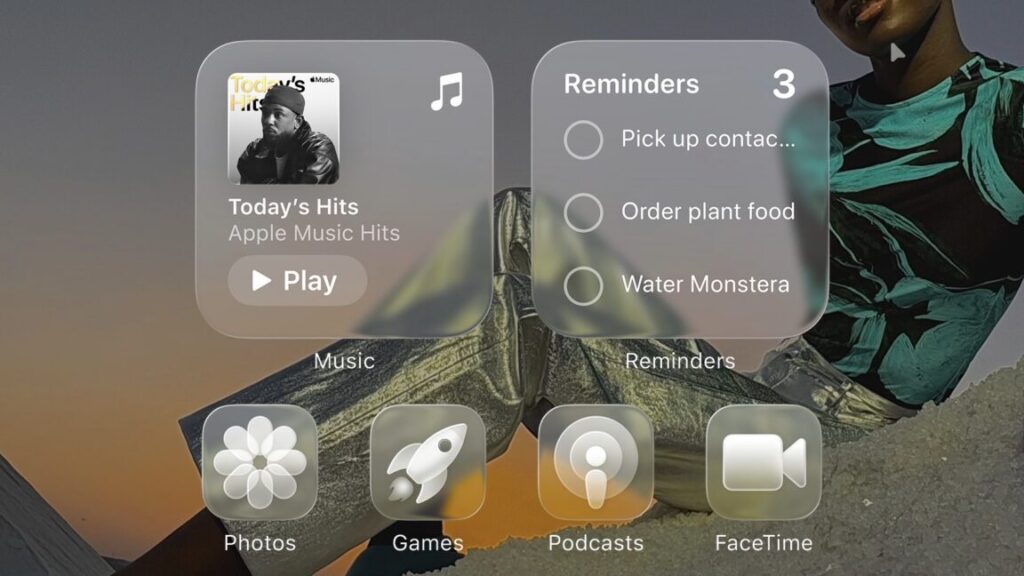
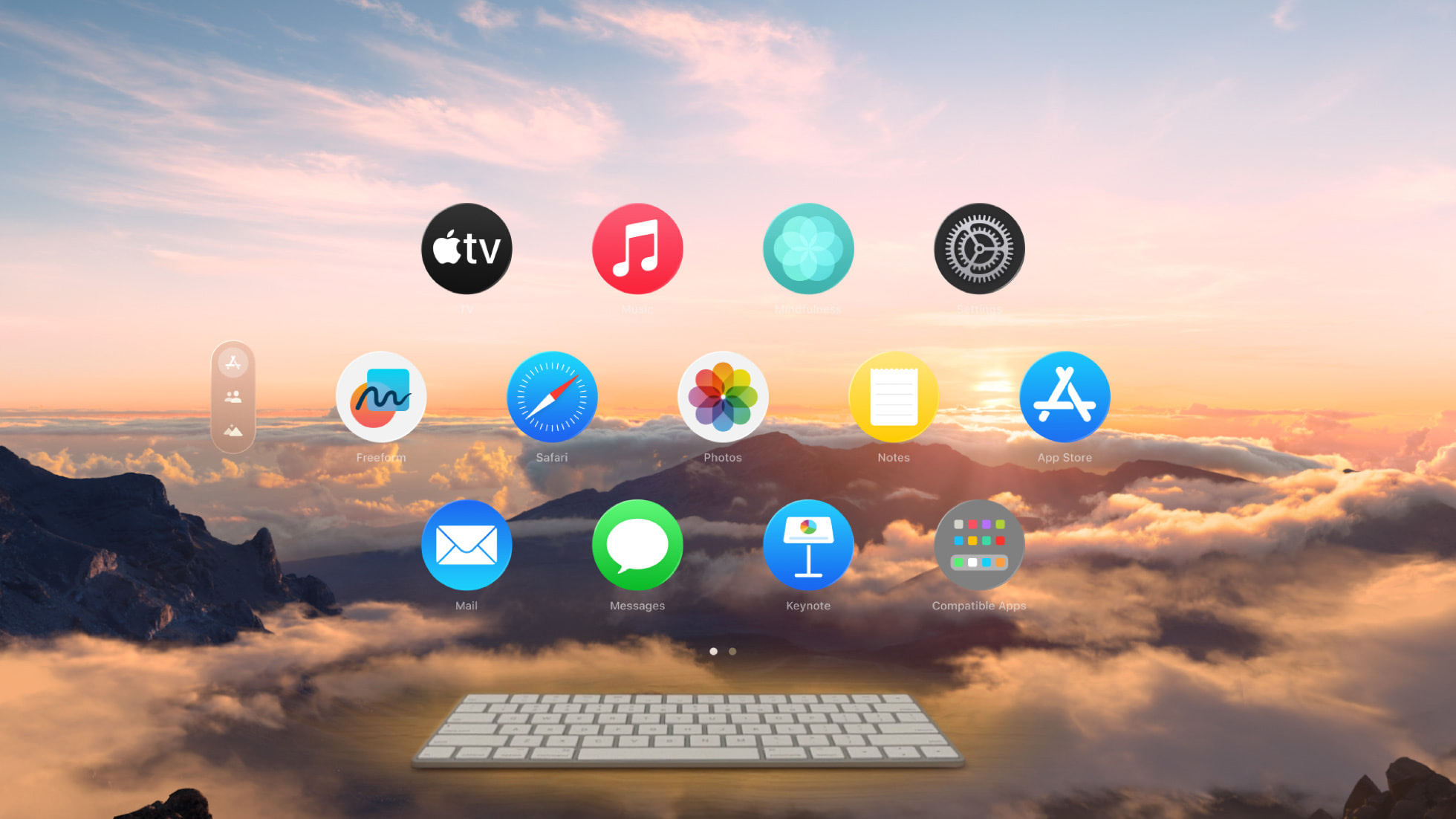
The company apparently plans to use the design of the Vision Pro’s visionOS software as a jumping-off point for the new designs, introducing more transparency and UI elements that appear to be floating on the surface of your screen. Apple’s overarching goal, according to Gurman, is to “simplify the way users navigate and control their devices” by “updating the style of icons, menus, apps, windows and system buttons.”

Apple’s airy, floaty visionOS will apparently serve as the inspiration for its next-generation software design. Credit: Apple

Any good software redesign needs to walk a tightrope between freshening up an old look and solving old problems without changing peoples’ devices so much that they become unrecognizable and unfamiliar. The number of people who have complained to me about the iOS 18-era redesign of the Photos app suggests to me that Apple doesn’t always strike the right balance. But a new look can also generate excitement and encourage upgrades more readily than some of the low-profile or under-the-hood improvements that these updates normally focus on.

The redesigned UI should be released simultaneously for iOS, iPadOS, and macOS. The Mac last received a significant facelift back in 2020 with macOS 11 Big Sur, though this was overshadowed at the time by the much more significant shift from Intel’s chips to Apple Silicon. The current iOS and iPadOS design has its roots in 2013’s iOS 7, though with over a decade’s worth of gradual evolution on top.

An OS by any other name

With the new design will apparently come a new naming scheme, shifting from the current version numbers to new numbers based on the year. So we allegedly won’t be seeing iOS 19, macOS 16, watchOS 12, or visionOS 3—instead, we’ll get iOS 26, macOS 26, watchOS 26, and visionOS 26.

The new numbers might be a little confusing at first, especially for the period of overlap where Apple is actively supporting (say) macOS 14, macOS 15, and macOS 26. But in the long run, the consistency should make it easier to tell roughly how old your software is and will also make it easier to tell whether your device is running current software without having to remember the number for each of your individual devices.

It also unifies the approach to any new operating system variants Apple might announce—tvOS starts at version 9 and iPadOS starts at version 13, for example, because they were linked to the then-current iOS release. But visionOS and watchOS both started over from 1.0, and the macOS version is based on the year that Apple arbitrarily decided to end the 20-year-old “macOS X” branding and jump up to 11.

Note that those numbers will use the upcoming year rather than the current year—iOS 26 will be Apple’s latest and greatest OS for about three months in 2025, assuming the normal September-ish launch, but it will be the main OS for nine months in 2026. Apple usually also waits until later in the fall or winter to start forcing people onto the new OS, issuing at least a handful of security-only updates for the outgoing OS for people who don’t want to be guinea pigs for a possibly buggy new release.

Seriously, don’t get your hopes up about hardware

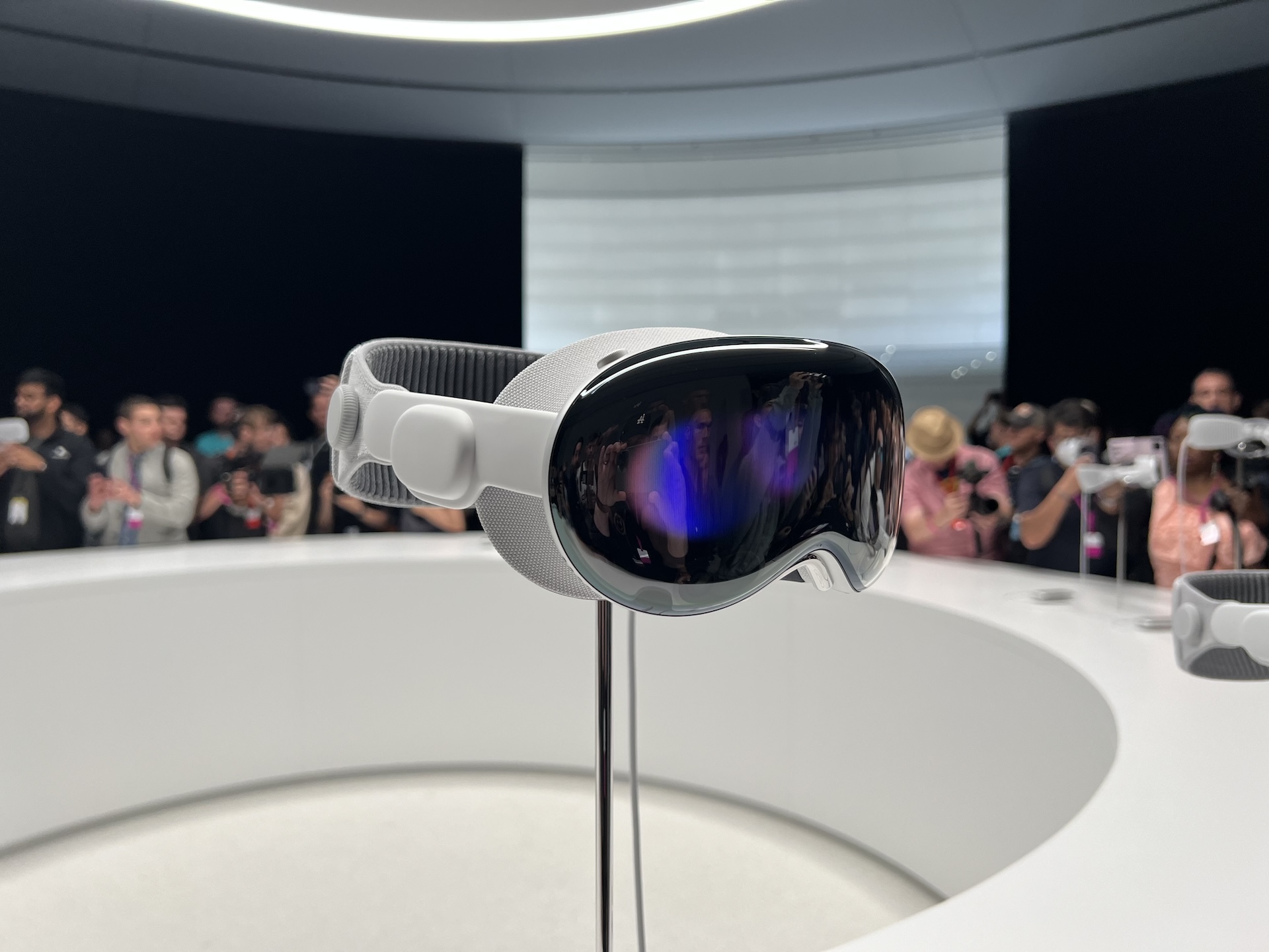
Apple showed off Vision Pro at WWDC in 2023, but we’re not expecting to see much hardware this year. Credit: Samuel Axon

Gurman has reported that Apple had “no major new devices ready to ship” this year.

Apple generally concentrates its hardware launches to the spring and fall, with quieter and lower-profile launches in the spring and bigger launches in the fall, anchored by the tentpole that is the iPhone. But WWDC has occasionally been a launching point for new Macs (because Macs are the only systems that run Xcode, Apple’s development environment) and occasionally brand-new platforms (because getting developers on board with new platforms is one way to increase their chances of success). But the best available information suggests that neither of those things is happening this time around.

There are possibilities, though. Apple has apparently been at work behind the scenes on expanding its smart home footprint, and the eternally neglected Mac Pro is still using an M2 Ultra when an M3 Ultra already exists. But especially with a new redesign to play up, we’d expect Apple to keep the spotlight on its software this time around.

The fate of Intel Macs

It’s been five years since Apple started moving from Intel’s chips to its own custom silicon in Macs and two years since Apple sold its last Intel Macs. And since the very start of the transition, Apple has resisted providing a firm answer to the question of when Intel Macs will stop getting new macOS updates.

Our analysis of years of support data suggests two likely possibilities: that Apple releases one more new version of macOS for Intel Macs before shifting to a couple years of security-only updates or that Apple pulls the plug and shifts to security-only updates this year.

Rumors suggest that current betas still run on the last couple rounds of Intel Macs, dropping support for some older or slower models introduced between 2018 and 2020. If that’s true, there’s a pretty good chance it’s the last new macOS version to officially support Intel CPUs. Regardless, we’ll know more when the first betas drop after the keynote.

Even if the new version of macOS supports some Intel Macs, expect the list of features that require Apple Silicon to keep getting longer.

iPad multitasking? Again?

The perennial complaint about high-end iPads is that the hardware is a lot more capable than the software allows it to be. And every couple of years, Apple takes another crack at making the iPad a viable laptop replacement by improving the state of multitasking on the platform. This will allegedly be another one of those years.

We don’t know much about what form these multitasking improvements will take—whether they’re a further refinement of existing features like Stage Manager or something entirely new. The changes have been described as “more like macOS,” but that could mean pretty much anything.

Playing games

People play plenty of games on Apple’s devices, but they still aren’t really a “destination” for gaming in the same way that a dedicated console or Windows PC is. The company is apparently hoping to change that with a new unified app for games. Like Valve’s Steam, the app will reportedly serve as a storefront, launcher, and achievement tracker, and will also facilitate communication between friends playing the same game.

Apple took a similar stab at this idea in the early days of the iPhone with Game Center, which still exists as a service in the background on modern Apple devices but was discontinued as a standalone app quite a few years ago.

Apple has been trying for a few years now to make its operating systems more hospitable to gaming, especially in macOS. The company has added a low-latency Game Mode to macOS and comprehensive support for modern wireless gamepads from Microsoft, Sony, and Nintendo. The company’s Game Porting Toolkit stops short of being a consumer-friendly way to run Windows games on macOS, but it does give developers of Windows games an easier on-ramp for testing and porting their games to Apple’s platforms. We’ll see whether a unified app can help any of these other gaming features gel into something that feels cohesive.

Going home

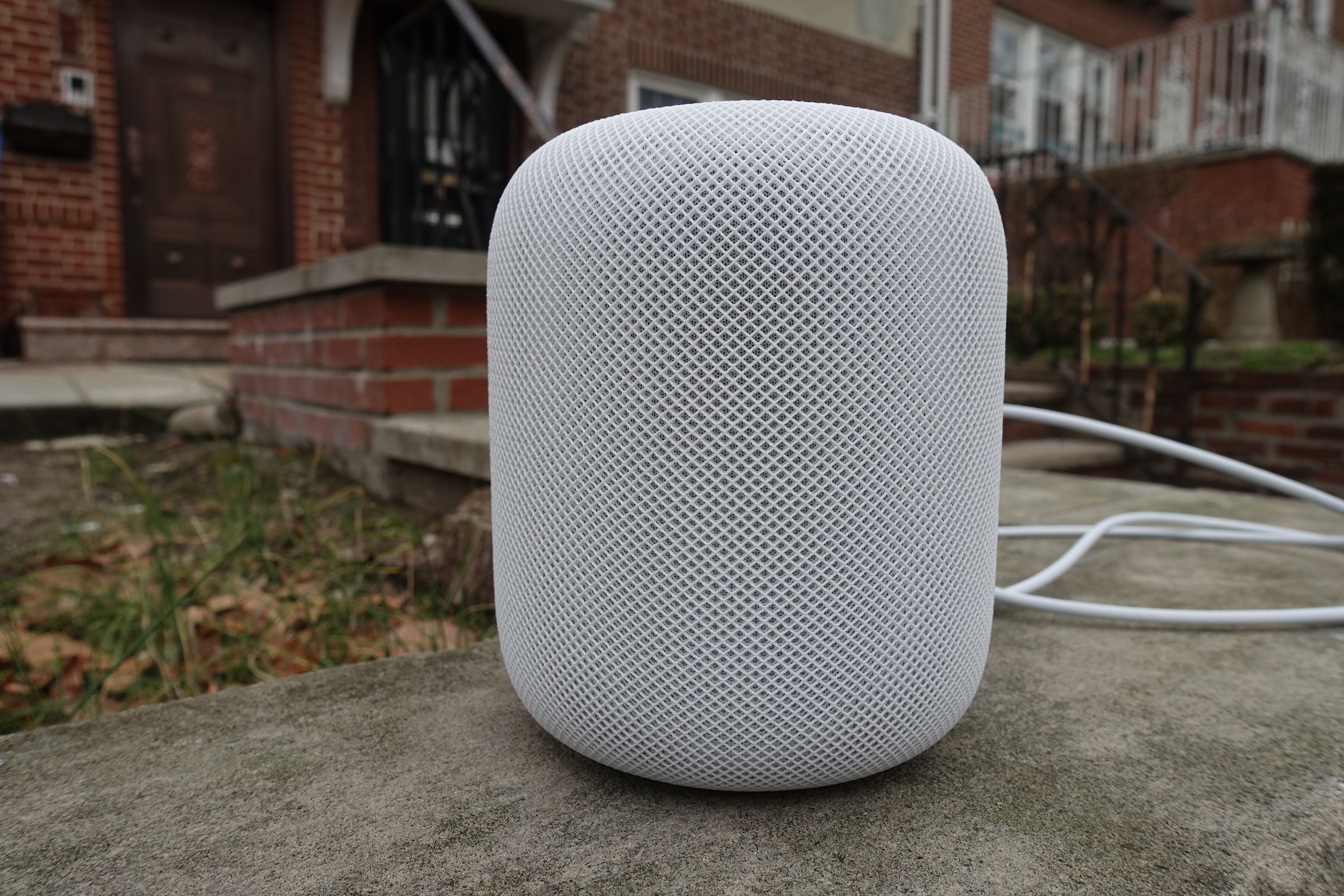
A smart speaker about the size of a mason jar.

Might we see a more prominent, marketable name for what Apple currently calls the “HomePod Software”? Credit: Jeff Dunn

One of Apple’s long-simmering behind-the-scenes hardware projects is apparently a new kind of smart home device that weds the HomePod’s current capabilities with a vaguely Apple TV-like touchscreen interface. In theory, this device would compete with the likes of Amazon’s Echo Show devices.

Part of those plans involve a “new” operating system to replace what is known to the public as “HomePod Software” (and internally as audioOS). This so-called “homeOS” has been rumored for a bit, and some circumstantial evidence points to some possible pre-WWDC trademark activity around that name. Like the current HomePod software—and just about every other OS Apple maintains—homeOS would likely be a specialized offshoot of iOS. But even if it doesn’t come with new hardware right away, new branding could suggest that Apple is getting ready to expand its smart home ambitions.

What about AI?

Finally, it wouldn’t be a mid-2020s tech keynote without some kind of pronouncements about AI. Last year’s WWDC was the big public unveiling of Apple Intelligence, and (nearly) every one of Apple’s product announcements since then has made a point of highlighting the hardware’s AI capabilities.

We’d definitely expect Apple to devote some time to Apple Intelligence, but the company may be more hesitant to announce big new features in advance, following a news cycle where even normally sympathetic Apple boosters like Daring Fireball’s John Gruber excoriated the company for promising AI features that it was nowhere near ready to launch—or even to demo to the public. The executives handling Apple’s AI efforts were reshuffled following that news cycle; whether it was due to Gruber’s piece or the underlying problems outlined in the article is anyone’s guess.

Apple will probably try to find a middle road, torn between not wanting to overpromise and underdeliver and not wanting to seem “behind” on the tech industry’s biggest craze. There’s a decent chance that the new “more personalized” version of Siri will finally make a public appearance. But I’d guess that Apple will focus more on iterations of existing Apple Intelligence features like summaries or Writing Tools rather than big swings.

Photo of Andrew Cunningham

Andrew is a Senior Technology Reporter at Ars Technica, with a focus on consumer tech including computer hardware and in-depth reviews of operating systems like Windows and macOS. Andrew lives in Philadelphia and co-hosts a weekly book podcast called Overdue.

What to expect from Apple’s Worldwide Developers Conference next week Read More »