shopping

in-the-’90s,-wing-commander:-privateer-made-me-realize-what-kind-of-games-i-love

In the ’90s, Wing Commander: Privateer made me realize what kind of games I love

Ever since 1993, I think I’ve unconsciously judged almost every game by how well it can capture how Wing Commander: Privateer made me feel.

Steam and PlayStation (the two platforms I use the most) have been doing a year-in-review summary akin to the wildly popular Spotify Wrapped for the past few years. Based on these, I can report that my most-played games in 2025 were, from most hours down:

  1. No Man’s Sky
  2. Civilization VII
  3. Assassin’s Creed Shadows
  4. The Elder Scrolls IV Oblivion Remastered
  5. The Lord of the Rings: Return to Moria
  6. The Elder Scrolls III Morrowind
  7. World of Warcraft
  8. Meridian 59
  9. Tainted Grail: Fall of Avalon
  10. Unreal Tournament

With the exceptions of Civilization VII and Unreal Tournament, every one of those games is some kind of open-world experience that’s all about immersing you in a far-flung land (or galaxy).

I like what I like, and my knowing that’s what I like began in the early 1990s with Wing Commander: Privateer.

Privateer taught me that I love games that are spaces for living out whatever fictional life I create for myself much more than I love games that are guiding me through an authored story and a series of carefully designed challenges.

Yes, it has a story and story missions, but they’re hardly the point, partly because they’re not really that good. What’s exciting about this game is exploring new systems, seeing the beautiful CG artwork for their settlements, learning about your ships’ capabilities and upgrading them slowly over time, and attaining mastery of the pseudo-simulated economy.

A ship landed in a spaceport

These CG-rendered planet backgrounds captured my imagination in the 1990s, and they still do, though nostalgia probably plays a part. Credit: GOG

The story that matters in Privateer is the story I am telling myself in my head. To this day, the games I most love offer at least a taste of that experience.

Privateer‘s far-reaching (and drama-laden) legacy

To say this game was influential on later titles would be an understatement, but we, of course, have to acknowledge that this formula was originally popularized by 1984’s Elite. Privateer just married that formula with Wing Commander‘s universe and flight mechanics, with a far more hand-crafted setting. That setting is key, though. I like the original Elite, and this certainly wasn’t the case back in the mid-’80s, but today, it plays like a tech demo for what’s to come.

In the ’90s, Wing Commander: Privateer made me realize what kind of games I love Read More »

for-the-lazy-techie:-these-are-ars-staff’s-last-minute-holiday-gift-picks

For the lazy techie: These are Ars staff’s last-minute holiday gift picks


Two wireless mice, two external hard drives, and a partridge in a pear tree.

Credit: Aurich Lawson | Getty Images

The holidays have snuck up on us. How is it already that time?

If you’re on top of things and have already bought all your Christmas gifts, I commend you. Not all of us are so conscientious. In fact, one of us is so behind on holiday prep that he is not only running late on buying gifts; he’s also behind on publishing the Ars staff gift guide he said he’d write. (Whoever could we be talking about?)

So for my fellow last-minute scramblers, I polled Ars writers and editors for gift ideas they know will be solid because they’ve actually used them. As such, you’ll find gift options below that Ars staffers have used enough to feel good about recommending. Further, I made sure all of these are available for delivery before Christmas as of today, at least where I live.

For each gadget (or whatever else it might be), we have a brief description of how or why we’ve been using this particular thing and why we would recommend it. Note that the prices we’ve listed here represent where they were at the time this article was written, but online retailers often vary prices based on different factors, so you might see something different when you click through.

Ars Commentariat: If you feel inclined, feel free to share some other ideas. I genuinely might take advantage if you share something good.

Ars Technica may earn compensation for sales from links on this post through affiliate programs. (We won’t affiliatize any shared links in the comments, of course.)

Under $50

Tiny USB-A to USB-C adapter pack – $8

Somehow, amazingly, we are still living in a split USB-C/USB-A world all these years later. No one’s thrilled about it, but there’s no end in sight. Some folks in the Apple ecosystem turn to Apple’s first-party adapters, but there are two problems with them in my view: first, they’re weirdly expensive, as you’d expect. And second, they’re larger than they need to be.

I have about a dozen of these little adapters sitting around my house. The only downside is that because they’re shorter, they’re thicker, so you can’t always put two right next to each other in the MacBook Pro’s USB-C ports. But in the aforementioned mixed-use quagmire we all now occupy, odds are good you can just put it next to something that actually uses a USB-C connection. If you’re like me, you’re at about 2/3 USB-C and 1/3 USB-A at this point.

There are a bunch of brands for these, but they’re all pretty interchangeable, and I’ve not had any problems with these in particular.

– Samuel Axon

The Thing on 4K UltraHD Blu-ray – $12

People often debate whether Die Hard is a Christmas movie. (I definitely think it is.) But there’s another movie I often watch during the holidays: John Carpenter’s The Thing. I’ll freely admit it’s not holiday-themed in any way, but it’s at least filled with snow and winter gloom!

I don’t buy every movie on physical media—I’ve accepted that a lot of my library is going to be on Apple’s TV app or coming and going on streaming services—but I try to collect the lifelong favorites to make sure I’ll still have them decades down the road. (As long as they keep making Blu-ray players, anyway, which unfortunately is starting to look as uncertain as whether a favorite film stays on Netflix.)

A screengrab from The Thing

MacReady is admittedly not known for his holiday cheer. Credit: Universal

For me, The Thing definitely qualifies as a favorite that’s worth holding onto for years to come.

– Samuel Axon

Acer USB C Hub, 7 in 1 Multi-Port Adapter – $18

Modern laptops with only two USB-C ports basically require a hub. This Acer turns one port into HDMI (4K@30Hz), two USB-A ports for legacy gear, SD/microSD slots, and 100 W passthrough charging. At $18, I keep one in my bag and one on my desk. It’s not fancy, but it earns its keep the first time you need to dump a memory card or plug into a TV set.

– Benj Edwards

Artificial Intelligence: A Guide for Thinking Humans by Melanie Mitchell – $20

Originally published in 2019, it’s an amazing testament to how strong this book is that even after all that’s happened, the 2025 reissue doesn’t change much. Melanie Mitchell, a professor of computer science at Portland State University and an external professor at the Santa Fe Institute, nails this historical summary of how we got to this point through multiple AI springs and AI winters.

She carefully explains the concepts and research underpinnings of contemporary developments in machine learning, large language models, image generation, and so on, while amplifying key voices from several of the people who contributed to progress in this field—both doomsayers and boosters alike—with a technically rigorous and ethically informed point of view.

If you or someone you know is just getting started learning about AI as we know it today, there are a lot of books they could read, and some of them are surely more contemporary. But I can hardly think of any that make a better foundation.

– Samuel Axon

Pinecil soldering iron – $40

Every self-respecting geek should own a soldering iron. Even if you aren’t making your own PCBs or recapping old electronics, it’s the kind of thing that just comes in handy. Especially around the holidays, when people are getting out their old battery-powered decorations that come with a lot of memories, wear, and flaky power terminals. Be the hero that brings a treasured light-up keepsake back to life!

When you don’t need a full-on soldering station, though, it’s nice to have something compact and easy to slip in a drawer. Enter the Pinecil, conveniently powered over USB-C, with a slick little screen allowing for easy temperature control (in F or C) and firmware that auto-sleeps if you forget to unplug it.

– Aurich Lawson

Anker 67 watt USB charger and Anker USB-C silicon power cable – $25 and $16

If you already have a suitable USB-C power supply (you really want at least 60 watts) and a USB-C cable, you’re set. If not, this power supply from Anker—a reliable brand, in my experience—is compact and folds up for easy storage. Not all USB-C cables are up to the task of transmitting the magic wall juice, so if you’re not sure you have an appropriate one, pick up the above cable, which is sheathed in silicon to keep it nice and floppy so you’re not wrestling with a stiff cord while using your iron.

– Aurich Lawson

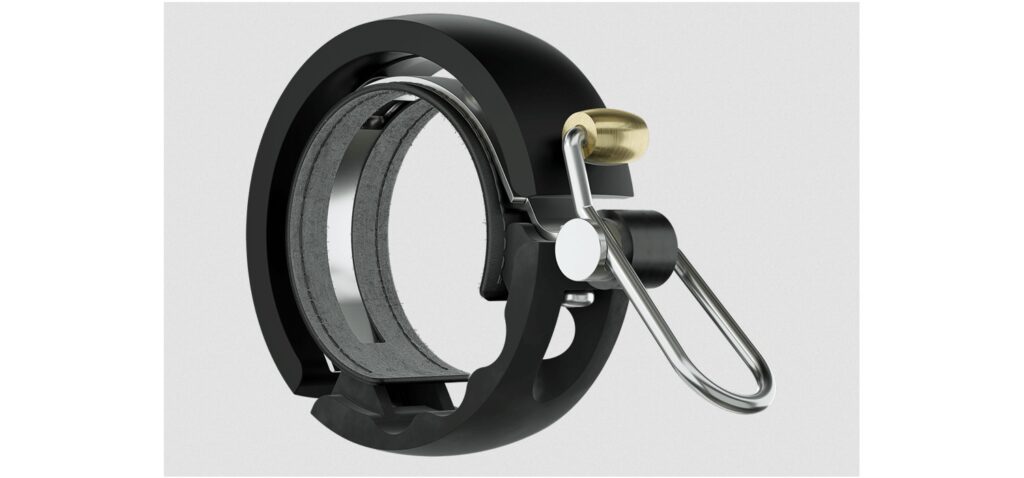
Knog Bike Bells – $22 – $33

While a lot of my road bike’s miles are spent on actual roads, it’s hard to do any long rides in my area without spending a little time on a cycle trail—one shared by pedestrians, runners, scooter riders, casual cyclists, and random others. Even if the rules of most of those trails didn’t specify using a bell, it’s a smart idea to have one—especially one that’s loud enough to cut through whatever’s coming out of the headphones that most people wear.

But real estate on my handlebars is limited. They already host a cycling computer and a light, and two cables and two hydraulic tubes snake their way through the area, emerging from under the handlebar tape before diving into the frame. Finding a bell that both works and keeps out of the way turned into a bit of a challenge. And then a solution presented itself: A company called Knog sent me an email about their bell offerings.

A bike bell against a white background

One of Knog’s bike bells. Credit: Knog

All of Knog’s options are mechanically simple—just a half circle of metal that follows the circumference of the handlebar and a spring-loaded hammer to strike it—and loud enough to catch even headphone wearers’ attention. They’re also low-profile, barely sticking out from the handlebars themselves, and they’re narrow enough that it was easy to find space for one without bumping it into any of the cabling. It’s all unobtrusive enough that I forget mine’s there until I need it. Yes, you can find lots of cheaper alternative designs (the Knogs run between $20 and $45), but for me, it’s worth paying an extra $10–$15 for something that suits my needs this well.

– John Timmer

Razer Orochi V2 wireless mouse – $34

This is the mouse I’m using right now as I type this. I wanted a mouse that could cross basically every domain: It needed to be good enough for gaming, but conveniently wireless, while also working well across macOS, Windows, and Linux—and it needed to be portable and not too embarrassing in a professional context because I fly to far-flung cities for work at least a dozen times a year. Razer’s Orochi met all of those goals, and I appreciate that it looks neat and professional, despite the fact that it’s very much a gamer mouse.

The only area where it fumbles is that Razer’s app seems to crash and cause problems for me on both macOS and Windows, but it works just fine without the app, so I uninstalled it, and everything’s been golden since. (To be clear, you don’t need to install it to use the mouse.)

It wins points for versatility; I don’t think it really compromises anything across all the situations I mentioned.

As of this writing, it’s on sale for $34, but the typical price is $70—still not bad for what you’re getting.

– Samuel Axon

Pricier picks

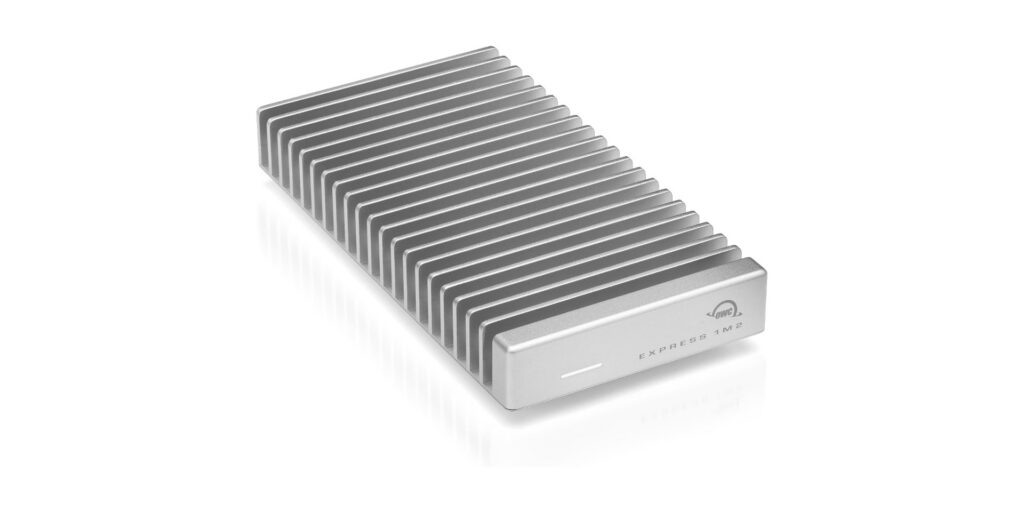
OWC Express 1M2 – $90

I set up a home studio this year to record my righteous jams, and as part of that process, I needed an external SSD both to back up project files and to hold many hundreds of gigs of virtual instruments. I wanted something 1) blazingly fast, 2) good-looking, 3) bus-powered, 4) free of all (and all too common) sleep/wake glitches, 5) unlikely to burst into flames (these things can get hot), and yet also 6) completely fanless because my righteous jams would be far less righteous with a fan droning in the background.

A durable hard drive enclosure

The OWC Express 1M2 is used for backups for Nate’s “righteous jams.” Credit: OWC

Those criteria led me to OWC’s Express 1M2, an SSD enclosure that transfers data at 40Gb/s over USB 4, matches the look of my Mac mini perfectly (and works with PCs), and is bus-powered. It has never given me a sleep/wake problem; it gets warm but never palm-searingly hot, and it dissipates heat through a chonky, milled-aluminum case that requires no fan.

I love this thing. It was ludicrously easy to install my own NVMe M.2 drive in it (though you can also pay a small premium for pre-installed storage). I’ve never had a moment of trouble—nor have I ever heard it. Yes, the enclosure costs more than some other options, but it’s a well-made piece of kit that can transfer data nearly as fast as my Mac’s internal SSD and should last for years. If someone in your life needs an SSD enclosure, they could do far, far worse than the Express 1M2.

– Nate Anderson

Kagi subscription – $108/year

It’s been about a year since I switched full-time to Kagi for my search engine needs, leaving Google behind in a cloud of dust and not looking back, and it was the correct choice, at least for me. Kagi’s upsides are many—including and especially search that works how it’s supposed to work instead of by fabricating garbage or tricking you into buying things—but the big downside is that while Kagi has a free tier, real daily usage requires money.

But if you’re a happy Kagi user like me and you want to tempt others into using the service, Kagi has gift subscriptions! If you’ve been trying to tempt a friend or relative into abandoning Google’s sinking AI ship but they’re balking at the price, throw some money at that problem and knock that barrier down! A “pro” Kagi subscription with unlimited search costs about a hundred dollars a year, and while that obviously isn’t nothing, it’s also not an unfair price—especially for something I use every day. Kagi: It’s what’s for Christmas!

– Lee Hutchinson

Philips Hue Bridge Pro – $99

Unlike Kagi, I’ve been using Philips Hue lights for a long, long time—13 years and counting, and most of those old first-gen bulbs are still operational. But the bridge, the Hue component that actually connects to your LAN, has long had an annoying problem: It can hook up to a max of about 50 Hue bulbs, and that’s it. (The reason has to do with cost-saving choices Philips made on the bridge design.)

Thirteen years has been enough for me to accumulate at least 50 Hue devices, so this limit has been problematic for me—but it’s a problem no more! After a decade and change, Philips has finally released an updated “Pro” bridge that handles far more Hue devices—and it comes in stylish black! The new bridge brings some new capabilities, too, but the big news is that new device limit—something long-time customers like me have spent years pining for. Now I can festoon my house with even more automatic lights!

– Lee Hutchinson

The Logitech MX Master 4 – $120

The Logitech MX Master 3S and the newer MX Master 4 remain two of the best productivity mice on the market. Both use an 8,000-DPI Darkfield sensor, the excellent MagSpeed electromagnetic scroll wheel, and Logitech’s deep customization stack. The 3S has been our long-standing recommendation, but the MX Master 4 brings a few quality-of-life improvements that may justify the upgrade. Most notably, it replaces the 3S’s soft-touch palm coating, which wears quickly and tends to attract grime, with more durable textured materials. The redesigned switches also make the 4 one of the quietest mice you can buy, with muted clicks and a near-silent scroll wheel.

A hand moves a mouse against a white background

Logitech MX Master 4, the mouse used by Ars Editor-in-Chief Ken Fisher. Credit: Logitech

The more ambitious addition is the new haptic system, meant to provide tactile feedback for shortcut triggers and app-specific “Actions Ring” menus. In practice, though, software support remains thin. Productivity apps haven’t yet embraced haptic signaling, and months after launch, the plugin ecosystem is still limited. The MX Master 4 is a well-executed refinement, but its headline feature is waiting for the software world to catch up.

– Ken Fisher

Ray-Ban Meta Wayfarer glasses – $247

The Ray-Ban Meta glasses may look bulkier than a standard pair of Wayfarers, but the added hardware delivers a genuinely interesting glimpse at where mobile computing is headed. After spending time with them, it’s clear that eyewear will likely follow the same trajectory as smartwatches: once niche, now a viable surface for ambient computing. The multimodal AI features are impressive, and the built-in camera produces better-than-expected 1080p/30fps video, though low-light performance remains limited by the small sensor.

These are still early-stage devices with the usual growing pains, but they’re a compelling gift for early adopters who want a front-row seat to the future of wearable interfaces.

– Ken Fisher

Samsung T9 external SSD (2 TB) – $235

As I once again attempted to make the Sophie’s Choice of which Steam game to uninstall because I ran out of disk space, I realized that part of my problem is that I have two computers (a macOS laptop and a Windows desktop) and I’ve doubled up on storing certain things—like the absolutely enormous eXoDOS collection, for example—on both machines so I could access them regardless of where I was at.

The best thing I could do to help my constant space woes was to consolidate anything that I needed on both machines into an external drive I could share between them. I went with Samsung’s T9 external SSD, and so far, I’m happy with it. As planned, I now have a lot more breathing room on both computers.

– Samuel Axon

Photo of Samuel Axon

Samuel Axon is the editorial lead for tech and gaming coverage at Ars Technica. He covers AI, software development, gaming, entertainment, and mixed reality. He has been writing about gaming and technology for nearly two decades at Engadget, PC World, Mashable, Vice, Polygon, Wired, and others. He previously ran a marketing and PR agency in the gaming industry, led editorial for the TV network CBS, and worked on social media marketing strategy for Samsung Mobile at the creative agency SPCSHP. He also is an independent software and game developer for iOS, Windows, and other platforms, and he is a graduate of DePaul University, where he studied interactive media and software development.

For the lazy techie: These are Ars staff’s last-minute holiday gift picks Read More »

here-are-the-best-cyber-monday-deals-we-can-find

Here are the best Cyber Monday deals we can find

After our celebration of Prime Day earlier in the year, last Friday we all somberly marked the passage of Black Friday, the day where we commemorate the passing of the great Optimus Prime during his apocalyptic battle with that foulest and most deceptive of Decepticons, Megatron (may his name and his energon both be forever cursed). But then, as everyone knows, just as our darkest hour seemed finally at hand, Optimus Prime was resurrected from death and returned to us! The long-ago Monday when this unprecedented event occurred was the day hope returned—the day everyone, human and machine alike, was united in joy. It truly was a Monday for all of Cybertron—a “Cyber Monday,” if you will.

Today in 2025, we pause to recall how the power of the AllSpark and the collective wisdom of the Primes has torn the veil of death, shattering the barrier between the living world and the world beyond—and through that power, Optimus Prime now walks among us again and it’s not weird at all! (Though I think there also might have been, like, some spores or something? I dunno, it was a long time ago.) To show our joy at the greatest transformer’s return as he takes back up the mantle of Autobot leadership from Rodimus Prime—who, let’s face it, kind of sucked anyway—it is time to do what we did on Black Friday but even harder: it is time to engage in more celebratory commerce!

Below you’ll find a short curated list of the best deals we could find for Cyber Monday. The pricing is accurate as of the time of posting, and we’ll update the list several times today as things change (keep an eye out for the “Updated” tag near the story’s timestamp). ‘Til all are one!

Here are the best Cyber Monday deals we can find Read More »

here-are-the-best-black-friday-deals-we-can-find

Here are the best Black Friday deals we can find

Earlier in 2025 we celebrated Prime Day—the yearly veneration of the greatest Transformer of all, Optimus Prime (in fact, Optimus Prime is so revered that we often celebrate Prime Day twice!). But in the fall, as the evenings lengthen and the air turns chill, we pause to remember a much more somber occasion: Black Friday, the day Optimus Prime was cruelly cut down by the treacherous hand of his arch-nemesis Megatron while bravely defending Autobot City from attack. Though Optimus Prime did not survive the brutal fight, the Autobot leader’s indomitable spirit nonetheless carried the day and by his decisive actions the Decepticons were routed, fleeing from the city like the cowardly robots they truly are and giving over victory to the forces of light.

Although Optimus Prime’s death was tragic and unexpected, things are often darkest just before dawn—and so, even though today is called “Black Friday” to remind us of the day’s solemnity, we choose to honor him the way we honor other important historical figures who also laid their lives upon the altar of freedom: we take the day off to go shopping!

Below you’ll find a curated list of the best Black Friday deals that we’ve been able to find. Stand strong in the shadow cast by that long-gone noble Autobot, for by his sacrifice the day was won. Now, as Optimus would say, transform, my friends—transform and buy things.

(This list will be updated several times throughout Friday and the weekend as deals change, so there’s nothing on it at the moment that tickles your fancy, make sure to check back later!)

Wi-fi and routers

Computers

Here are the best Black Friday deals we can find Read More »

google-is-rolling-out-conversational-shopping—and-ads—in-ai-mode-search

Google is rolling out conversational shopping—and ads—in AI Mode search

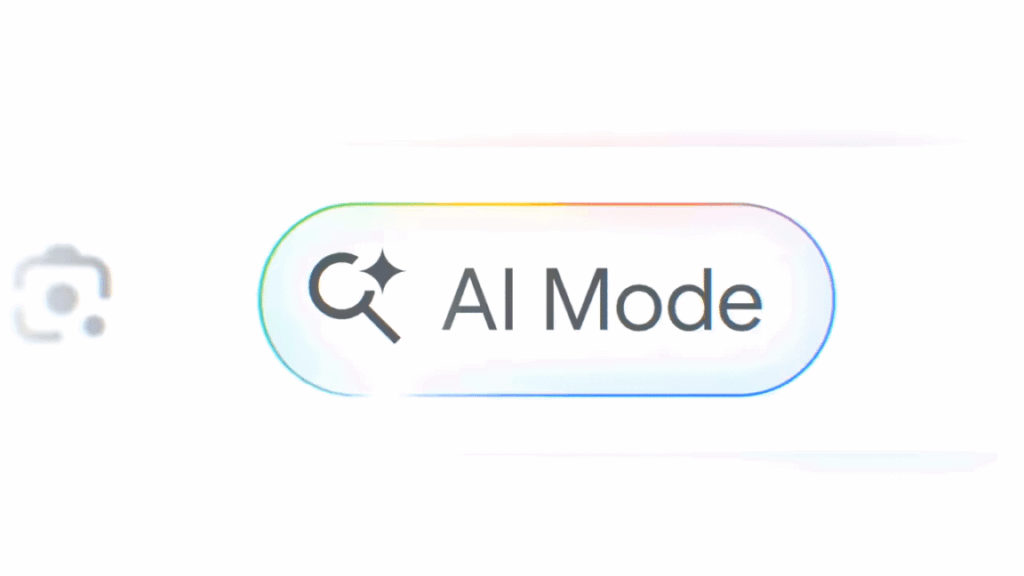
In recent months, Google has promised to inject generative AI into the online shopping experience, and now it’s following through. The previously announced shopping features of AI Mode search are rolling out, and Gemini will also worm its way into Google’s forgotten Duplex automated phone call tech. It’s all coming in time for the holidays to allegedly make your gifting more convenient and also conveniently ensure that Google gets a piece of the action.

At Google I/O in May, the company announced its intention to bring conversational shopping to AI Mode. According to Google, its enormous “Shopping Graph” or retailer data means its AI is uniquely positioned to deliver useful suggestions. In the coming weeks, users in the US will be able to ask AI Mode complex questions about what to buy, and it will deliver suggestions, guides, tables, and other generated content to help you decide. And since this is gen AI, it comes with the usual disclaimers about possible mistakes.

AI Mode shopping features.

You’re probably wondering where you’ll see sponsored shopping content in these experiences. Google says some of the content that appears in AI Mode will be ads, just like if you look up shopping results in a traditional search. Shopping features are also coming to the Gemini app, but Google says it won’t have sponsored content in the results for the time being.

Google is also releasing a feature called “agentic checkout,” a term used only in passing when the company announced the feature alongside AI Mode shopping at I/O. Google is really leaning into the agentic angle now, though. The gist is you can set a price threshold for a product in search, and Google will let you know if the item reaches that price. That part isn’t new, but there’s now an AI twist. After getting the alert, you can authorize an automatic purchase with Google Pay. However, it’s currently only supported at a handful of retailers like Chewy, Wayfair, and some Shopify merchants. It’s not clear whether this qualifies as agentic anything, but it might save you some money regardless.

Google is rolling out conversational shopping—and ads—in AI Mode search Read More »

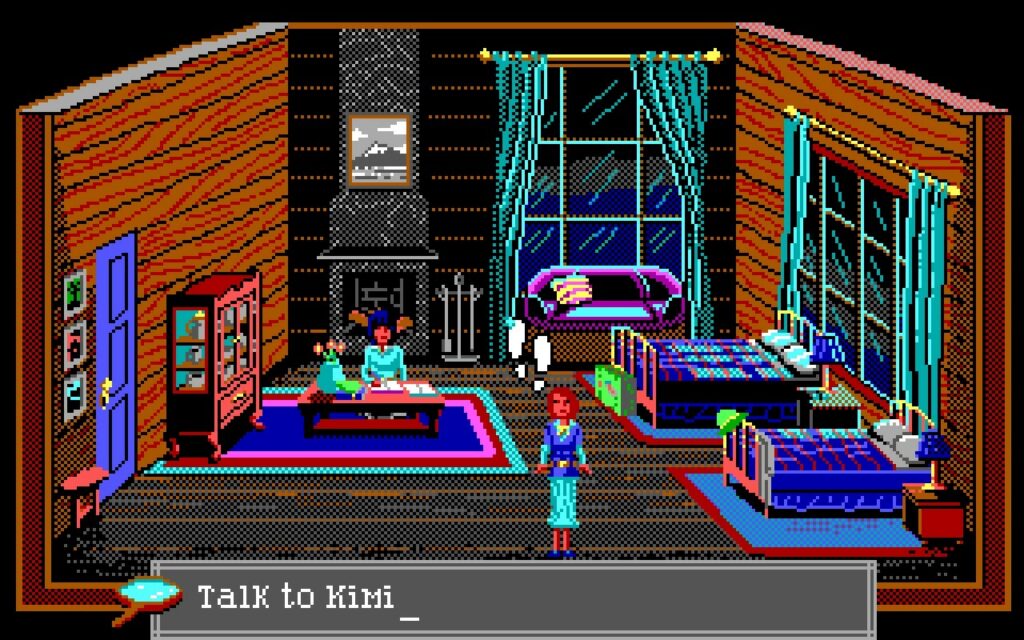
roberta-williams’-the-colonel’s-bequest-was-a-different-type-of-adventure-game

Roberta Williams’ The Colonel’s Bequest was a different type of adventure game

However, my mom was another story. I remember her playing Dr. Mario a lot, and we played Donkey Kong Country together when I was young—standard millennial childhood family gaming stuff. But the games I most associate with her from my childhood are adventure games. She liked King’s Quest, of course—but I also remember her being particularly into the Hugo trilogy of games.

As I mentioned above, I struggled to get hooked on those. Fortunately, we were able to meet in the middle on The Colonel’s Bequest.

I remember swapping chairs with my mom as we attempted additional playthroughs of the game; I enjoyed seeing the secrets she found that I hadn’t because I was perhaps too young to think things through the way she did.

Games you played with family stick with you more, so I think I mostly remember The Colonel’s Bequest so well because, as I recall, it was my mom’s favorite game.

The legacy of The Colonel’s Bequest

The Colonel’s Bequest may have been a pivotal game for me personally, but it hasn’t really resonated through gaming history the way that King’s Quest, The Secret of Monkey Island, or other adventure titles did.

I think that’s partly because many people might understandably find the game a bit boring. There’s not much to challenge you here, and your character is kind of just along for the ride. She’s not the center of the story, and she’s not really taking action. She’s just walking around, listening and looking, until the clock runs out.

That formula has more niche appeal than traditional point-and-click adventure games.

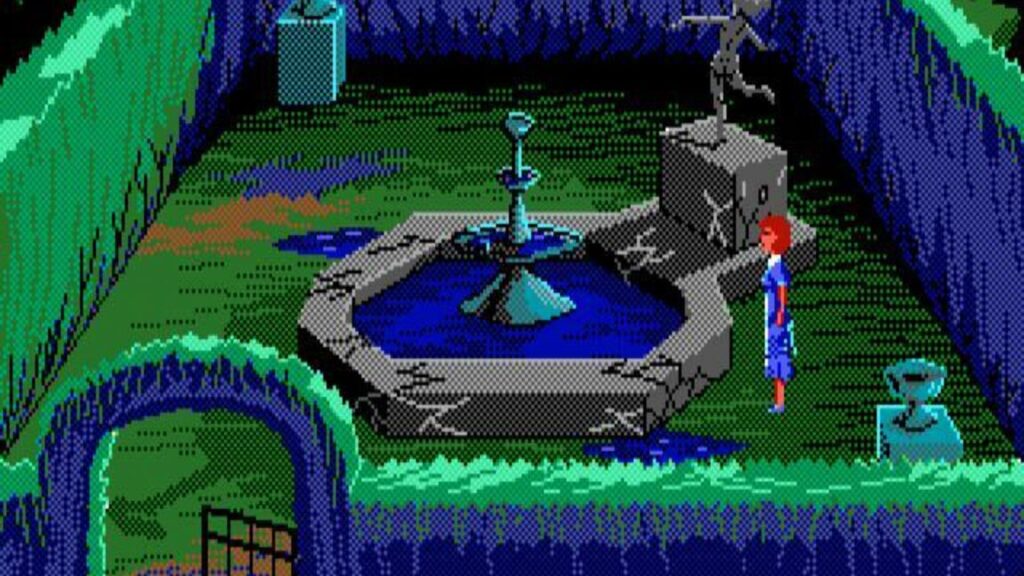
Still, the game has its fans. You can buy and download it from GOG to play it today, of course, but it also recently inspired a not-at-all-subtle spiritual successor by developer Julia Minamata called The Crimson Diamond, which we covered here at Ars. That game is worth checking out, too, though it goes a more traditional route with its gameplay.

The Crimson Diamond‘s influence from The Colonel’s Bequest wasn’t subtle, but that’s OK. Credit: GOG

And of course, The Colonel’s Bequest creators Roberta and Ken Williams are still active; they somewhat recently released a 3D reboot of Colossal Cave, a title many credit as the foremost ancestor of the point-and-click adventure genre.

Ars Technica may earn compensation for sales from links on this post through affiliate programs.

Roberta Williams’ The Colonel’s Bequest was a different type of adventure game Read More »

it’s-prime-day-2025-part-two,-and-here-are-more-of-the-best-deals-we-could-find

It’s Prime Day 2025 part two, and here are more of the best deals we could find

Skip to content

Updated deals on keyboards, laptops, chargers, cameras, and lots of other stuff!

Photograph of Optimus Prime in NYC Photograph of Optimus Prime in NYC

Optimus Prime, the patron saint of Prime Day, observed in midtown Manhattan in June 2023. Credit: Raymond Hall / Getty Images

Optimus Prime, the patron saint of Prime Day, observed in midtown Manhattan in June 2023. Credit: Raymond Hall / Getty Images

Portable power stations

Streaming gear

Cameras

Macbooks

Other laptops

Keyboards and mice

Monitors

Android phones

Indoor security cameras

Ars Technica may earn compensation for sales from links on this post through affiliate programs.

Loading Loading comments…

Most Read

  1. Listing image for first story in Most Read: Elon Musk tries to make Apple and mobile carriers regret choosing Starlink rivals

It’s Prime Day 2025 part two, and here are more of the best deals we could find Read More »

remembering-descent,-the-once-popular,-fully-3d-6dof-shooter

Remembering Descent, the once-popular, fully 3D 6DOF shooter


Descent is a big part of gaming history, but not many people talk about it.

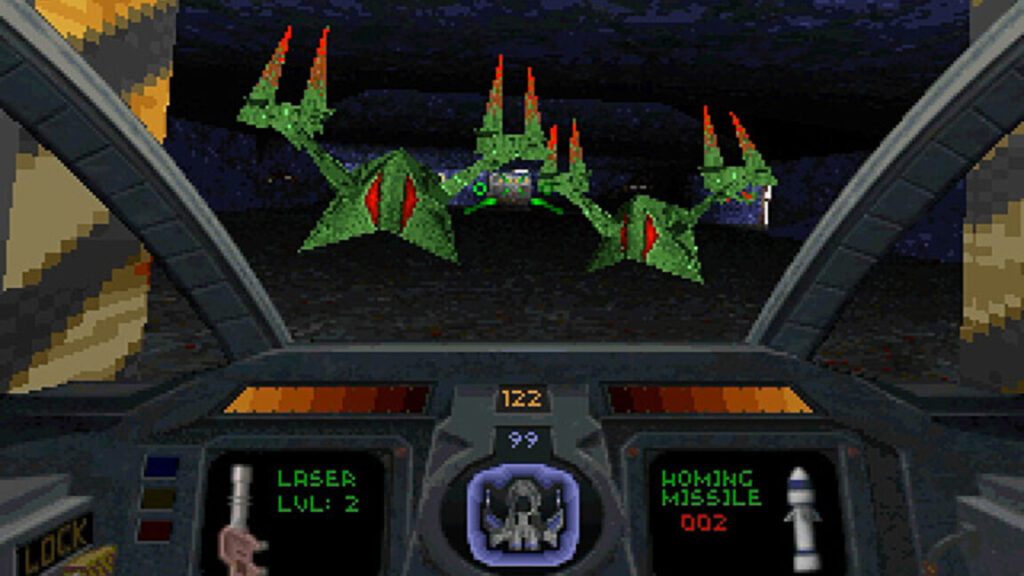
The sound these enemies make is an instant hit of menacing nostalgia. Credit: GOG

I maintain a to-do list of story ideas to write at Ars, and for about a year “monthly column on DOS games I love” has been near the top of the list. When we spoke with the team at GOG, it felt less like an obligation and more like a way to add another cool angle to what I was already planning to do.

I’m going to start with the PC game I played most in high school and the one that introduced me to the very idea of online play. That game is Descent.

As far as I can recall, Descent was the first shooter to be fully 3D with six degrees of freedom. It’s not often in today’s gaming world that you get something completely and totally new, but that’s exactly what Descent was 30 years ago in 1995.

Developed by Parallax Studios and published by Interplay, the game was a huge success at the time, moving millions of copies in a market where only an elite few had ever achieved that. It was distributed in part via shareware and played a role in keeping that model alive and bringing it from the just-retail-and-friends-sharing-floppies era to the Internet-download era.

And fittingly for this list, Descent is also a part of GOG history. For one thing, it was one of the launch titles for GOG’s open beta in 2008. Later, it and its sequels mysteriously disappeared from the platform in 2015. It came out that the game’s publisher had not been paying royalties as owed to the developer, leading to a breakdown in the relationship that resulted in the game being pulled from all storefronts. In 2017, the Descent titles returned to GOG and other digital sales platforms.

Unfortunately, the story of the studio that evolved from the one that originally made Descent ended sadly, as is so often the case for classic studios these days. Parallax morphed into Volition, the company that most recently made the Saints Row games, among others. Volition was acquired by Embracer Group, a holding company that has made a reputation for itself by gutting storied studios and laying off industry luminaries. Volition was among the ones it shuttered completely.

So, let’s pour one out for Parallax->Volition and take a flight through the memory of Descent‘s evil-robot-infested mines.

Single player

I played Descent when I was a teenager. Obviously, some of you were older, playing it in college or well into adulthood. Others reading this probably weren’t even born when it came out. But for me, this was a defining game of my teenage years, alongside Mechwarrior 2, Command & Conquer, Meridian 59, Civilization II, and The Elder Scrolls II: Daggerfall.

I remember my friend giving me the shareware demo, telling me that it was the most technically impressive and visceral thing he’d ever played. I installed it and launched it, and the whole vibe immediately resonated with me: It was just the kind of gritty, corpo-sci-fi I loved then and still do today.

It took some getting used to, though. The default keyboard controls were not great, and it was a lot to learn trying to operate in so many axes of movement and rotation. I’ll admit I had trouble making it stick at first.

That changed a few months later; the same friend who was obsessed with Descent often played the tabletop game BattleTech with his brother and me, and so we were all eyeing Mechwarrior 2—which launched not long after Descent—with great interest. I had never purchased a flight stick before, but that seemed important for Mechwarrior 2, so I did, and that was the secret to unlocking Descent‘s charms for me.

(Of course, the GOG version of Descent and various community patches offer mouse support, so it’s far easier to get into without extra hardware now than it was back then.)

Once my flying went from chaos to control, I became completely hooked. I beat the game more than a dozen times, though I’ll admit in the later playthroughs I made liberal use of cheats (gabbagabbahey!).

I loved the loop of destroying the reactor then escaping through the labyrinthine tunnels—something I don’t think many other games have truly copied since then. I loved the music (though Descent 2‘s astoundingly good soundtrack by Skinny Puppy far surpassed it) and the process of getting better at the movement through practice.

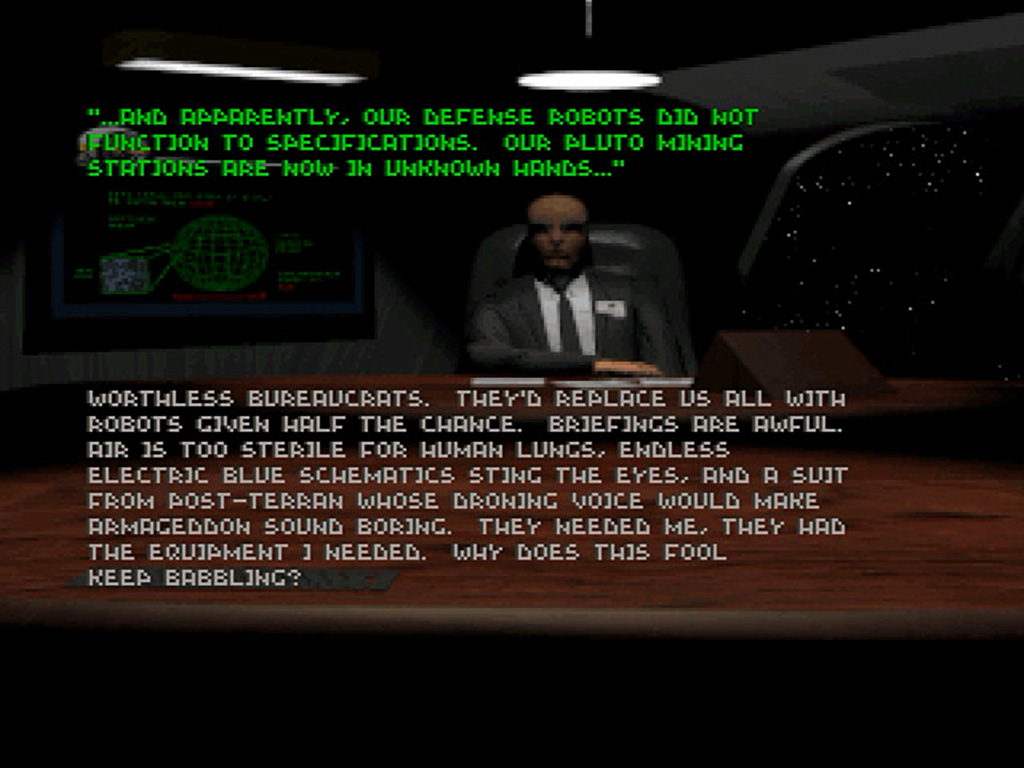
The story is minimal, but something about the vibes just work for me in that ’80s anti-corporate sci-fi sort of way. Credit: GOG

I played so much that as I improved, I found even the harder difficulty levels were not enough to challenge me. That’s when the world of online deathmatches (or Anarchy, as Descent called the mode) opened to me for the first time.

Multiplayer

To be clear, I had played some multiplayer games online before, but up to that point, that only included text MUDs. I loved MUDs and still do, but there’s nothing like a fast-paced, action-packed online deathmatch.

It started with playing with my friends via direct dial-up; I have distinct memories of Descent Anarchy matches that were interrupted at pivotal moments by parents picking up the phone to make a call and inadvertently killing the connection.

As a side note, it turns out that my colleague Lee Hutchinson was also heavily into Descent matches with his friends, and he was so kind as to provide a short clip of one of those original matches from 30 years ago to include here, which you can watch below. (Unfortunately, I was not so forward thinking as Lee, and I did not preserve my replays for posterity.)

Lee Hutchinson attempting to defeat his friend with flares

I was the first of my friends to put in the effort to test my skills against the wider world. My memory of the details is fuzzy, but as I recall, online matches were arranged through Kali, an MS-DOS emulator of the IPX protocol for TCP/IP connections. It was nontrivial to set up, but it could have been worse.

I still remember, like it was last week, the Friday night I spent playing Descent online for the first time. It was a defining moment of my gamer origin story.

I’m not saying it was the best-balanced game in the world; balance was barely a thought then, and multiplayer game design was nascent. But the range of skills, the trash talk (which I’m not into now, but at the time I enjoyed, being the young punk I was), the rage-inducing lag: these were all a taste of an experience I still enjoy to this day in games like Call of Duty, The Finals, and Overwatch 2, among others.

Maybe it’s pure nostalgia talking, but there was nothing quite like playing Descent on Kali.

Entering the mines in 2025

For this article, I spent several hours playing Descent for the first time in I don’t even know how long. It was just as fun as I remembered. I was surprised at how well it holds up today, apart from the visual presentation.

Fortunately, the game’s community has done an amazing job with patches. DXX-Rebirth and DXX-Redux add support for modern display resolutions, bring much-needed quality of life and input changes, and more. In my opinion, you shouldn’t even launch the game without installing one of them. The GOG version has the essential tweaks to make the game run on modern systems and input devices, but these community patches go the extra mile to make it feel more like a modern remaster without sacrificing the art or vibe of the original release in any way.

Single-player is easier to get into than ever, and you might be surprised to learn that there are still people playing multiplayer. A “getting started guide” post by Reddit user XVXCHILLYBUSXVX lists Discord channels you can join to arrange games with other players; some have regularly scheduled matches in addition to impromptu, ad hoc matchups.

If you give it a shot, maybe you’ll run into me there. Or at least, you’ll run into my mega missile!

Ars Technica may earn compensation for sales from links on this post through affiliate programs.

Photo of Samuel Axon

Samuel Axon is the editorial lead for tech and gaming coverage at Ars Technica. He covers AI, software development, gaming, entertainment, and mixed reality. He has been writing about gaming and technology for nearly two decades at Engadget, PC World, Mashable, Vice, Polygon, Wired, and others. He previously ran a marketing and PR agency in the gaming industry, led editorial for the TV network CBS, and worked on social media marketing strategy for Samsung Mobile at the creative agency SPCSHP. He also is an independent software and game developer for iOS, Windows, and other platforms, and he is a graduate of DePaul University, where he studied interactive media and software development.

Remembering Descent, the once-popular, fully 3D 6DOF shooter Read More »

ars-technica-and-gog-team-up-to-bring-you-a-pile-of-our-favorite-games

Ars Technica and GOG team up to bring you a pile of our favorite games

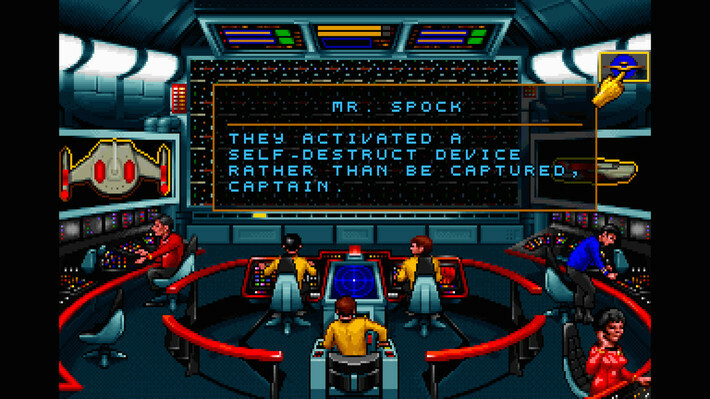
That changed with the 1992 release of Star Trek: 25th Anniversary, or ST25 to its friends, which brought the original series Enterprise and its crew to life in glorious 256-color VGA. And to players’ vast relief, it was not a half-baked effort—locations like the Enterprise bridge were lovingly recreated, with beautiful atmospheric sound effects lifted straight from the TV show permeating every scene. The character art is sharp, and it’s easy to tell Bones from Spock. The entire game is like a love letter to OG Trek.

Screenshot of ST25 showing bridge crew

Ah, that old Enterprise bridge feeling.

Credit: GOG / Interplay

Ah, that old Enterprise bridge feeling. Credit: GOG / Interplay

Perhaps unsurprisingly given the time, ST25 is a mouse-driven point-and-click adventure game. It’s broken up into seven discrete chapters, with each chapter being a self-contained mission with problems to solve and objectives to accomplish. Starfleet Command is always watching—complete the minimum number of objectives and an admiral will give you a middling performance review. Go above and beyond and do everything, even your bonus objectives, and you’ll have lavish praise heaped upon you by a grateful admiralty.

The missions themselves tend to follow a pattern. Each starts with the crew of the Enterprise on the bridge as Kirk makes a log entry. Starting with the CD-ROM issue of the game, all the lines are fully voiced by the original cast, so every mission kicks off with Bill Shatner’s familiar “Captain’s log…” lead-in telling us what we need to examine, investigate, locate, or shoot at. (Sadly, the only major voice cast omission in this one is Majel Barrett as the computer.)

Then there’s what I always felt was the weakest part of the game: Most missions kick off with some sort of space battle, where the player has to awkwardly maneuver the Enterprise with the mouse, dodging phaser blasts and photon torpedoes (or just eating them because the controls are just that awful) and trying to blow the other ship up before it does the same to you.

Ars Technica and GOG team up to bring you a pile of our favorite games Read More »

it’s-prime-day,-and-these-are-the-best-deals-we-could-hunt-down

It’s Prime Day, and these are the best deals we could hunt down

Greetings, Arsians! It’s Prime Day, where we celebrate liberation from our Cybertronian oppressors, the Decepticons, and the mighty Autobot leader who fought for our freedom, Optimus Pr—hmm, one moment. I am once again being told that in spite of the name, Prime Day does not in fact have anything to do with the veneration of Optimus Prime, and is in fact all about buying things.

All right, in that case, let’s shift gears and engage in some commerce! Our partners over at the Condé mothership have been toiling in the e-commerce mines for days, gathering some tasty deals for your perusal. We’ll be poking at the list throughout the next day or two, adding items and removing them as deals come and go. Please remember to check back if there’s nothing there right now that tickles you!

Amazon devices

Apple devices

Tech deals

Phones

TVs

Headphones and speakers

Kitchen

Home

Outdoor and Active

Ars Technica may earn compensation for sales from links on this post through affiliate programs.

It’s Prime Day, and these are the best deals we could hunt down Read More »

ars-technica’s-gift-guide-for-father’s-day:-give-dad-some-cool-things

Ars Technica’s gift guide for Father’s Day: Give dad some cool things


Wondering what to get the dad who has everything? We have some ideas!

Greetings Arsians! It’s time—at least in some parts of the world—to celebrate dads. Father’s Day is nearly here, and as there’s a custom of gift-giving, many of us will have to choose something. Below, various Ars editors have identified a few things they’ve bought recently that they think could be great gifts for dads—with the caveat that there’s an indefinably large spectrum of variations of what dads like. Still, we did our best to include a few things that are pretty general, and a few that are weirdly specific. In any case, want to show some appreciation for your dad? Here are some options you can throw some money at.

Under $100

86Lux Book Light – $15

Unless your father has light dimmers or has jumped onboard the small-lights-not-big-ones interior design trend, chances are there are two environments available to him for reading: one giant, bright ceiling light that is great for reading but not so great for setting an immersive and relaxing mood or, well, darkness. Enter the clip book light, a good way to light up the page at a brightness suitable for not-so-new eyes without harshing the reading vibes. The 86Lux Book Light is one of many offerings, but we like its simple design. It has multiple temperature and brightness levels, and it’s adjustable, so it can reliably clip onto most books.

Stanley Heritage Thermos – $56

Stanley thermoses are renowned for their longevity and quality, with decades-old models still handling daily duty. The Stanley Heritage Thermos is a modern version of the classic containers, featuring a 1.1-quart capacity, stainless steel body, and the brand’s trademark vacuum insulation that can keep dad’s beverage of choice hot or cold for an impressive 24 hours. The lid is leak-proof, so you can toss it in a bag or backpack without worry, and it doubles as an 8-oz cup. At about $56, it’s more spendy than your average bargain-bin plastic thermos, but you get what you pay for.

AVIDGRAM HDMI 2.1 Switch 4-Port – $90

OK, so this one is admittedly for a very specific dad—but he exists, and if he’s your dad, you know it. Should your father be a true home theater geek and/or a console gamer, he has likely run up against the problem that most modern TVs just don’t have enough HDMI ports. What’s a dad to do when his TV has four HDMI ports, but he has a streaming box, a DVD player, a PlayStation, an Xbox, and a Switch? That’s one too many devices. Enter the Avidgram HDMI 4-port switcher. It supports HDMI 2.1, so it works with modern game consoles. And of a handful we’ve tried, it’s one of the nicest to use and most reliable. Plus, it has a remote, so dad doesn’t have to get off the couch to switch devices.

Mid-price: $100–$300

LaCie Rugged USB-C, 4TB Portable External Hard Drive  – $150

It’s always a good time to give the dad in your life peace of mind through data redundancy. That sounds boring, but it’s important. Whether dad is a digital packrat or just prudently paranoid about data loss, this rugged external drive offers a sizable 4TB of backup space at a price that makes copy-and-forget offsite storage feasible. The distinctive orange bumper isn’t just for show—it protects against 4-foot drops, dust, and water splashes, making it ideal for stashing in a safe deposit box, glove compartment, or anywhere away from the original data source in case disaster strikes. USB-C ensures transfers happen at decent speeds (up to 5Gb/s), so backing up his photo library won’t take all weekend. Mac users will need to reformat, but built-in password protection works regardless of platform.

Apple TV 4K – $179

The Apple TV 4K streaming box can be a suitable gift for various types of dads, from couch potatoes and tech fans to streaming enthusiasts and streaming holdouts. If your dad has been holding out on cutting the cord, the latest Apple TV box is a good incentive for him to make the move.

There’s a strong chance that the Apple TV’s tvOS operating system (OS) will work more smoothly and reliably than whatever OS his TV uses. If your dad has multiple streaming subscriptions, the set-top box’s built-in Apple TV app is handy for unifying many mainstream streaming libraries, so he can spend less time app-hopping and more time watching.

The Apple TV also offers one of the most private approaches to streaming. Your dad (or you) will find it easy and quick to set his privacy controls when setting up the Apple TV. And you don’t have to worry about the OS tracking your dad’s activity nearly as much as you do with most smart TVs and other streaming hardware.

For a bonus gift, you can sign your dad up for a relevant streaming subscription(s) that he doesn’t have, ensuring his new streaming box is put to use. You can save money here by adding an extra member to a streaming subscription you already have or installing free streaming apps.

Big spender: $300+

Sony WH-1000XM6 – $450

The Sony WH-1000XM6 don’t have the best name, but they are some of the nicest Bluetooth headphones money can buy. These cans offer superb audio fidelity, along with class-leading noise cancellation, which is great if dad is a jet-setter—or even if his household is just a bit chaotic. They also have a full raft of connectivity options, like Bluetooth LE, Auracast, and multipoint for pairing with multiple devices. The battery life is rated at an impressive 30 hours with noise cancellation on, and the frame and ear cups are generously padded for long listening sessions without discomfort. Plus, they can fold up for easier transport compared to the older XM5 headphones. The $450 price tag is higher than many other headphones, but it’s hard to argue with the total package.

Segway Ninebot E2 Pro Scooter – $450

Fair warning: Dad will feel like a kid again on this thing—just insist on a high-quality helmet. The E2 Pro’s 15.5 mph top speed is fast enough not to feel slow but slow enough not to be insanely dangerous, hitting that perfect sweet spot for urban commuting or a neighborhood joyride. With up to 25 miles of range, a dual braking system, and traction control for various terrains, it’s practical transportation that happens to be fun. The 750 W peak motor handles 18 percent inclines, while Apple FindMy integration adds security. You can also lock it via an app on a smartphone. Safety gear is essential—this thing is more thrilling than the specs suggest—but that’s exactly what makes it such a perfect gift.

iFixit FixHub Soldering Toolkit – $300

Today’s handyman needs more than just a tool belt and nails. Today, it’s very common for the things that need repairing to include some sort of circuit board or other electronic components. With the proper soldering kit, your dad could up his repair game and save more items from the trash bin. But not every dad was born with a soldering iron in their mouth.

iFixit built its FixHub Soldering Toolkit as an introductory and portable soldering iron that’s novice-friendly, yet remarkably helpful.

The full toolkit comes with a soldering iron, battery pack, and a variety of additional tools, including mandible wire strippers and flush cutters, silicone electrical tape, angled tweezers, a desoldering braid, and a silicone work mat.

If your dad doesn’t need all that, iFixit also sells the soldering iron with just the battery pack for $250. Or you could opt to buy the portable soldering iron with a USB-C charging cable for $80.

In either case, your father gets a soldering iron with a swappable beveled 1.5 mm tip that powers up to 100 watts, besting the 60 W you typically see from USB-powered soldering irons. Your dad will be eagerly awaiting the next broken gadget.

Ars Technica may earn compensation for sales from links on this post through affiliate programs.

Ars Technica’s gift guide for Father’s Day: Give dad some cool things Read More »

samsung-teams-up-with-glance-to-use-your-face-in-ai-generated-lock-screen-ads

Samsung teams up with Glance to use your face in AI-generated lock screen ads

On an average day, you might unlock or look at your phone dozens of times, which makes the lock screen a hot property for advertising. Ad tech company Glance has been taking advantage of that for years with its ad-laden lock screen experiences, but it’s going further in the age of AI. Samsung and Glance have teamed up to deliver a new “AI shopping” experience that uses a selfie to create custom fashion ads. This feature is rolling out to numerous Samsung phones in the next month.

Glance has been around for a while—its non-AI lock screen experience has been bundled on various phones from Samsung, Motorola, and others. Before the AI era, Glance lured people in with promises of pretty pictures and news alerts, which came with a side of ads and tracking. The new Glance AI feature has all that, but it adds an unsettling face-stealing layer to the experience.

The AI-infused Glance will arrive on Samsung phones as both a standalone app and a fully integrated lock screen. Thankfully, this is a fully opt-in experience. If you never open or set up Glance, you can keep using the normal lock screen on your phone.

Credit: Glance

Should you choose to wade into the murky waters of AI shopping, Glance will have you take a selfie and provide some basic body type details. From there, it uses Google Gemini and Imagen to create fashion ads tailored to you—because they are you. Your lock screen will be populated with images of you “in outfits and destinations [you] would never imagine.” Naturally, you will be able to buy the looks chosen for you with a tap, which fills Glance’s coffers.

Samsung teams up with Glance to use your face in AI-generated lock screen ads Read More »