Storage

for-the-lazy-techie:-these-are-ars-staff’s-last-minute-holiday-gift-picks

For the lazy techie: These are Ars staff’s last-minute holiday gift picks


Two wireless mice, two external hard drives, and a partridge in a pear tree.

Credit: Aurich Lawson | Getty Images

The holidays have snuck up on us. How is it already that time?

If you’re on top of things and have already bought all your Christmas gifts, I commend you. Not all of us are so conscientious. In fact, one of us is so behind on holiday prep that he is not only running late on buying gifts; he’s also behind on publishing the Ars staff gift guide he said he’d write. (Whoever could we be talking about?)

So for my fellow last-minute scramblers, I polled Ars writers and editors for gift ideas they know will be solid because they’ve actually used them. As such, you’ll find gift options below that Ars staffers have used enough to feel good about recommending. Further, I made sure all of these are available for delivery before Christmas as of today, at least where I live.

For each gadget (or whatever else it might be), we have a brief description of how or why we’ve been using this particular thing and why we would recommend it. Note that the prices we’ve listed here represent where they were at the time this article was written, but online retailers often vary prices based on different factors, so you might see something different when you click through.

Ars Commentariat: If you feel inclined, feel free to share some other ideas. I genuinely might take advantage if you share something good.

Ars Technica may earn compensation for sales from links on this post through affiliate programs. (We won’t affiliatize any shared links in the comments, of course.)

Under $50

Tiny USB-A to USB-C adapter pack – $8

Somehow, amazingly, we are still living in a split USB-C/USB-A world all these years later. No one’s thrilled about it, but there’s no end in sight. Some folks in the Apple ecosystem turn to Apple’s first-party adapters, but there are two problems with them in my view: first, they’re weirdly expensive, as you’d expect. And second, they’re larger than they need to be.

I have about a dozen of these little adapters sitting around my house. The only downside is that because they’re shorter, they’re thicker, so you can’t always put two right next to each other in the MacBook Pro’s USB-C ports. But in the aforementioned mixed-use quagmire we all now occupy, odds are good you can just put it next to something that actually uses a USB-C connection. If you’re like me, you’re at about 2/3 USB-C and 1/3 USB-A at this point.

There are a bunch of brands for these, but they’re all pretty interchangeable, and I’ve not had any problems with these in particular.

– Samuel Axon

The Thing on 4K UltraHD Blu-ray – $12

People often debate whether Die Hard is a Christmas movie. (I definitely think it is.) But there’s another movie I often watch during the holidays: John Carpenter’s The Thing. I’ll freely admit it’s not holiday-themed in any way, but it’s at least filled with snow and winter gloom!

I don’t buy every movie on physical media—I’ve accepted that a lot of my library is going to be on Apple’s TV app or coming and going on streaming services—but I try to collect the lifelong favorites to make sure I’ll still have them decades down the road. (As long as they keep making Blu-ray players, anyway, which unfortunately is starting to look as uncertain as whether a favorite film stays on Netflix.)

A screengrab from The Thing

MacReady is admittedly not known for his holiday cheer. Credit: Universal

For me, The Thing definitely qualifies as a favorite that’s worth holding onto for years to come.

– Samuel Axon

Acer USB C Hub, 7 in 1 Multi-Port Adapter – $18

Modern laptops with only two USB-C ports basically require a hub. This Acer turns one port into HDMI (4K@30Hz), two USB-A ports for legacy gear, SD/microSD slots, and 100 W passthrough charging. At $18, I keep one in my bag and one on my desk. It’s not fancy, but it earns its keep the first time you need to dump a memory card or plug into a TV set.

– Benj Edwards

Artificial Intelligence: A Guide for Thinking Humans by Melanie Mitchell – $20

Originally published in 2019, it’s an amazing testament to how strong this book is that even after all that’s happened, the 2025 reissue doesn’t change much. Melanie Mitchell, a professor of computer science at Portland State University and an external professor at the Santa Fe Institute, nails this historical summary of how we got to this point through multiple AI springs and AI winters.

She carefully explains the concepts and research underpinnings of contemporary developments in machine learning, large language models, image generation, and so on, while amplifying key voices from several of the people who contributed to progress in this field—both doomsayers and boosters alike—with a technically rigorous and ethically informed point of view.

If you or someone you know is just getting started learning about AI as we know it today, there are a lot of books they could read, and some of them are surely more contemporary. But I can hardly think of any that make a better foundation.

– Samuel Axon

Pinecil soldering iron – $40

Every self-respecting geek should own a soldering iron. Even if you aren’t making your own PCBs or recapping old electronics, it’s the kind of thing that just comes in handy. Especially around the holidays, when people are getting out their old battery-powered decorations that come with a lot of memories, wear, and flaky power terminals. Be the hero that brings a treasured light-up keepsake back to life!

When you don’t need a full-on soldering station, though, it’s nice to have something compact and easy to slip in a drawer. Enter the Pinecil, conveniently powered over USB-C, with a slick little screen allowing for easy temperature control (in F or C) and firmware that auto-sleeps if you forget to unplug it.

– Aurich Lawson

Anker 67 watt USB charger and Anker USB-C silicon power cable – $25 and $16

If you already have a suitable USB-C power supply (you really want at least 60 watts) and a USB-C cable, you’re set. If not, this power supply from Anker—a reliable brand, in my experience—is compact and folds up for easy storage. Not all USB-C cables are up to the task of transmitting the magic wall juice, so if you’re not sure you have an appropriate one, pick up the above cable, which is sheathed in silicon to keep it nice and floppy so you’re not wrestling with a stiff cord while using your iron.

– Aurich Lawson

Knog Bike Bells – $22 – $33

While a lot of my road bike’s miles are spent on actual roads, it’s hard to do any long rides in my area without spending a little time on a cycle trail—one shared by pedestrians, runners, scooter riders, casual cyclists, and random others. Even if the rules of most of those trails didn’t specify using a bell, it’s a smart idea to have one—especially one that’s loud enough to cut through whatever’s coming out of the headphones that most people wear.

But real estate on my handlebars is limited. They already host a cycling computer and a light, and two cables and two hydraulic tubes snake their way through the area, emerging from under the handlebar tape before diving into the frame. Finding a bell that both works and keeps out of the way turned into a bit of a challenge. And then a solution presented itself: A company called Knog sent me an email about their bell offerings.
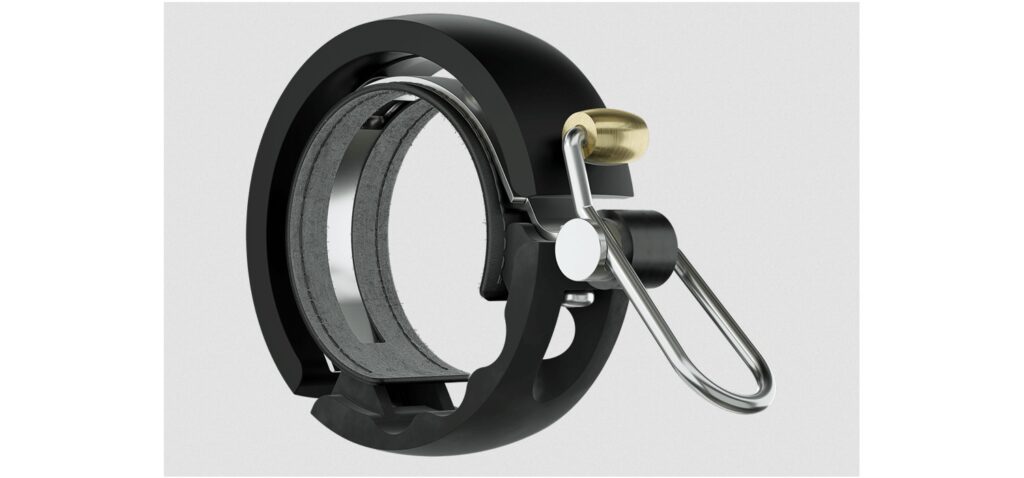
A bike bell against a white background

One of Knog’s bike bells. Credit: Knog

All of Knog’s options are mechanically simple—just a half circle of metal that follows the circumference of the handlebar and a spring-loaded hammer to strike it—and loud enough to catch even headphone wearers’ attention. They’re also low-profile, barely sticking out from the handlebars themselves, and they’re narrow enough that it was easy to find space for one without bumping it into any of the cabling. It’s all unobtrusive enough that I forget mine’s there until I need it. Yes, you can find lots of cheaper alternative designs (the Knogs run between $20 and $45), but for me, it’s worth paying an extra $10–$15 for something that suits my needs this well.

– John Timmer

Razer Orochi V2 wireless mouse – $34

This is the mouse I’m using right now as I type this. I wanted a mouse that could cross basically every domain: It needed to be good enough for gaming, but conveniently wireless, while also working well across macOS, Windows, and Linux—and it needed to be portable and not too embarrassing in a professional context because I fly to far-flung cities for work at least a dozen times a year. Razer’s Orochi met all of those goals, and I appreciate that it looks neat and professional, despite the fact that it’s very much a gamer mouse.

The only area where it fumbles is that Razer’s app seems to crash and cause problems for me on both macOS and Windows, but it works just fine without the app, so I uninstalled it, and everything’s been golden since. (To be clear, you don’t need to install it to use the mouse.)

It wins points for versatility; I don’t think it really compromises anything across all the situations I mentioned.

As of this writing, it’s on sale for $34, but the typical price is $70—still not bad for what you’re getting.

– Samuel Axon

Pricier picks

OWC Express 1M2 – $90

I set up a home studio this year to record my righteous jams, and as part of that process, I needed an external SSD both to back up project files and to hold many hundreds of gigs of virtual instruments. I wanted something 1) blazingly fast, 2) good-looking, 3) bus-powered, 4) free of all (and all too common) sleep/wake glitches, 5) unlikely to burst into flames (these things can get hot), and yet also 6) completely fanless because my righteous jams would be far less righteous with a fan droning in the background.
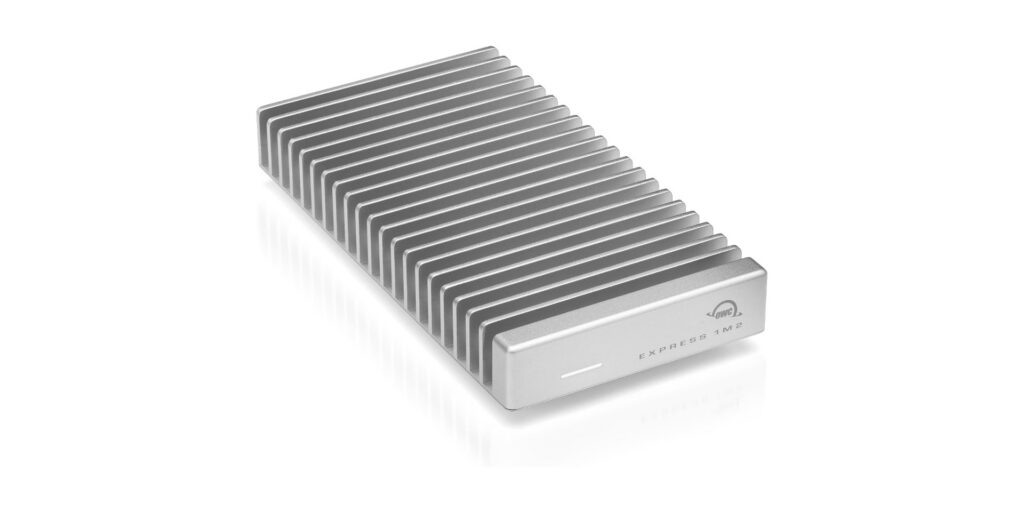
A durable hard drive enclosure

The OWC Express 1M2 is used for backups for Nate’s “righteous jams.” Credit: OWC

Those criteria led me to OWC’s Express 1M2, an SSD enclosure that transfers data at 40Gb/s over USB 4, matches the look of my Mac mini perfectly (and works with PCs), and is bus-powered. It has never given me a sleep/wake problem; it gets warm but never palm-searingly hot, and it dissipates heat through a chonky, milled-aluminum case that requires no fan.

I love this thing. It was ludicrously easy to install my own NVMe M.2 drive in it (though you can also pay a small premium for pre-installed storage). I’ve never had a moment of trouble—nor have I ever heard it. Yes, the enclosure costs more than some other options, but it’s a well-made piece of kit that can transfer data nearly as fast as my Mac’s internal SSD and should last for years. If someone in your life needs an SSD enclosure, they could do far, far worse than the Express 1M2.

– Nate Anderson

Kagi subscription – $108/year

It’s been about a year since I switched full-time to Kagi for my search engine needs, leaving Google behind in a cloud of dust and not looking back, and it was the correct choice, at least for me. Kagi’s upsides are many—including and especially search that works how it’s supposed to work instead of by fabricating garbage or tricking you into buying things—but the big downside is that while Kagi has a free tier, real daily usage requires money.

But if you’re a happy Kagi user like me and you want to tempt others into using the service, Kagi has gift subscriptions! If you’ve been trying to tempt a friend or relative into abandoning Google’s sinking AI ship but they’re balking at the price, throw some money at that problem and knock that barrier down! A “pro” Kagi subscription with unlimited search costs about a hundred dollars a year, and while that obviously isn’t nothing, it’s also not an unfair price—especially for something I use every day. Kagi: It’s what’s for Christmas!

– Lee Hutchinson

Philips Hue Bridge Pro – $99

Unlike Kagi, I’ve been using Philips Hue lights for a long, long time—13 years and counting, and most of those old first-gen bulbs are still operational. But the bridge, the Hue component that actually connects to your LAN, has long had an annoying problem: It can hook up to a max of about 50 Hue bulbs, and that’s it. (The reason has to do with cost-saving choices Philips made on the bridge design.)

Thirteen years has been enough for me to accumulate at least 50 Hue devices, so this limit has been problematic for me—but it’s a problem no more! After a decade and change, Philips has finally released an updated “Pro” bridge that handles far more Hue devices—and it comes in stylish black! The new bridge brings some new capabilities, too, but the big news is that new device limit—something long-time customers like me have spent years pining for. Now I can festoon my house with even more automatic lights!

– Lee Hutchinson

The Logitech MX Master 4 – $120

The Logitech MX Master 3S and the newer MX Master 4 remain two of the best productivity mice on the market. Both use an 8,000-DPI Darkfield sensor, the excellent MagSpeed electromagnetic scroll wheel, and Logitech’s deep customization stack. The 3S has been our long-standing recommendation, but the MX Master 4 brings a few quality-of-life improvements that may justify the upgrade. Most notably, it replaces the 3S’s soft-touch palm coating, which wears quickly and tends to attract grime, with more durable textured materials. The redesigned switches also make the 4 one of the quietest mice you can buy, with muted clicks and a near-silent scroll wheel.

A hand moves a mouse against a white background

Logitech MX Master 4, the mouse used by Ars Editor-in-Chief Ken Fisher. Credit: Logitech

The more ambitious addition is the new haptic system, meant to provide tactile feedback for shortcut triggers and app-specific “Actions Ring” menus. In practice, though, software support remains thin. Productivity apps haven’t yet embraced haptic signaling, and months after launch, the plugin ecosystem is still limited. The MX Master 4 is a well-executed refinement, but its headline feature is waiting for the software world to catch up.

– Ken Fisher

Ray-Ban Meta Wayfarer glasses – $247

The Ray-Ban Meta glasses may look bulkier than a standard pair of Wayfarers, but the added hardware delivers a genuinely interesting glimpse at where mobile computing is headed. After spending time with them, it’s clear that eyewear will likely follow the same trajectory as smartwatches: once niche, now a viable surface for ambient computing. The multimodal AI features are impressive, and the built-in camera produces better-than-expected 1080p/30fps video, though low-light performance remains limited by the small sensor.

These are still early-stage devices with the usual growing pains, but they’re a compelling gift for early adopters who want a front-row seat to the future of wearable interfaces.

– Ken Fisher

Samsung T9 external SSD (2 TB) – $235

As I once again attempted to make the Sophie’s Choice of which Steam game to uninstall because I ran out of disk space, I realized that part of my problem is that I have two computers (a macOS laptop and a Windows desktop) and I’ve doubled up on storing certain things—like the absolutely enormous eXoDOS collection, for example—on both machines so I could access them regardless of where I was at.

The best thing I could do to help my constant space woes was to consolidate anything that I needed on both machines into an external drive I could share between them. I went with Samsung’s T9 external SSD, and so far, I’m happy with it. As planned, I now have a lot more breathing room on both computers.

– Samuel Axon

Photo of Samuel Axon

Samuel Axon is the editorial lead for tech and gaming coverage at Ars Technica. He covers AI, software development, gaming, entertainment, and mixed reality. He has been writing about gaming and technology for nearly two decades at Engadget, PC World, Mashable, Vice, Polygon, Wired, and others. He previously ran a marketing and PR agency in the gaming industry, led editorial for the TV network CBS, and worked on social media marketing strategy for Samsung Mobile at the creative agency SPCSHP. He also is an independent software and game developer for iOS, Windows, and other platforms, and he is a graduate of DePaul University, where he studied interactive media and software development.

For the lazy techie: These are Ars staff’s last-minute holiday gift picks Read More »
synology-caves,-walks-back-some-drive-restrictions-on-upcoming-nas-models

Synology caves, walks back some drive restrictions on upcoming NAS models

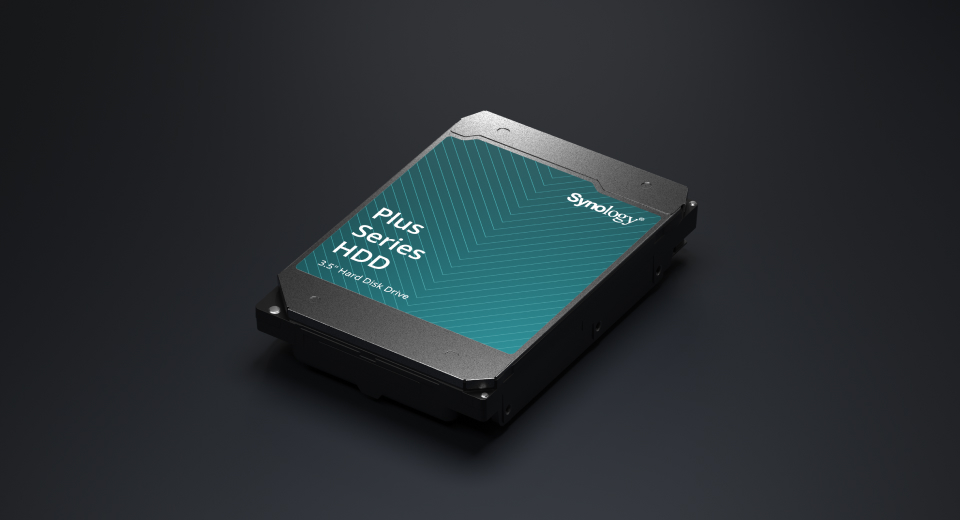
If you were considering the purchase of a Synology NAS but were leery of the unreasonably high cost of populating it with special Synology-branded hard disk drives, you can breathe a little easier today. In a press release dated October 8, Synology noted that with the release of its latest Disk Station Manager (DSM) update, some of its 2025 model-year products—specifically, the Plus, Value, and J-series DiskStation NAS devices—would “support the installation and storage pool creation of non-validated third-party drives.”

This unexpected move comes just a few months after Synology aggressively expanded its “verified drive” policy down-market to the entire Plus line of DiskStations. Prior to today, the network-attached storage vendor had shown no signs of swerving from the decision, painting it as a pro-consumer move intended to enhance reliability. “Extensive internal testing has shown that drives that follow a rigorous validation process when paired with Synology systems are at less risk of drive failure and ongoing compatibility issues,” Synology previously claimed in an email to Ars.

What is a “verified” or “validated” drive?

Synology first released its own brand of hard disk drives back in 2021 and began requiring their use in a small but soon-to-increase number of its higher-end NAS products. Although the drives were rebadged offerings from other manufacturers—there are very few hard disk drive OEMs, and Synology isn’t one of them—the company claimed that its branded disks underwent significant additional validation and testing that, when coupled with customized firmware, yielded reliability and performance improvements over off-the-shelf components.

However, those drives came with what was in some cases a substantial price increase over commodity hardware. Although I couldn’t find an actual published MSRP list, some spot checking on several web stores shows that the Synology HAT5310 enterprise SATA drive (a drive with the same warranty and expected service life as a Seagate Exos or Western Digital Gold) is available in 8TB at $299, 12TB at $493, and 20TB at an eye-watering $605. (For comparison, identically sized Seagate Exos disks are $220 at 8TB, $345 at 12TB, and $399 at 20TB.) Other Synology drive models tell similar pricing stories.

Synology caves, walks back some drive restrictions on upcoming NAS models Read More »

data-recovery-firm-tests-$28,-500gb-hdd-from-amazon-and-gets-surprising-results

Data-recovery firm tests $28, 500GB HDD from Amazon and gets surprising results

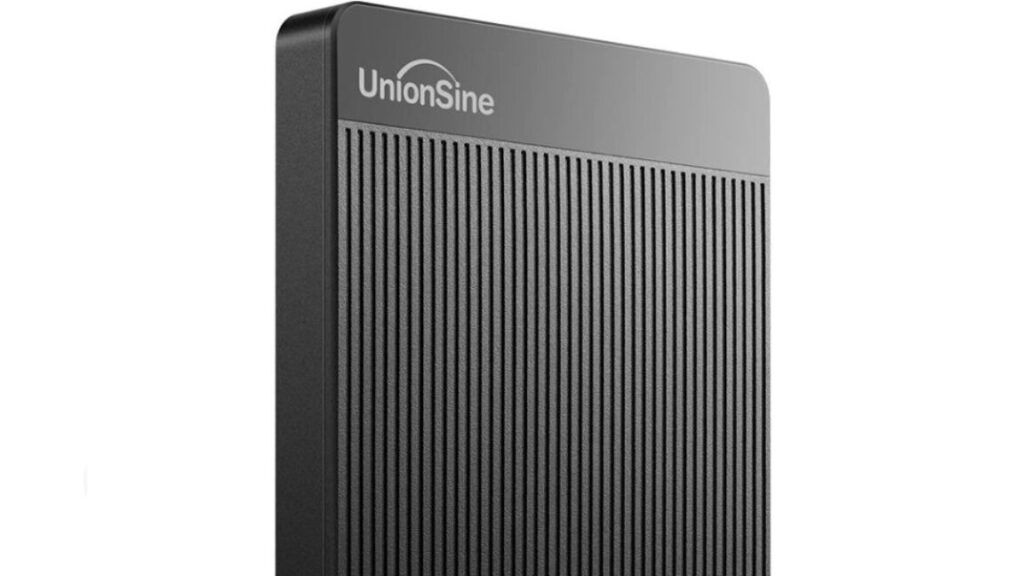
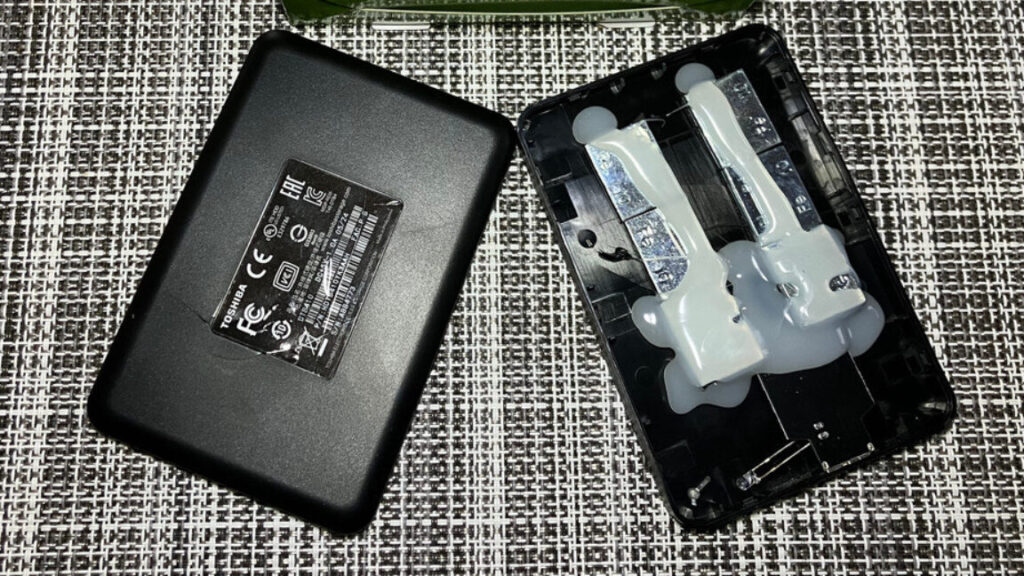
Ars was unable to confirm if UnionSine and Toshiba have any formal business relationship. UnionSine’s website says that its full company name is Shenzhen Union Integrity Technology Co., Ltd., a Shenzhen-based company launched in 2014 with “more than 50 employees.” It doesn’t list Toshiba as a partner. Toshiba also doesn’t mention any collaboration with UnionSine on its website. Neither company responded to requests for comment ahead of publication. Interestingly, there’s at least one account of someone finding a Western Digital drive inside their UnionSine HDD’s enclosure.

Rymko said that Secure Data Recovery couldn’t confirm if the Toshiba drive was refurbished but also emphasized the drive’s nearly 10 years of age:

Our internal data indicates that the average lifespan of a drive is approximately three-to-five years, depending on the brand, capacity, and other factors. Our data found that the average ‘power-on’ hours of failed drives was about two years and 10 months. With the right tools, the ‘power-on hours’ data can be reset. This could mean the drive may last a few years; I can’t say for sure.

There are better storage options

Rymko told me that UnionSine “seem[s] like a legitimate company” and noted that Secure Data Recovery has recovered data from UnionSine drives before. He also said that for $28, “the drive performs well and provides good value;” it also “meets expectations for speed and reliability.” Still, he has some concerns about long-term use:

We haven’t identified any major issues with this device, but as with any budget drive, long-term durability and sustained performance under heavy use are potential concerns to watch for. It’s always a good idea to back up important data regularly.

But there are still reasons to look elsewhere for storage.

For one, UnionSine doesn’t have a clearly posted warranty policy for its HDDs. As Rymko mentioned, the long-term durability of its drive is dubious, making the lack of a clear warranty concerning.

Further, there are bigger and roomier storage options than a 500GB HDD. If you’re opting for an HDD over an SSD to save money, it can be prudent to put at least some of those savings toward more storage space. A roomier HDD will cost more, but the price-per-GB may not differ much, depending on the drive.

When storing valued files, you can rest easier by following the 3-2-1 backup rule and by buying from a reputable brand with a solid warranty. Losing important data is frustrating enough, and that frustration is exacerbated when a company doesn’t take accountability for a potentially faulty device.

Data-recovery firm tests $28, 500GB HDD from Amazon and gets surprising results Read More »

shopper-denied-$51-refund-for-20tb-hdd-that’s-mostly-a-weighted-plastic-box

Shopper denied $51 refund for 20TB HDD that’s mostly a weighted plastic box

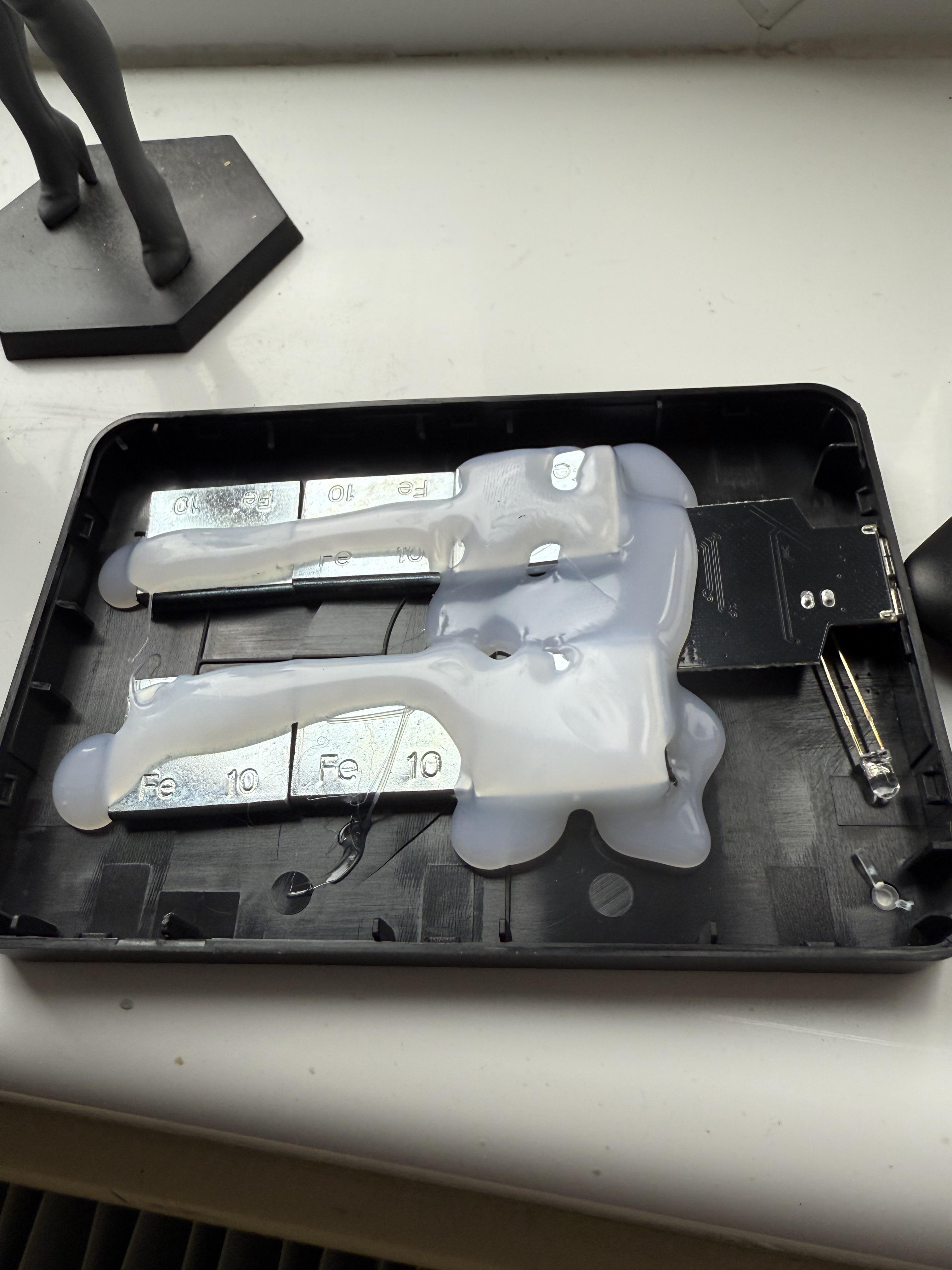
Many Arsians are the go-to IT support representative for family and friends. If you’re lucky, your loved ones’ problems are easily resolved with a reset, update, or new cable. That wasn’t the case for a son who recently had to break the news to his father that the 20TB portable hard drive he purchased for about $50 was mostly just a plastic box with weights and a PCB.

Ars Technica spoke with the Reddit user who posted about his father bringing him a “new 20T[B] HDD to see if I could figure out what was wrong with it.” The Redditor, who asked that we refer to him by his first name, Martin, revealed that his dad paid £38 (about $51.33) for what he thought was a portable HDD. That’s a red flag. HDDs have gotten cheaper over the years, but not that cheap. A 20TB external HDD typically costs over $200, and they’re usually much larger than the portable-SSD-sized device that Martin’s father received. A 20TB HDD in a portable form factor is rarer and can cost well over $300.

Taking a hammer to the device revealed that the chassis was nearly empty, save for some iron wheel weights sloppily attached to the black plastic with hefty globs of glue and a small PCB with some form of flash storage that could connect to a system via USB-A.

Fake HDD opened up.

The “HDD” opened up.

The “HDD” opened up. Credit: The__Unflushable/Reddit

As with other PC storage scams we’ve seen online, Windows read the so-called HDD as a “19TB drive, but would then just hang if you try to do anything with it,” Martin said on Reddit.

Programming the board’s firmware so that the drive appears as a high-capacity storage device on Windows is a clever trick that could convince users they’re to blame. But as Windows-savvy users would point out, Windows reports drive capacities in gibibytes or tebibytes, so a real 20TB HDD would appear as approximately 18.2TB in Windows.

Martin told Ars:

The device appeared to mount on the desktop with the device name in Mandarin (turned out this simply said “Hard Disc”). I tried copying a file, and the name did appear on the “hard disc.” It was only when I tried to open this file from the hard disc that the problems began to emerge. The file could not be opened, no matter how hard I tried, including reformatting the hard disc. At that point nothing was “working” at all.

Sketchy online listing

Martin told Ars that his father purchased the fake HDD from a website called UK.Chicntech, which appears to primarily sell car supplies, kitchen supplies, and home textiles. Currently, the website does not list any PC components or peripherals, but overall, its stock is pretty limited. Chicntech currently lists some other electronics, like a “[With Starry Sky Lid]AI Nano Mist Intelligent Car Aromatherapy Device” (linking for explanatory purposes only; we don’t recommend shopping on this website) for $56.

Shopper denied $51 refund for 20TB HDD that’s mostly a weighted plastic box Read More »

synology-confirms-that-higher-end-nas-products-will-require-its-branded-drives

Synology confirms that higher-end NAS products will require its branded drives

Popular NAS-maker Synology has confirmed and slightly clarified a policy that appeared on its German website earlier this week: Its “Plus” tier of devices, starting with the 2025 series, will require Synology-branded hard drives for full compatibility, at least at first.

“Synology-branded drives will be needed for use in the newly announced Plus series, with plans to update the Product Compatibility List as additional drives can be thoroughly vetted in Synology systems,” a Synology representative told Ars by email. “Extensive internal testing has shown that drives that follow a rigorous validation process when paired with Synology systems are at less risk of drive failure and ongoing compatibility issues.”

Without a Synology-branded or approved drive in a device that requires it, NAS devices could fail to create storage pools and lose volume-wide deduplication and lifespan analysis, Synology’s German press release stated. Similar drive restrictions are already in place for XS Plus and rack-mounted Synology models, though work-arounds exist.

Synology also says it will later add a “carefully curated drive compatibility framework” for third-party drives and that users can submit drives for testing and documentation. “Drives that meet Synology’s stringent standards may be validated for use, offering flexibility while maintaining system integrity.”

Synology confirms that higher-end NAS products will require its branded drives Read More »

after-decades-of-talk,-seagate-seems-ready-to-actually-drop-the-hamr-hard-drives

After decades of talk, Seagate seems ready to actually drop the HAMR hard drives

How do you fit 32 terabytes of storage into a hard drive? With a HAMR.

Seagate has been experimenting with heat-assisted magnetic recording, or HAMR, since at least 2002. The firm has occasionally popped up to offer a demonstration or make yet another “around the corner” pronouncement. The press has enjoyed myriad chances to celebrate the wordplay of Stanley Kirk Burrell, but new qualification from large-scale customers might mean HAMR drives will be actually available, to buy, as physical objects, for anyone who can afford the most magnetic space possible. Third decade’s the charm, perhaps.

HAMR works on the principle that, when heated, a disk’s magnetic materials can hold more data in smaller spaces, such that you can fit more overall data on the drive. It’s not just putting a tiny hot plate inside an HDD chassis; as Seagate explains in its technical paper, “the entire process—heating, writing, and cooling—takes less than 1 nanosecond.” Getting from a physics concept to an actual drive involved adding a laser diode to the drive head, optical steering, firmware alterations, and “a million other little things that engineers spent countless hours developing.” Seagate has a lot more about Mozaic 3+ on its site.

Seagate’s rendering of how its unique heating laser head allows for 3TB per magnetic platter in Mozaic drives.

Seagate’s rendering of how its unique heating laser head allows for 3TB per magnetic platter in Mozaic drives. Credit: Seagate

Drives based on Seagate’s Mozaic 3+ platform, in standard drive sizes, will soon arrive with wider availability than its initial test batches. The driver maker put in a financial filing earlier this month (PDF) that it had completed qualification testing with several large-volume customers, including “a leading cloud service provider,” akin to Amazon Web Services, Google Cloud, or the like. Volume shipments are likely soon to follow.

After decades of talk, Seagate seems ready to actually drop the HAMR hard drives Read More »

how-can-you-write-data-to-dna-without-changing-the-base-sequence?

How can you write data to DNA without changing the base sequence?

The developers of the system call each of these potentially modifiable spots on the template an epi-bit, with the modified version corresponding to a 1 in a conventional computer bit and the unmodified version corresponding to a 0. Because no synthesis is required, multiple bits can be written simultaneously. To read the information, the scientists rigged the system so that 1s fluoresce and 0s don’t. The fluorescence, along with the sequences of bases, was read as the DNA was passed through a tiny pore.

Pictures in a meta-genome

Using this system, Zhang et al. created five DNA templates and 175 bricks to record 350 bits at a time. Using a collection of tagged template molecules, the researchers could store and read roughly 275,000 bits, including a color picture of a panda’s face and a rubbing of a tiger from the Han dynasty, which ruled China from 202 BCE to 220 CE.

They then had 60 student volunteers “with diverse academic backgrounds” store texts of their choice in epi-bits using a simple kit in a classroom. Twelve of the 15 stored texts were read successfully.

We’re not quite ready for your cat videos yet, though. There are still errors in the printing and reading steps, and since these modifications don’t survive when DNA is copied, making additional versions of the stored information may get complicated. Plus, the stability of these modifications under different storage conditions remains unknown, although the authors note that their epi-bits stayed stable at temperatures of up to 95o° C.

But once these and a few other problems are solved—and the technology is scaled up, further optimized and automated, and/or tweaked to accommodate other types of epigenetic modifications—it will be a clever and novel way to harness natural data storage methods for our needs.

Nature, 2024.  DOI: 10.1038/s41586-024-08040-5

How can you write data to DNA without changing the base sequence? Read More »

hang-out-with-ars-in-san-jose-and-dc-this-fall-for-two-infrastructure-events

Hang out with Ars in San Jose and DC this fall for two infrastructure events

Arsmeet! —

Join us as we talk about the next few years in AI & storage, and what to watch for.

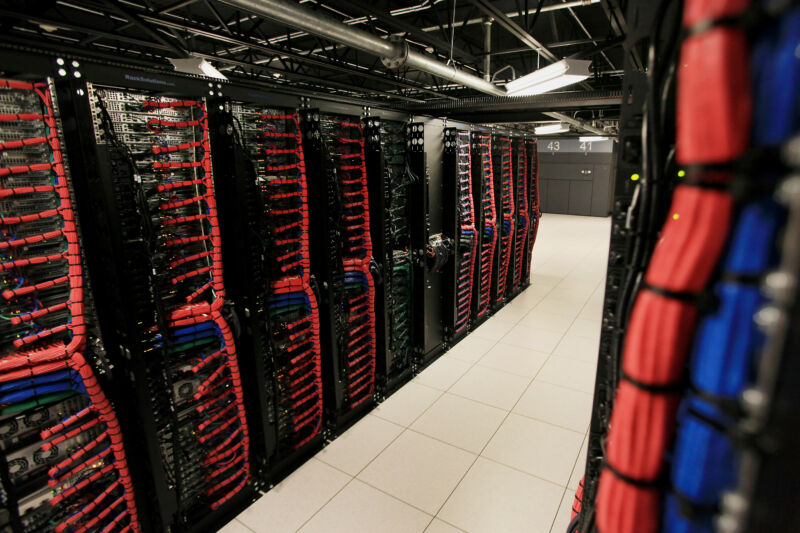
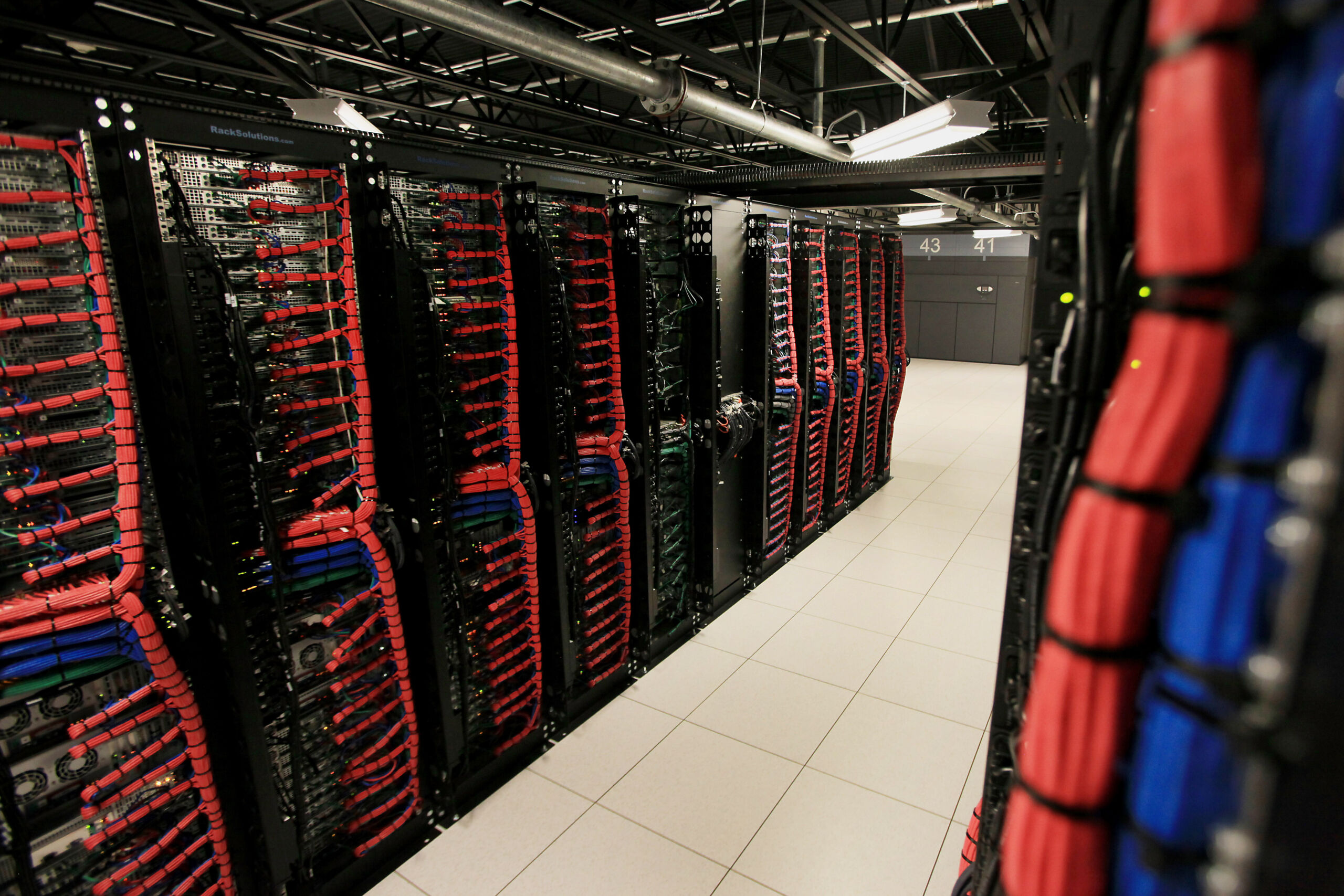
Photograph of servers and racks

Enlarge / Infrastructure!

Howdy, Arsians! Last year, we partnered with IBM to host an in-person event in the Houston area where we all gathered together, had some cocktails, and talked about resiliency and the future of IT. Location always matters for things like this, and so we hosted it at Space Center Houston and had our cocktails amidst cool space artifacts. In addition to learning a bunch of neat stuff, it was awesome to hang out with all the amazing folks who turned up at the event. Much fun was had!

This year, we’re back partnering with IBM again and we’re looking to repeat that success with not one, but two in-person gatherings—each featuring a series of panel discussions with experts and capping off with a happy hour for hanging out and mingling. Where last time we went central, this time we’re going to the coasts—both east and west. Read on for details!

September: San Jose, California

Our first event will be in San Jose on September 18, and it’s titled “Beyond the Buzz: An Infrastructure Future with GenAI and What Comes Next.” The idea will be to explore what generative AI means for the future of data management. The topics we’ll be discussing include:

  • Playing the infrastructure long game to address any kind of workload
  • Identifying infrastructure vulnerabilities with today’s AI tools
  • Infrastructure’s environmental footprint: Navigating impacts and responsibilities

We’re getting our panelists locked down right now, and while I don’t have any names to share, many will be familiar to Ars readers from past events—or from the front page.

As a neat added bonus, we’re going to host the event at the Computer History Museum, which any Bay Area Ars reader can attest is an incredibly cool venue. (Just nobody spill anything. I think they’ll kick us out if we break any exhibits!)

October: Washington, DC

Switching coasts, on October 29 we’ll set up shop in our nation’s capital for a similar show. This time, our event title will be “AI in DC: Privacy, Compliance, and Making Infrastructure Smarter.” Given that we’ll be in DC, the tone shifts a bit to some more policy-centric discussions, and the talk track looks like this:

  • The key to compliance with emerging technologies
  • Data security in the age of AI-assisted cyber-espionage
  • The best infrastructure solution for your AI/ML strategy

Same here deal with the speakers as with the September—I can’t name names yet, but the list will be familiar to Ars readers and I’m excited. We’re still considering venues, but hoping to find something that matches our previous events in terms of style and coolness.

Interested in attending?

While it’d be awesome if everyone could come, the old song and dance applies: space, as they say, will be limited at both venues. We’d like to make sure local folks in both locations get priority in being able to attend, so we’re asking anyone who wants a ticket to register for the events at the sign-up pages below. You should get an email immediately confirming we’ve received your info, and we’ll send another note in a couple of weeks with further details on timing and attendance.

On the Ars side, at minimum both our EIC Ken Fisher and I will be in attendance at both events, and we’ll likely have some other Ars staff showing up where we can—free drinks are a strong lure for the weary tech journalist, so there ought to be at least a few appearing at both. Hoping to see you all there!

Hang out with Ars in San Jose and DC this fall for two infrastructure events Read More »