Tech

new-aa-powered-airtag-case-promises-10-year-lifespan

New AA-powered AirTag case promises 10-year lifespan

On Wednesday, Elevation Lab announced TimeCapsule, a new $20 battery case purported to extend Apple AirTag battery life from one year to 10 years. The product replaces the standard CR2032 coin cell battery in the Bluetooth-based location tracker with two AA batteries to provide extended power capacity.

The TimeCapsule case requires users to remove their AirTag’s original back plate and battery, then place the Apple device onto contact points inside the waterproof enclosure. The company recommends using Energizer Ultimate Lithium AA batteries, which it claims provide 14 times more power capacity than the stock coin cell battery configuration.

The CNC-machined aluminum case is aimed at users who place AirTags in vehicles, boats, or other applications where regular battery changes prove impractical. The company sells the TimeCapsule through its website and Amazon.

A photo of the TimeCapsule, which purportedly extends AirTag battery life with AA batteries.

A photo of the TimeCapsule, which purportedly extends AirTag battery life with AA batteries. Credit: Elevation Lab

As related on the TimeCapsule’s product page, the add-on case reportedly emerged after its inventor lost camera equipment to theft, discovering their AirTag had died months earlier due to a depleted battery. This experience led to the development of a longer-lasting power solution for the tracking devices.

New AA-powered AirTag case promises 10-year lifespan Read More »
google-will-apparently-offer-“ai-mode”-right-on-its-main-search-page

Google will apparently offer “AI Mode” right on its main search page

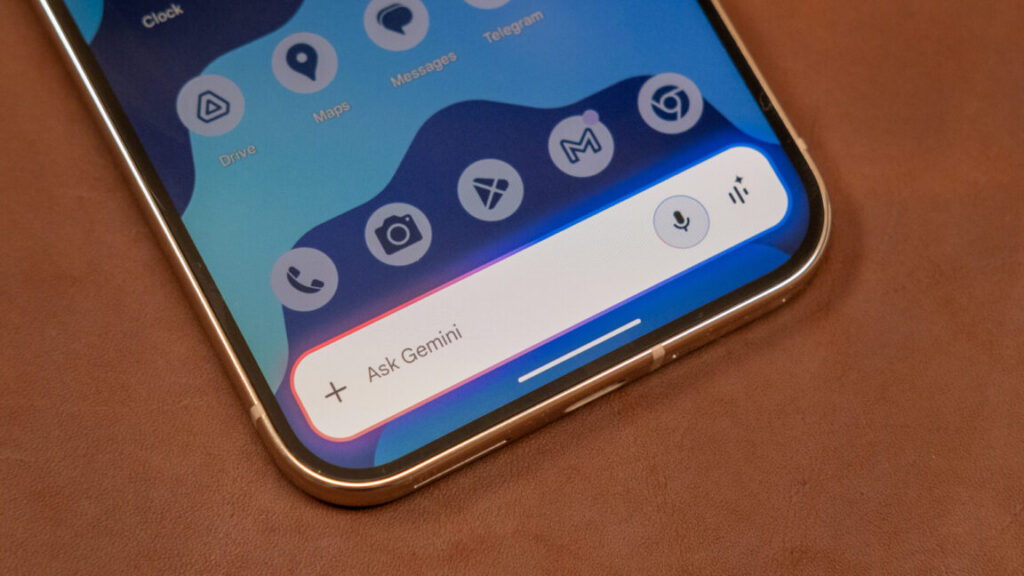
Google will soon take more steps to make AI a part of search, exposing more users to its Gemini agent, according to recent reports and app teardowns.

“AI Mode,” shown at the top left of the web results page and inside the Google app, will provide an interface similar to a Gemini AI chat, according to The Information.

This tracks with a finding from Android Authority earlier this month, which noted a dedicated “AI mode” button inside an early beta of the Google app. This shortcut also appeared on Google’s Android search widget, and a conversation history button was added to the Google app. Going even deeper into the app, 9to5Google found references to “aim” (AI mode) and “ai_mode” which suggest a dedicated tab in the Google app, with buttons for speaking to an AI or sending it pictures.

Google already promotes Gemini with links below its search homepage. (“5 ways Gemini can help during the Holidays” is currently showing for me.) Search results on Google can also contain an “AI Overview,” which launched with some “use glue for pizza sauce” notoriety. People averse to AI answers can avoid them with URL parameters and proxy sites (or sticking to the “web” tab). Gemini has also been prominently added to other Google products, like Pixel phones, Gmail, and Drive/Workspace. And the search giant has also been testing the ability to attach files to a web search for analysis.

Google will apparently offer “AI Mode” right on its main search page Read More »

home-assistant’s-voice-preview-edition-is-a-little-box-with-big-privacy-powers

Home Assistant’s Voice Preview Edition is a little box with big privacy powers


Home Assistant Voice Preview Edition

Home Assistant’s voice device is a $60 box that’s both focused and evolving.

Credit: Home Assistant Foundation

Home Assistant announced today the availability of the Voice Preview Edition, its own design of a living-room-friendly box to offer voice assistance with home automation. Having used it for a few weeks, it seems like a great start, at least for those comfortable with digging into the settings. That’s why Home Assistant is calling it a “Preview Edition.”

Using its privacy-minded Nabu Casa cloud—or your own capable computer—to handle the processing, the Voice Preview Edition (VPE) ($60/60 euros, available today) has the rough footprint of a modern Apple TV but is thinner. It works similarly to an Amazon Echo, Google Assistant, or Apple Siri device, but with a more focused goal. Start with a wake word—the default, and most well-trained version, is “Okay, Nabu,” but “Hey, Jarvis” and “Hey, Mycroft” are available. Follow that with a command, typically something that targets a smart home device: “Turn on living room lights,” “Set thermostat to 68,” “Activate TV time.” And then, that thing usually happens.

Home Assistant’s Voice Preview Edition, doing what it does best. I had to set a weather service to an alias of “the weather outside” to get that response worked out.

“That thing” is primarily controlling devices, scenes, and automations around your home, set up in Home Assistant. That means you have to have assigned them a name or alias that you can remember. Coming up with naming schemes is something you end up doing in big-tech smart home systems, too, but it’s a bit more important with the VPE.

You won’t need to start over with all your gear if you’ve got a Google Home, Alexa, or Apple Home ecosystem, at least. Home Assistant has good “bridge” options built into it for connecting all the devices you’ve set up and named inside those ecosystems.

It’s important to have a decently organized smart home set up with a VPE box, because it doesn’t really do much else, for better or worse. Unless you hook it up to an AI model.

The voice device that is intentionally not very chatty

The VPE box can run timers (with neat LED ring progress indicators), and with a little bit of settings tweaking, you can connect it to Home Assistant’s built-in shopping lists and task lists or most any other plug-in or extension of your system. If you’re willing to mess with LLMs—like ChatGPT or Google’s Gemini—locally or through cloud subscriptions, you could trigger prompts with your voice, though performance will vary.

Home Assistant’s Voice Preview Edition, not quite sure what to do with non-home-related questions.

What else does Home Assistant’s hardware do? Nothing, at least by default. It listens for its prompt, it passes them onto a Home Assistant server, and that’s it. You can’t ask it how tall Buffalo Bills quarterback Josh Allen is or how many consecutive Super Bowls the Bills lost. It won’t do simple math calculations or metric conversions. It cannot tell you whether you should pack an umbrella tomorrow or a good substitute if you’re out of eggs.

For some people either hesitant to bring a voice device into their home or fatigued by the failures of supposedly “smart” assistants that can seem quite dumb, this might be perfect. When the Home Assistant VPE hears me clearly (more on that in a moment), it almost always understands what I’m saying, so long as I remember what I named everything.

There were times during the month-long period when I muted Google Assistant and stuck with Home Assistant that I missed the ability to ask questions I would normally just look up on a search engine. The upside is that I didn’t have to sit through 15 seconds of Google explaining at length something I didn’t ask for.

If you want the VPE to automatically fall back to AI for answering non-home-specific questions, you can set that up. And that’s something we’ll likely dig into for a future post.

The hardware

Home Assistant’s Voice Preview Edition device, with Apple TV (4K, 2022) for scale. Kevin Purdy

As a product you want to keep somewhere it can hear you, the Home Assistant VPE blends in, is reasonably small, and has more useful buttons and switches than the competition. It looks entirely innocuous sitting on a bookshelf, entertainment center, kitchen counter, or wall mount. It’s quite nice to pay for a functional device that has absolutely no branding visible.

There are four neat things on top. First is two microphone inputs, which are pretty important. There’s an LED ring that shows you the VPE is listening by spinning, then spinning the other way to show that it’s “thinking” and reversing again when responding. A button in the middle can activate the device without speech or cancel a response.

Best of all, there is a physically rotating dial wheel around the button. It feels great to spin, even if it’s not something you’ll need to do very often.

Around the sides is clear plastic, with speaker holes on three sides. The speakers are built specifically for voice clarity, according to Home Assistant, and I agree. I can always hear what the VPE is trying to tell me, at any distance in my living room.

There’s a hardware mute switch on one side, with USB-C inputs (power and connection) and a stereo headphone/speaker jack. On the bottom is a grove port for deeper development.

Hearing is still the challenge

The last quasi-official way to get a smart speaker experience with Home Assistant was the ESP32 S3 Box 3, which was okay or decent in a very quiet room or at dining room table distance. The VPE is a notable improvement over that device in both input and output. If I make a small effort to speak clearly and enunciate, it catches me pretty much everywhere in my open-plan living room/dining room/kitchen. It’s not too bad at working around music or TV sound, either, so long as that speaker is not between me and the VPE box. It is best with its default wake phrase, “Okay, Nabu,” because that’s the most trained and sampled by the Open Wake Word community.

And yet, every smart speaker I’ve had in my home at some point—a Google Home/Nest Mini, Amazon Echo (full-size or Dot), Apple HomePod (original), the microphones on Sonos speakers—has seemed better at catching its wake word, given similar placement as the VPE. After all, Home Assistant, a not-for-profit foundation, cannot subsidize powerful microphone arrays with advertising, Prime memberships, or profitable computer hardware ecosystems. I don’t have lab tests to prove this, just my own experiences—with my particular voice, accent, phrasing, room shape, and noise levels.

I’ve been using this device with pre-release firmware and software, and it’s under active development, so it will almost certainly get better. But as a device you can buy and set up right now, it’s very close—but not quite—to the level of the big ecosystems. It is notably better than the hodgepodge of other devices you can technically use with Home Assistant voice prompts.

Is it better for my privacy that the VPE is not great at being triggered by ambient speech in the room? Maybe. At the same time, I’m more likely to switch away from said big-tech voice devices only if I don’t feel like I have to say everything twice or three times.

It’s fun to craft your own voice system

I’ve been able to use the VPE on a bookshelf in my living room for weeks, asking it to turn on lights, adjust thermostats, set scenes with blinds and speakers, and other automations, and the successes are far more common than failures. I still want to test some different placements and try out local hardware processing (requiring an Intel N100 or better for common languages), since I’ve only tested it with Home Assistant’s cloud servers, the generally faster solution.

The best things about the VPE are not the things you’ll notice by looking at or speaking to it. It’s a smart speaker that seems a lot more reasonable for private places, especially if you’re running on local hardware. It’s not a smart speaker that is going to read you an entire Wikipedia page when it misunderstands what you want. And it doesn’t demand you to use an app tied into an ecosystem to use, other than the web app running off your Home Assistant server.

Paulus Schoutsen said on the VPE’s launch stream that the VPE might not be the best choice for someone switching over from an established Google/Amazon/Apple ecosystem. That might be true, but I think the VPE also works as a single-user device at a desk, or for anyone who’s been waiting to step into voice but concerned about privacy, ecosystem lock-in, or their kids’ demands to play Taylor Swift songs on repeat.

This post was update at 5 p.m. to note the author’s wake word experience may relate to his voice and room characteristics.

Photo of Kevin Purdy

Kevin is a senior technology reporter at Ars Technica, covering open-source software, PC gaming, home automation, repairability, e-bikes, and tech history. He has previously worked at Lifehacker, Wirecutter, iFixit, and Carbon Switch.

Home Assistant’s Voice Preview Edition is a little box with big privacy powers Read More »

intel-is-testing-bios-updates-to-fix-performance-of-its-new-core-ultra-200s-cpus

Intel is testing BIOS updates to fix performance of its new Core Ultra 200S CPUs

Without tuned power profiles, a separate but related feature called the Intel Application Performance Optimizer (APO) couldn’t kick in, reducing performance by between 2 and 14 percent.

Current BIOS updates for motherboards contain optimized performance and power settings that “were not consistently toggled” in early BIOS versions for those boards. This could also affect performance by between 2 and 14 percent.

The fifth and final fix for the issues Intel has identified is coming in a later BIOS update that the company plans to release “in the first half of January 2025.” The microcode updates in that BIOS update should provide “another modest performance improvement in the single-digit range,” based on Intel’s performance testing across 35 games. When that microcode update (version 0x114) has been released, Intel says it plans to release another support document with more detailed performance comparisons.

If a long Intel support document detailing a multi-stage series of fixes for elusive performance issues is giving you deja vu, you’re probably thinking about this other, more serious problem with 13th- and 14th-generation Core CPUs from earlier this year. In that case, the issue was that the CPU could request more voltage than it could handle, eventually leading to degraded performance and crashes.

These voltage requests could permanently damage the silicon, so Intel extended the warranties of most 13th- and 14th-gen Core CPUs from three years to five. The company also worked with motherboard makers to release a string of BIOS updates to keep the problems from happening again. A similar string of BIOS updates will be necessary to fix the problems with the Core Ultra 200S chips.

Intel is testing BIOS updates to fix performance of its new Core Ultra 200S CPUs Read More »
amazon’s-rto-delays-exemplify-why-workers-get-so-mad-about-mandates

Amazon’s RTO delays exemplify why workers get so mad about mandates

Concern about RTO planning is underscored by Amazon reportedly lacking enough space for its current in-office policy. Bloomberg said that “in recent interviews, employees complained of working from shared desks, crowded corporate canteens, and a lack of conference rooms for confidential calls or team meetings.”

The publication also pointed to employee displeasure with having to work in an office full-time when other tech firms have more lax policies. This could result in Amazon losing some of its best talent. Per the study from the University of Pittsburgh, Baylor University, The Chinese University of Hong Kong, and Cheung Kong Graduate School of Business researchers, senior, skilled workers are more likely to depart a company over an RTO mandate because they have “more connections with other companies.”

Employees eyeing greener pastures could put Amazon at risk of losing some of its most experienced employees. That also reportedly happened to Apple, Microsoft, and SpaceX following their RTO mandates, per a May study from University of Chicago and University of Michigan researchers (PDF). Following Amazon’s RTO announcement, 73 percent of 2,285 workers that Blind surveyed said they were “considering looking for another job” due to the rule change.

Finally, banning remote work while giving workers a few months to figure out how to adjust resulted in a lot of negative discourse, including Garman reportedly telling workers that if they don’t work well in offices, “that’s okay; there are other companies around.” As the November RTO study put it:

“An RTO announcement can be a big and sudden event that is distasteful to most employees, especially when the decision has not been well communicated, potentially triggering an immediate response of employees searching for and switching to new jobs.”

If Amazon had communicated RTO dates with greater accuracy once office plans were finalized, it could have alleviated some of the drama that followed the announcement and the negative impact that had on employee morale.

For its part, Amazon has instituted a tool for reserving conference rooms, which requires workers to commit to using the space so it’s not wasted, Bloomberg reported.

But with companies now having had years to plot their RTO approaches, employees are expecting more accurate communication and smooth transitions that align with their respective department’s culture. Amazon’s approach missed those marks.

Amazon’s RTO delays exemplify why workers get so mad about mandates Read More »

the-backbone-one-would-be-an-ideal-game-controller—if-the-iphone-had-more-games

The Backbone One would be an ideal game controller—if the iPhone had more games


It works well, but there still aren’t enough modern, console-style games.

The Backbone One attachable game controller for the iPhone.

In theory, it ought to be as good a time as ever to be a gamer on the iPhone.

Classic console emulators have rolled out to the platform for the first time, and they work great. There are strong libraries of non-skeezy mobile games on Apple Arcade and Netflix Games, streaming via Xbox and PlayStation services is continuing apace, and there are even a few AAA console games now running natively on the platform, like Assassin’s Creed and Resident Evil titles.

Some of those games need a traditional, dual-stick game controller to work well, though, and Apple bafflingly offers no first-party solution for this.

Yes, you can sync popular Bluetooth controllers from Sony, Microsoft, Nintendo, and 8bitdo with your iPhone, but that’s not really the ideal answer—your iPhone isn’t a big TV sitting across the room or a computer monitor propped up on your desk.

A few companies have jumped in to solve this with attachable controllers that give the iPhone a Nintendo Switch or Steam Deck-like form factor (albeit a lot smaller). There’s a wide range of quality, though, and some of the ones you’ll see advertised aren’t very well made.

There’s some debate out there, but there’s one that just about anyone will at least put up for consideration: the Backbone One. That’s the one I picked for my new iPhone 16 Pro Max, which I have loaded with emulators and tons of games.

Since many folks are about to get iPhone 16s for the holidays and might be in the market for something similar, I figured it’d be a good time to write some quick impressions, including pros and cons. Is this thing worth a $99 price tag? What about its subscription-based app?

Switching from the Razer Kishi

Here’s some background, real quick: I previously owned an iPhone 13 Pro, and I played a lot of Diablo Immortal. I wanted to try the controller experience with that game, so I bought a first-generation Razer Kishi—which I liked for the most part. It had excellent thumbsticks that felt similar to those you’d find on an Xbox controller, if a little bit softer.

That said, its design involved a back that loosened up and flexed to fit different kinds of phones, but I found it annoying to take on or off because it immediately crumbled into a folding mess. The big issue that made me go with something else, though, was that the controller worked with a Lightning port, and my new iPhone traded that for USB-C. That’s a good change, overall, but it did mean I had to replace some things.

The Kishi I had is now discontinued, and it’s been replaced with the Kishi V2, which looks… less appealing to me. That’s because it ditches those Xbox-like sticks for ones more similar to what you see with a Nintendo Switch. There’s less range of motion and less stability.

The Razer Kishi V2 (top) and Razer Kishi V1 (bottom). I had the V1. Credit: Ars Technica

The Backbone One has similar drawbacks, but I was drawn to the Backbone as an alternative partly because I had enough complaints about the Kishi that I wanted to roll the dice on something new. I also wanted a change because there’s a version with PlayStation button symbols—and I planned to primarily play PS1 games in an emulator as well as stream PS5 games to the device instead of a PlayStation Portal.

Solid hardware

One of my big complaints about the first-generation Kishi (the folding and flimsy back) isn’t an issue with the Backbone One. It’s right there in the name: This accessory has a sturdy plastic backbone that keeps things nice and stable.

The PlayStation version I got has face buttons and a directional pad that seem like good miniature counterparts to the buttons on Sony’s DualSense controller. The triggers and sticks offer much shallower and less precise control than the DualSense, though—they closely resemble the triggers and sticks on the Nintendo Switch Joy-Cons.

A Backbone One and a DualSense controller side-by-side

This version of the Backbone One adopts some styling from Sony’s DualSense PS5 controller. Credit: Samuel Axon

I feel that’s a big downside. It’s fine for some games, but if you’re playing any game built around quickly and accurately aiming in a 3D environment, you’ll feel the downgrade compared to a real controller.

The product feels quite sturdy to hold and use, and it doesn’t seem likely to break anytime soon. The only thing that bugs me on that front is that the placement of the USB-C port for connecting to the phone is in a place where it takes enough force to insert or remove it that I’m worried about wear and tear on the ports on either my phone or the controller. Time will tell on that front.

There’s an app, but…

The Backbone One is not just a hardware product, even though I think it’d be a perfectly good product without any kind of software or service component.

There is a Backbone app that closely resembles the PlayStation 5’s home screen interface (this is not just for the PlayStation version of the controller, to be clear). It offers a horizontally scrolling list of games from multiple sources like streaming services, mobile game subscription services, or just what’s installed on your device. It also includes voice chat, multiplayer lobbies, streaming to Twitch, and content like video highlights from games.

A screenshot showing a scrollable list of games

The Backbone One app collects games from different sources into one browsing interface. Credit: Samuel Axon

Unfortunately, all this requires a $40 annual subscription after a one-month trial. The good news is that you don’t have to pay for the Backbone One’s subscription service to use it as a controller with your games and emulators.

I don’t think anyone anywhere was asking for a subscription-based app for their mobile game controller. The fact that one is offered proves two things. First, it shows you just how niche this kind of product still is (and transitively, the current state of playing traditional, console-style games on iPhone) that the company that made it felt this was necessary to make a sufficient amount of money.

Second, it shows how much work Apple still needs to do to bake these features into the OS to make iOS/iPadOS a platform that is competitive with offerings from Sony, Microsoft, or even Nintendo in terms of appeal for core rather than casual gamers. That involves more than just porting a few AAA titles.

The state of iPhone gaming

The Backbone One is a nice piece of hardware, but many games you might be excited to play with it are better played elsewhere or with something else.

Hit games with controller support like Genshin Impact, Call of Duty Mobile, and Infinity Nikki all have excellent touch-based control schemes, making using a gamepad simply a matter of preference rather than a requirement.

While Apple is working with publishers like Capcom and Ubisoft to bring some hardcore console titles to the platform, that all still seems like just dipping toes in the water at this point, because they’re such a tiny slice of what’s on offer for PlayStation, Xbox, PC, or even Nintendo Switch players.

In theory, AAA game developers should be excited at the prospect of having iPhone players as a market—the install base of the iPhone absolutely dwarfs all home and handheld consoles combined. But they’re facing two barriers. The first is a chicken-and-egg problem: Only the most recent iPhones (iPhone 15 Pro and the iPhone 16 series) have supported those console AAA titles, and it will take a few years before most iPhone owners catch up.

A Backbone One attached to an iphone 16 Pro Max with the RetroArch main menu on its screen

Emulators like RetroArch (seen here running on an iPhone 16 Pro Max) are the main use case of the Backbone One. Credit: Samuel Axon

The second is that modern AAA games are immensely expensive to produce, and they (thankfully) don’t typically have robust enough in-game monetization paths to be distributed for free. That means that to profit and not cannibalize console and PC sales, publishers need to sell games for much higher up-front costs than mobile players are accustomed to.

So if mobile-first hardcore games are best played with touchscreens, and gamepad-first console games haven’t hit their stride on the platform yet, what’s the point of spending $100 on a Backbone One?

The answer is emulators, for both classic and homebrew games. For that, I’ve been pleased with the Backbone One. But if your goal is to play modern games, the time still hasn’t quite come.

Photo of Samuel Axon

Samuel Axon is a senior editor at Ars Technica. He covers Apple, software development, gaming, AI, entertainment, and mixed reality. He has been writing about gaming and technology for nearly two decades at Engadget, PC World, Mashable, Vice, Polygon, Wired, and others. He previously ran a marketing and PR agency in the gaming industry, led editorial for the TV network CBS, and worked on social media marketing strategy for Samsung Mobile at the creative agency SPCSHP. He also is an independent software and game developer for iOS, Windows, and other platforms, and he is a graduate of DePaul University, where he studied interactive media and software development.

The Backbone One would be an ideal game controller—if the iPhone had more games Read More »
arm-says-it’s-losing-$50m-a-year-in-revenue-from-qualcomm’s-snapdragon-x-elite-socs

Arm says it’s losing $50M a year in revenue from Qualcomm’s Snapdragon X Elite SoCs

Arm and Qualcomm’s dispute over Qualcomm’s Snapdragon X Elite chips is continuing in court this week, with executives from each company taking the stand and attempting to downplay the accusations from the other side.

If you haven’t been following along, the crux of the issue is Qualcomm’s purchase of a chip design firm called Nuvia in 2021. Nuvia was originally founded by ex-Apple chip designers to create high-performance Arm chips for servers, but Qualcomm took an interest in Nuvia’s work and acquired the company to help it create high-end Snapdragon processors for consumer PCs instead. Arm claims that this was a violation of its licensing agreements with Nuvia and is seeking to have all chips based on Nuvia technology destroyed.

According to Reuters, Arm CEO Rene Haas testified this week that the Nuvia acquisition is depriving Arm of about $50 million a year, on top of the roughly $300 million a year in fees that Qualcomm already pays Arm to use its instruction set and some elements of its chip designs. This is because Qualcomm pays Arm lower royalty rates than Nuvia had agreed to pay when it was still an independent company.

For its part, Qualcomm argued that Arm was mainly trying to push Qualcomm out of the PC market because Arm had its own plans to create high-end PC chips, though Haas claimed that Arm was merely exploring possible future options. Nuvia founder and current Qualcomm Senior VP of Engineering Gerard Williams III also testified that Arm’s technology comprises “one percent or less” of Qualcomm’s finished chip designs, minimizing Arm’s contributions to Snapdragon chips.

Although testimony is ongoing, Reuters reports that a jury verdict in the trial “could come as soon as this week.”

If it succeeds, Arm could potentially halt sales of all Snapdragon chips with Nuvia’s technology in them, which at this point includes both the Snapdragon X Elite and Plus chips for Windows PCs and the Snapdragon 8 Elite chips that Qualcomm recently introduced for high-end Android phones.

Arm says it’s losing $50M a year in revenue from Qualcomm’s Snapdragon X Elite SoCs Read More »

z-wave-long-range-and-its-mile-long-capabilities-will-arrive-next-year

Z-Wave Long Range and its mile-long capabilities will arrive next year

Z-Wave can be a very robust automation network, free from the complications and fragility of Wi-Fi and Bluetooth. Just how robust, you ask? More than a mile long, under the right circumstances, as hardware soon to hit the market promises.

All claims of radio distances should be taken with amounts of salt unhealthy for consumption. What can be accomplished across an empty field is not the same as what can be done through buildings, interference, and scatter. But Z-Wave Long Range (or Z-Wave LR), operating “in long range mode at full power,” can hit 1.5 miles, according to the Z-Wave Alliance, presuming you’ve got the right star-shaped hub network.

By using a star network topology instead of a more traditional mesh, Z-Wave LR reduces the need for hubs and repeaters, relying instead on a central hub. It can be more reliable for larger commercial spaces, security setups, and bigger homes, and also more power efficient. Devices automatically adjust their signal strength while on Z-Wave networks, extending the battery life of a single coin cell up to 10 years—again, under best-case circumstances. If you’re really a glutton for punishment, you can fit up to 4,000 devices on a network running Z-Wave LR, because LR can co-exist on the same network as standard Z-Wave meshes.

Z-Wave Long Range and its mile-long capabilities will arrive next year Read More »

after-decades-of-talk,-seagate-seems-ready-to-actually-drop-the-hamr-hard-drives

After decades of talk, Seagate seems ready to actually drop the HAMR hard drives

How do you fit 32 terabytes of storage into a hard drive? With a HAMR.

Seagate has been experimenting with heat-assisted magnetic recording, or HAMR, since at least 2002. The firm has occasionally popped up to offer a demonstration or make yet another “around the corner” pronouncement. The press has enjoyed myriad chances to celebrate the wordplay of Stanley Kirk Burrell, but new qualification from large-scale customers might mean HAMR drives will be actually available, to buy, as physical objects, for anyone who can afford the most magnetic space possible. Third decade’s the charm, perhaps.

HAMR works on the principle that, when heated, a disk’s magnetic materials can hold more data in smaller spaces, such that you can fit more overall data on the drive. It’s not just putting a tiny hot plate inside an HDD chassis; as Seagate explains in its technical paper, “the entire process—heating, writing, and cooling—takes less than 1 nanosecond.” Getting from a physics concept to an actual drive involved adding a laser diode to the drive head, optical steering, firmware alterations, and “a million other little things that engineers spent countless hours developing.” Seagate has a lot more about Mozaic 3+ on its site.

Seagate’s rendering of how its unique heating laser head allows for 3TB per magnetic platter in Mozaic drives.

Seagate’s rendering of how its unique heating laser head allows for 3TB per magnetic platter in Mozaic drives. Credit: Seagate

Drives based on Seagate’s Mozaic 3+ platform, in standard drive sizes, will soon arrive with wider availability than its initial test batches. The driver maker put in a financial filing earlier this month (PDF) that it had completed qualification testing with several large-volume customers, including “a leading cloud service provider,” akin to Amazon Web Services, Google Cloud, or the like. Volume shipments are likely soon to follow.

After decades of talk, Seagate seems ready to actually drop the HAMR hard drives Read More »

companies-issuing-rto-mandates-“lose-their-best-talent”:-study

Companies issuing RTO mandates “lose their best talent”: Study


Despite the risks, firms and Trump are eager to get people back into offices.

Return-to-office (RTO) mandates have caused companies to lose some of their best workers, a study tracking over 3 million workers at 54 “high-tech and financial” firms at the S&P 500 index has found. These companies also have greater challenges finding new talent, the report concluded.

The paper, Return-to-Office Mandates and Brain Drain [PDF], comes from researchers from the University of Pittsburgh, as well as Baylor University, The Chinese University of Hong Kong, and Cheung Kong Graduate School of Business. The study, which was published in November, spotted this month by human resources publication HR Dive, and cites Ars Technica reporting, was conducted by collecting information on RTO announcements and sourcing data from LinkedIn. The researchers said they only examined companies with data available for at least two quarters before and after they issued RTO mandates. The researchers explained:

To collect employee turnover data, we follow prior literature … and obtain the employment history information of over 3 million employees of the 54 RTO firms from Revelio Labs, a leading data provider that extracts information from employee LinkedIn profiles. We manually identify employees who left a firm during each period, then calculate the firm’s turnover rate by dividing the number of departing employees by the total employee headcount at the beginning of the period. We also obtain information about employees’ gender, seniority, and the number of skills listed on their individual LinkedIn profiles, which serves as a proxy for employees’ skill level.

There are limits to the study, however. The researchers noted that the study “cannot draw causal inferences based on our setting.” Further, smaller firms and firms outside of the high-tech and financial industries may show different results. Although not mentioned in the report, relying on data from a social media platform could also yield inaccuracies, and the number of skills listed on a LinkedIn profile may not accurately depict a worker’s skill level.

Still, the study provides insight into how employees respond to RTO mandates and the effect it has on corporations and available talent at a time when entities like Dell, Amazon, and the US government are getting stricter about in-office work.

Higher turnover rates

The researchers concluded that the average turnover rates for firms increased by 14 percent after issuing return-to-office policies.

“We expect the effect of RTO mandates on employee turnover to be even higher for other firms” the paper says.

The researchers included testing to ensure that the results stemmed from RTO mandates “rather than time trends.” For example, the researchers found that “there were no significant increases in turnover rates during any of the five quarters prior to the RTO announcement quarter.”

Potentially alarming for employers is the study finding that senior and skilled employees were more likely to leave following RTO mandates. This aligns with a study from University of Chicago and University of Michigan researchers published in May that found that Apple and Microsoft saw senior-level employee bases decrease by 5 percentage points and SpaceX a decrease of 5 percentage points. (For its part, Microsoft told Ars that the report did not align with internal data.)

Senior employees are expected to be more likely to leave, the new report argues, because such workers have “more connections with other companies” and have easier times finding new jobs. Further, senior, skilled employees are “dissatisfied” when management blames remote work for low productivity.

Similarly, the report supports concerns from some RTO-resistant employees that back-to-office mandates have a disproportionate impact on certain groups, like women, which the researchers said show “more pronounced” attrition rates following RTO mandates:

Importantly, the effect on female employee turnover is almost three times as high as that on male employees … One possible reason for these results is that female employees are more affected by RTO mandates due to their greater family responsibilities, which increases their demand for workplace flexibility and work-life balance.

Trouble finding talent

RTO mandates also have a negative impact on companies’ ability to find new employees, the study found. After examining over 2 million job postings, the researchers concluded that companies with RTO mandates take longer to fill job vacancies than before:

On average, the time it takes for an RTO firm to fill its job vacancies increases by approximately 23 percent, and the hire rate decreases by 17 percent after RTO mandates.

The researchers also found “significantly higher hiring costs induced by RTO mandates” and concluded that the findings combined “suggest that firms lose their best talent after RTO mandates and face significant difficulties replacing them.”

“The weakest form of management”

RTO mandates can obviously drive away workers who prioritize work-life balance, avoiding commutes and associated costs, and who feel more productive working in a self-controlled environment. The study, however, points to additional reasons RTO mandates make some people quit.

One reason cited is RTO rules communicating “a culture of distrust that encourages management through monitoring.” The researchers noted that Brian Elliott, CEO at Work Forward and a leadership adviser, described this as the “weakest form of management—and one that drives down employee engagement” in a November column for MIT Sloan Management Review.

Indeed, RTO mandates have led to companies like Dell performing VPN tracking, and companies like Amazon, Google, JP Morgan Chase, Meta, and TikTok reportedly tracking badge swipes, resulting in employee backlash.

The new study also pointed to RTO mandates making employees question company leadership and management’s decision-making abilities. We saw this with Amazon, when over 500 employees sent a letter to Amazon Web Services (AWS) CEO Matt Garman, saying that they were “appalled to hear the non-data-driven explanation you gave for Amazon imposing a five-day in-office mandate.”

Employees are also put off by the drama that follows an aggressive RTO policy, the report says:

An RTO announcement can be a big and sudden event that is distasteful to most employees, especially when the decision has not been well communicated, potentially triggering an immediate response of employees searching for and switching to new jobs.

After Amazon announced it would kill remote work in early 2025, a study by online community Blind found that 73 percent of 2,285 Amazon employees surveyed were “considering looking for another job” in response to the mandate.

“A wave of voluntary terminations”

The paper points to reasons that employees may opt to stay with a company post-RTO mandates. Those reasons include competitive job markets, personal costs associated with switching jobs, loyalty, and interest in the collaborative and social aspects of working in-office.

However, with the amount of evidence that RTO mandates drive employees away, some question if return-to-office mandates are subtle ways to reduce headcount without layoffs. Comments like AWS’s Garman reportedly telling workers that if they don’t like working in an office, “there are other companies around” have fueled this theory, as has Dell saying remote workers can’t get promoted. A BambooHR survey of 1,504 full-time US employees, including 504 HR managers or higher, in March found that 25 percent of VP and C-suite executives and 18 percent of HR pros examined “admit they hoped for some voluntary turnover during an RTO.”

Yesterday, President-elect Donald Trump said he plans to do away with a deal that allowed the Social Security Administration’s union to work remotely into 2029 and that those who don’t come back into the office will “be dismissed.” Similarly, Elon Musk and Vivek Ramaswamy, who Trump announced will head a new Department of Government Efficiency, wrote in a November op-ed that “requiring federal employees to come to the office five days a week would result in a wave of voluntary terminations that we welcome.”

Helen D. (Heidi) Reavis, managing partner at Reavis Page Jump LLP, an employment, dispute resolution, and media law firm, previously told Ars that employees “can face an array of legal consequences for encouraging workers to quit via their RTO policies.” Still, RTO mandates are set to continue being a point of debate and tension at workplaces into the new year.

Photo of Scharon Harding

Scharon is Ars Technica’s Senior Product Reviewer writing news, reviews, and analysis on consumer technology, including laptops, mechanical keyboards, and monitors. She’s based in Brooklyn.

Companies issuing RTO mandates “lose their best talent”: Study Read More »

nvidia-partners-leak-next-gen-rtx-50-series-gpus,-including-a-32gb-5090

Nvidia partners leak next-gen RTX 50-series GPUs, including a 32GB 5090

Rumors have suggested that Nvidia will be taking the wraps off of some next-generation RTX 50-series graphics cards at CES in January. And as we get closer to that date, Nvidia’s partners and some of the PC makers have begun to inadvertently leak details of the cards.

According to recent leaks from both Zotac and Acer, it looks like Nvidia is planning to announce four new GPUs next month, all at the high end of its lineup: The RTX 5090, RTX 5080, RTX 5070 Ti, and RTX 5070 were all briefly listed on Zotac’s website, as spotted by VideoCardz. There’s also an RTX 5090D variant for the Chinese market, which will presumably have its specs tweaked to conform with current US export restrictions on high-performance GPUs.

Though the website leak didn’t confirm many specs, it did list the RTX 5090 as including 32GB of GDDR7, an upgrade from the 4090’s 24GB of GDDR6X. An Acer spec sheet for new Predator Orion desktops also lists 32GB of GDDR7 for the 4090, as well as 16GB of GDDR7 for the RTX 5080. This is the same amount of RAM included with the RTX 4080 and 4080 Super.

The 5090 will be a big deal when it launches because no graphics card released since October 2022 has come close to beating the 4090’s performance. Nvidia’s early 2024 Super refresh for some 40-series cards didn’t include a 4090 Super, and AMD’s flagship RX 7900 XTX card is more comfortable competing with the likes of the 4080 and 4080 Super. The 5090 isn’t a card that most people are going to buy, but for the performance-obsessed, it’s the first high-end performance upgrade the GPU market has seen in more than two years.

Nvidia partners leak next-gen RTX 50-series GPUs, including a 32GB 5090 Read More »

buying-a-tv-in-2025?-expect-lower-prices,-more-ads,-and-an-os-war.

Buying a TV in 2025? Expect lower prices, more ads, and an OS war.


“I do fear that the pressure to make better TVs will be lost…”

If you’re looking to buy a TV in 2025, you may be disappointed by the types of advancements TV brands will be prioritizing in the new year. While there’s an audience of enthusiasts interested in developments in tech like OLED, QDEL, and Micro LED, plus other features like transparency and improved audio, that doesn’t appear to be what the industry is focused on.

Today’s TV selection has a serious dependency on advertisements and user tracking. In 2025, we expect competition in the TV industry to center around TV operating systems (OSes) and TVs’ ability to deliver more relevant advertisements to viewers.

That yields a complicated question for shoppers: Are you willing to share your data with retail conglomerates and ad giants to save money on a TV?

Vizio is a Walmart brand now

One of the most impactful changes to the TV market next year will be Walmart owning Vizio. For Walmart, the deal, which closed on December 3 for approximately $2.3 billion, is about owning the data collection capabilities of Vizio’s SmartCast OS. For years, Vizio has been shifting its business from hardware sales to Platform+, “which consists largely of its advertising business” and “now accounts for all the company’s gross profit,” as Walmart noted when announcing the acquisition.

Walmart will use data collected from Vizio TVs to fuel its ad business, which sells ads on the OSes of its TVs (including Vizio and Onn brand TVs) and point-of-sale machines in Walmart stores. In a December 3 statement, Walmart confirmed its intentions with Vizio:

The acquisition… allows Walmart to serve its customers in new ways to enhance their shopping journeys. It will also bring to market new and differentiated ways for advertisers to meaningfully connect with customers at scale and boost product discovery, helping brands achieve greater impact from their advertising investments with Walmart Connect—the company’s retail media business in the US.

In 2025, buying a Vizio TV won’t just mean buying a TV from a company that’s essentially an ad business. It will mean fueling Walmart’s ad business. With Walmart also owning Onn and Amazon owning Fire TVs, that means there’s one less TV brand that isn’t a cog in a retail giant’s ever-expanding ad machine. With a history that includes complaints around working conditions and questionable products, including some that are straight scams, some people (including numerous Ars commenters) try to avoid commerce giants like Walmart and Amazon. In 2025, that will be harder for people looking for a new TV, especially an inexpensive one.

“Roku is at grave risk”

Further, Walmart has expressed a goal of becoming one of the 10 biggest ad companies, with the ad business notably having higher margins than groceries. It could use Vizio, via more plentiful and/or intrusive ads, to fuel those goals.

And Walmart’s TV market share is set to grow in the new year. Paul Gray, research director of consumer electronics and devices at Omdia, told Ars Technica he expects that “the new combined sales (Vizio plus Walmart’s white label) will be bigger than the current market leader Samsung.”

There are also potential implications related to how Walmart decides to distribute TVs post-acquisition. As Patrick Horner, practice leader of consumer electronics at Omdia, told Ars:

One of the possibilities is that Walmart could make use of the Vizio operating system a condition for placement in stores. This could change not only the Onn/Vizio TVs but may also include the Chinese brands. The [Korean] and Japanese brands may resist, as they have premium brand positioning, but the Chinese brands would be vulnerable. Roku is at grave risk.

Roku acquisition?

With Walmart set to challenge Roku, some analysts anticipate that Roku will be acquired in 2025. In December, Guggenheim analysts predicted that ad tech firm The Trade Desk, which is launching its own TV OS, will look to buy Roku to scale its OS business.

Needham & Company’s Laura Martin also thinks an acquisition—by The Trade Desk or possibly one of Walmart’s retail competitors—could be on the horizon.

‘’Walmart has told you by buying Vizio that these large retailers need a connected television advertising platform to tie purchases to,” Martin told Bloomberg. “That means Target and other large retailers have that reason to buy Roku to tie Roku’s connected television ad units to their sales in their retail stores. And by the way, Roku has much higher margins than any retailer.’”

She also pointed to Amazon as a potential buyer, noting that it might be able to use Roku’s user data to feed large language models.

Roku was already emboldened enough in 2024 to introduce home screen video ads to its TVs and streaming devices and has even explored technology for showing ads over anything plugged into a Roku set. Imagine how using Roku devices might further evolve if owned by a company like The Trade Desk or Amazon with deep interests in ads and tracking.

TV owners accustomed to being tracked

TV brands have become so dependent on ads that some are selling TVs at a loss to push ads. How did we get to the point where TV brands view their hardware as a way to track and sell to viewers? Part of the reason TV OSes are pushing the limits on ads is that many viewers seem willing to accept them, especially in the name of saving money.

Per the North American Q2 2024 TiVo Video Trends Report, 64.3 percent of subscription video-on-demand users subscribe to an ad-supported tier (compared to 48 percent in Q2 2023). And users are showing more tolerance to ads, with 77.8 percent saying they are “tolerant” or “in favor of” ads, up from 74 percent in Q2 2023. This is compared to 22.2 percent of respondents saying they’re “averse” to ads. TiVo surveyed 4,490 people in the US and Canada ages 18 and up for the report.

“Based on streaming services, many consumers see advertising as a small price to pay for lower cash costs,” Horner said.

The analyst added:

While some consumers will be sensitive to privacy issues or intrusive advertising, at the same time, most people have shown themselves entirely comfortable with being tracked by (for example) social media.

Alan Wolk, co-founder and lead analyst at the TVREV TV and streaming analyst group, agreed that platforms like Instagram have proven people’s willingness to accept ads and tracking, particularly if it leads to them seeing more relevant advertisements or giving shows or movies better ratings. According to the analyst, customers seem to think, “Google is tracking my finances, my porn habits, my everything. Why do I care if NBC knows that I watch football and The Tonight Show?”

While Ars readers may be more guarded about Google having an insider look at their data, many web users have a more accepting attitude. This has opened the door for TVs to test users’ max tolerance for ads and tracking to deliver more relevant ads.

That said, there’s a fine line.

“Companies have to be careful of… finding that line between taking in advertising, especially display ads on the home screen or whatnot, and it becoming overwhelming [for viewers],” Wolk said.

One of the fastest-growing ad vehicles for TVs currently and into 2025 is free, ad-supported streaming television (FAST) channels that come preloaded and make money from targeted ads. TCL is already experimenting with what viewers will accept here. It recently premiered movies made with generative AI that it hopes will fuel its FAST business while saving money. TCL believes that passive viewers will accept a lot of free content, even AI-generated movies and shows. But some viewers are extremely put off by such media, and there’s a risk of souring the reputation of some FAST services.

OS wars

We can expect more competition from TV OS operators in 2025, including from companies that traditionally have had no place in consumer hardware, like ad tech giant The Trade Desk. These firms face steep competition, though. Ultimately, the battle of TV OSes could end up driving improvements around usability, content recommendations, and, for better or worse, ad targeting.

Following heightened competition among TV OSes, Omdia’s Gray expects winners to start emerging, followed by consolidation.

“I expect that the final state will be a big winner, a couple of sizeable players, and some niche offerings,” he said.

Companies without backgrounds in consumer tech will have difficulty getting a foot into an already crowded market, which means we may not have to worry much about companies like The Trade Desk taking over our TVs.

“I have yet to meet a single person who hasn’t looked at me quizzically and said, ‘Wait, what are they thinking?’ Because the US market for the operating system is very tight,” Wolk said. “… So for American consumers, I don’t think we’ll see too many new entrants.”

You can also expect Comcast and Charter to push deeper into TV software as they deal with plummeting cable businesses. In November, they made a deal to put their joint venture’s TV OS, Xumo OS, in Hisense TVs that will be sold in Target. Xumo TVs are already available in almost 8,000 locations, Comcast and Charter said in November. The companies claimed that the retailers selling Xumo TVs “represent nearly 75 percent of all smart TV sales in the US.”

Meanwhile, Xperi Corp. said in November that it expected its TiVo OS to be in 2 million TVs by the end of 2024 and 7 million TVs by the end of 2025. At the heart of Tivo OS is TiVo One, which TiVo describes as a “cross-screen ad platform for new inventory combined with audience targeting and monetization” that is available in TVs and car displays. Announcing TiVo One in May, Xperi declared that the “advertising market is projected to reach [$36] billion” by 2026, meaning that “advertising on smart TVs has never been more imperative.”

But as competition intensifies and pushes the market into selecting a few “sizeable players,” as Gray put it, there’s more pressure for companies to make their OSes stand out to TV owners. This is due to advertising interests, but it also means more focus on making TVs easier to use and better able to help people find something to watch.

Not a lot of options

At the start of this article, we asked if you’d be willing to share your data with retail conglomerates and ad giants to save money on a TV. But the truth is there aren’t many alternative options beyond disconnecting your TV from the Internet or paying for an Apple TV streaming device in addition to your TV. Indeed, amid a war among OSes, many Ars readers will opt not to leverage ad-filled software at all. This shows a disconnect between TV makers and a core audience while suggesting limits in terms of new TV experiences next year.

Still, analysts agree that even among more expensive TV brands, there has been a shift toward building out ad businesses and OSes over improving hardware features like audio.

“This is a low-margin business, and even in the premium segment, the revenues from ads and data are significant. Also, the sort of consumer who buys a premium TV is likely to be especially interesting to advertisers,” Gray said.

Some worry about what this means for TV innovation. With software being at the center of TV businesses, there seems to be less incentive to drive hardware-related advancements. Gray echoed this sentiment while acknowledging that the current state of TVs is at least driving down TV prices.

“I do fear that the pressure to make better TVs will be lost and that matters such as… durability and performance risk being de-prioritized,” he said.

Vendors are largely leaving shoppers to drive improvements themselves, such as by buying additional gadgets like soundbars, Wolk noted.

In 2025, TVs will continue focusing innovation around software, which has immediate returns via ad sales compared to new hardware, which can take years to develop and catch on with shoppers. For some, this is creating a strong demand for dumb TVs, but unfortunately, there are no immediate signs of that becoming a trend.

As Horner put it, “This is an advertising/e-commerce-driven market, not a consumer-driven market. TV content is just the bait in the trap.”

Photo of Scharon Harding

Scharon is Ars Technica’s Senior Product Reviewer writing news, reviews, and analysis on consumer technology, including laptops, mechanical keyboards, and monitors. She’s based in Brooklyn.

Buying a TV in 2025? Expect lower prices, more ads, and an OS war. Read More »