Tech

cockpit-voice-recorder-survived-fiery-philly-crash—but-stopped-taping-years-ago

Cockpit voice recorder survived fiery Philly crash—but stopped taping years ago

Cottman Avenue in northern Philadelphia is a busy but slightly down-on-its-luck urban thoroughfare that has had a strange couple of years.

You might remember the truly bizarre 2020 press conference held—for no discernible reason—at Four Seasons Total Landscaping, a half block off Cottman Avenue, where a not-yet-disbarred Rudy Giuliani led a farcical ensemble of characters in an event so weird it has been immortalized in its own, quite lengthy, Wikipedia article.

Then in 2023, a truck carrying gasoline caught fire just a block away, right where Cottman passes under I-95. The resulting fire damaged I-95 in both directions, bringing down several lanes and closing I-95 completely for some time. (This also generated a Wikipedia article.)

This year, on January 31, a little further west on Cottman, a Learjet 55 medevac flight crashed one minute after takeoff from Northeast Philadelphia Airport. The plane, fully loaded with fuel for a trip to Springfield, Missouri, came down near a local mall, clipped a commercial sign, and exploded in a fireball when it hit the ground. The crash generated a debris field 1,410 feet long and 840 feet wide, according to the National Transportation and Safety Board (NTSB), and it killed six people on the plane and one person on the ground.

The crash was important enough to attract the attention of Pennsylvania Governor Josh Shapiro and Mexican President Claudia Sheinbaum. (The airplane crew and passengers were all Mexican citizens; they were transporting a young patient who had just wrapped up treatment at a Philadelphia hospital.) And yes, it, too, generated a Wikipedia article.

NTSB has been investigating ever since, hoping to determine the cause of the accident. Tracking data showed that the flight reached an altitude of 1,650 feet before plunging to earth, but the plane’s pilots never conveyed any distress to the local air traffic control tower.

Investigators searched for the plane’s cockpit voice recorder, which might provide clues as to what was happening in the cockpit during the crash. The Learjet did have such a recorder, though it was an older, tape-based model. (Newer ones are solid-state, with fewer moving parts.) Still, even this older tech should have recorded the last 30 minutes of audio, and these units are rated to withstand impacts of 3,400 Gs and to survive fires of 1,100° Celsius (2,012° F) for a half hour. Which was important, given that the plane had both burst into flames and crashed directly into the ground.

Cockpit voice recorder survived fiery Philly crash—but stopped taping years ago Read More »

pocket-casts-makes-its-web-player-free,-takes-shots-at-spotify-and-ai

Pocket Casts makes its web player free, takes shots at Spotify and AI

“The future of podcasting shouldn’t be locked behind walled gardens,” writes the team at Pocket Casts. To push that point forward, Pocket Casts, owned by the company behind WordPress, Automattic Inc., has made its web player free to everyone.

Previously available only to logged-in Pocket Casts users paying $4 per month, Pocket Casts now offers nearly any public-facing podcast feed for streaming, along with controls like playback speed and playlist queueing. If you create an account, you can also sync your playback progress, manage your queue, bookmark episode moments, and save your subscription list and listening preferences. The free access also applies to its clients for Windows and Mac.

“Podcasting is one of the last open corners of the Internet, and we’re here to keep it that way,” Pocket Casts’ blog post reads. For those not fully tuned into the podcasting market, this and other statements in the post—like sharing “without needing a specific platform’s approval” and “podcasts belong to the people, not corporations”—are largely shots at Spotify, and to a much lesser extent other streaming services, which have sought to wrap podcasting’s originally open and RSS-based nature inside proprietary markets and formats.

Pocket Casts also took a bullet point to note that “discovery should be organic, not algorithm-driven,” and that users, not an AI, should “promote what’s best for the platform.”

Spotify spent big to acquire podcasts like the Joe Rogan Experience, along with podcast analytic and advertising tools. As the platform now starts leaning into video podcasts, seeking to compete with the podcasts simulcasting or exclusively on YouTube, Pocket Casts’ concerns about the open origins of podcasting being co-opted are not unfounded. (Pocket Casts’ current owner, Automattic, is involved in an extended debate in public, and the courts, regarding how “open” some of its products should be.)

Pocket Casts makes its web player free, takes shots at Spotify and AI Read More »

openai-pushes-ai-agent-capabilities-with-new-developer-api

OpenAI pushes AI agent capabilities with new developer API

Developers using the Responses API can access the same models that power ChatGPT Search: GPT-4o search and GPT-4o mini search. These models can browse the web to answer questions and cite sources in their responses.

That’s notable because OpenAI says the added web search ability dramatically improves the factual accuracy of its AI models. On OpenAI’s SimpleQA benchmark, which aims to measure confabulation rate, GPT-4o search scored 90 percent, while GPT-4o mini search achieved 88 percent—both substantially outperforming the larger GPT-4.5 model without search, which scored 63 percent.

Despite these improvements, the technology still has significant limitations. Aside from issues with CUA properly navigating websites, the improved search capability doesn’t completely solve the problem of AI confabulations, with GPT-4o search still making factual mistakes 10 percent of the time.

Alongside the Responses API, OpenAI released the open source Agents SDK, providing developers with free tools to integrate models with internal systems, implement safeguards, and monitor agent activities. This toolkit follows OpenAI’s earlier release of Swarm, a framework for orchestrating multiple agents.

These are still early days in the AI agent field, and things will likely improve rapidly. However, at the moment, the AI agent movement remains vulnerable to unrealistic claims, as demonstrated earlier this week when users discovered that Chinese startup Butterfly Effect’s Manus AI agent platform failed to deliver on many of its promises, highlighting the persistent gap between promotional claims and practical functionality in this emerging technology category.

OpenAI pushes AI agent capabilities with new developer API Read More »

leaked-geforce-rtx-5060-and-5050-specs-suggest-nvidia-will-keep-playing-it-safe

Leaked GeForce RTX 5060 and 5050 specs suggest Nvidia will keep playing it safe

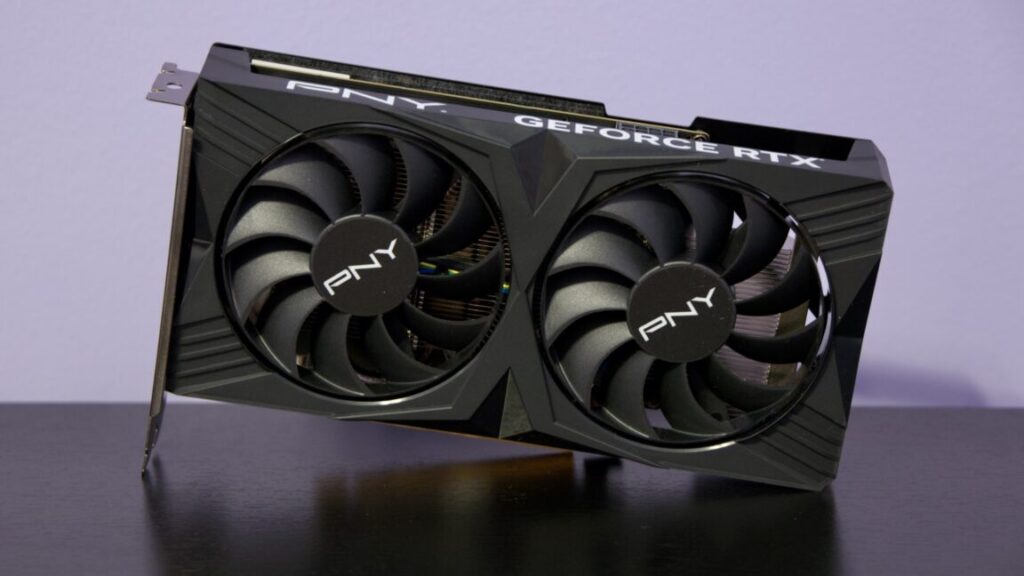
Nvidia has launched all of the GeForce RTX 50-series GPUs that it announced at CES, at least technically—whether you’re buying from Nvidia, AMD, or Intel, it’s nearly impossible to find any of these new cards at their advertised prices right now.

But hope springs eternal, and newly leaked specs for GeForce RTX 5060 and 5050-series cards suggest that Nvidia may be announcing these lower-end cards soon. These kinds of cards are rarely exciting, but Steam Hardware Survey data shows that these xx60 and xx50 cards are what the overwhelming majority of PC gamers are putting in their systems.

The specs, posted by a reliable leaker named Kopite and reported by Tom’s Hardware and others, suggest a refresh that’s in line with what Nvidia has done with most of the 50-series so far. Along with a move to the next-generation Blackwell architecture, the 5060 GPUs each come with a small increase to the number of CUDA cores, a jump from GDDR6 to GDDR7, and an increase in power consumption, but no changes to the amount of memory or the width of the memory bus. The 8GB versions, in particular, will probably continue to be marketed primarily as 1080p cards.

RTX 5060 Ti (leaked) RTX 4060 Ti RTX 5060 (leaked) RTX 4060 RTX 5050 (leaked) RTX 3050
CUDA Cores 4,608 4,352 3,840 3,072 2,560 2,560
Boost Clock Unknown 2,535 MHz Unknown 2,460 MHz Unknown 1,777 MHz
Memory Bus Width 128-bit 128-bit 128-bit 128-bit 128-bit 128-bit
Memory bandwidth Unknown 288 GB/s Unknown 272 GB/s Unknown 224 GB/s
Memory size 8GB or 16GB GDDR7 8GB or 16GB GDDR6 8GB GDDR7 8GB GDDR6 8GB GDDR6 8GB GDDR6
TGP 180 W 160 W 150 W 115 W 130 W 130 W

As with the 4060 Ti, the 5060 Ti is said to come in two versions, one with 8GB of RAM and one with 16GB. One of the 4060 Ti’s problems was that its relatively narrow 128-bit memory bus limited its performance at 1440p and 4K resolutions even with 16GB of RAM—the bandwidth increase from GDDR7 could help with this, but we’ll need to test to see for sure.

Leaked GeForce RTX 5060 and 5050 specs suggest Nvidia will keep playing it safe Read More »

ryzen-9-9950x3d-review:-seriously-fast,-if-a-step-backward-in-efficiency

Ryzen 9 9950X3D review: Seriously fast, if a step backward in efficiency


Not a lot of people actually need this thing, but if you do, it’s very good.

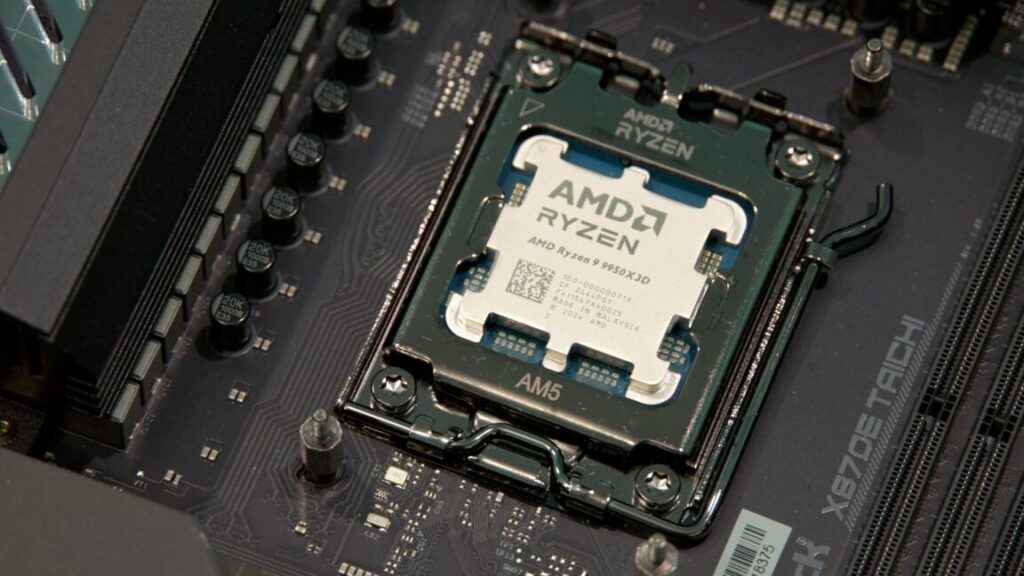
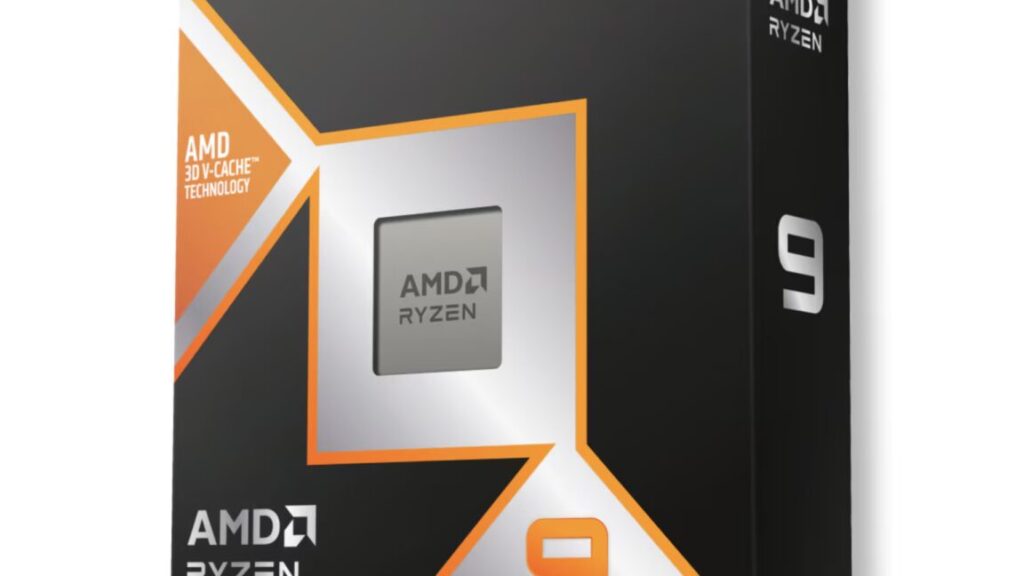
AMD’s Ryzen 9 9950X3D. Credit: Andrew Cunningham

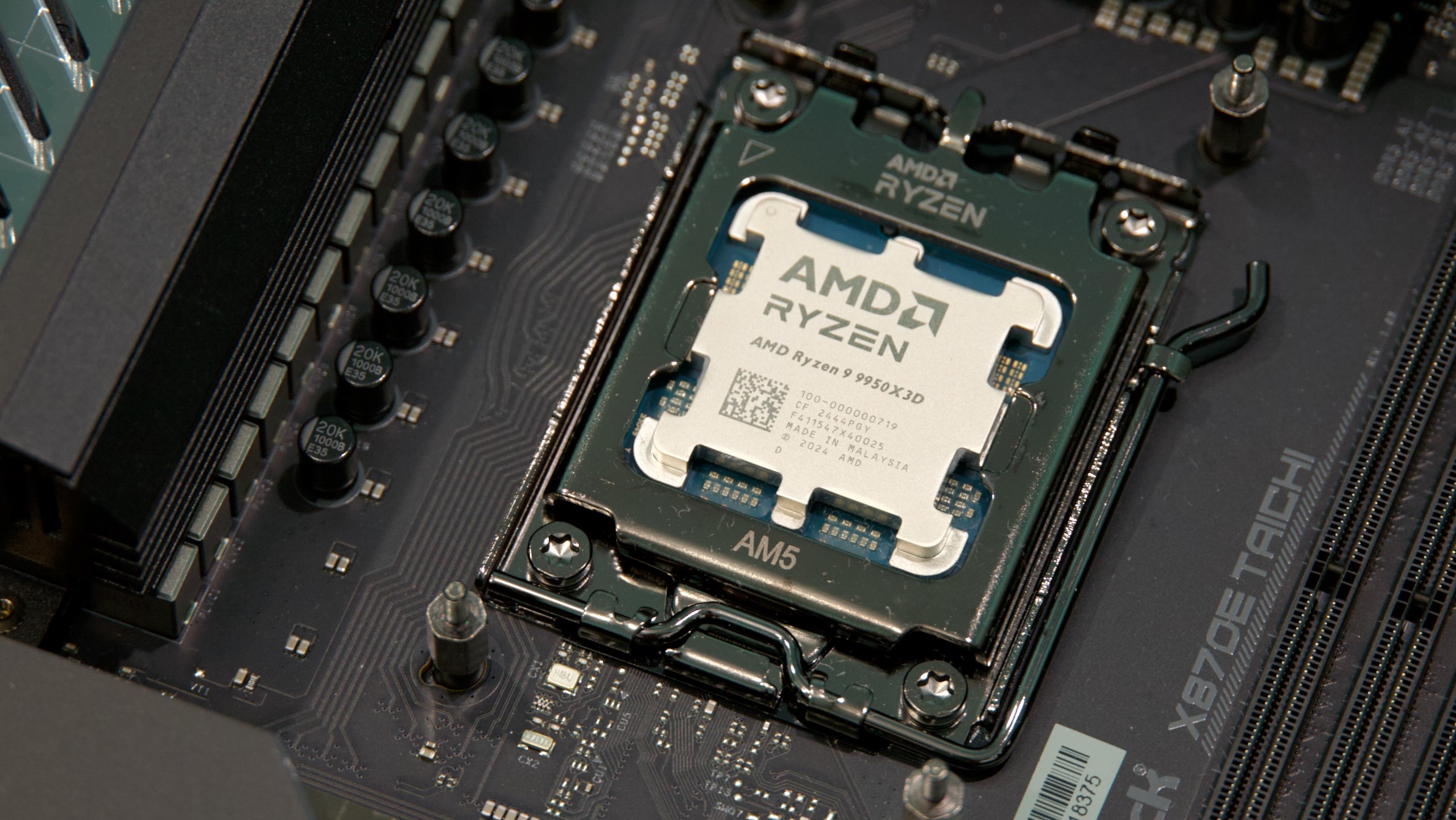
AMD’s Ryzen 9 9950X3D. Credit: Andrew Cunningham

Even three years later, AMD’s high-end X3D-series processors still aren’t a thing that most people need to spend extra money on—under all but a handful of circumstances, your GPU will be the limiting factor when you’re running games, and few non-game apps benefit from the extra 64MB chunk of L3 cache that is the processors’ calling card. They’ve been a reasonably popular way for people with old AM4 motherboards to extend the life of their gaming PCs, but for AM5 builds, a regular Zen 4 or Zen 5 CPU will not bottleneck modern graphics cards most of the time.

But high-end PC building isn’t always about what’s rational, and people spending $2,000 or more to stick a GeForce RTX 5090 into their systems probably won’t worry that much about spending a couple hundred extra dollars to get the fastest CPU they can get. That’s the audience for the new Ryzen 9 9950X3D, a 16-core, Zen 5-based, $699 monster of a processor that AMD begins selling tomorrow.

If you’re only worried about game performance (and if you can find one), the Ryzen 7 9800X3D is the superior choice, for reasons that will become apparent once we start looking at charts. But if you want fast game performance and you need as many CPU cores as you can get for other streaming or video production or rendering work, the 9950X3D is there for you. (It’s a little funny to me that this a chip made almost precisely for the workload of the PC building tech YouTubers who will be reviewing it.)  It’s also a processor that Intel doesn’t have any kind of answer to.

Second-generation 3D V-Cache

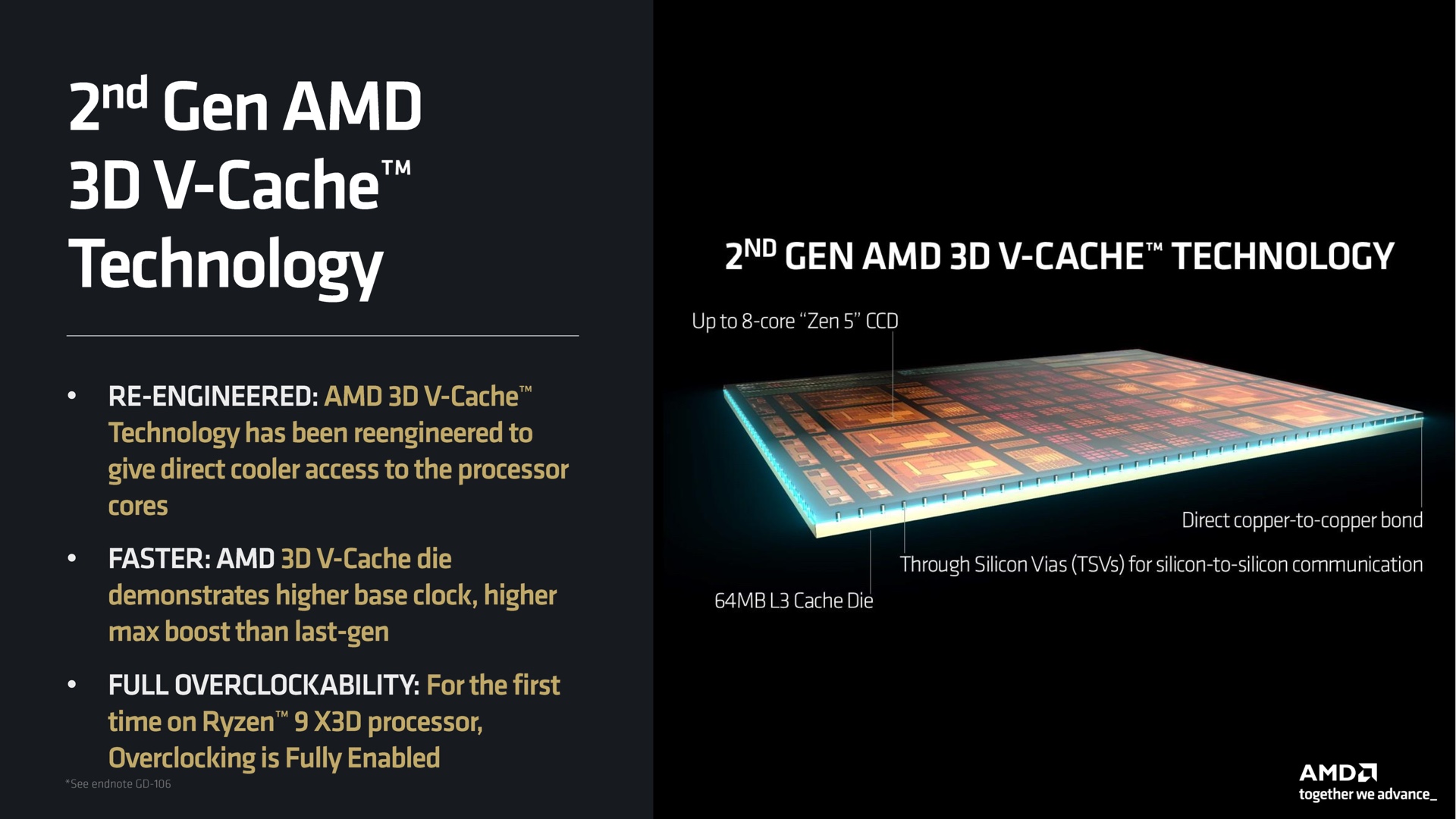
Layering the 3D V-Cache under the CPU die has made most of the 9950X3D’s improvements possible. Credit: AMD

AMD says the 9000X3D chips use a “second-generation” version of its 3D V-Cache technology after using the same approach for the Ryzen 5000 and 7000 processors. The main difference is that, where the older chips stack the 64MB of extra L3 cache on top of the processor die, the 9000 series stacks the cache underneath, making it easier to cool the CPU silicon.

This makes the processors’ thermal characteristics much more like a typical Ryzen CPU without the 3D V-Cache. And because voltage and temperatures are less of a concern, the 9800X3D, 9900X3D, and 9950X3D all support the full range of overclocking and performance tuning tools that other Ryzen CPUs support.

The 12- and 16-core Ryzen X3D chips are built differently from the 8-core. As we’ve covered elsewhere, AMD’s Ryzen desktop processors are a combination of chiplets—up to two CPU core chiplets with up to eight CPU cores each and a separate I/O die that handles things like PCI Express and USB support. In the 9800X3D, you just have one CPU chiplet, and the 64MB of 3D V-Cache is stacked underneath. For the 9900X3D and 9950X3D, you get one 8-core CPU die with V-Cache underneath and then one other CPU die with 4 or 8 cores enabled and no extra cache.

AMD’s driver software is responsible for deciding what apps get run on which CPU cores. Credit: AMD

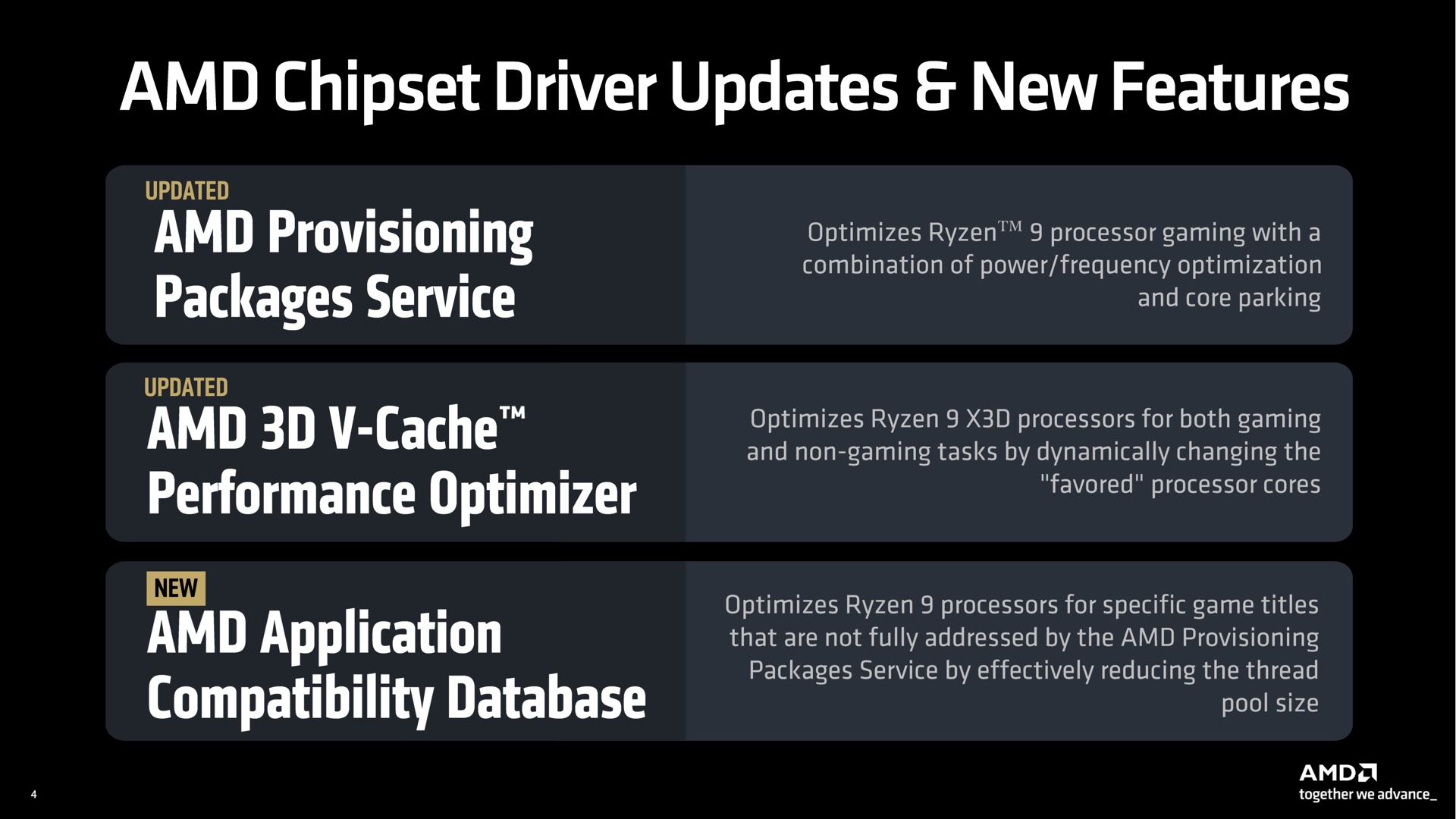
It’s up to AMD’s chipset software to decide what kinds of apps get to run on each kind of CPU core. Non-gaming workloads prioritize the normal CPU cores, which are generally capable of slightly higher peak clock speeds, while games that benefit disproportionately from the extra cache are run on those cores instead. AMD’s software can “park” the non-V-Cache CPU cores when you’re playing games to ensure they’re not accidentally being run on less-suitable CPU cores.

This technology will work the same basic way for the 9950X3D as it did for the older 7950X3D, but AMD has made some tweaks. Updates to the chipset driver mean that you can swap your current processor out for an X3D model without needing to totally reinstall Windows to get things working, for example, which was AMD’s previous recommendation for the 7000 series. Another update will improve performance for Windows 10 systems with virtualization-based security (VBS) enabled, though if you’re still on Windows 10, you should be considering an upgrade to Windows 11 so you can keep getting security updates past October.

And for situations where AMD’s drivers can’t automatically send the right workloads to the right kinds of cores, AMD also maintains a compatibility database of applications that need special treatment to take advantage of the 3D V-Cache in the 9900X3D and 9950X3D. AMD says it has added a handful of games to that list for the 9900/9950X3D launch, including Far Cry 6Deus Ex: Mankind Divided, and a couple of Total War games, among others.

Testbed notes

Common elements to all the platforms we test in our CPU testbed include a Lian Li O11 Air Mini case with an EVGA-provided Supernova 850 P6 power supply and a 280 mm Corsair iCue H115i Elite Capellix AIO cooler.

Since our last CPU review, we’ve done a bit of testbed updating to make sure that we’re accounting for a bunch of changes and turmoil on both Intel’s and AMD’s sides of the fence.

For starters, we’re running Windows 11 24H2 on all systems now, which AMD has said should marginally improve performance for architectures going all the way back to Zen 3 (on the desktop, the Ryzen 5000 series). The company made this revelation after early reviewers of the Ryzen 9000 series couldn’t re-create the oddball conditions of their own internal test setups.

As for Intel, the new testing incorporates fixes for the voltage spiking, processor-destroying bugs that affected 13th- and 14th-generation Core processors, issues that Intel fixed in phases throughout 2024. For the latest Core Ultra 200-series desktop CPUs, it also includes performance fixes Intel introduced in BIOS updates and drivers late last year and early this year. (You might have noticed that we didn’t run reviews of the 9800X3D or the Core Ultra 200 series at the time; all of this re-testing of multiple generations of CPUs was part of the reason why).

All of this is to say that any numbers you’re seeing in this review represent recent testing with newer Windows updates, BIOS updates, and drivers all installed.

One thing that isn’t top of the line at the moment is the GeForce RTX 4090, though we are using that now instead of a Radeon RX 7900 XTX.

The RTX 50 series was several months away from being announced when we began collecting updated test data, and we opted to keep the GPU the same for our 9950X3D testing so that we’d have a larger corpus of data to compare the chip to. The RTX 4090 is still, by a considerable margin, the second-fastest consumer GPU that exists right now. But at some point, when we’re ready to do yet another round of totally-from-scratch retesting, we’ll likely swap a 5090 in just to be sure we’re not bottlenecking the processor.

Performance and power: Benefits with fewer drawbacks

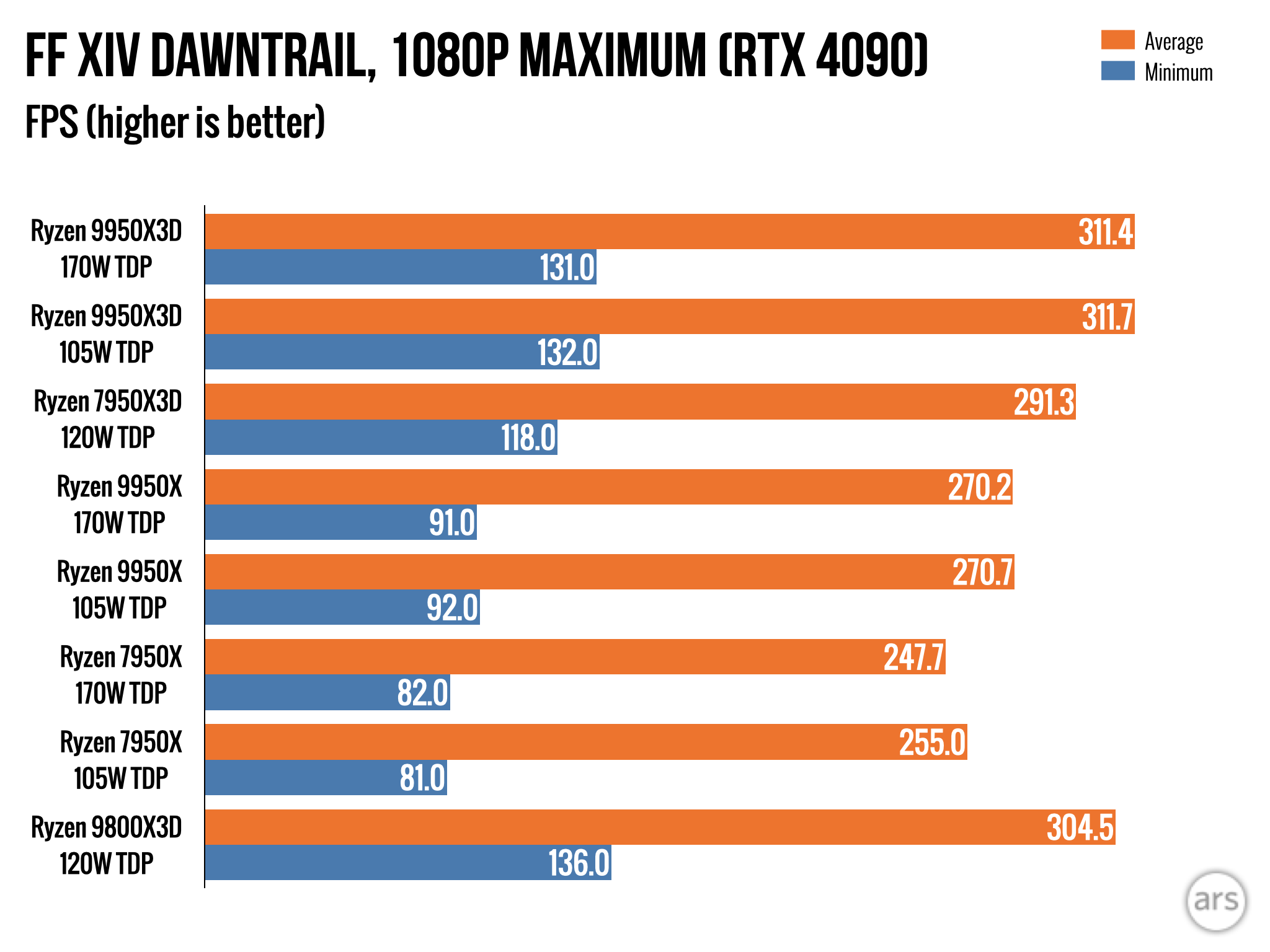
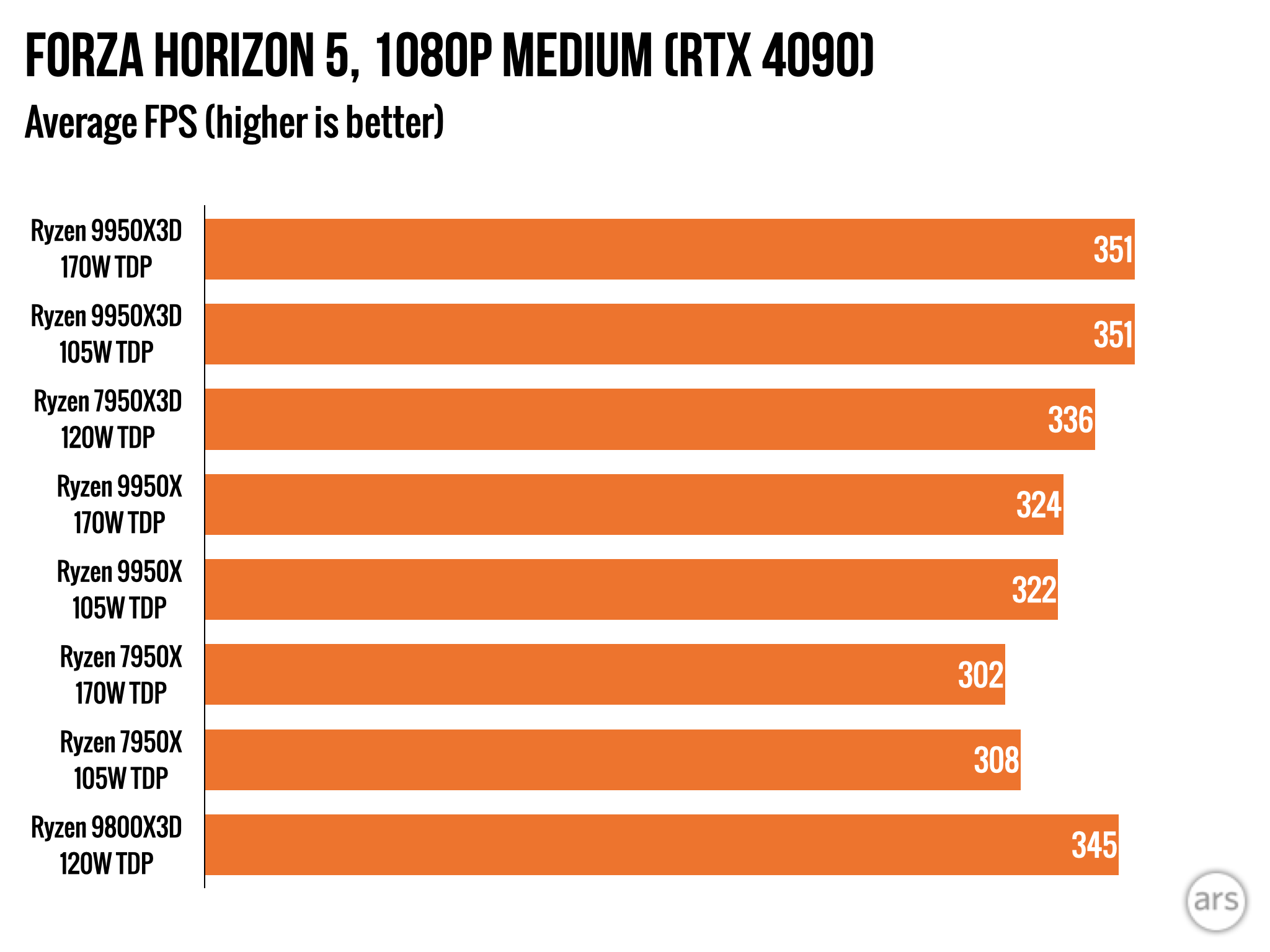
The 9950X3D has the second-highest CPU scores in our gaming benchmarks, and it’s behind the 9800X3D by only a handful of frames. This is one of the things we meant when we said that the 9800X3D was the better choice if you’re only worried about game performance. The same dynamic plays out between other 8- and 16-core Ryzen chips—higher power consumption and heat in the high-core-count chips usually bring game performance down just a bit despite the nominally higher boost clocks.

You’ll also pay for it in power consumption, at least at each chip’s default settings. On average, the 9950X3D uses 40 or 50 percent more power during our gaming benchmarks than the 9800X3D running the same benchmarks, even though it’s not capable of running them quite as quickly. But it’s similar to the power use of the regular 9950X, which is quite a bit slower in these gaming benchmarks, even if it does have broadly similar performance in most non-gaming benchmarks.

What’s impressive is what you see when you compare the 9950X3D to its immediate predecessor, the 7950X3D. The 9950X3D isn’t dramatically faster in games, reflecting Zen 5’s modest performance improvement over Zen 4. But the 9950X3D is a lot faster in our general-purpose benchmarks and other non-gaming CPU benchmarks because the changes to how the X3D chips are packaged have helped AMD keep clock speeds, voltages, and power limits pretty close to the same as they are for the regular 9950X.

In short, the 7950X3D gave up a fair bit of performance relative to the 7950X because of compromises needed to support 3D V-Cache. The 9950X3D doesn’t ask you to make the same compromises.

Testing the 9950X3D in its 105 W Eco Mode.

That comes with both upsides and downsides. For example, the 9950X3D looks a lot less power-efficient under load in our Handbrake video encoding test than the 7950X3D because it is using the same amount of power as a normal Ryzen processor. But that’s the other “normal” thing about the 9950X3D—the ability to manually tune those power settings and boost your efficiency if you’re OK with giving up a little performance. It’s not an either/or thing. And at least in our testing, games run just as fast when you set the 9950X3D to use the 105 W Eco Mode instead of the 170 W default TDP.

As for Intel, it just doesn’t have an answer for the X3D series. The Core Ultra 9 285K is perfectly competitive in our general-purpose CPU benchmarks and efficiency, but the Arrow Lake desktop chips struggle to compete with 14th-generation Core and Ryzen 7000 processors in gaming benchmarks, to say nothing of the Ryzen 9000 and to say even less than nothing of the 9800X3D or 9950X3D. That AMD has closed the gap between the 9950X and 9950X3D’s performance in our general-purpose CPU benchmarks means it’s hard to make an argument for Intel here.

The 9950X3D stands alone

I’m not and have never been the target audience for either the 16-core Ryzen processors or the X3D-series processors. When I’m building for myself (and when I’m recommending mainstream builds for our Ars System Guides), I’m normally an advocate for buying the most CPU you can for $200 or $300 and spending more money on a GPU.

But for the game-playing YouTubing content creators who are the 9950X3D’s intended audience, it’s definitely an impressive chip. Games can hit gobsmackingly high frame rates at lower resolutions when paired with a top-tier GPU, behind (and just barely behind) AMD’s own 9800X3D. At the same time, it’s just as good at general-use CPU-intensive tasks as the regular 9950X, fixing a trade-off that had been part of the X3D series since the beginning. AMD has also removed the limits it has in place on overclocking and adjusting power limits for the X3D processors in the 5000 and 7000 series.

So yes, it’s expensive, and no, most people probably don’t need the specific benefits it provides. It’s also possible that you’ll find edge cases where AMD’s technology for parking cores and sending the right kinds of work to the right CPU cores doesn’t work the way it should. But for people who do need or want ultra-high frame rates at lower resolutions or who have some other oddball workloads that benefit from the extra cache, the 9950X3D gives you all of the upsides with no discernible downsides other than cost. And, hey, even at $699, current-generation GPU prices almost make it look like a bargain.

The good

  • Excellent combination of the 9800X3D’s gaming performance and the 9950X’s general-purpose CPU performance
  • AMD has removed limitations on overclocking and power limit tweaking
  • Pretty much no competition for Intel for the specific kind of person the 9950X3D will appeal to

The bad

  • Niche CPUs that most people really don’t need to buy
  • Less power-efficient out of the box than the 7950X3D, though users have latitude to tune efficiency manually if they want
  • AMD’s software has sometimes had problems assigning the right kinds of apps to the right kinds of CPU cores, though we didn’t have issues with this during our testing

The ugly

  • Expensive

Photo of Andrew Cunningham

Andrew is a Senior Technology Reporter at Ars Technica, with a focus on consumer tech including computer hardware and in-depth reviews of operating systems like Windows and macOS. Andrew lives in Philadelphia and co-hosts a weekly book podcast called Overdue.

Ryzen 9 9950X3D review: Seriously fast, if a step backward in efficiency Read More »

m4-max-and-m3-ultra-mac-studio-review:-a-weird-update,-but-it-mostly-works

M4 Max and M3 Ultra Mac Studio Review: A weird update, but it mostly works

Comparing the M4 Max and M3 Ultra to high-end PC desktop processors.

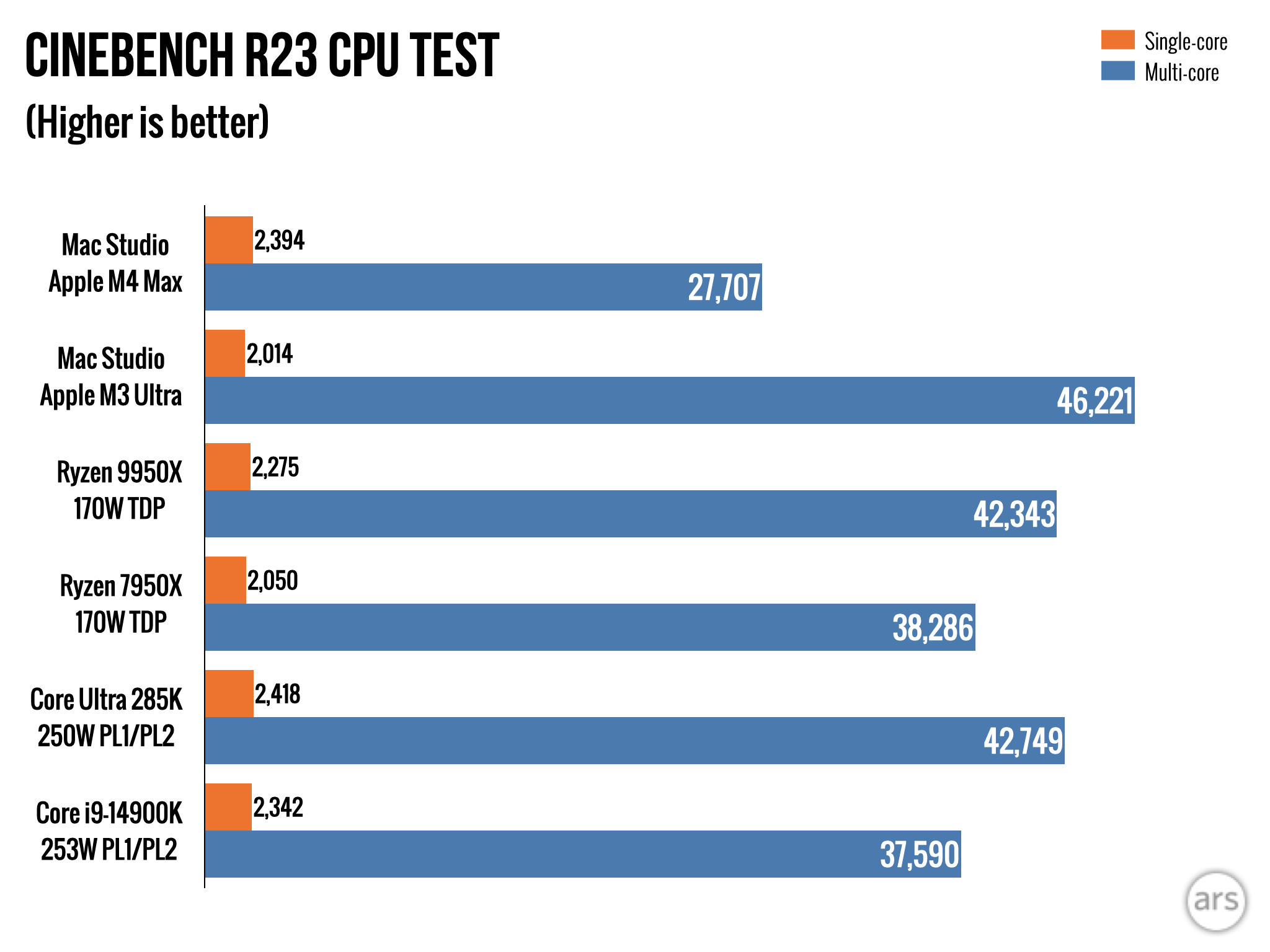
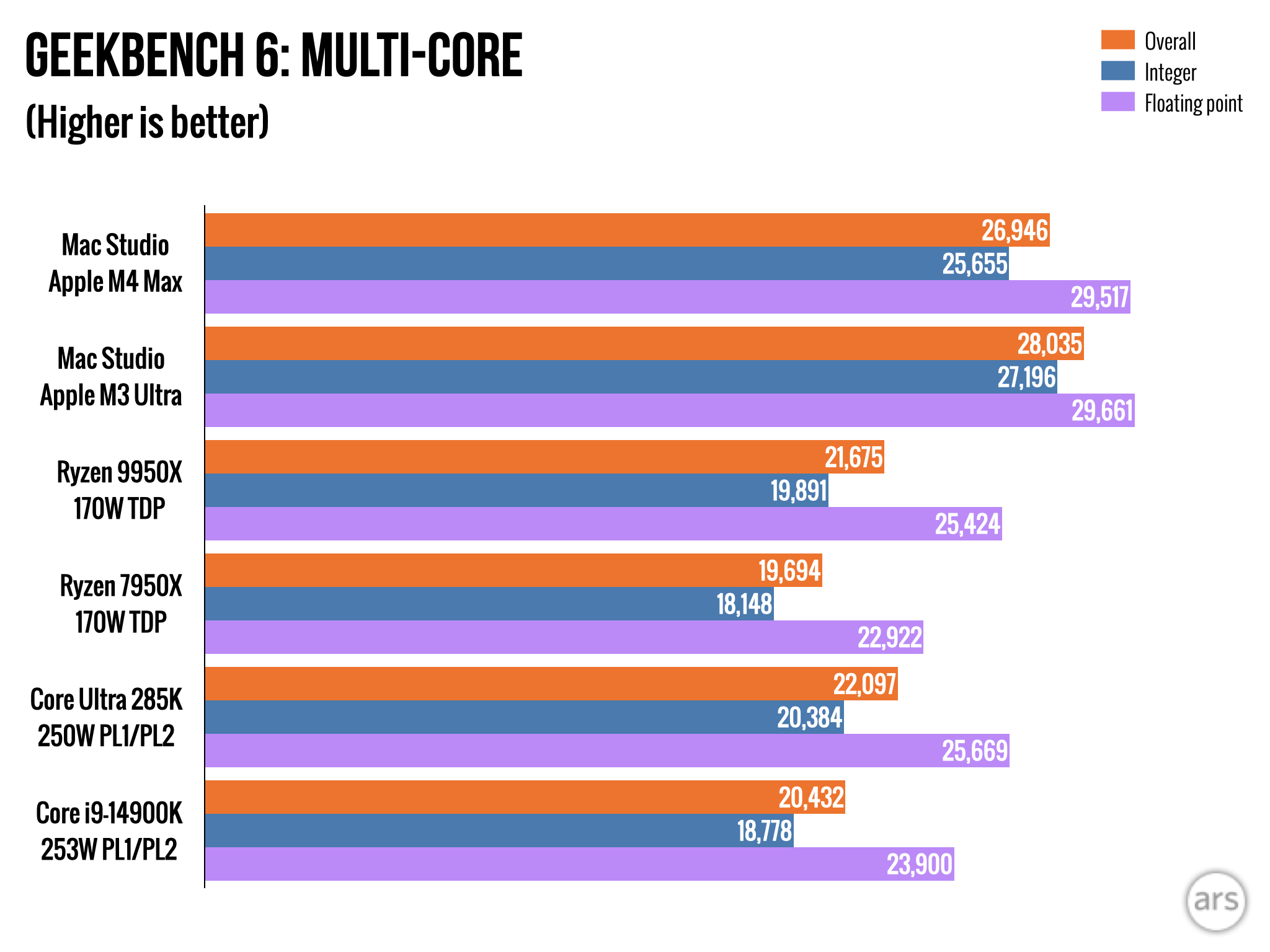
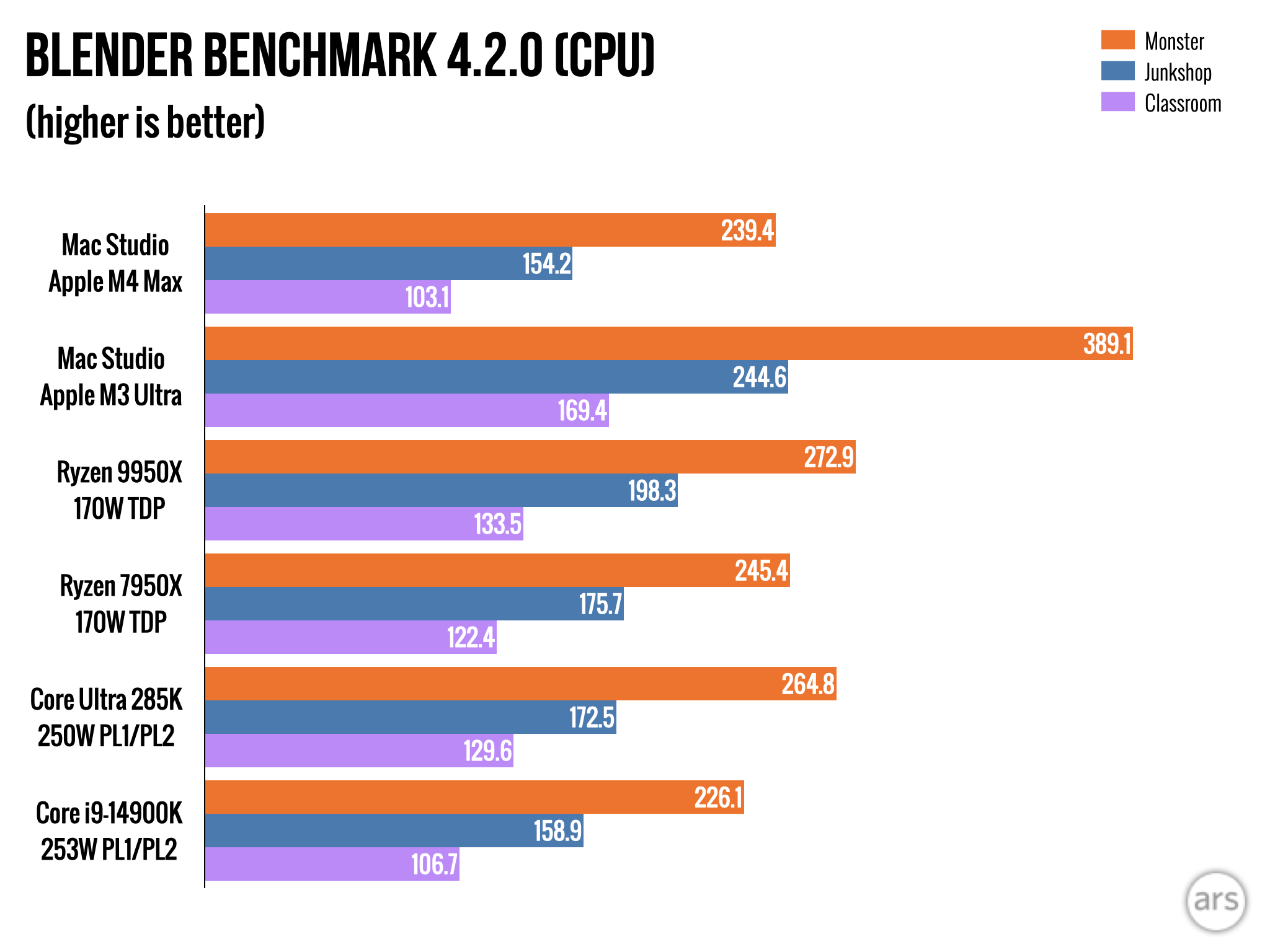
As for the Intel and AMD comparisons, both companies’ best high-end desktop CPUs like the Ryzen 9 9950X and Core Ultra 285K are often competitive with the M4 Max’s multi-core performance, but are dramatically less power-efficient at their default settings.

Mac Studio or M4 Pro Mac mini?

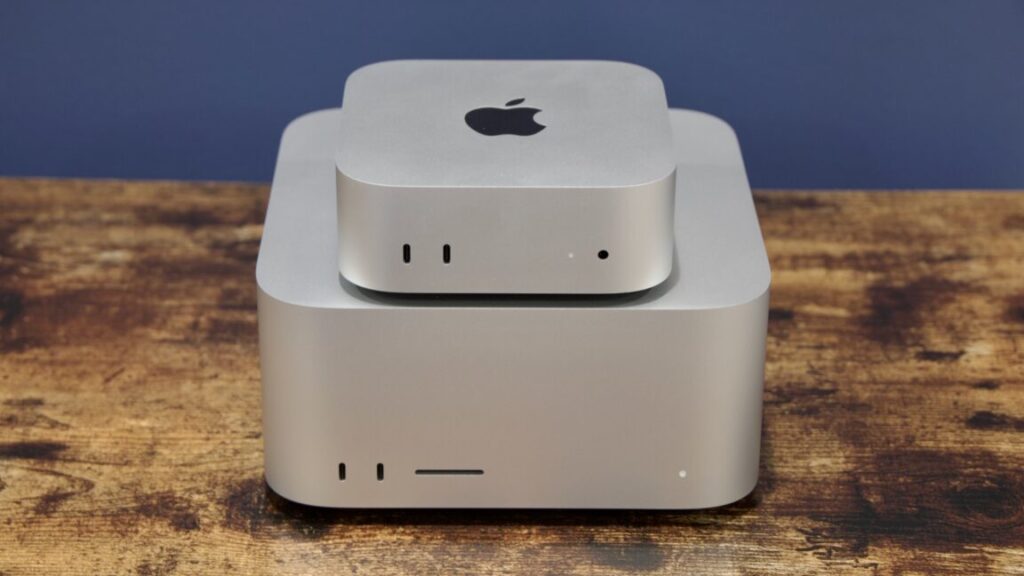
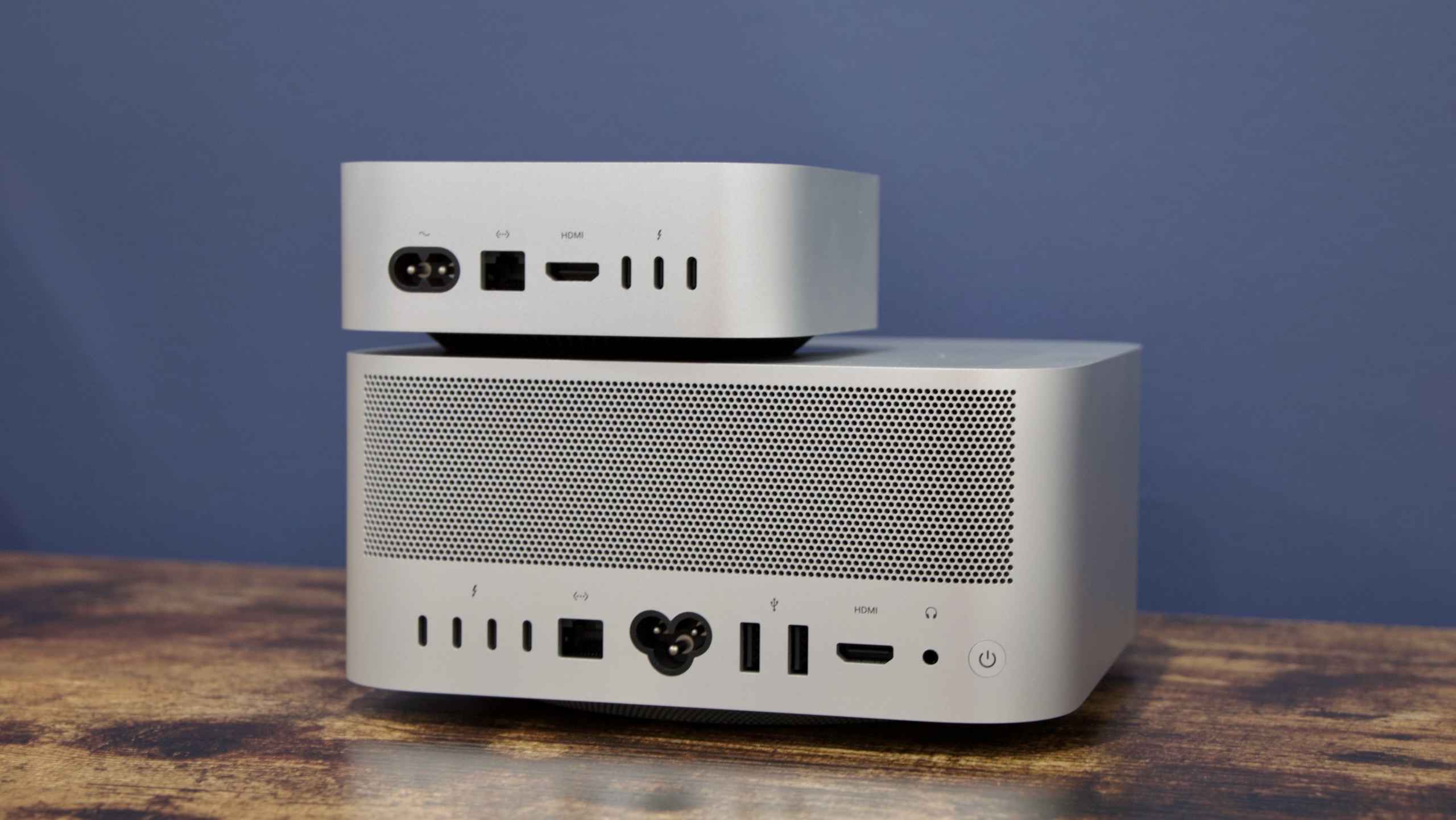
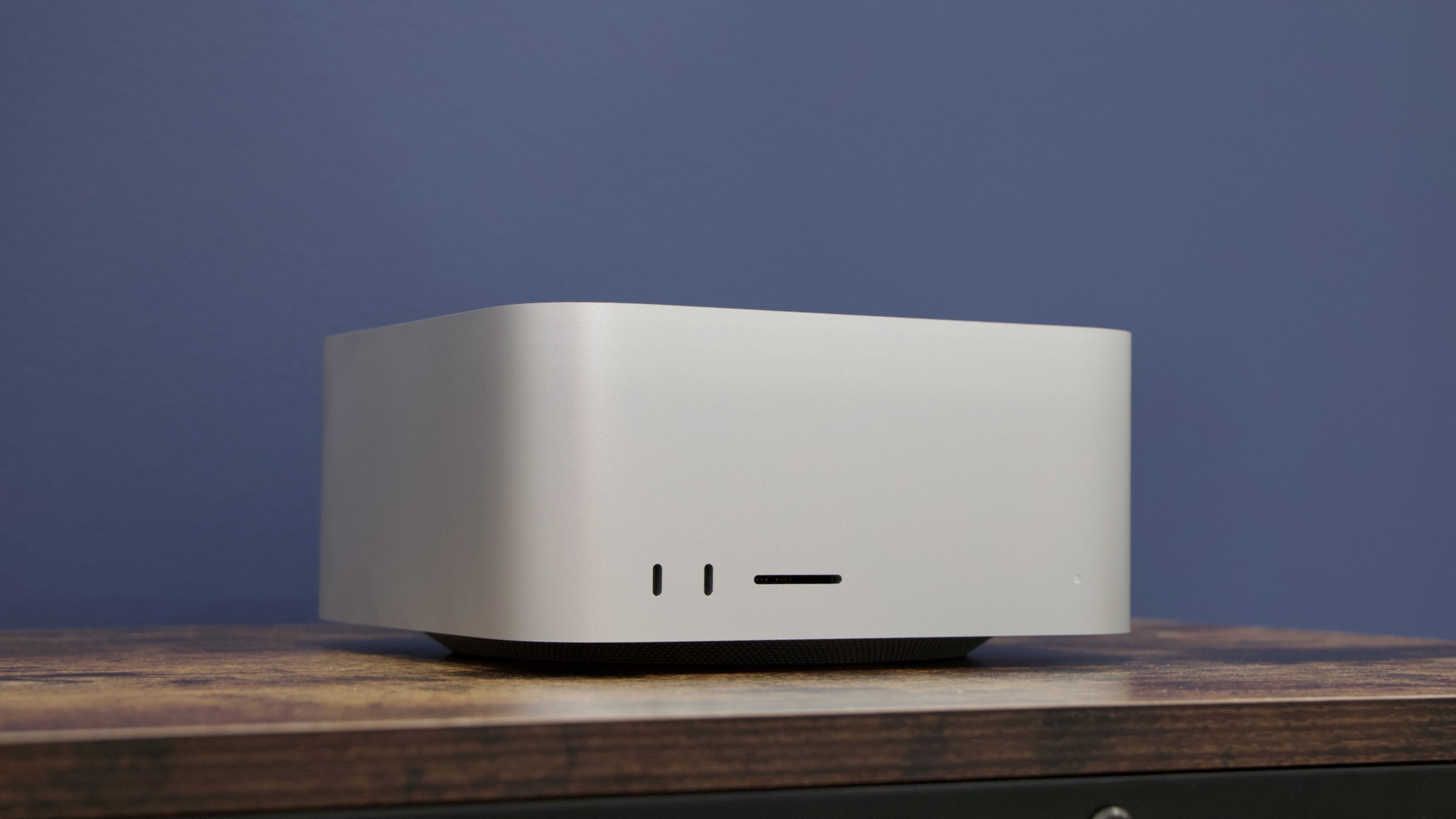
The Mac Studio (bottom) and redesigned M4 Mac mini. Credit: Andrew Cunningham

Ever since Apple beefed up the Mac mini with Pro-tier chips, there’s been a pricing overlap around and just over $2,000 where the mini and the Studio are both compelling.

A $2,000 Mac mini comes with a fully enabled M4 Pro processor (14 CPU cores, 20 GPU cores), 512GB of storage, and 48GB of RAM, with 64GB of RAM available for another $200 and 10 gigabit Ethernet available for another $100. RAM is the high-end Mac mini’s main advantage over the Studio—the $1,999 Studio comes with a slightly cut-down M4 Max (also 14 CPU cores, but 32 GPU cores), 512GB of storage, and just 36GB of RAM.

In general, if you’re spending $2,000 on a Mac desktop, I would lean toward the Studio rather than the mini. You’re getting roughly the same CPU but a much faster GPU and more ports. You get less RAM, but depending on what you’re doing, there’s a good chance that 36GB is more than enough.

The only place where the mini is clearly better than the Studio once you’ve above $2,000 is memory. If you want 64GB of RAM in your Mac, you can get it in the Mac mini for $2,200. The cheapest Mac Studio with 64GB of RAM also requires a processor upgrade, bringing the total cost to $2,700. If you need memory more than you need raw performance, or if you just need something that’s as small as it can possibly be, that’s when the high-end mini can still make sense.

A lot of power—if you need it

Apple’s M4 Max Mac Studio. Credit: Andrew Cunningham

Obviously, Apple’s hermetically sealed desktop computers have some downsides compared to a gaming or workstation PC, most notably that you need to throw out and replace the whole thing any time you want to upgrade literally any component.

M4 Max and M3 Ultra Mac Studio Review: A weird update, but it mostly works Read More »

why-extracting-data-from-pdfs-is-still-a-nightmare-for-data-experts

Why extracting data from PDFs is still a nightmare for data experts


Optical Character Recognition

Countless digital documents hold valuable info, and the AI industry is attempting to set it free.

For years, businesses, governments, and researchers have struggled with a persistent problem: How to extract usable data from Portable Document Format (PDF) files. These digital documents serve as containers for everything from scientific research to government records, but their rigid formats often trap the data inside, making it difficult for machines to read and analyze.

“Part of the problem is that PDFs are a creature of a time when print layout was a big influence on publishing software, and PDFs are more of a ‘print’ product than a digital one,” Derek Willis, a lecturer in Data and Computational Journalism at the University of Maryland, wrote in an email to Ars Technica. “The main issue is that many PDFs are simply pictures of information, which means you need Optical Character Recognition software to turn those pictures into data, especially when the original is old or includes handwriting.”

Computational journalism is a field where traditional reporting techniques merge with data analysis, coding, and algorithmic thinking to uncover stories that might otherwise remain hidden in large datasets, which makes unlocking that data a particular interest for Willis.

The PDF challenge also represents a significant bottleneck in the world of data analysis and machine learning at large. According to several studies, approximately 80–90 percent of the world’s organizational data is stored as unstructured data in documents, much of it locked away in formats that resist easy extraction. The problem worsens with two-column layouts, tables, charts, and scanned documents with poor image quality.

The inability to reliably extract data from PDFs affects numerous sectors but hits hardest in areas that rely heavily on documentation and legacy records, including digitizing scientific research, preserving historical documents, streamlining customer service, and making technical literature more accessible to AI systems.

“It is a very real problem for almost anything published more than 20 years ago and in particular for government records,” Willis says. “That impacts not just the operation of public agencies like the courts, police, and social services but also journalists, who rely on those records for stories. It also forces some industries that depend on information, like insurance and banking, to invest time and resources in converting PDFs into data.”

A very brief history of OCR

Traditional optical character recognition (OCR) technology, which converts images of text into machine-readable text, has been around since the 1970s. Inventor Ray Kurzweil pioneered the commercial development of OCR systems, including the Kurzweil Reading Machine for the blind in 1976, which relied on pattern-matching algorithms to identify characters from pixel arrangements.

These traditional OCR systems typically work by identifying patterns of light and dark pixels in images, matching them to known character shapes, and outputting the recognized text. While effective for clear, straightforward documents, these pattern-matching systems, a form of AI themselves, often falter when faced with unusual fonts, multiple columns, tables, or poor-quality scans.

Traditional OCR persists in many workflows precisely because its limitations are well-understood—it makes predictable errors that can be identified and corrected, offering a reliability that sometimes outweighs the theoretical advantages of newer AI-based solutions. But now that transformer-based large language models (LLMs) are getting the lion’s share of funding dollars, companies are increasingly turning to them for a new approach to reading documents.

The rise of AI language models in OCR

Unlike traditional OCR methods that follow a rigid sequence of identifying characters based on pixel patterns, multimodal LLMs that can read documents are trained on text and images that have been translated into chunks of data called tokens and fed into large neural networks. Vision-capable LLMs from companies like OpenAI, Google, and Meta analyze documents by recognizing relationships between visual elements and understanding contextual cues.

The “visual” image-based method is how ChatGPT reads a PDF file, for example, if you upload it through the AI assistant interface. It’s a fundamentally different approach than standard OCR that allows them to potentially process documents more holistically, considering both visual layouts and text content simultaneously.

And as it turns out, some LLMs from certain vendors are better at this task than others.

“The LLMs that do well on these tasks tend to behave in ways that are more consistent with how I would do it manually,” Willis said. He noted that some traditional OCR methods are quite good, particularly Amazon’s Textract, but that “they also are bound by the rules of their software and limitations on how much text they can refer to when attempting to recognize an unusual pattern.” Willis added, “With LLMs, I think you trade that for an expanded context that seems to help them make better predictions about whether a digit is a three or an eight, for example.”

This context-based approach enables these models to better handle complex layouts, interpret tables, and distinguish between document elements like headers, captions, and body text—all tasks that traditional OCR solutions struggle with.

“[LLMs] aren’t perfect and sometimes require significant intervention to do the job well, but the fact that you can adjust them at all [with custom prompts] is a big advantage,” Willis said.

New attempts at LLM-based OCR

As the demand for better document-processing solutions grows, new AI players are entering the market with specialized offerings. One such recent entrant has caught the attention of document-processing specialists in particular.

Mistral, a French AI company known for its smaller LLMs, recently entered the LLM-powered optical reader space with Mistral OCR, a specialized API designed for document processing. According to Mistral’s materials, their system aims to extract text and images from documents with complex layouts by using its language model capabilities to process document elements.

Robot sitting on a bunch of books, reading a book.

However, these promotional claims don’t always match real-world performance, according to recent tests. “I’m typically a pretty big fan of the Mistral models, but the new OCR-specific one they released last week really performed poorly,” Willis noted.

“A colleague sent this PDF and asked if I could help him parse the table it contained,” says Willis. “It’s an old document with a table that has some complex layout elements. The new [Mistral] OCR-specific model really performed poorly, repeating the names of cities and botching a lot of the numbers.”

AI app developer Alexander Doria also recently pointed out on X a flaw with Mistral OCR’s ability to understand handwriting, writing, “Unfortunately Mistral-OCR has still the usual VLM curse: with challenging manuscripts, it hallucinates completely.”

According to Willis, Google currently leads the field in AI models that can read documents: “Right now, for me the clear leader is Google’s Gemini 2.0 Flash Pro Experimental. It handled the PDF that Mistral did not with a tiny number of mistakes, and I’ve run multiple messy PDFs through it with success, including those with handwritten content.”

Gemini’s performance stems largely from its ability to process expansive documents (in a type of short-term memory called a “context window”), which Willis specifically notes as a key advantage: “The size of its context window also helps, since I can upload large documents and work through them in parts.” This capability, combined with more robust handling of handwritten content, apparently gives Google’s model a practical edge over competitors in real-world document-processing tasks for now.

The drawbacks of LLM-based OCR

Despite their promise, LLMs introduce several new problems to document processing. Among them, they can introduce confabulations or hallucinations (plausible-sounding but incorrect information), accidentally follow instructions in the text (thinking they are part of a user prompt), or just generally misinterpret the data.

“The biggest [drawback] is that they are probabilistic prediction machines and will get it wrong in ways that aren’t just ‘that’s the wrong word’,” Willis explains. “LLMs will sometimes skip a line in larger documents where the layout repeats itself, I’ve found, where OCR isn’t likely to do that.”

AI researcher and data journalist Simon Willison identified several critical concerns of using LLMs for OCR in a conversation with Ars Technica. “I still think the biggest challenge is the risk of accidental instruction following,” he says, always wary of prompt injections (in this case accidental) that might feed nefarious or contradictory instructions to a LLM.

“That and the fact that table interpretation mistakes can be catastrophic,” Willison adds. “In the past I’ve had lots of cases where a vision LLM has matched up the wrong line of data with the wrong heading, which results in absolute junk that looks correct. Also that thing where sometimes if text is illegible a model might just invent the text.”

These issues become particularly troublesome when processing financial statements, legal documents, or medical records, where a mistake might put someone’s life in danger. The reliability problems mean these tools often require careful human oversight, limiting their value for fully automated data extraction.

The path forward

Even in our seemingly advanced age of AI, there is still no perfect OCR solution. The race to unlock data from PDFs continues, with companies like Google now offering context-aware generative AI products. Some of the motivation for unlocking PDFs among AI companies, as Willis observes, doubtless involves potential training data acquisition: “I think Mistral’s announcement is pretty clear evidence that documents—not just PDFs—are a big part of their strategy, exactly because it will likely provide additional training data.”

Whether it benefits AI companies with training data or historians analyzing a historical census, as these technologies improve, they may unlock repositories of knowledge currently trapped in digital formats designed primarily for human consumption. That could lead to a new golden age of data analysis—or a field day for hard-to-spot mistakes, depending on the technology used and how blindly we trust it.

Photo of Benj Edwards

Benj Edwards is Ars Technica’s Senior AI Reporter and founder of the site’s dedicated AI beat in 2022. He’s also a tech historian with almost two decades of experience. In his free time, he writes and records music, collects vintage computers, and enjoys nature. He lives in Raleigh, NC.

Why extracting data from PDFs is still a nightmare for data experts Read More »

gmail-gains-gemini-powered-“add-to-calendar”-button

Gmail gains Gemini-powered “Add to calendar” button

Google has a new mission in the AI era: to add Gemini to as many of the company’s products as possible. We’ve already seen Gemini appear in search results, text messages, and more. In Google’s latest update to Workspace, Gemini will be able to add calendar appointments from Gmail with a single click. Well, assuming Gemini gets it right the first time, which is far from certain.

The new calendar button will appear at the top of emails, right next to the summarize button that arrived last year. The calendar option will show up in Gmail threads with actionable meeting chit-chat, allowing you to mash that button to create an appointment in one step. The Gemini sidebar will open to confirm the appointment was made, which is a good opportunity to double-check the robot. There will be a handy edit button in the Gemini window in the event it makes a mistake. However, the robot can’t invite people to these events yet.

The effect of using the button is the same as opening the Gemini panel and asking it to create an appointment. The new functionality is simply detecting events and offering the button as a shortcut of sorts. You should not expect to see this button appear on messages that already have calendar integration, like dining reservations and flights. Those already pop up in Google Calendar without AI.

Gmail gains Gemini-powered “Add to calendar” button Read More »

firmware-update-bricks-hp-printers,-makes-them-unable-to-use-hp-cartridges

Firmware update bricks HP printers, makes them unable to use HP cartridges

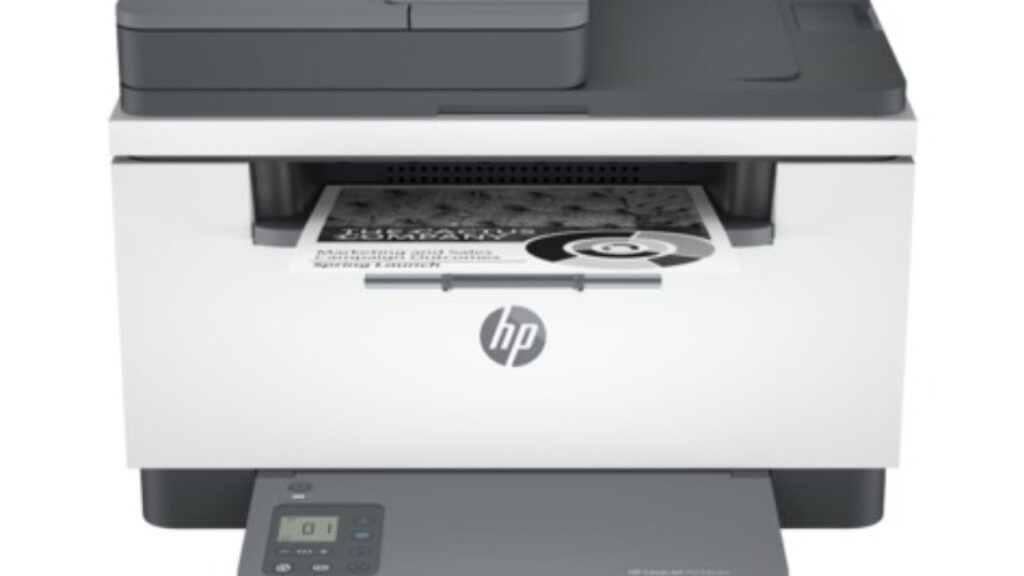
HP, along with other printer brands, is infamous for issuing firmware updates that brick already-purchased printers that have tried to use third-party ink. In a new form of frustration, HP is now being accused of issuing a firmware update that broke customers’ laser printers—even though the devices are loaded with HP-brand toner.

The firmware update in question is version 20250209, which HP issued on March 4 for its LaserJet MFP M232-M237 models. Per HP, the update includes “security updates,” a “regulatory requirement update,” “general improvements and bug fixes,” and fixes for IPP Everywhere. Looking back to older updates’ fixes and changes, which the new update includes, doesn’t reveal anything out of the ordinary. The older updates mention things like “fixed print quality to ensure borders are not cropped for certain document types,” and “improved firmware update and cartridge rejection experiences.” But there’s no mention of changes to how the printers use or read toner.

However, users have been reporting sudden problems using HP-brand toner in their M232–M237 series printers since their devices updated to 20250209. Users on HP’s support forum say they see Error Code 11 and the hardware’s toner light flashing when trying to print. Some said they’ve cleaned the contacts and reinstalled their toner but still can’t print.

“Insanely frustrating because it’s my small business printer and just stopped working out of nowhere[,] and I even replaced the tone[r,] which was a $60 expense,” a forum user wrote on March 8.

Firmware update bricks HP printers, makes them unable to use HP cartridges Read More »

“they-curdle-like-milk”:-wb-dvds-from-2006–2008-are-rotting-away-in-their-cases

“They curdle like milk”: WB DVDs from 2006–2008 are rotting away in their cases

Although digital media has surpassed physical media in popularity, there are still plenty of reasons for movie buffs and TV fans to hold onto, and even continue buying, DVDs. With physical media, owners are assured that they’ll always be able to play their favorite titles, so long as they take care of their discs. While digital copies are sometimes abruptly ripped away from viewers, physical media owners don’t have to worry about a corporation ruining their Friday night movie plans. At least, that’s what we thought.

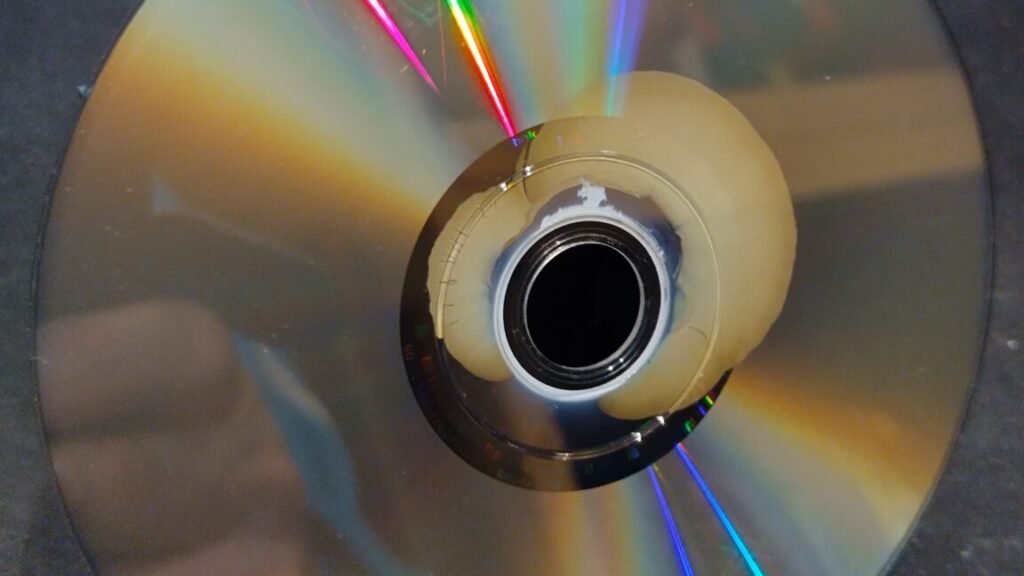
It turns out that if your DVD collection includes titles distributed by Warner Bros. Home Entertainment, the home movie distribution arm of Warner Bros. Discovery (WBD), you may one day open up the box to find a case of DVD rot.

Recently, Chris Bumbray, editor-in-chief of movie news and reviews site JoBlo, detailed what would be a harrowing experience for any film collector. He said he recently tried to play his Passage to Marseille DVD, but “after about an hour, the disc simply stopped working.” He said “the same thing happened” with Across the Pacific. Bumbray bought a new DVD player but still wasn’t able to play his Desperate Journey disc. The latter case was especially alarming because, like a lot of classic films and shows, the title isn’t available as a digital copy.

DVDs, if taken care of properly, should last for 30 to up to 100 years. It turned out that the problems that Bumbray had weren’t due to a DVD player or poor DVD maintenance. In a statement to JoBlo shared on Tuesday, WBD confirmed widespread complaints about DVDs manufactured between 2006 and 2008. The statement said:

Warner Bros. Home Entertainment is aware of potential issues affecting select DVD titles manufactured between 2006 – 2008, and the company has been actively working with consumers to replace defective discs.

Where possible, the defective discs have been replaced with the same title. However, as some of the affected titles are no longer in print or the rights have expired, consumers have been offered an exchange for a title of like-value.

Consumers with affected product can contact the customer support team at [email protected].

Collectors have known about this problem for years

It’s helpful that WBD recently provided some clarity about this situation, but its statement to JoBlo appears to be the first time the company has publicly acknowledged the disc problems. This is despite DVD collectors lamenting early onset disc rot for years, including via YouTube and online forums.

“They curdle like milk”: WB DVDs from 2006–2008 are rotting away in their cases Read More »

bad-vibes?-google-may-have-screwed-up-haptics-in-the-new-pixel-drop-update

Bad vibes? Google may have screwed up haptics in the new Pixel Drop update

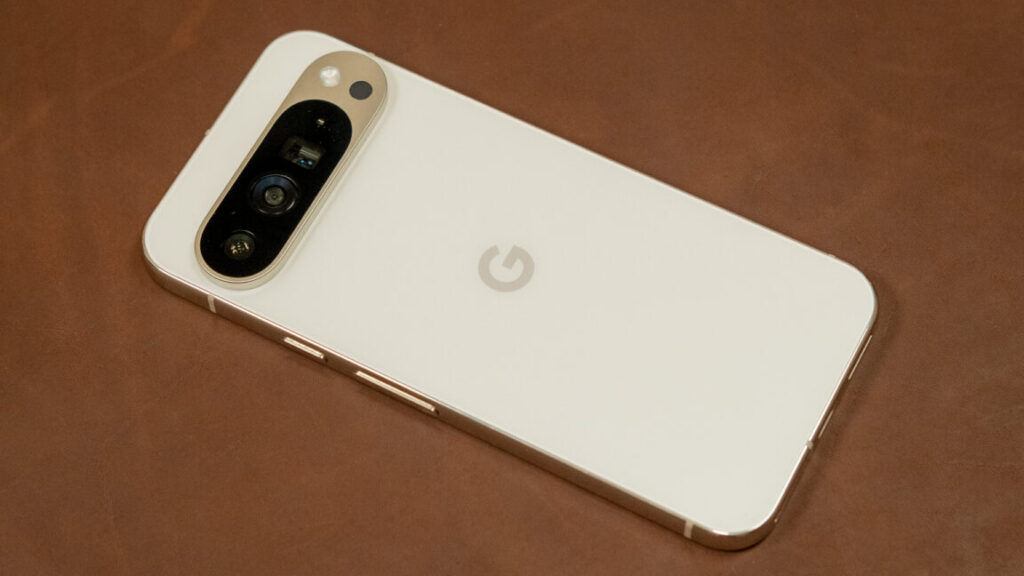
The unexpected appearance of notification cooldown, along with smaller changes to haptics globally, could be responsible for the complaints. Maybe this is working as intended and Pixel owners are just caught off guard; or maybe Google broke something. It wouldn’t be the first time.

Pixel notification cooldown

The unexpected appearance of Notification Cooldown in the update might have something to do with the reports—it’s on by default.

Credit: Ryan Whitwam

The unexpected appearance of Notification Cooldown in the update might have something to do with the reports—it’s on by default. Credit: Ryan Whitwam

In 2022, Google released an update that weakened haptic feedback on the Pixel 6, making it so soft that people were missing calls. Google released a fix for the problem a few weeks later. If there’s something wrong with the new Pixel Drop, it’s a more subtle problem. People can’t even necessarily explain how it’s different, but most seem to agree that it is.

After testing several Pixel phones both before and after the update, there may be some truth to the complaints. The length and intensity of haptic notification feedback feel different on a Pixel 9 Pro XL post-update, but our Pixel 9 Pro feels the same after installing the Pixel Drop. The different models may simply have been tuned differently in the update, or there could be a bug involved. We’ve reached out to Google to ask about this possible issue and have been told the Pixel team is actively investigating the reports.

Updated on 3/7/2025 with comment from Google. 

Bad vibes? Google may have screwed up haptics in the new Pixel Drop update Read More »

amd-says-top-tier-ryzen-9900x3d-and-9950x3d-cpus-arrive-march-12-for-$599-and-$699

AMD says top-tier Ryzen 9900X3D and 9950X3D CPUs arrive March 12 for $599 and $699

Like the 7950X3D and 7900X3D, these new X3D chips combine a pair of AMD’s CPU chiplets, one that has the extra 64MB of cache stacked underneath it and one that doesn’t. For the 7950X3D, you get eight cores with extra cache and eight without; for the 7900X3D, you get eight cores with extra cache and four without.

It’s up to AMD’s chipset software to decide what kinds of apps get to run on each kind of CPU core. Non-gaming workloads prioritize the normal CPU cores, which are generally capable of slightly higher peak clock speeds, while games that benefit disproportionately from the extra cache are run on those cores instead. AMD’s software can “park” the non-V-Cache CPU cores when you’re playing games to ensure they’re not accidentally being run on less-suitable CPU cores.

We didn’t have issues with this core parking technology when we initially tested the 7950X3D and 7900X3D, and AMD has steadily made improvements since then to make sure that core parking is working properly. The new 9000-series X3D chips should benefit from that work, too. To get the best results, AMD officially recommends a fresh and fully updated Windows install, along with the newest BIOS for your motherboard and the newest AMD chipset drivers; swapping out another Ryzen CPU for an X3D model (or vice versa) without reinstalling Windows can occasionally lead to CPUs being parked (or not parked) when they are supposed to be (or not supposed to be).

AMD says top-tier Ryzen 9900X3D and 9950X3D CPUs arrive March 12 for $599 and $699 Read More »